00193796-08.pdf - 第24页
Installation Manual Station Software Version 505.04 24 of 156 Registration confirmation → Check your entries again. → Depending on whether you answer Yes or No , you can modify your entries or continue the actual query p…
Installation Manual, Station Software Version 505.04 Edition 07/2006
23 of 156
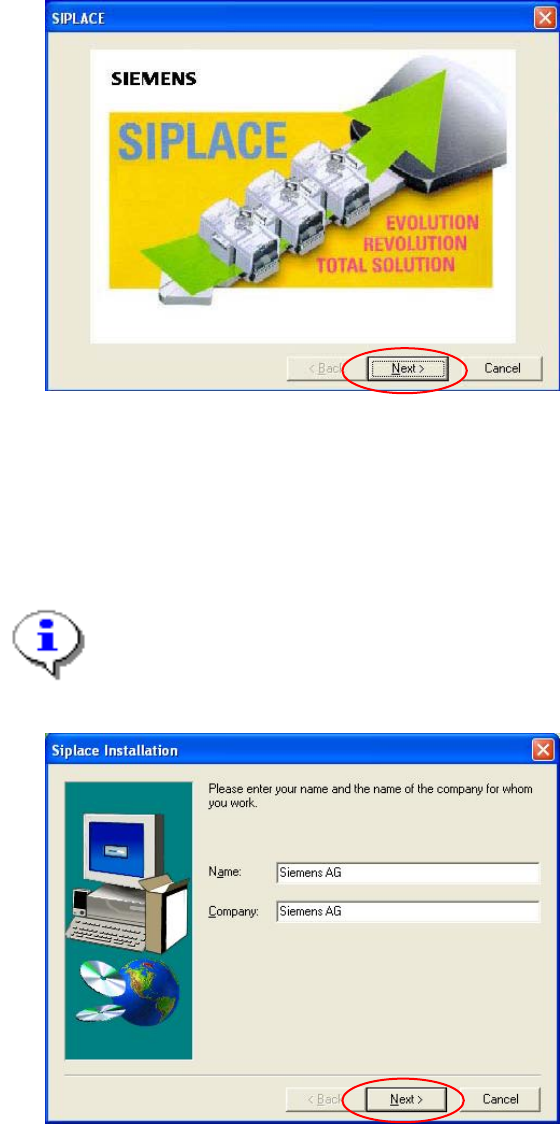
Welcome screen
Fig. 4-5 Welcome screen
→ Click the Next button.
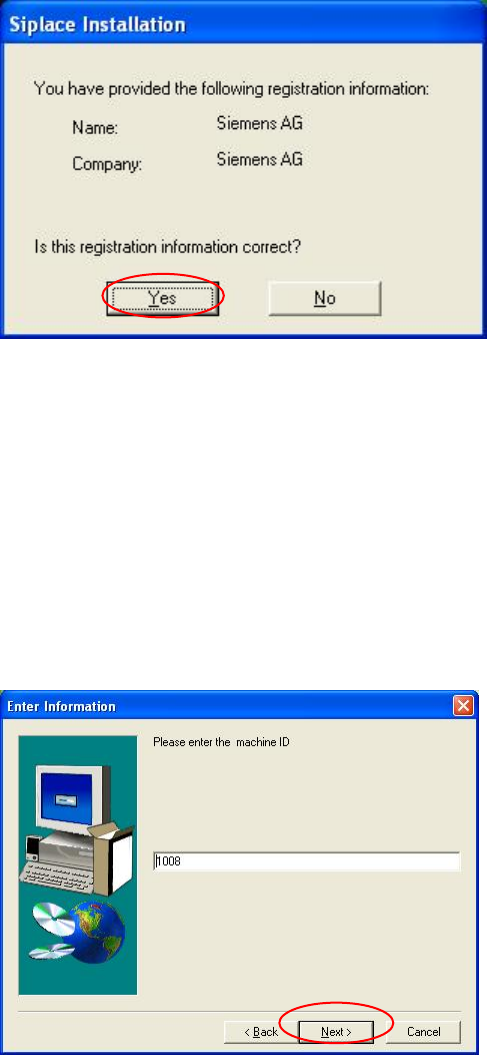
Registration
→ Enter the Name and the Company.
Note:
The information which you enter here is saved in a log file. This log file is created by the
installation program.
Fig. 4-6: Registration
→ Click the Next button.
Installation Manual Station Software Version 505.04
24 of 156
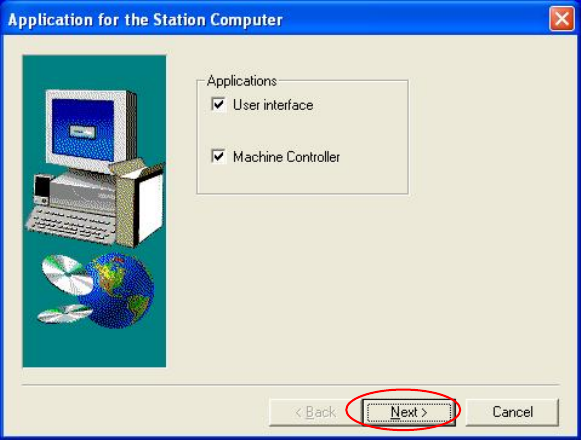
Registration confirmation
→ Check your entries again.
→ Depending on whether you answer Yes or No, you can modify your entries or continue the
actual query procedure.
Fig. 4-7: Registration confirmation
Machine ID
The Machine ID is
prerequisite for the following software
- Setup Center as for version 2.2
- OIS as for version 4.1
- SIPLACE Explorer as for version 2.1
If the machine id label is still missing on the machine, you should enter ’00000000’ for machine id.
You can order the machine id label. The order number is 03034070-01.
Fig. 4-8: Machine ID
Installation Manual, Station Software Version 505.04 Edition 07/2006
25 of 156
→ Enter the unique machine ID. You find the ID on the serial number plate mounted to the
machine.
→ Click the Next button.
Applications for the placement station
Fig. 4-9: Application selection
→ Here you can select the program packages that you wish to install.
→ Click the Next button.