00195346-0302_SM_WPC4_EN.pdf - 第104页
SITEST for WPC4 SITEST Machine Data Restoring WPC Machine Data 104 Ser vice Manual SIPLACE WPC4 5.10.3 Restoring WPC Machine Dat a The stored machine data, saved as a 'WPC-xxx.ma' file, can then be impo rted fr…
SITEST for WPC4
Saving WPC Machine Data SITEST Machine Data
Service Manual SIPLACE WPC4
103
5.10.2 Saving WPC Machine Data
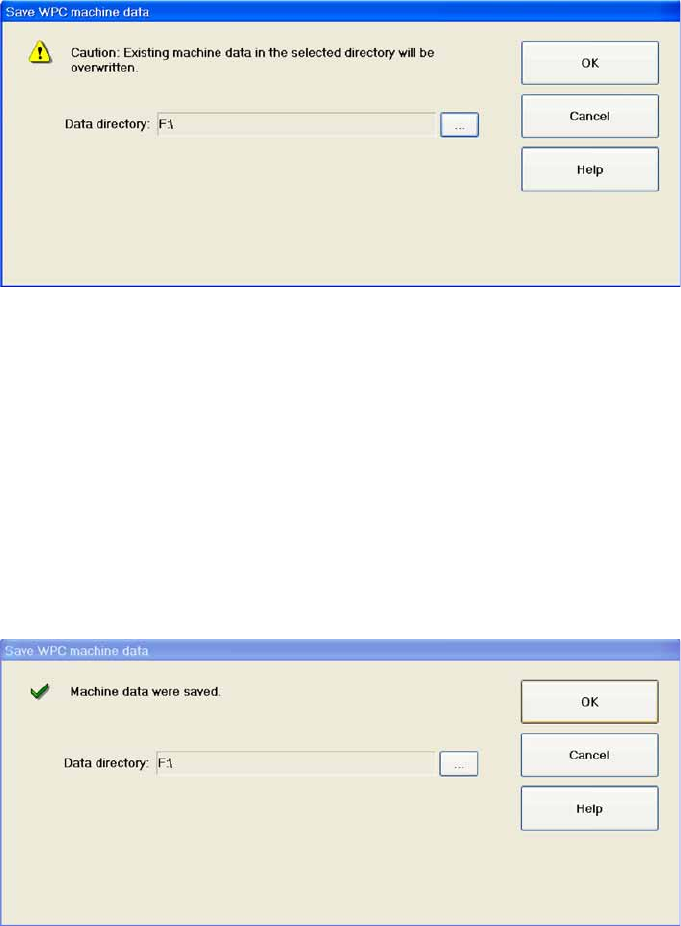
The current WPC machine data can be saved as a file in a folder of your choice. The file is named
'WPC.ma'.
OK : Activates the procedure for saving the WPC machine data and then closes the dialog box.
Cancel: Closes the dialog box without saving the WPC machine data.
Saving the machine data
X Select
OK
.
X Select the target folder in which the machine data backup file is to be saved and confirm your choice
in both dialog boxes, with
OK
.
The WPC machine data will now be saved.The following message will be shown after the data has been
successfully saved.
X Close the dialog box with
OK
.
SITEST for WPC4
SITEST Machine Data Restoring WPC Machine Data
104 Service Manual SIPLACE WPC4
5.10.3 Restoring WPC Machine Data
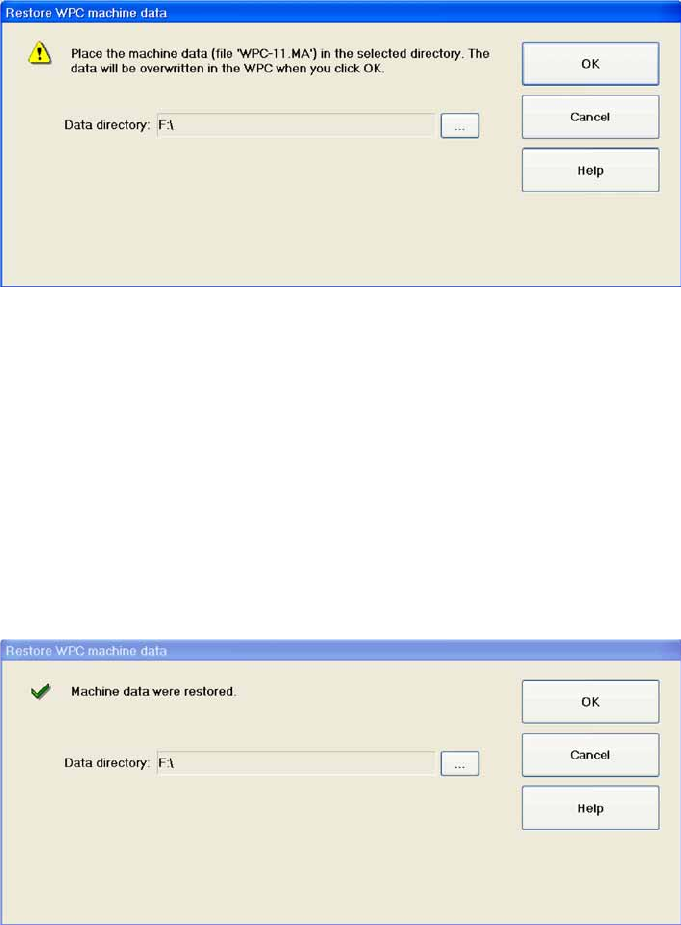
The stored machine data, saved as a 'WPC-xxx.ma' file, can then be imported from the selected folder
into the WPC.
OK : Activates the procedure for restoring the WPC machine data and then closes the dialog box.
Cancel: Closes the dialog box without restoring the WPC machine data.
Restoring machine data
X Select
OK
.
X Select the folder in which the required backup file is saved and confirm your choice in both dialog
boxes, with
OK
.
The WPC machine data will now be restored. The following message will be shown after the data has
been successfully restored.
X Close the dialog box with
OK
.
SITEST for WPC4
Restoring WPC Machine Data SITEST Inputs/Outputs
Service Manual SIPLACE WPC4
105
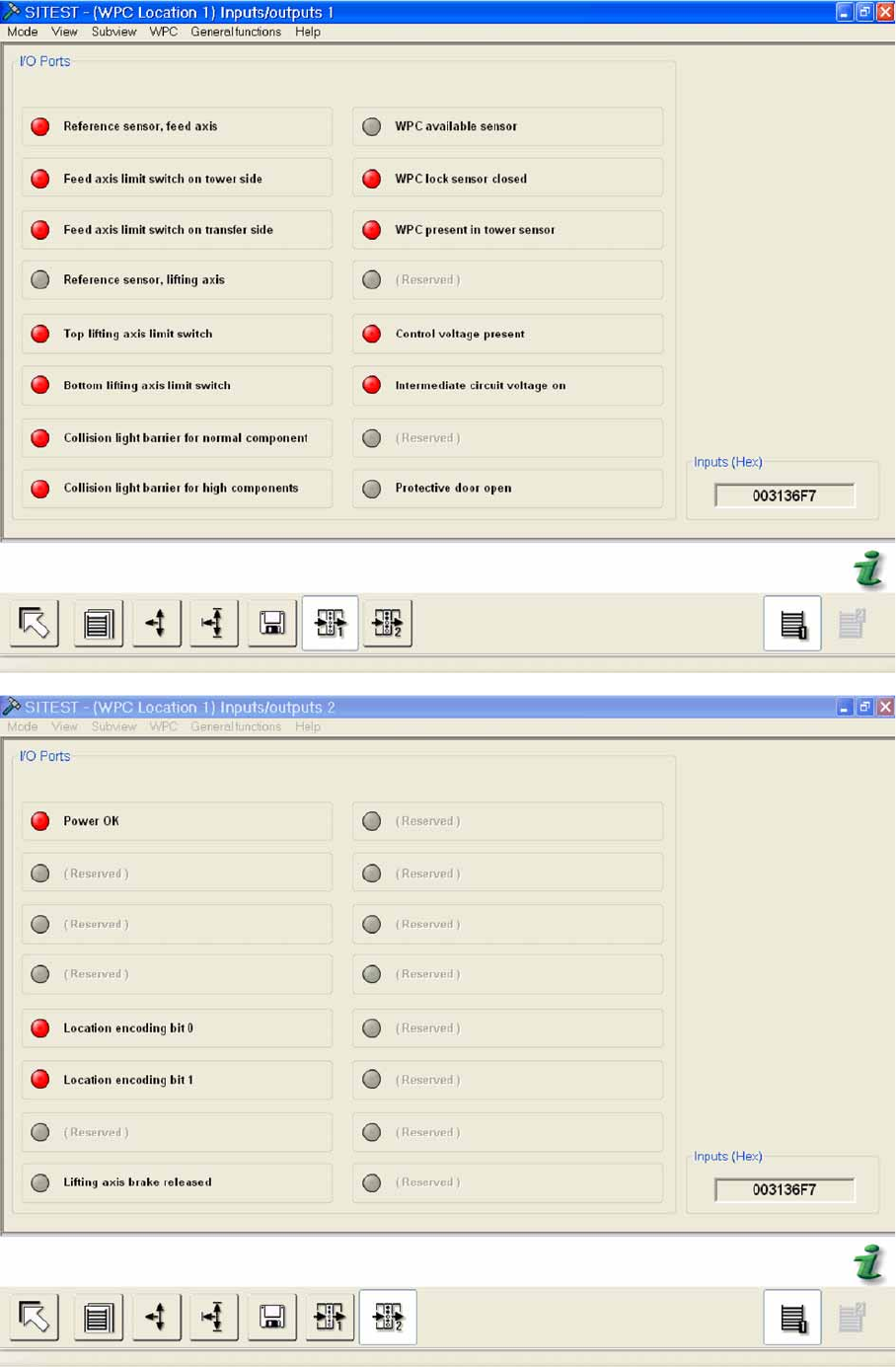
5.11 SITEST Inputs/Outputs