00195346-0302_SM_WPC4_EN.pdf - 第78页
SITEST for WPC4 SITEST Functions Approach 78 Ser vice Manual SIPLACE WPC4 Menu field: Firmware Version info.. .: Opens a d ialog bo x containing infor mation about the cu rrent fir mware version fo r th e WPC. This inf…
SITEST for WPC4
SITEST Functions
Service Manual SIPLACE WPC4
77
5.6 SITEST Functions
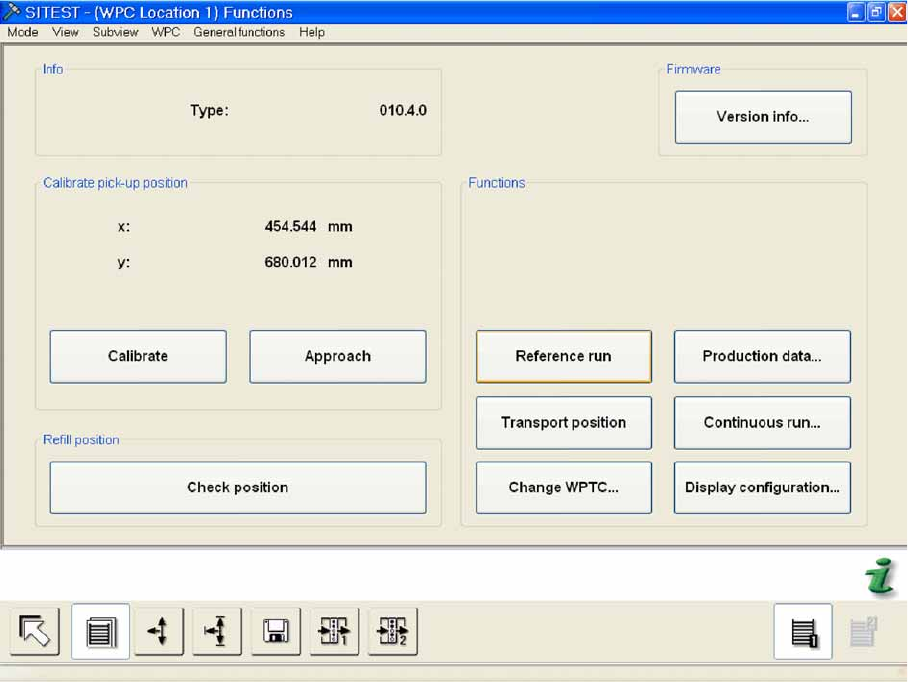
Menu field: Info
Type: Shows the WPC type.
Menu field: Calibrate pickup position
X: Shows the calibration value in the X direction.
If calibration has been performed, the new position value and the previous previous value will be
shown in brackets.
Y: Shows the calibration value in the Y direction.
If calibration has been performed, the new position value and the previous previous value will be
shown in brackets.
Calibrate The fiducial position currently saved is approached and the fiducial is shown in a new
menu on the screen. The fiducial position can be calibrated in this menu.
Approach: The fiducial position currently saved is approached and the fiducial is shown in a new
menu on the screen.
Menu field: Refill position
Check position: The tower is moved to the refill position. You can now check whether all waffle pack
tray carriers can be easily removed.
While the tower is in the refill position, a menu will be shown in which the refill position can be
terminated.
SITEST for WPC4
SITEST Functions Approach
78 Service Manual SIPLACE WPC4
Menu field: Firmware
Version info...: Opens a dialog box containing information about the current firmware version for the
WPC.
This information can be saved as an XML file. (XML = Extended Markup Language)
Menu field: Functions
Reference run: Performs a reference run with the feed and lifting axes.
Transport position: Moves the WPC to a defined position, from which it can be safely transported.
Change WPTC...: Shows the changing time for a waffle pack tray carrier (WPTC) in a certain level.
The level in which the WPTC is can be selected in a dialog box, after which you can start the WPTC
changeover to the staging position. The changeover time actually needed is shown as the result.
Production data..: Opens a dialog box in which the number of level changes up until now and the
production hours are shown.
Continuous run...: Tests the changing of waffle pack tray carriers in a continuous run.
In a separate dialog box, you can set the order and mode for the continuous run and can then start
the continuous run.
Display configuration...: Opens a dialog box containing an overview of which levels in the tower
are set up with a waffle pack tray carrier and which not.
5.6.1 Approach
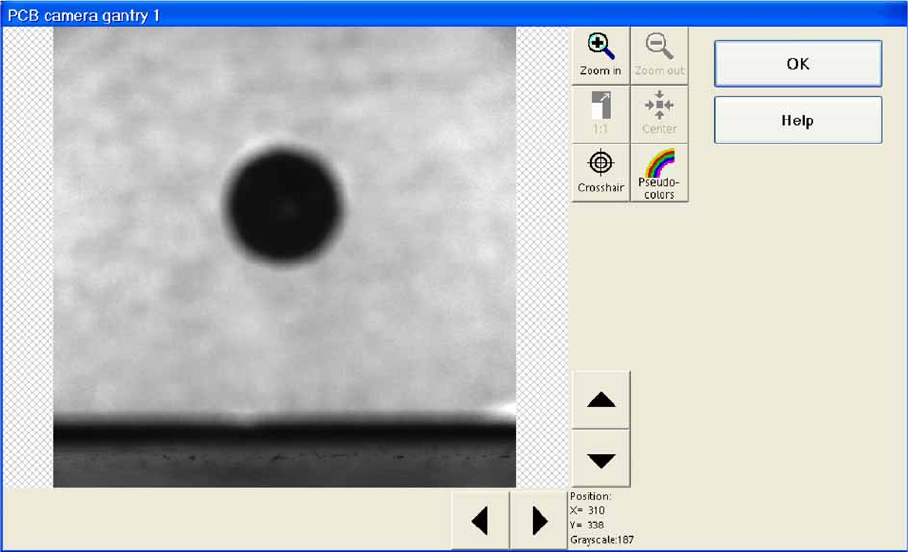
The fiducial position currently saved is approached and the fiducial is shown on the screen.
SITEST for WPC4
Approach SITEST Functions
Service Manual SIPLACE WPC4
79
5.6.1.1 Calibrate
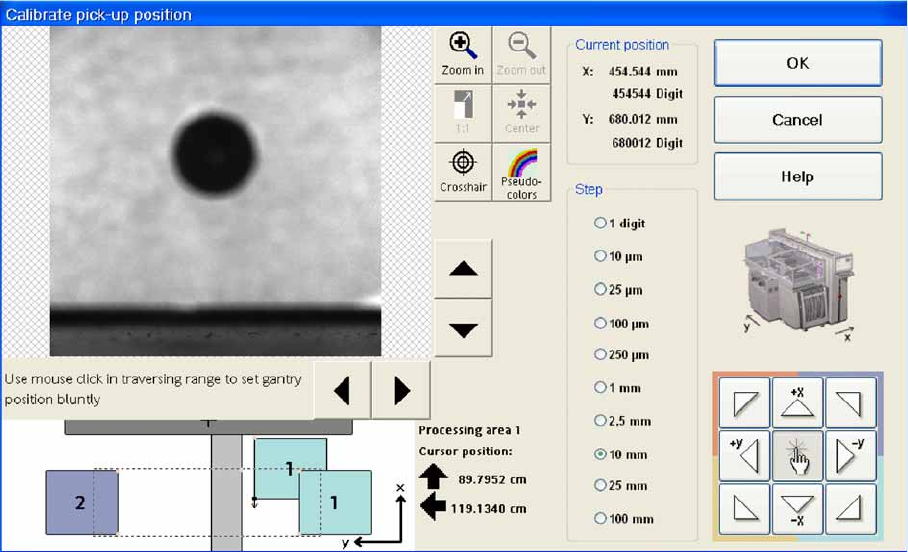
The fiducial position currently saved is approached and the fiducial is shown on the screen. The fiducial
position can be recalibrated in this menu. Move the fiducial into the center of the screen and click on OK.
Selected buttons from the camera Help menu:
The digital camera image can be reduced or increased in size - up to the display of individual pixels.
1. To the top right of the video image, you will find the camera Help menu with the following buttons:
Zoom in: Increases the size of the fiducial image stepwise, starting from the center.
The position originally approached is kept.
Zoom out: Reduces the size stepwise.
1:1: Restores the fiducial image to its original size in the center of the screen.
Center: Returns the fiducial image section to the center of the screen.
Crosshair: Fades in camera crosshairs so that the position and size can be assessed.
Pseudo colors: Can be selected if you want to evaluate the contrast of features.
The arrow buttons to the right and below the camera image can be used to move the section of the
camera image.