00195346-0302_SM_WPC4_EN.pdf - 第85页
SITEST for WPC4 Display Configuration SITEST Axes Service Manual SIPLACE WPC4 85 5.7 SITEST Axes Menu field: Axis This where you can select the WPC axis to be checked or se t. Feed axis: Perfor ms the selected f unctio…
SITEST for WPC4
SITEST Functions Display Configuration
84 Service Manual SIPLACE WPC4
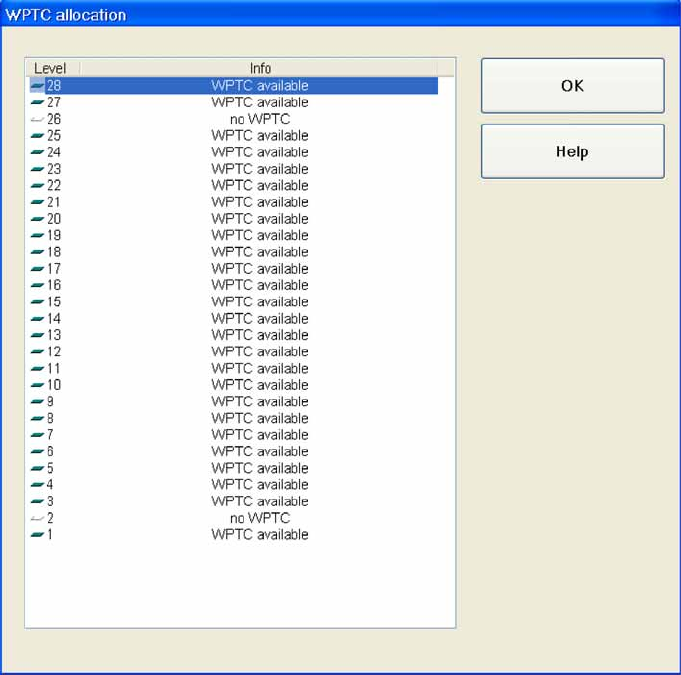
5.6.6 Display Configuration
Level: Shows the level numbers.
To the left of each number, an icon shows whether the level contains a waffle pack tray carrier or not.
Green rectangle = level occupied
Empty rectangle = level not occupied
Info: Shows whether a waffle pack tray carrier is present in this level or not.
OK : Closes the dialog box.
SITEST for WPC4
Display Configuration SITEST Axes
Service Manual SIPLACE WPC4
85
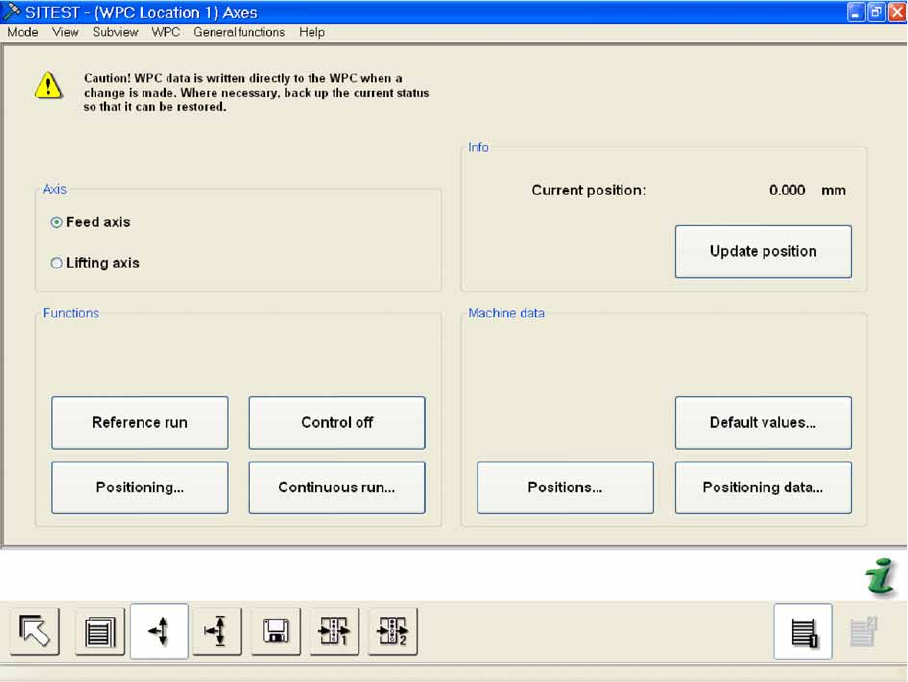
5.7 SITEST Axes
Menu field: Axis
This where you can select the WPC axis to be checked or set.
Feed axis: Performs the selected functions for the feed axis.
Lifting axis: Performs the selected functions for the lifting axis.
Menu field: Functions
Reference run: Performs a reference run for the activated axis. The axis concerned remains in the
reference position.
Positioning...: Opens a dialog box in which you can set the target position for the selected axis and
then move the axis to this position.
Control on/off:
Off: Releases the selected axis. This means that the servo board is switched off via the software.
The relevant axis can now be moved mechanically.
On: Activates axis control for the selected axis. The axis is electrically controlled via the control
system and is kept in its position.
Continuous run..: Opens a dialog box in which the start and target positions and the waiting time
can be set for the continuous run and in which the continuous run can then be started.
Menu field: Info
Current position: Shows the current position of the activated axis in mm.
Update position: Updates the position shown for the activated axis.
SITEST for WPC4
SITEST Axes Positioning
86 Service Manual SIPLACE WPC4
Menu field: Machine data
Positions...: Opens a dialog box in which the various positions are shown for the selected axis.
Default values...: Opens a dialog box showing the default values for speed, acceleration and
removal speed.
Positioning data...Opens a dialog box in which you can enter the required speed and acceleration
values.
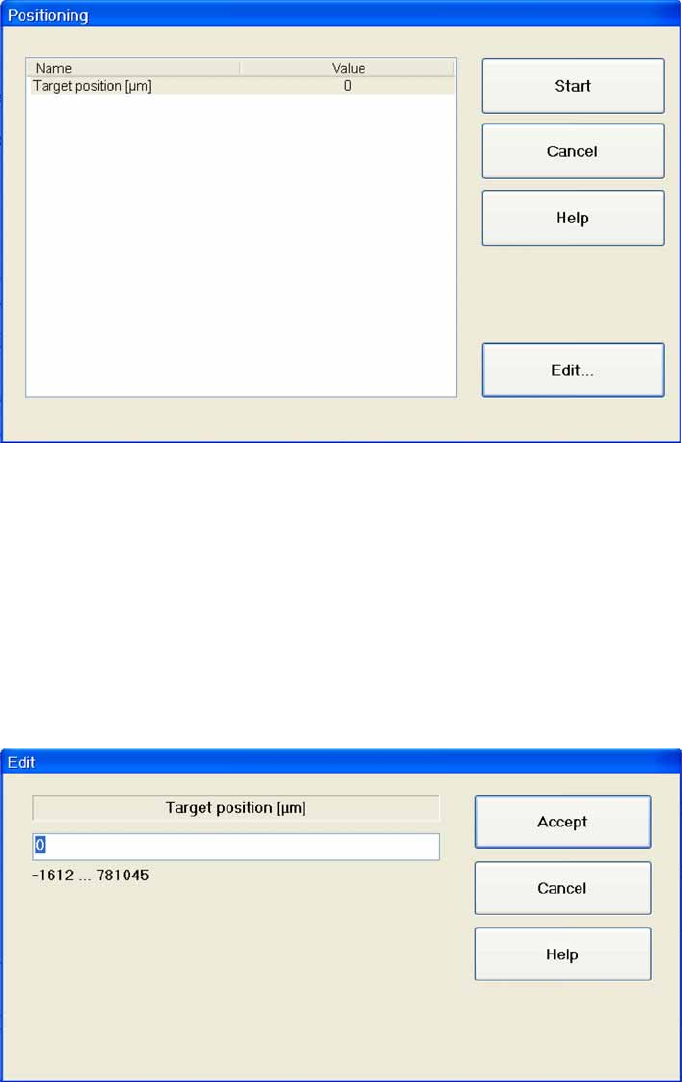
5.7.1 Positioning
Name: Shows the target position for the selected axis.
Value: Shows the target position in µm.
Start: Moves the axis to the specified target position.
Cancel: Closes the dialog box and rejects any changes made.
Edit...: Opens a dialog box in which the values for the target position can be entered.
Entering the target position
X Mark the line
Target position [µm]
X Select
Edit...
.
X Enter the required value in the input field. Make sure the value entered is within the permissible limits.
X Select
Accept
to confirm your entry or
Cancel
to reject the entry.