5TROUBLESHOOTING_.pdf - 第15页
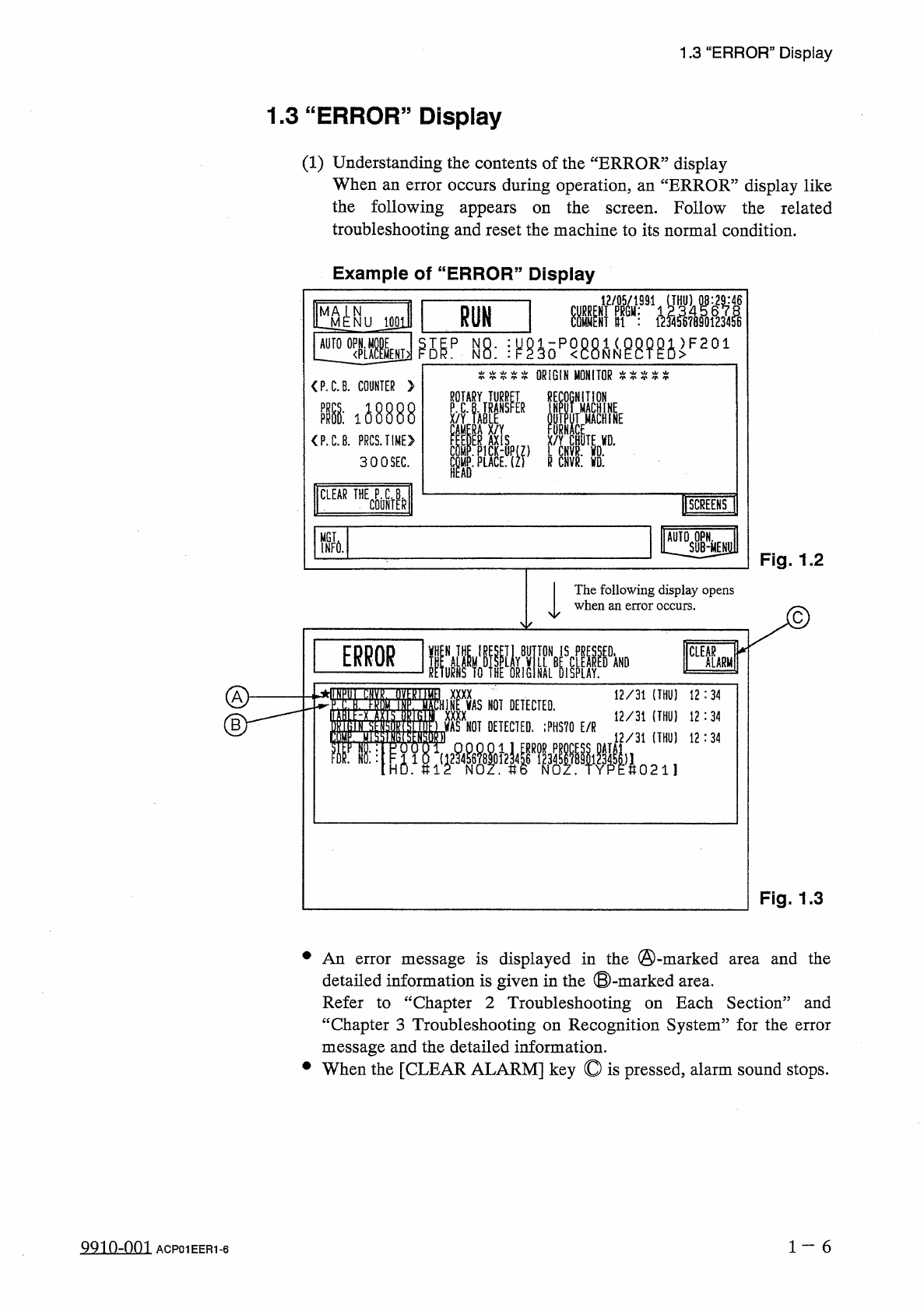
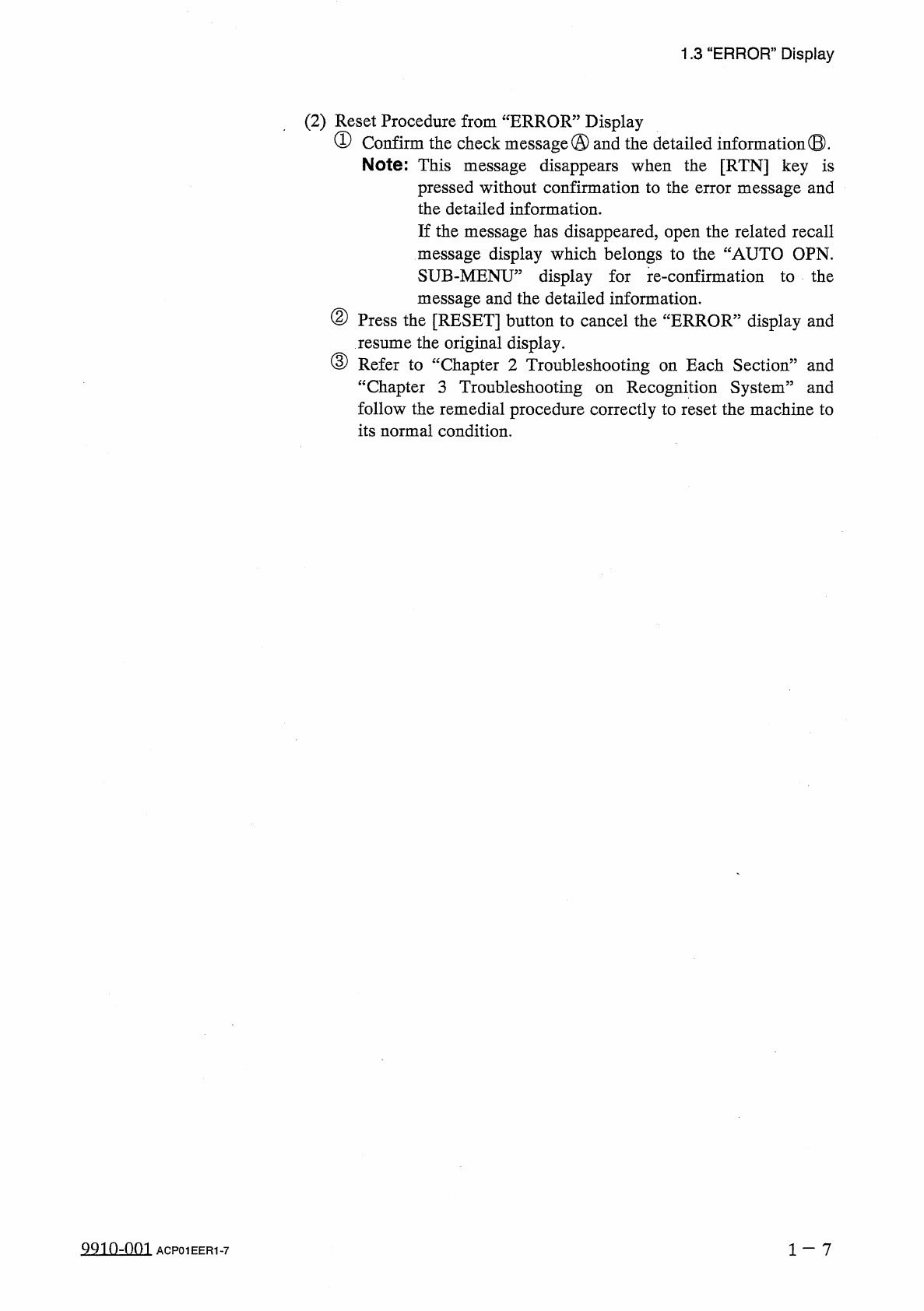
1.3 “ ERROR , , Display ( 2 ) Reset Procedure from “ ERROR ” Display ① Confirm the check message © and the detailed information ® . Note : This message disappears when the [ RTN ] key is pressed without confirmation to t…
1.3
“
ERROR
”
Display
1.3
“
ERROR
”
Display
(
1
)
Understanding
the
contents
of
the
“
ERROR
”
display
When
an
error
occurs
during
operation
,
an
“
ERROR
”
display
like
the
following
appears
on
the
screen
.
Follow
the
related
troubleshooting
and
reset
the
machine
to
its
normal
condition
.
Example
of
“
ERROR
”
Display
RUN
J
0
Q
1
°
^
iyp
£
ip
^
.
\
mopmmmiF
201
AUTO
农 窣 窣 本 本
ORIGIN
MONITOR
本
:
{
(
窣本本
<
P
.
C
.
B
.
COUNTER
>
e
°
IAYT
^
iR
?
MNE
i
啄
0
UTpU
ACH
1
NE
—
EP
,
鯧
陡
iJ
8888
PR
P
.
C
.
PR
X
/
Y
關
ACE
,
t
X
/
Y
CHUTE
VD
.
P
(
Z
L
CHVR
.
WO
.
Zl
R
CNVR
.
VD
.
<
P
.
C
.
B
.
PRCS
.
TIME
》
300
SEC
.
E
COM
COUNTER
I
CLEAR
THE
B
SCREENS
!
MGT
INFO
.
Fig
.
1.2
The
following
display
opens
when
an
error
occurs
.
UE
^
IWKi
LL
\
iF
,
m
TON
IS
CLEAR
ALARM
NAL
BEffilRs
NOT
DETECTED
.
_
_
驗
_
7
』
_
;
=
=
0 2 1
】
Fig
.
1.3
•
An
error
message
is
displayed
in
the
©
-
marked
area
and
the
detailed
information
is
given
in
the
©
-
marked
Refer
to
“
Chapter
2
Troubleshooting
“
Chapter
3
Troubleshooting
on
Recognition
System
”
for
the
error
message
and
the
detailed
information
.
•
When
the
[
CLEAR
ALARM
]
key
©
is
pressed
,
alarm
sound
stops
.
area
.
Each
Section
”
and
on
1
一
6
QQin
-
nm
ACP
01
EER
1
-
6
1.3
“
ERROR
,
,
Display
(
2
)
Reset
Procedure
from
“
ERROR
”
Display
①
Confirm
the
check
message
©
and
the
detailed
information
®
.
Note
:
This
message
disappears
when
the
[
RTN
]
key
is
pressed
without
confirmation
to
the
error
message
and
the
detailed
information
.
If
the
message
has
disappeared
,
open
the
related
recall
message
display
which
belongs
to
the
“
AUTO
OPN
.
SUB
-
MENU
,
,
display
for
message
and
the
detailed
information
.
②
Press
the
[
RESET
]
button
to
cancel
the
“
ERROR
”
display
and
re
-
confirmation
to
the
resume
the
original
display
.
③
Refer
to
“
Chapter
2
Troubleshooting
on
Each
Section
”
and
“
Chapter
3
Troubleshooting
Recognition
System
”
and
follow
the
remedial
procedure
correctly
to
reset
the
machine
to
its
normal
condition
.
on
9910
-
001
ACP
01
EER
1
-
7
©
huptir
i
o
Page
2
-
1
2.1
Easy
Troubleshooting
2.1
.
1
Power
Operation
Impossible
2.1
.
2
Reset
Procedure
after
[
EMERGENCY
STOP
]
Button
2.1
.
3
L
/
R
Conveyor
Belt
Disengaged
-
2.1
.
4
P
.
C
.
B
.
Transfer
Error
2.2
Troubleshooting
after
Error
Display
2
-
1
2
-
2
2
-
4
2
-
4
-
1
2
-
5
nnm
-
nn
?
ACP
01
EERCC
2