YG200_YG200L_Mainte_E.pdf - 第41页
3-1 3 Periodic maintenance items 1 . We e k l y o r b i w e e k l y i n s p e c t i o n I n s p e c t a n d c l e a n t h e n o z z l e s w e e k l y o r b i w e e k l y a s e x p l a i n e d b e l o w. 1 . 1 C l e a n i…

Chapter 3 Periodic maintenance items
Contents
1. Weekly or biweekly inspection 3-1
1.1 Cleaning "Type A" nozzles 3-1
1.2 Cleaning Type F nozzles 3-
3
1.2.1 Removing the FNC nozzle assembly 3-3
1.2.2 Cleaning the FNC nozzle assembly 3-
5
1.2.3 Reassembling the FNC nozzle assembly. 3-1
0
1.3 Inspecting ball screws and linear guides of each axis 3-13
2. Monthly or bimonthly inspection 3-14
2.1 Cleaning and lubricating a nozzle holder 3-14
2.2
Cleaning and greasing the X, Y, YT and W axis ball screws
3-16
2.3
Cleaning and greasing the X, Y, YT and W axis linear guides
3-18
2.4 Inspecting and cleaning the air/mist filters 3-2
0
2.5 Cleaning the camera lens 3-2
2
3. Six-month or one-year inspection 3-23
3.1 Cleaning and replacing the ejector filter 3-23
3.2 Cleaning the spline shaft 3-2
4
3.2.1 Removing the standard nozzles 3-24
3.2.2 Cleaning the spline shaft 3-24
3.2.3
Attaching the nozzle, lubricating and checking negative pressure
3-27
3.3 FNC lock pin 3-29
3.3.1 Removing FNC lock pin 3-29
3.3.2 Cleaning and reassembling the FNC lock pin 3-32
3-1
3
Periodic maintenance items
1. Weekly or biweekly inspection
Inspect and clean the nozzles weekly or biweekly as explained below.
1.1 Cleaning "Type A" nozzles
If solder adheres to a nozzle tip, the nozzle may be mistaken for a component or other problems may occur. If
nozzle spring-action is poor, pickup errors tend to occur frequently. To prevent these troubles, check the nozzle
condition and keep the nozzles clean.
e
1
Remove the nozzle from the head.
Always first press the emergency stop button
and then remove the nozzle from the head.
The machine must be in emergency stop to
ensure safety during work.
c
CAUTION
When the machine is equipped with a nozzle station,
make sure that the nozzles are returned to the nozzle
station.
2
Blow air through the nozzle.
Using an air blow gun, blow air through the
nozzle from the nozzle tip and then from the
other end.
53300-F8-00
n
NOTE
If there are dust deposits in the nozzle, perform steps 3
and 4.
3
Clean the nozzle hole.
Pass the nozzle cleaning wire through the
nozzle hole and clean the nozzle hole. While
holding both ends of the wire with fingers as
shown or using a custom handle, gently
move the nozzle back and forth.
53301-F8-00
4
Blow air through the nozzle again.
After removing the cleaning wire, blow air
through the nozzle with the air blow gun, just
as in step 2.
53302-F8-00
5
Clean the slide section.
Apply IPA (isoprophyl alcohol) or ethanol to
the slide section. Push the nozzle tip several
times to repeat the buffing action (spring
action) to clean the slide section. After
cleaning, blow sufficient air to remove IPA or
ethanol.
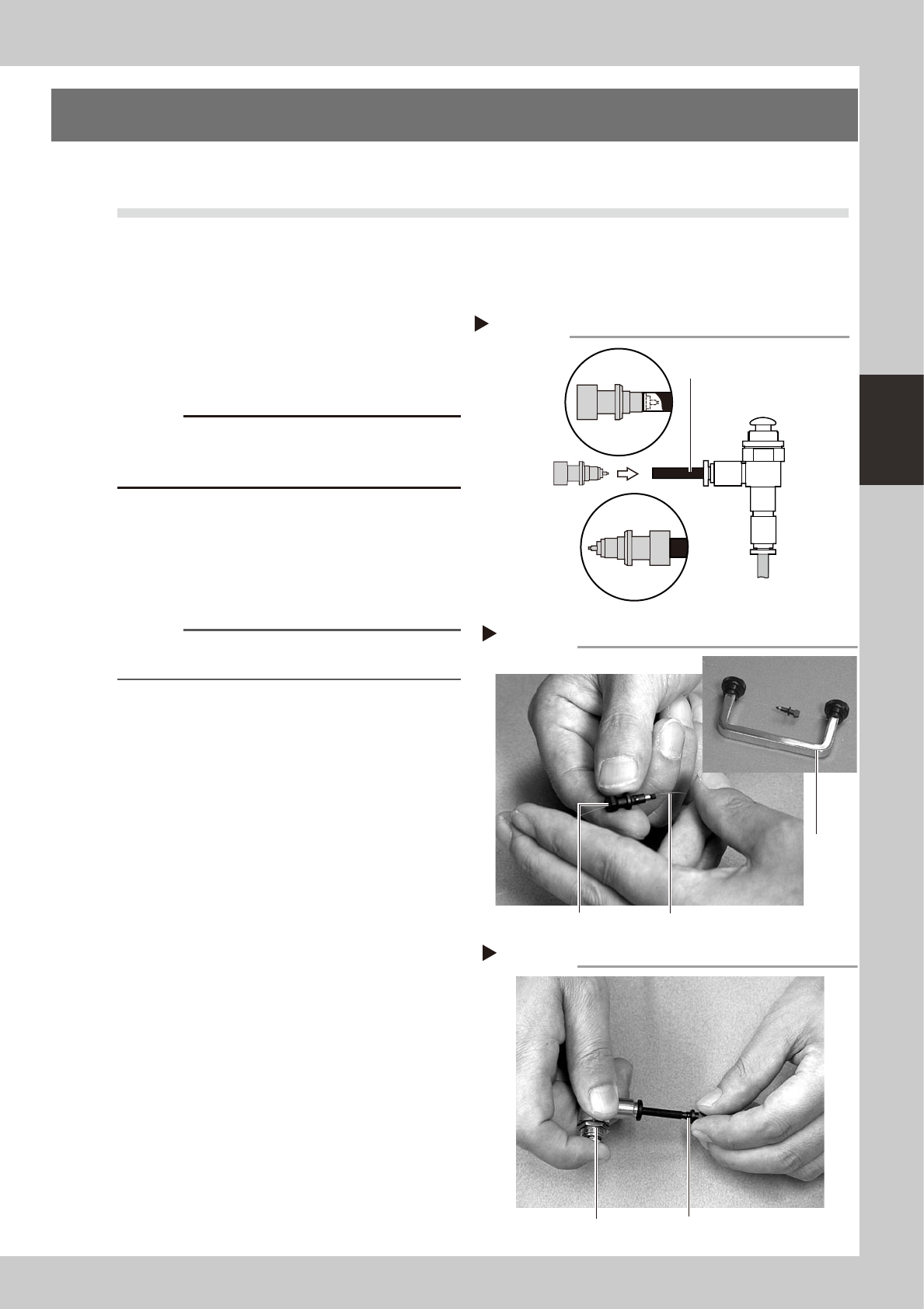
Cleaning a nozzle
Step 3
Custom
handle
Nozzle
Nozzle cleaning wire
Air blow
Step 4
Nozzle
Air blow gun
Step 2
Air tube (black)
Air blow gun
(option)
Air tube (orange) connected to
air supply port
Air blow
Insert the
nozzle tip into
the air tube and
blow air.
Blow air from the
nozzle attachment
side.
3-2
3
Periodic maintenance items
6
Lubricate the slide section.
Using a precision screwdriver or similar tool
with a pointed tip, apply a small amount of
turbine oil (just enough so that it sinks in) to
the slide section.
53303-F8-10
7
Check the buffing action (spring
action).
Push the nozzle tip several times to repeat
the buffing action and spread turbine oil.
Use a lint-free cleaning cloth to wipe away
excess oil from around the nozzle.
53304-F8-10
8
Remove excess oil remaining in the
nozzle.
Using an air blow gun, blow air for about 5
seconds from the nozzle tip, and for about 5
seconds from the nozzle attachment side.
Repeat this process a few times to remove
excess turbine oil remaining in the nozzle.
n
NOTE
A thin coat of oil is enough to lubricate the slide section.
9
Check that the oil was removed.
If needed, blow air through the nozzle again
while placing commercially-available oil
blotting paper over the opposite end of the
nozzle, and check for residual oil in the
nozzle.
n
NOTE
Performing step 8 is usually sufficient to remove oil
remaining in the nozzle. However, if oil still remains then
blow air through the nozzle once again.
53362-F8-00
0
Reinstall the nozzle.
Reinstall the nozzle back onto the head after
checking one more time that there is no oil
remaining there.
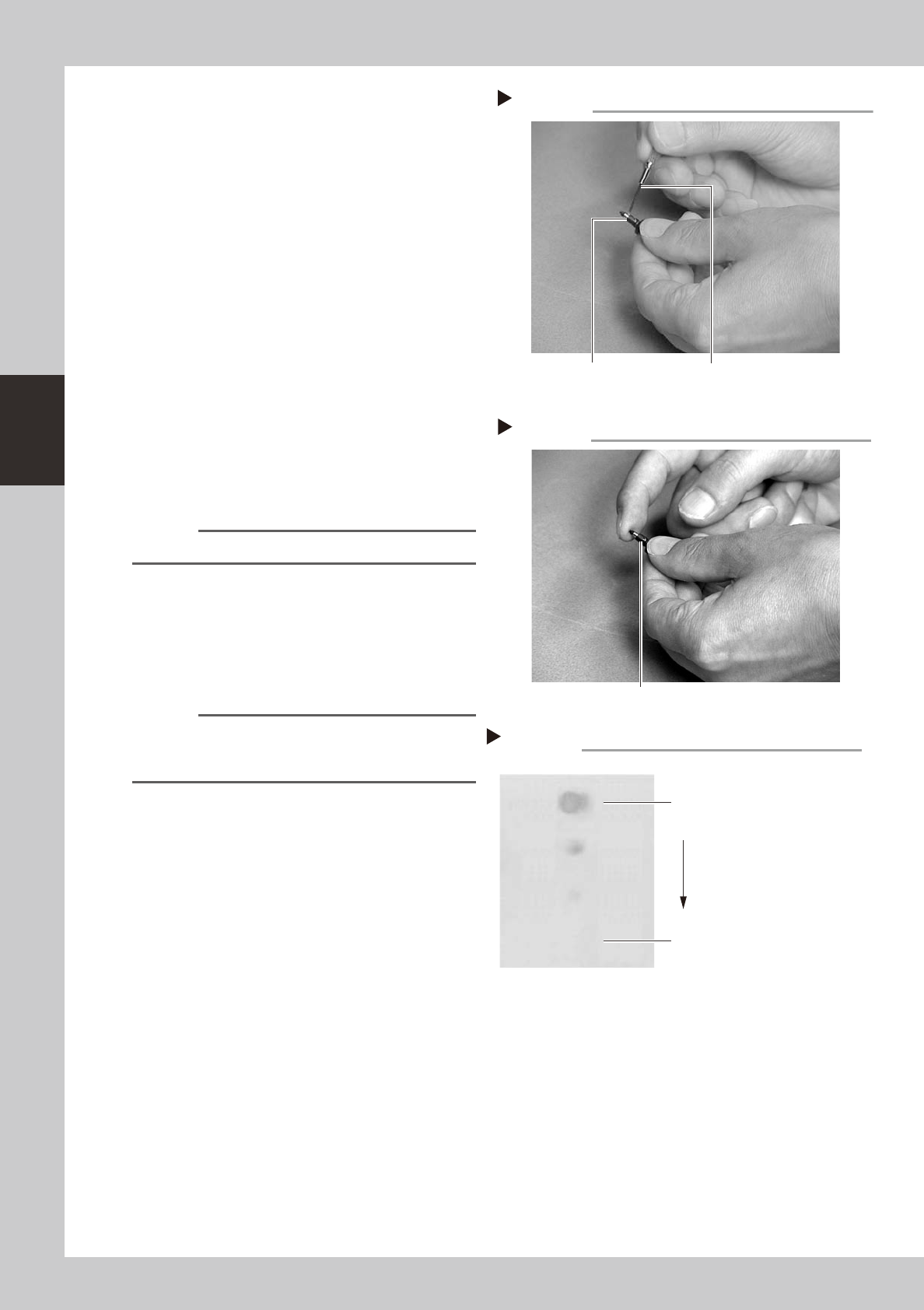
Lubricating the slide section
Step 6
Nozzle
Precision screwdriver
(with a small amount of turbine oil applied)
Checking the spring action
Step 7
Spring action at nozzle tip
Checking for residual oil
Step 9
Oil blotting paper
Oil will appear after blowing air (first
time) for about 5 seconds from the
nozzle tip.
Repeat the air blow for about 5
seconds each from the nozzle tip
and from the attachment side.
This task is finished when oil no
longer appears.