00195813-05_IM_SSW_605.03_SP1_DE EN.pdf - 第34页
Installation Manual, Station Software Version 605.03 SP1 07/2011 Edition 5.4.4 Welcome screen Fig. 5-18: Welcome screen → Click the Next button. 5.4.5 Selecting the machine type Fig. 5-19: Selecting the machine type → Se…
Installation Manual, Station Software Version 605.03 SP1 07/2011 Edition
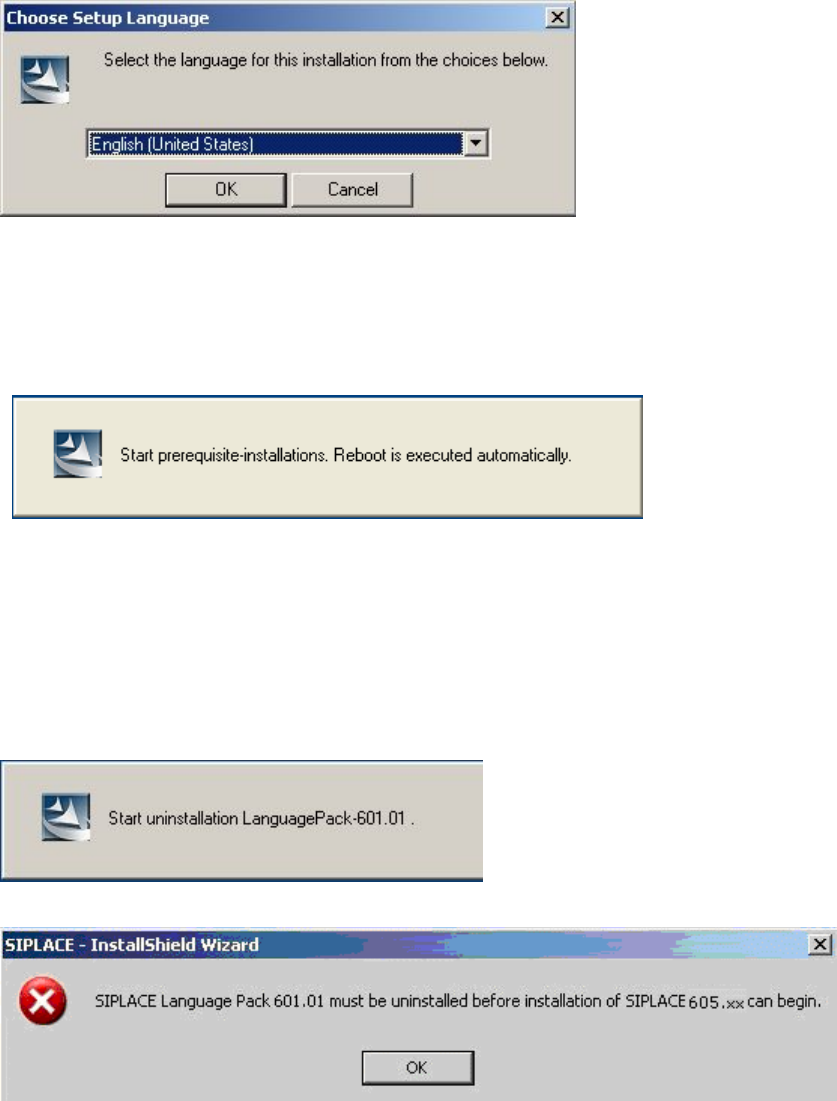
Fig. 5-17: Language selection
→ Click the OK button.
5.4.2 Installing the system files
The necessary system files are installed if they are not already on the station computer. The station
computer is rebooted automatically after installation. You are automatically logged in as administrator.
5.4.3 Uninstalling Language Pack of a previous version (if installed)
If a Language Pack of a previous version is still installed on the computer, uninstallation is started
automatically.
If uninstallation of the Language Pack is cancelled, the following error message appears:
→ Click the OK button. Installation of the station software is cancelled and must be restarted.
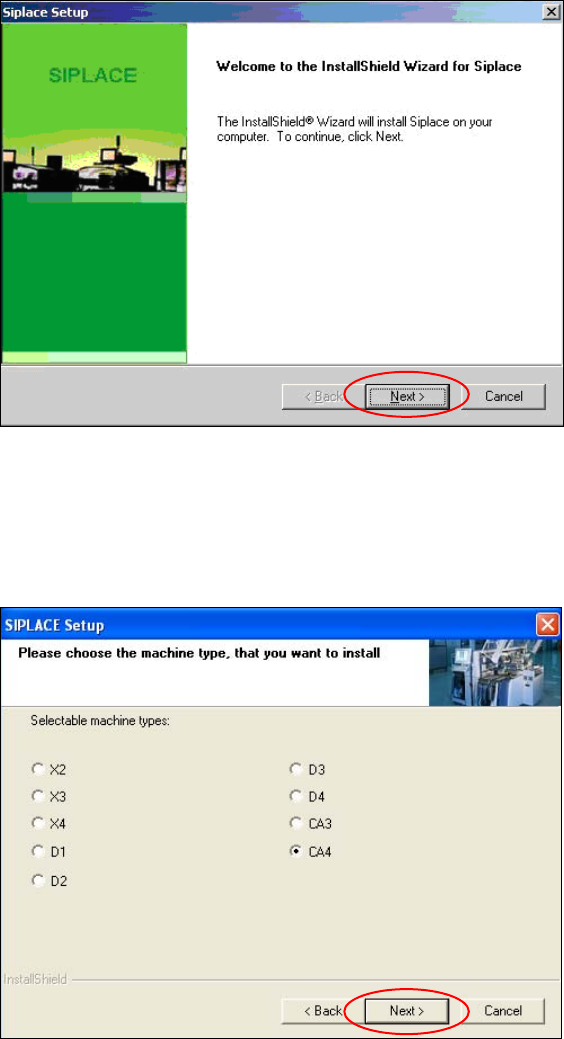
Installation of the station software continues with the welcome screen.
33 of 48
Installation Manual, Station Software Version 605.03 SP1 07/2011 Edition
5.4.4 Welcome screen
Fig. 5-18: Welcome screen
→ Click the Next button.
5.4.5 Selecting the machine type
Fig. 5-19: Selecting the machine type
→ Select the option for the machine type for which the software is to be configured.
→ Click the Next button.
34 of 48
Installation Manual, Station Software Version 605.03 SP1 07/2011 Edition
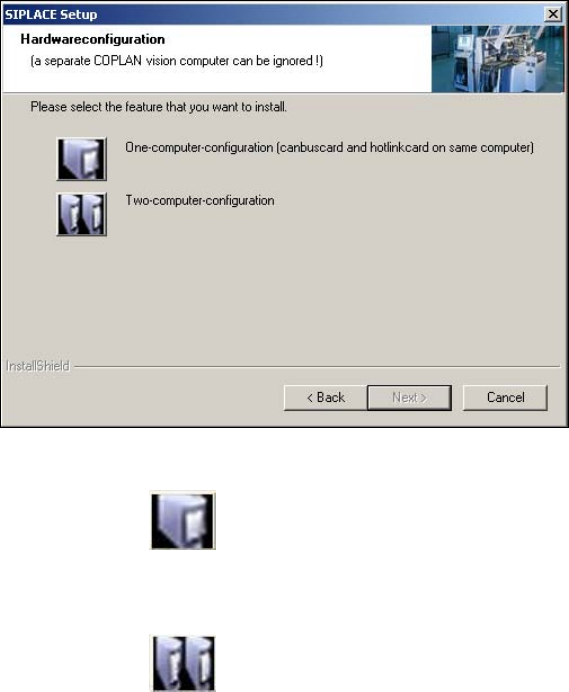
5.4.6 Selecting the hardware configuration
The Hardwareconfiguration dialog box is opened, in which you can configure the hardware for one-
computer or two-computer operation. Two-computer operation has always to be selected for X- and CA-
series placement machines. For D-series placement machines the selection should match the actual
hardware configuration.
Fig. 5-20: Selecting the hardware configuration
→ Click on the One-computer-configuration button for one-computer operation
Or
→ Click on the
Two-computer-configuration for two-computer operation.
→ Click on the Next button.
35 of 48