TM3355.CheckNozzleBuffingFunctionSpecifications.pdf - 第12页
Y AMAHA M otor Co. Ltd ., IM Company SMT Software Engineering Grou p MDOC-SOFT50 052 12 /27 W hen the noz zle b uffing ch eck interrupts when the no zzle buffing chec k is being execute d by the f ollowing c auses, th e …
YAMAHA Motor Co. Ltd.,
IM Company
SMT Software Engineering Group
MDOC-SOFT50052
11/27
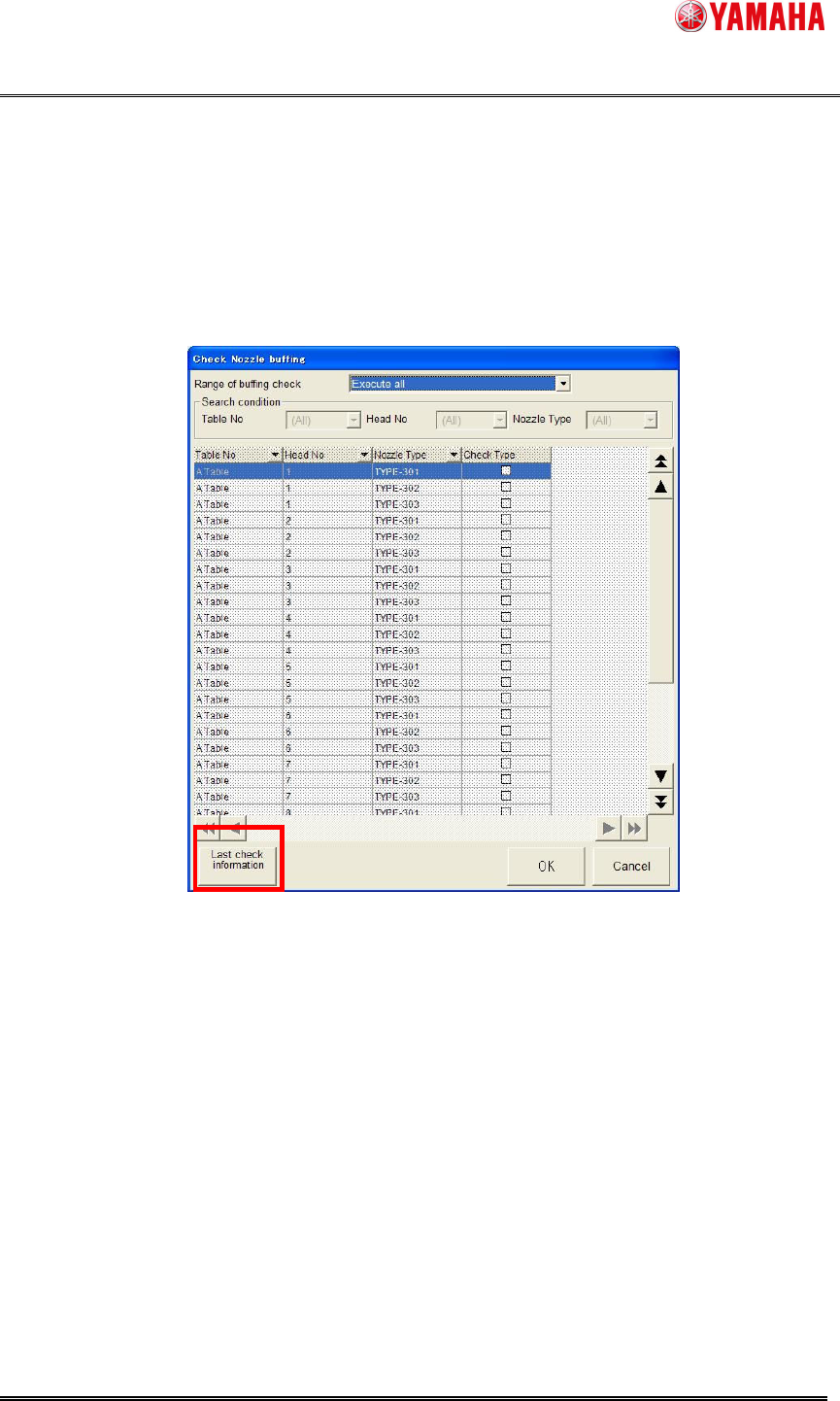
When nozzle buffing check finished normally, the [Unit] - [Head] - [Buffing check] - [Last check
information] button becomes available.
The [buffing check result] dialog can be displayed again by pushing this button. (See Fig. 4.2.5)
Use this button in such a case like you close the [buffing check result] dialog by mistake, and
also you want to see the previous result of checking. (See Fig. 4.2.3)
[Last check information] button becomes invalid if you cancel [nozzle buffing check] or power
down.
Fig. 4.2.5 Last check information
When you select [Execute all], result of a head with [ManualNzlChg] or [Fixed Nozzle]
selected on [VmSpec] - [Machine Data] - [Head] - [Head Offset] - [Head Type] is not
indicated.
YAMAHA Motor Co. Ltd.,
IM Company
SMT Software Engineering Group
MDOC-SOFT50052
12/27
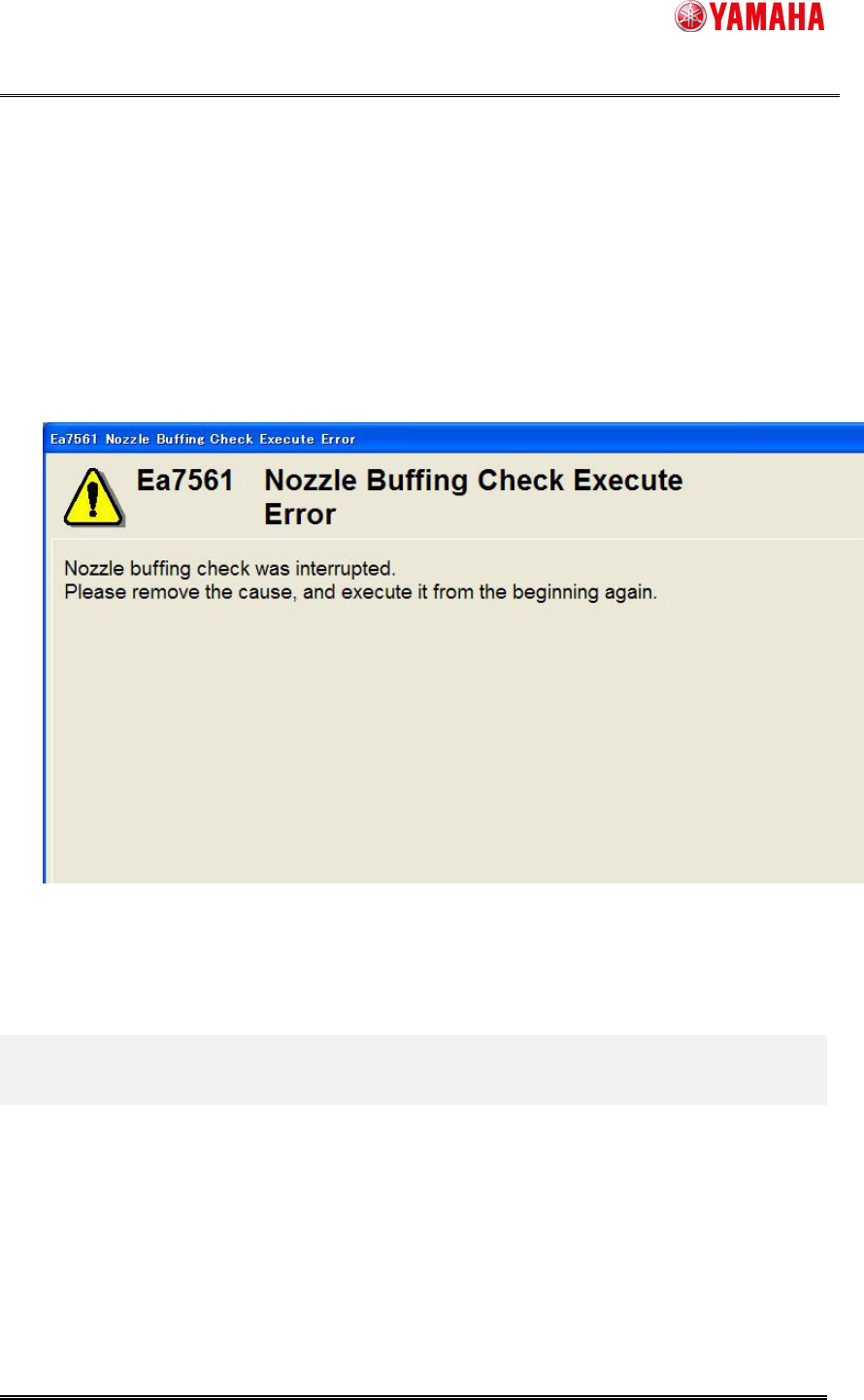
When the nozzle buffing check interrupts when the nozzle buffing check is being executed
by the following causes, the error message is displayed. (See Fig. 4.2.6)
- Error occurs by the nozzle change.
- Push the emergency stop button.
- Interlock is generated.
- Error occurs by the servo.
Fig. 4.2.6 Nozzle Buffing Check Execute Error
YAMAHA Motor Co. Ltd.,
IM Company
SMT Software Engineering Group
MDOC-SOFT50052
13/27
5. Schedule specification
The nozzle buffing check function can be executed by schedule specification with V3.28STD
R1.000 or later.
Executing a nozzle buffing check periodically by schedule specification, you can avoid missing
the work and maintain the nozzles efficiently.
5.1. Setting method
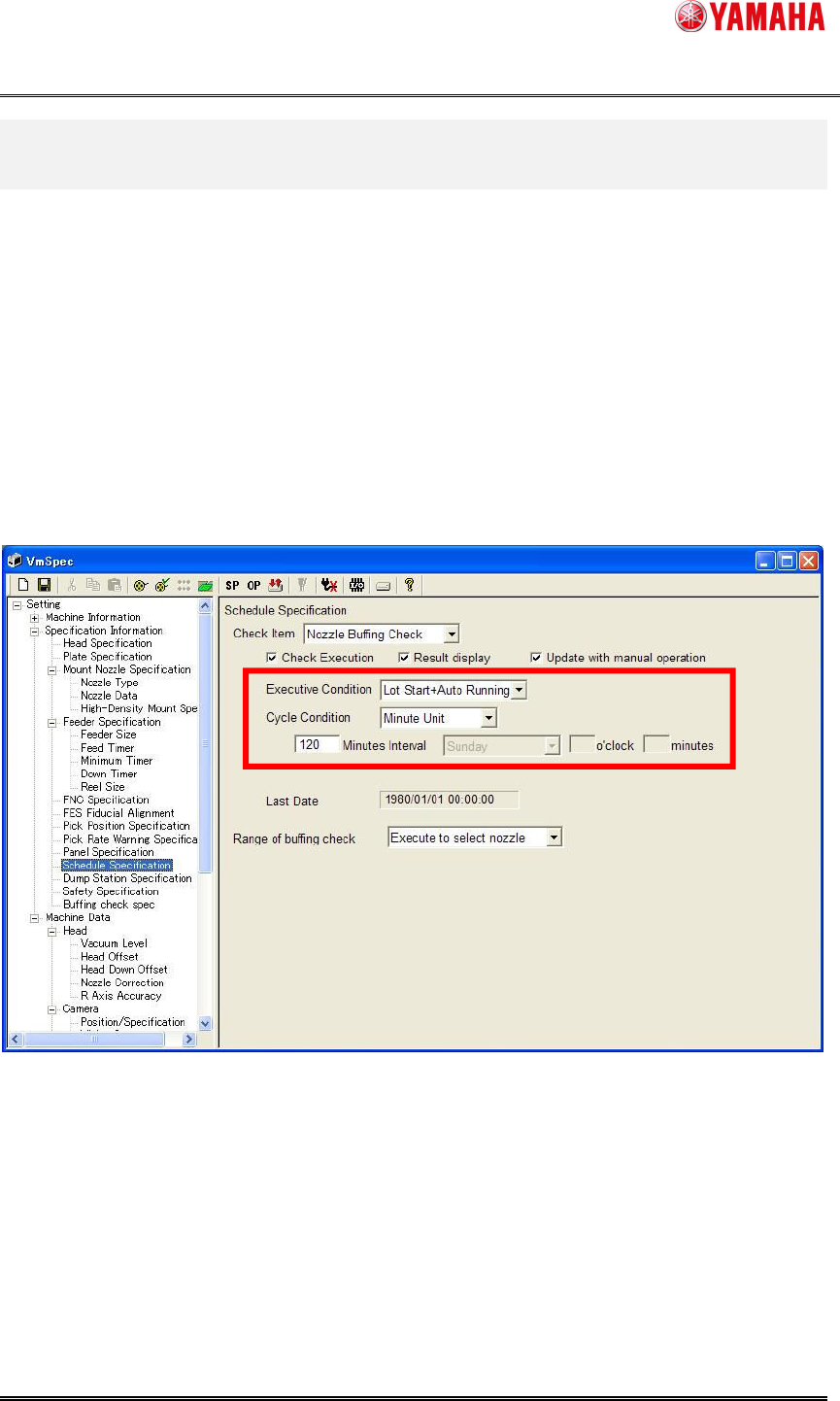
Set [Setting] - [Specification Information] - [Schedule Specification] to execute a nozzle buffing
check by schedule specification.
Fig. 5.1 Schedule Specification setting
(1) Select [Nozzle Buffing Check] from the [Check Item] combo-box.
(2) Check the [Check Execution] check box.
(3) Select [Executive Condition] and [Cycle Condition].
(1)
(2)
(3)
(4)