TM3355.CheckNozzleBuffingFunctionSpecifications.pdf - 第6页
Y AMAHA M otor Co. Ltd ., IM Company SMT Software Engineering Grou p MDOC-SOFT50 052 6/27 3) Effective No zzles of B uffing Check [Execute all] This c an be selected on ly for a machine with eff ective nozzle station (*1…
YAMAHA Motor Co. Ltd.,
IM Company
SMT Software Engineering Group
MDOC-SOFT50052
5/27
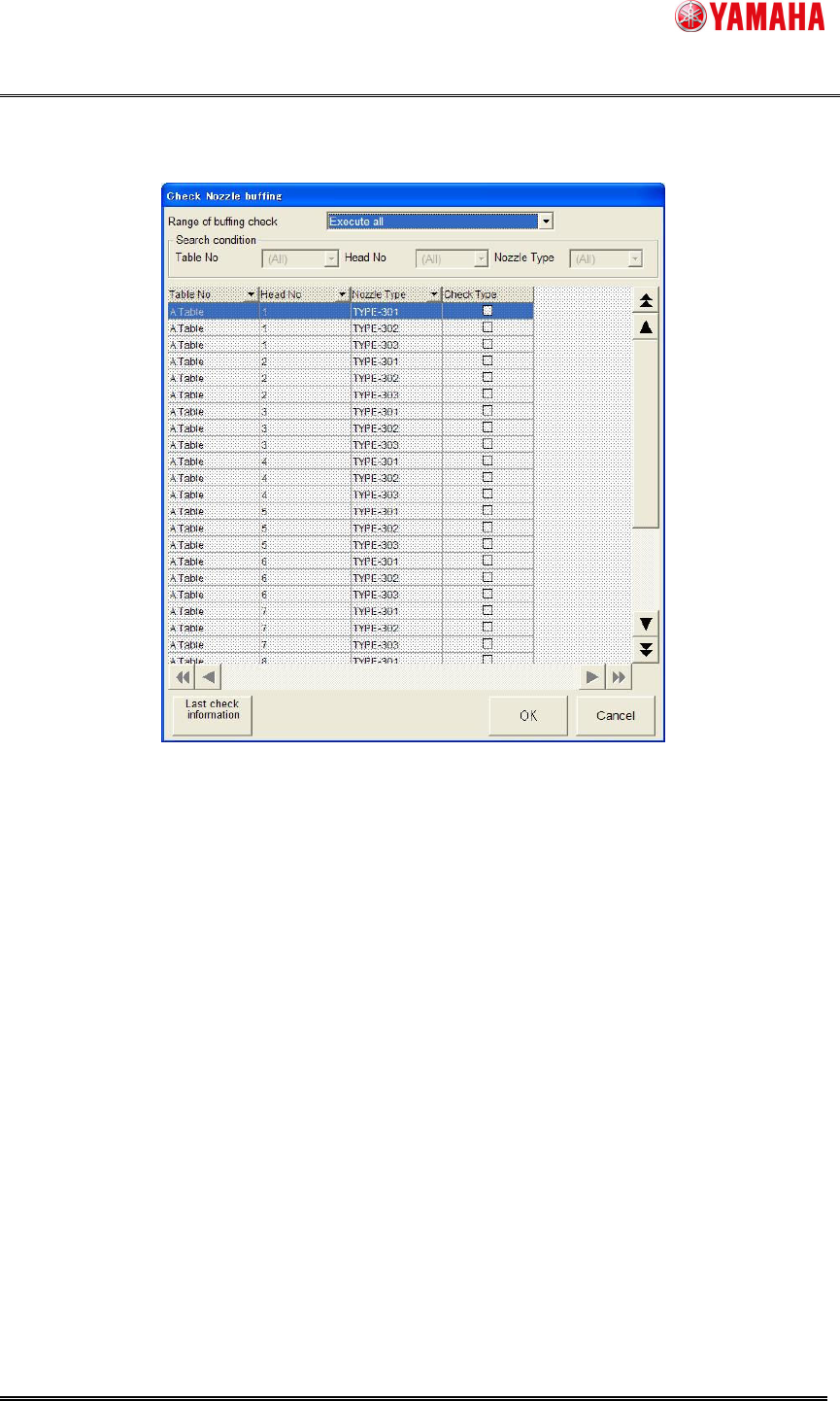
2) Click the [Buffing check] button, and the [Check Nozzle buffing] screen is displayed. (See Fig.
4.1.2)
Fig. 4.1.2 Check Nozzle Buffing screen

YAMAHA Motor Co. Ltd.,
IM Company
SMT Software Engineering Group
MDOC-SOFT50052
6/27
3) Effective Nozzles of Buffing Check
[Execute all]
This can be selected only for a machine with effective nozzle station (*1).
Executes it for all nozzles that can be installed in the machine.
The heads should be set [AutoNzlChg] on [VmSpec] - [Machine Data] - [Head] –
[Head Offset] - [Head Type]
[Execute to select nozzle]
It is possible to select it any time.
Check the [Check type] check box to select nozzles, and it executes buffing check with the
selected nozzles. (Checked state is not saved)
For a machine with an invalid Nozzle Station (*2), it is possible to select one nozzle for one
head, and the nozzle is regarded as put on the head.
For a stationary nozzle, only selected nozzles on [VmSpec] – [Machine Data] – [Head] –
[Head Offset] – [Nozzle Type] are buffing checked.
[Select nozzle]
This can be selected only for a machine without Nozzle Station.
Executes buffing checking for all nozzles used with loaded board data.
Availability of nozzle buffing according to the setting of [Head Type] is explained on the next
page.
(*1) Nozzle Station is effective: setting at the [Atable], [Btable], or [ABtable] of [Nozzle Station] is
set on [VmSpec] - [Machine Information] - [Installation Setting].
(*2) Nozzle Station is invalid: setting at the [None] of [Nozzle Station] is set on [VmSpec] -
[Machine Information] - [Installation Setting].
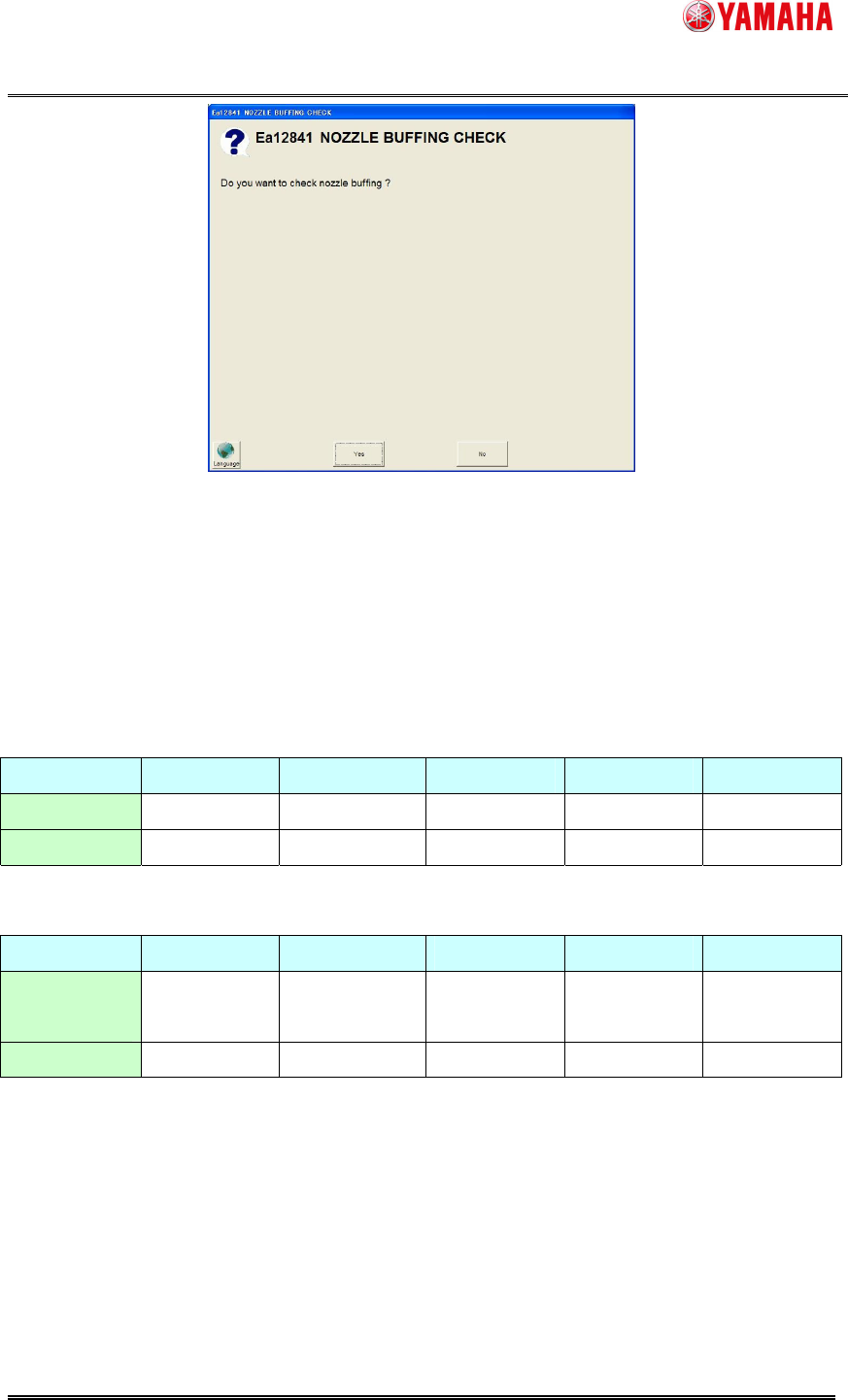
4) When the nozzle executed here selected, and clicks on a [OK] button, the nozzle buffing
check execution confirmation dialog is displayed. (See Fig. 4.1.3)
YAMAHA Motor Co. Ltd.,
IM Company
SMT Software Engineering Group
MDOC-SOFT50052
7/27
Fig. 4.1.3. Check execution confirmation dialog of nozzle buffing check.
Buffing check of the selected nozzle is executed, when click to the [Yes].
*Availability of nozzle buffing according to the setting of [VmSpec] - [Machine Data] - [Head] -
[Head Offset] – [Head Type] is as follows.
- Nozzle Station is effective
None ManualNzlChg
AutoNzlChg Fixed Nozzle
DispenseNzl
Execute all X X O X X
Select nozzle
X O O O X
- Nozzle Station is invalid
None ManualNzlChg
AutoNzlChg Fixed Nozzle
DispenseNzl
Execute to
select nozzle
X O X O X
Select all X O X O X