TM3355.CheckNozzleBuffingFunctionSpecifications.pdf - 第4页
Y AMAHA M otor Co. Ltd ., IM Company SMT Software Engineering Grou p MDOC-SOFT50 052 4/27 4. Funda ment al m otion 4.1. Execute fu n ction 1) T o execute the f unction, click [Unit] - [Head] - [Buff ing Check] ( See Fi g…
YAMAHA Motor Co. Ltd.,
IM Company
SMT Software Engineering Group
MDOC-SOFT50052
3/27
3. Setting method
3.1. Machine Setting
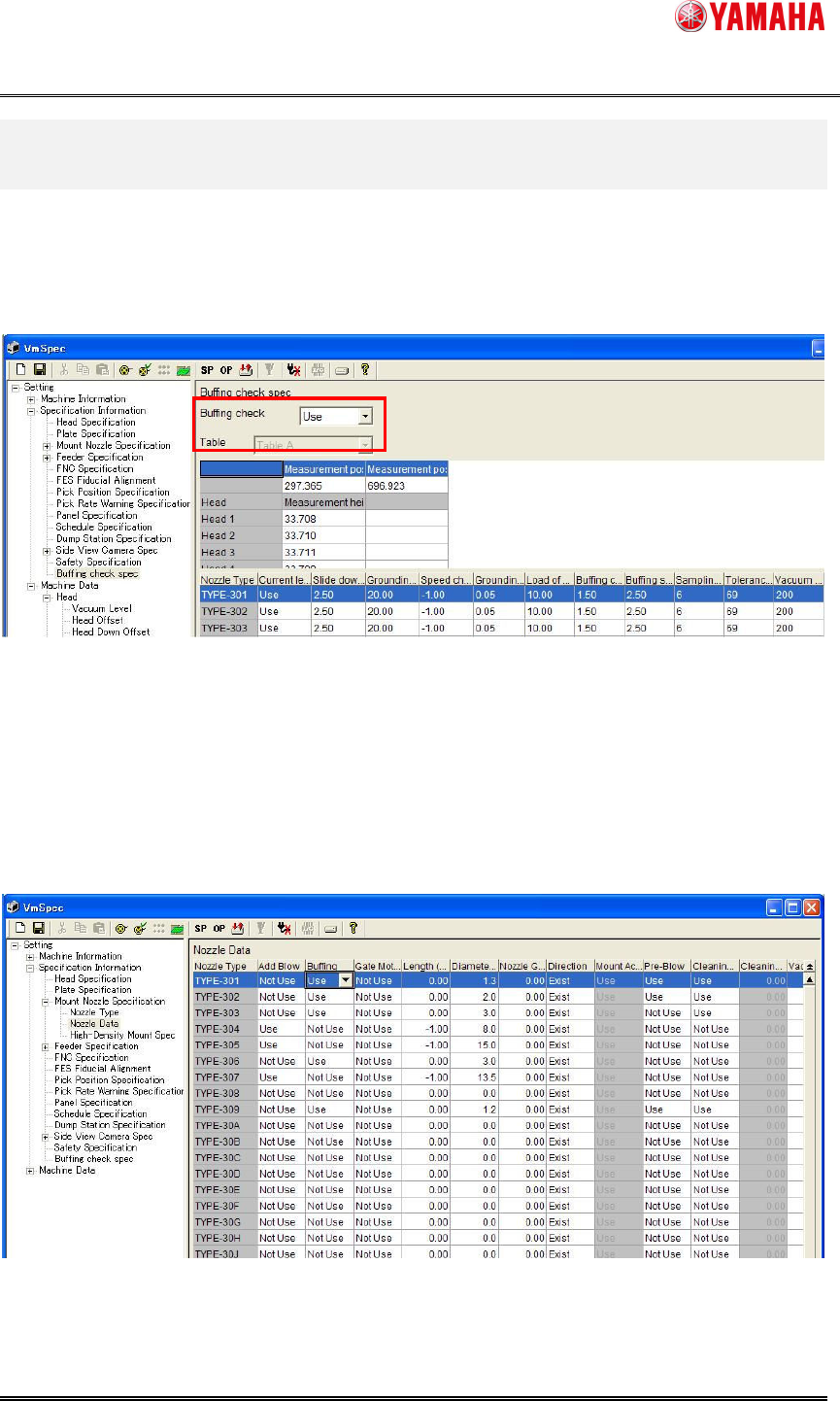
To use this function, Set [VmSpec] – [Specification Information] – [Buffing check spec] to “Use”.
(See Fig. 3.1.1)
Fig. 3.1.1 Machine setting
3.2. Nozzle Buffing Setting
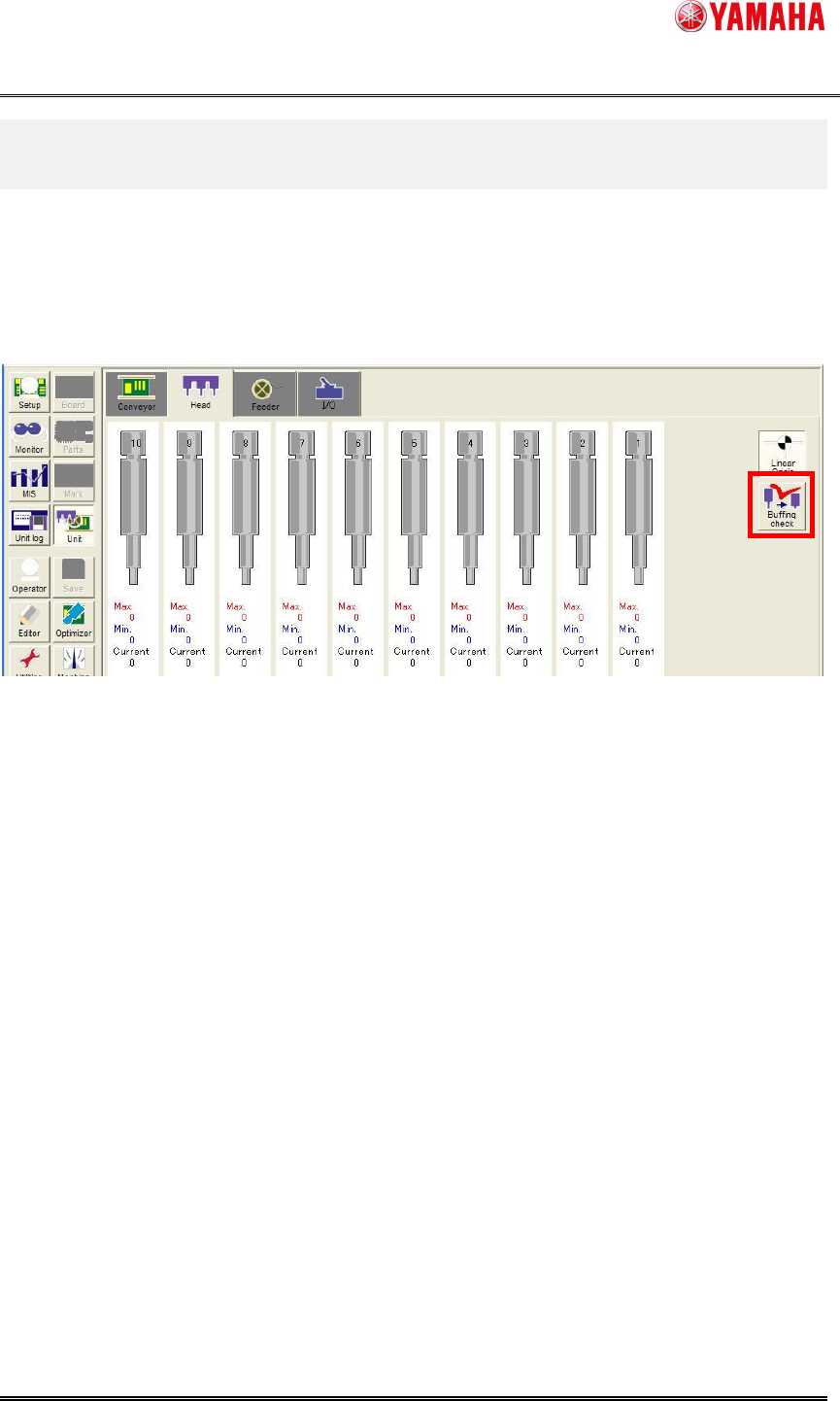
This function is supported only with nozzles with buffing.
You can see if they have buffing or not from [VmSpec] – [Specification Information] – [Mount
Nozzle Specification] – [Nozzle Data]. (See Fig. 3.2.1)
Fig. 3.2.1 Setting the nozzle buffing
YAMAHA Motor Co. Ltd.,
IM Company
SMT Software Engineering Group
MDOC-SOFT50052
4/27
4. Fundamental motion
4.1. Execute function
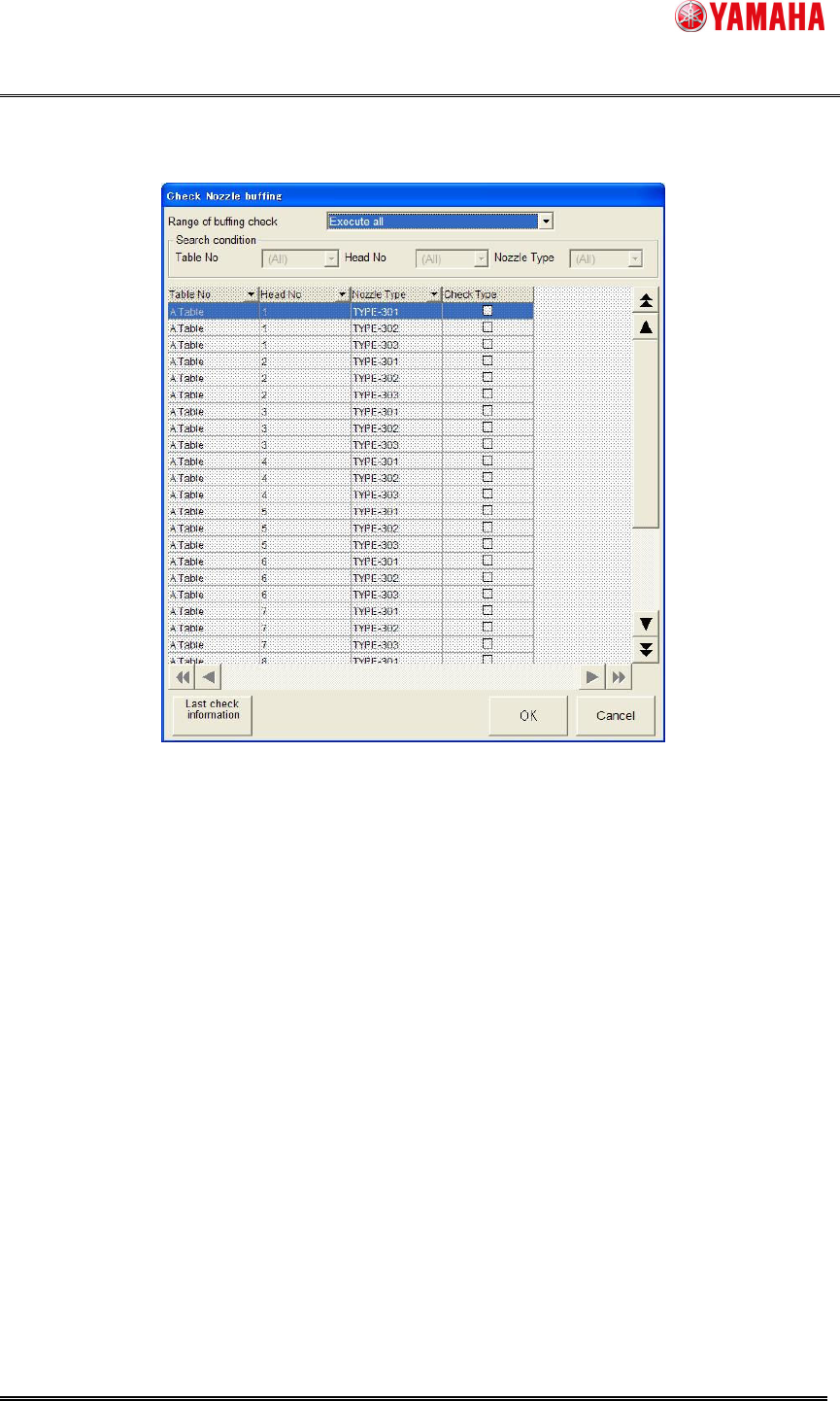
1) To execute the function, click [Unit] - [Head] - [Buffing Check] (See Fig. 4.1.1)
If “None” is set on [VmSpec]-[Machine Information]-[Installation Setting] - [Nozzle Station], the
[Buffing check] button becomes activated after loading board data.
Fig. 4.1.1 Buffing Check button
YAMAHA Motor Co. Ltd.,
IM Company
SMT Software Engineering Group
MDOC-SOFT50052
5/27
2) Click the [Buffing check] button, and the [Check Nozzle buffing] screen is displayed. (See Fig.
4.1.2)
Fig. 4.1.2 Check Nozzle Buffing screen