TM3355.CheckNozzleBuffingFunctionSpecifications.pdf - 第18页
Y AMAHA M otor Co. Ltd ., IM Company SMT Software Engineering Grou p MDOC-SOFT50 052 18 /27 6. Restricti ons - This function is supported only for a machine equi pped with Nozzle Cle aning B low Unit. - This func tio n i…
YAMAHA Motor Co. Ltd.,
IM Company
SMT Software Engineering Group
MDOC-SOFT50052
17/27
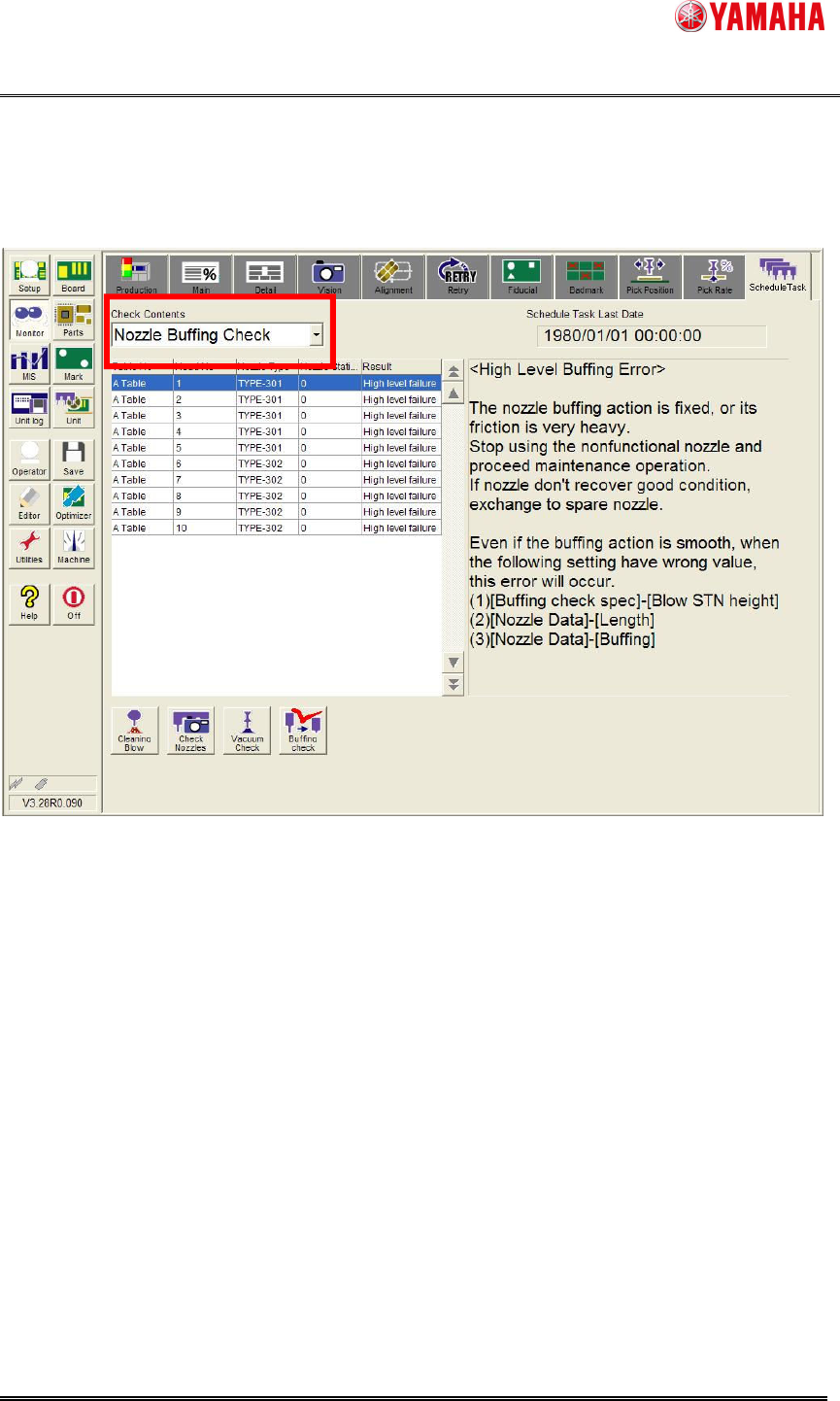
(2) Schedule task monitor screen
Select “Nozzle Buffing Check” from the [Monitor] - [Schedule Task] - [Check Contents] combo
box.
The same items as "Fig. 4.2.3" are displayed on the schedule task monitor screen.
Fig. 5.4.2 Schedule Task Monitor
YAMAHA Motor Co. Ltd.,
IM Company
SMT Software Engineering Group
MDOC-SOFT50052
18/27
6. Restrictions
- This function is supported only for a machine equipped with Nozzle Cleaning Blow Unit.
- This function is supported only for setting at the [Exist] of [Cleaning Blow Unit] is set on
[VmSpec] - [Machine Information] - [Installation Setting].
- Only a head without a shaft buffing can be nozzle buffing checked with this function.
7. Others (technical information)
7.1. Nozzle Buffing Check File
“Nozzle Buffing Check File” (NozzleBuffingCheck.STS) is necessary to activate this function.
The file is automatically loaded when…
-Machine starts up.
-Board data is loaded.
Nozzle Buffing Check File is usually is installed with the machine application.
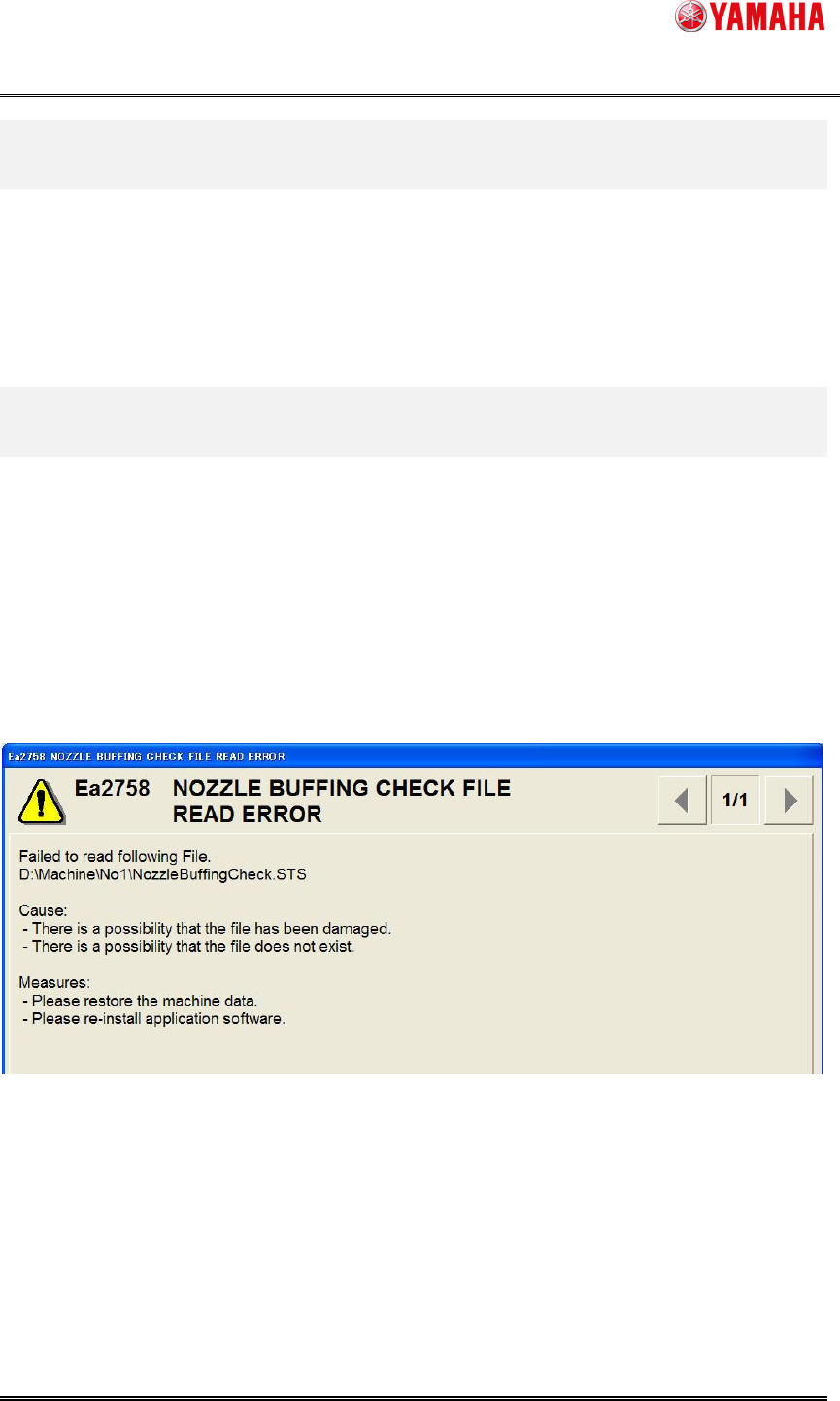
If it failed in installation, or the file is deleted by mistake, the following message is displayed.
In this case, machine startup and board loading are succeeded. So it is able to mount and edit
board data, but nozzle buffing check is not available.
If this message is displayed, please execute the following procedures.
Displayed, production and the edit of board data, etc. can be done.
- Re-install the application when this message is displayed soon after the installation.
- Restore the system backup when this message is displayed while using the machine without
any problem with the installation.
YAMAHA Motor Co. Ltd.,
IM Company
SMT Software Engineering Group
MDOC-SOFT50052
19/27
7.2. Detail Setting of Nozzle Buffing Check
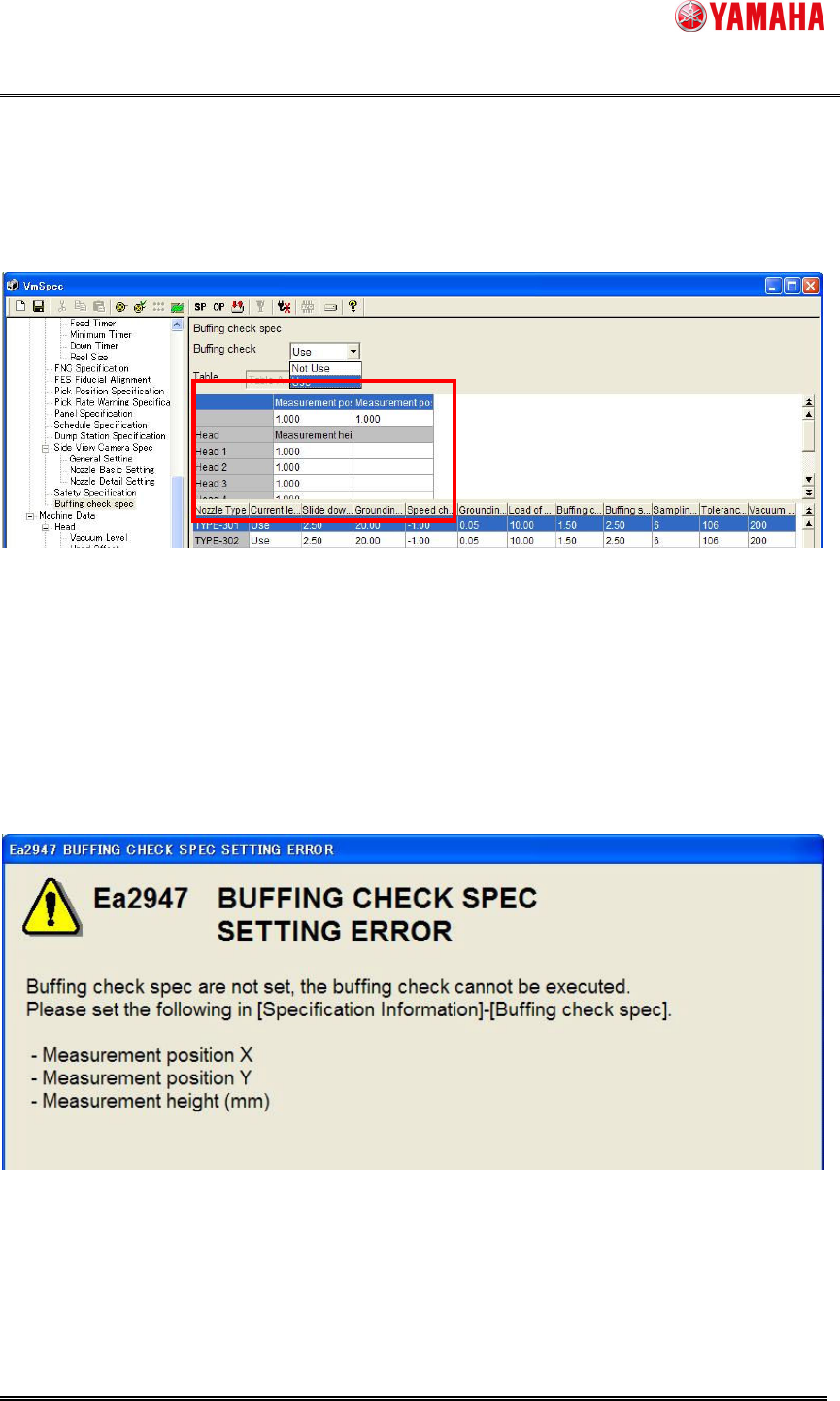
(1) "Measurement position X", "Measurement position Y" and "Measurement height"
"Measurement position X", "Measurement position Y" and "Measurement height" of all nozzle
blow units should be set for all mounting tables.
Please avoid the blow hole, and set a coordinate on the flat part where the blow station nozzle
sensor didn’t detect.
Since these setting are specified by default, you don’t need to set. But in such a case like the
application is upgraded or the position of the shaft blow unit is changed, you need to specify this
settings.
(*) If 0.00 is set on any of "Measurement position X", "Measurement position Y" and
"Measurement height (mm)", the following error is displayed.
Fig. 3.3.1 Check Nozzle Buffing screen