TM3355.CheckNozzleBuffingFunctionSpecifications.pdf - 第13页
Y AMAHA M otor Co. Ltd ., IM Company SMT Software Engineering Grou p MDOC-SOFT50 052 13 /27 5. Sched ule spe cifica tion The no zzle bu ffing chec k functio n can be exec uted b y schedule specific ation with V3.2 8ST D …
YAMAHA Motor Co. Ltd.,
IM Company
SMT Software Engineering Group
MDOC-SOFT50052
12/27
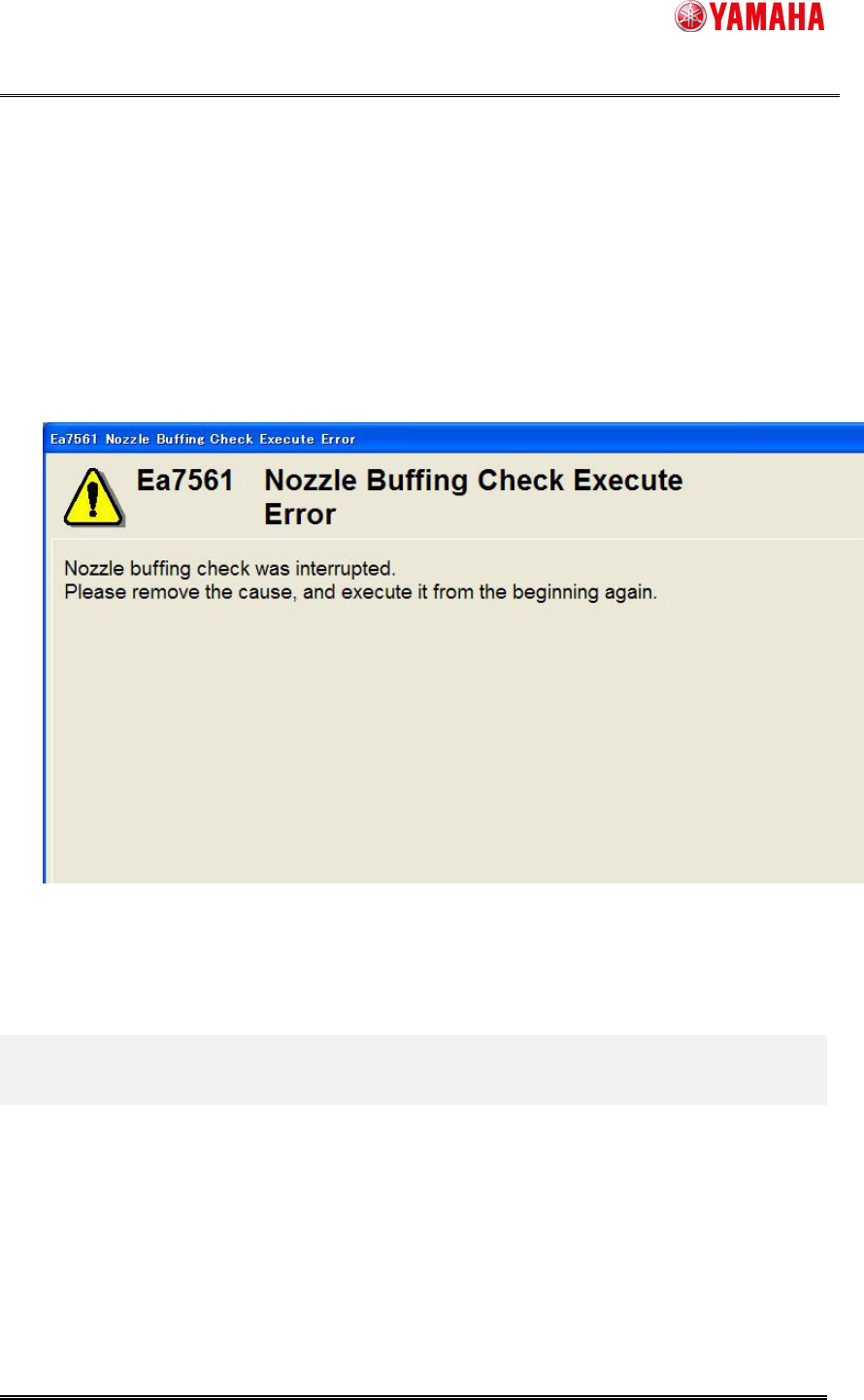
When the nozzle buffing check interrupts when the nozzle buffing check is being executed
by the following causes, the error message is displayed. (See Fig. 4.2.6)
- Error occurs by the nozzle change.
- Push the emergency stop button.
- Interlock is generated.
- Error occurs by the servo.
Fig. 4.2.6 Nozzle Buffing Check Execute Error
YAMAHA Motor Co. Ltd.,
IM Company
SMT Software Engineering Group
MDOC-SOFT50052
13/27
5. Schedule specification
The nozzle buffing check function can be executed by schedule specification with V3.28STD
R1.000 or later.
Executing a nozzle buffing check periodically by schedule specification, you can avoid missing
the work and maintain the nozzles efficiently.
5.1. Setting method
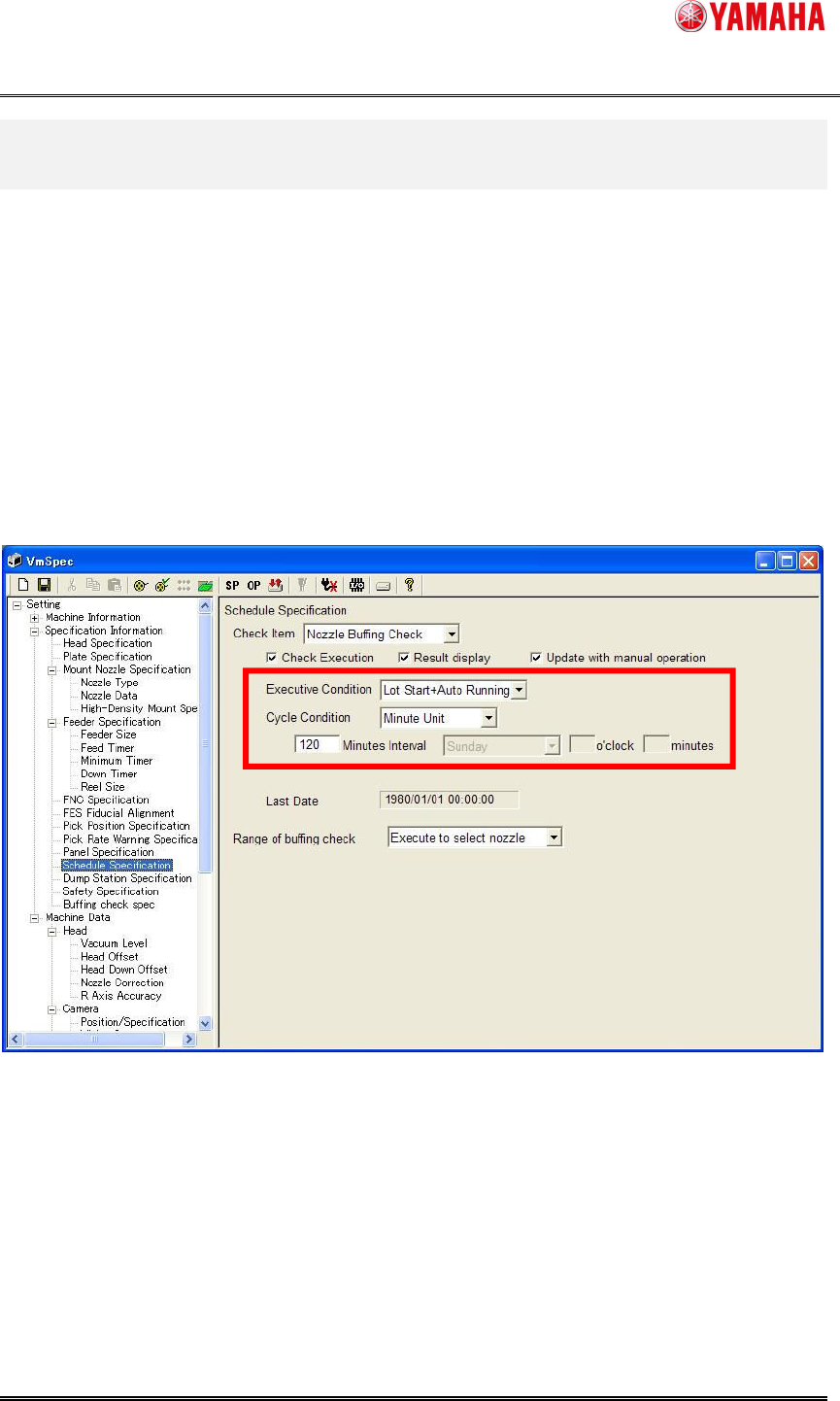
Set [Setting] - [Specification Information] - [Schedule Specification] to execute a nozzle buffing
check by schedule specification.
Fig. 5.1 Schedule Specification setting
(1) Select [Nozzle Buffing Check] from the [Check Item] combo-box.
(2) Check the [Check Execution] check box.
(3) Select [Executive Condition] and [Cycle Condition].
(1)
(2)
(3)
(4)
YAMAHA Motor Co. Ltd.,
IM Company
SMT Software Engineering Group
MDOC-SOFT50052
14/27
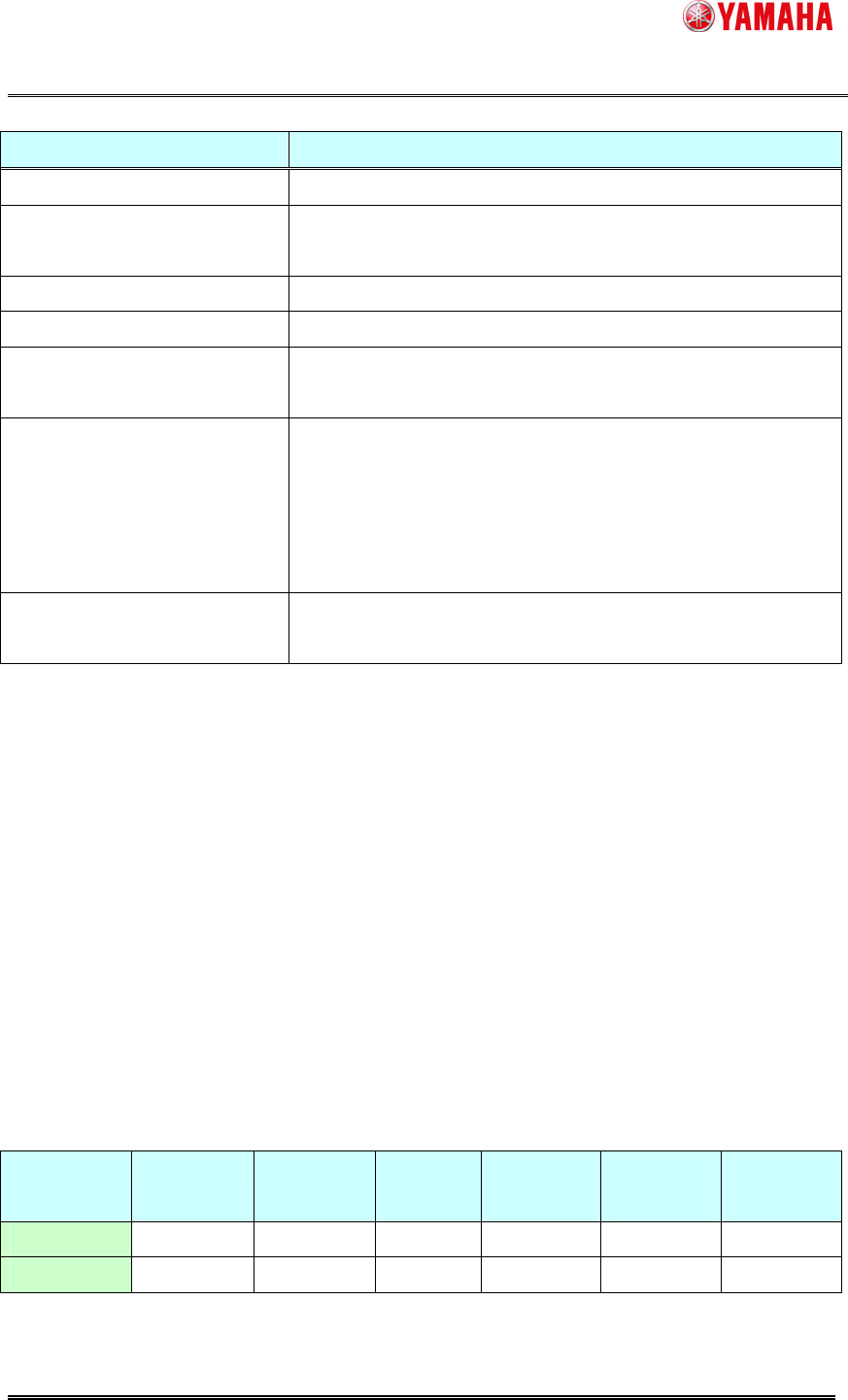
Executive Condition Execute timing
None Not execute.
Power ON
Immediatelyafterthe first return-to-originafterthe
powerONofmachine.
Power OFF
Immediatelyafterclickingthe[PowerOFF]button.
Reset
Afterthecompletionofreset.
Start Run
Immediately after pushing the [START] button on the
operationpanel.
Lot Start + Auto Running
-Atthetimeofthefirstauto-runningstartafterthe
powerON.
-Whenaboardischanged.
-Whenaboardiscarriedoutpassingthetimeof[Cycle
Condition].
Only During Auto Running
Whenaboardiscarriedoutpassingthetimeof[Cycle
Condition].
For [Cycle Condition], select any of [Minute Unit], [Every Day], or [Every Week] .
When you select [Every Day] or [Every Week], you need to set a cycle time.
(4) Select a range of nozzle buffing check execute.
[Execute all]
This can be selected only for a machine with an effective nozzle station.
Executes a buffing check for nozzles with “AutoNzlChg” selected on [VmSpec] - [Machine
Data] - [Head] – [Head Offset] - [Head Type]
[Select nozzle]
This can be selected for a machine with/without an effective nozzle station.
When a nozzle station is not effective, select this item.
Executes a buffing check for all nozzles used for loaded board data.
Executionproprietyofexecutivecondition
Power ON Power OFF Reset Start Run
Lot Start +
Auto Running
Only Auto
Running
Executeall O O O O O O
Selectnozzle
X X X O(*) O O
(*) Executed only with board data loaded.