TM3355.CheckNozzleBuffingFunctionSpecifications.pdf - 第16页
Y AMAHA M otor Co. Ltd ., IM Company SMT Software Engineering Grou p MDOC-SOFT50 052 16 /27 5.4. Result of checki ng by Schedul e T ask Moni tor The ex ecution result of nozzle buffing check can als o be c heck ed on the…

YAMAHA Motor Co. Ltd.,
IM Company
SMT Software Engineering Group
MDOC-SOFT50052
15/27
5.2. Result of Checking
An execution result can be checked after a nozzle buffing check by schedule specification as well
as after [Unit] - [Head] - [Buffing Check] executed.
Please refer to "4.2. Result of Checking" for details of the execution result of nozzle buffing
check.
When the nozzle buffing check by schedule specification doesn’t detect any abnormality, no
message is displayed.
With [Setting] - [Specification Information] - [Schedule Specification] - [Executive Condition] set to
“Lot Start + Auto Running” or “Only Auto Running”, when an abnormal nozzle buffing is detected
during auto-running, the machine stops and you can maintain the nozzle.
Auto-running is continued if any abnormality is not detected.
5.3. When an abnormal nozzle is detected
When an abnormal nozzle is detected by schedule specification nozzle buffing check, please
check the nozzle again with [Unit] - [Head] - [Buffing Check].
If there is actually no problem, you can start auto-running.
If there is a problem, maintain or exchange the nozzle.
YAMAHA Motor Co. Ltd.,
IM Company
SMT Software Engineering Group
MDOC-SOFT50052
16/27
5.4. Result of checking by Schedule Task Monitor
The execution result of nozzle buffing check can also be checked on the schedule task monitor
screen.
This section explains how to check the result.
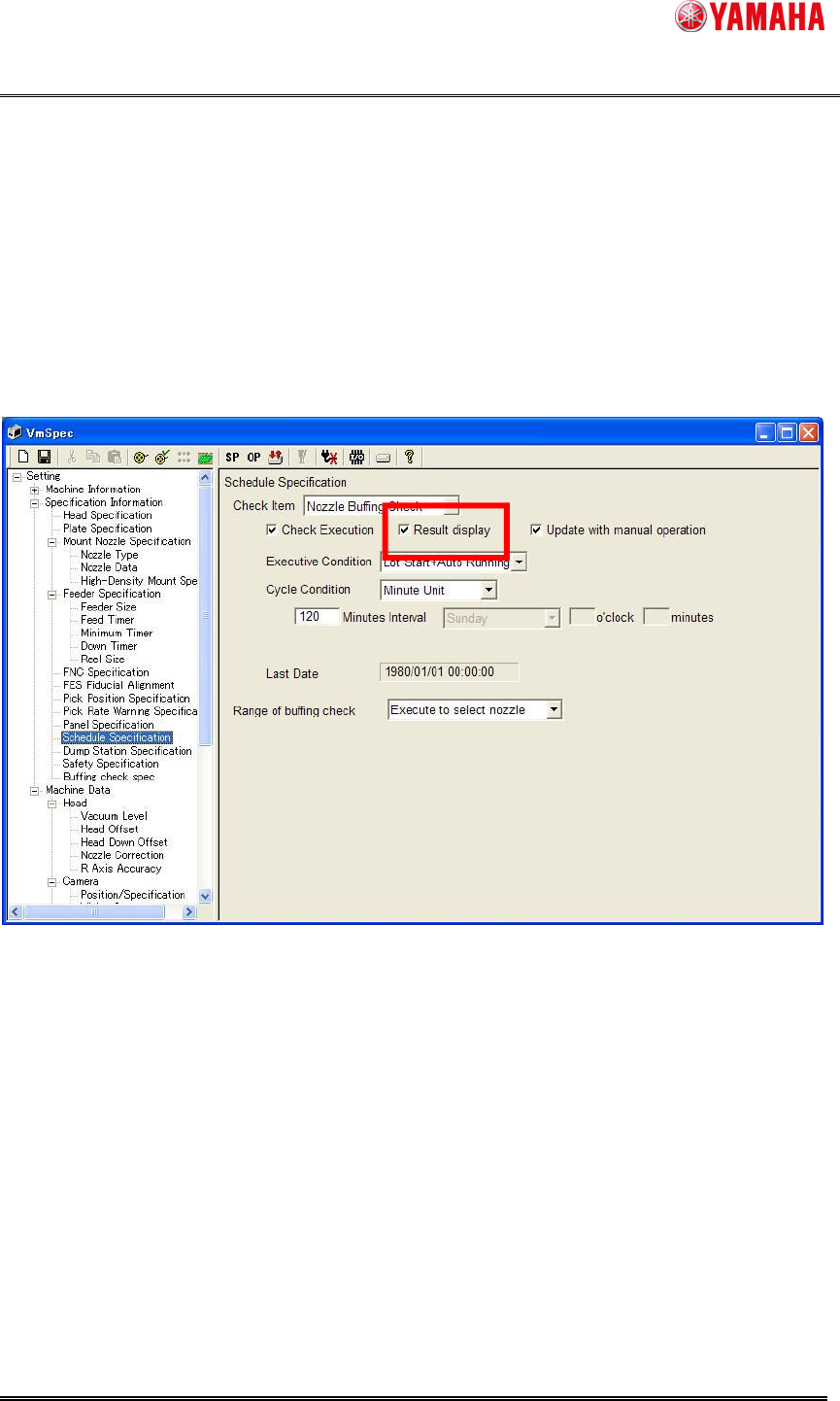
(1) Machine setting
Confirm that “Nozzle Buffing Check” is selected on [Setting] - [Specification Information] -
[Schedule Specification], and the [Result display] check box is checked.
Fig. 5.4.1 The result display setup of nozzle buffing check.
YAMAHA Motor Co. Ltd.,
IM Company
SMT Software Engineering Group
MDOC-SOFT50052
17/27
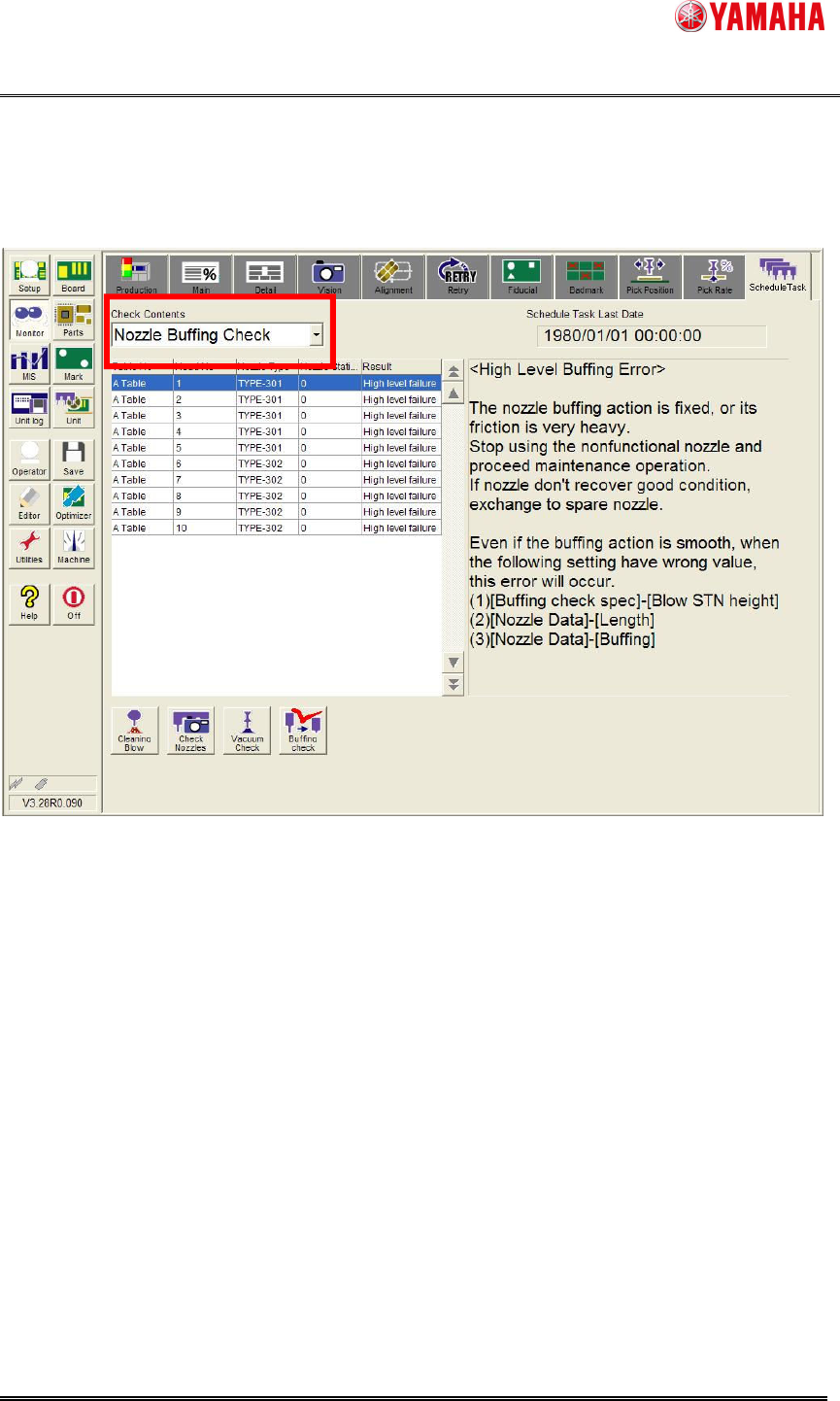
(2) Schedule task monitor screen
Select “Nozzle Buffing Check” from the [Monitor] - [Schedule Task] - [Check Contents] combo
box.
The same items as "Fig. 4.2.3" are displayed on the schedule task monitor screen.
Fig. 5.4.2 Schedule Task Monitor