111.pdf - 第35页
Machine Automa tion Controller NX1P 35 Battery The battery is not mounted when the product is shipp ed. To turn OFF the power supply to the equipment for a certain per iod of time by using the clock data for programming,…
Machine Automation Controller NX1P
34
NX Unit Configuration
CPU Rack
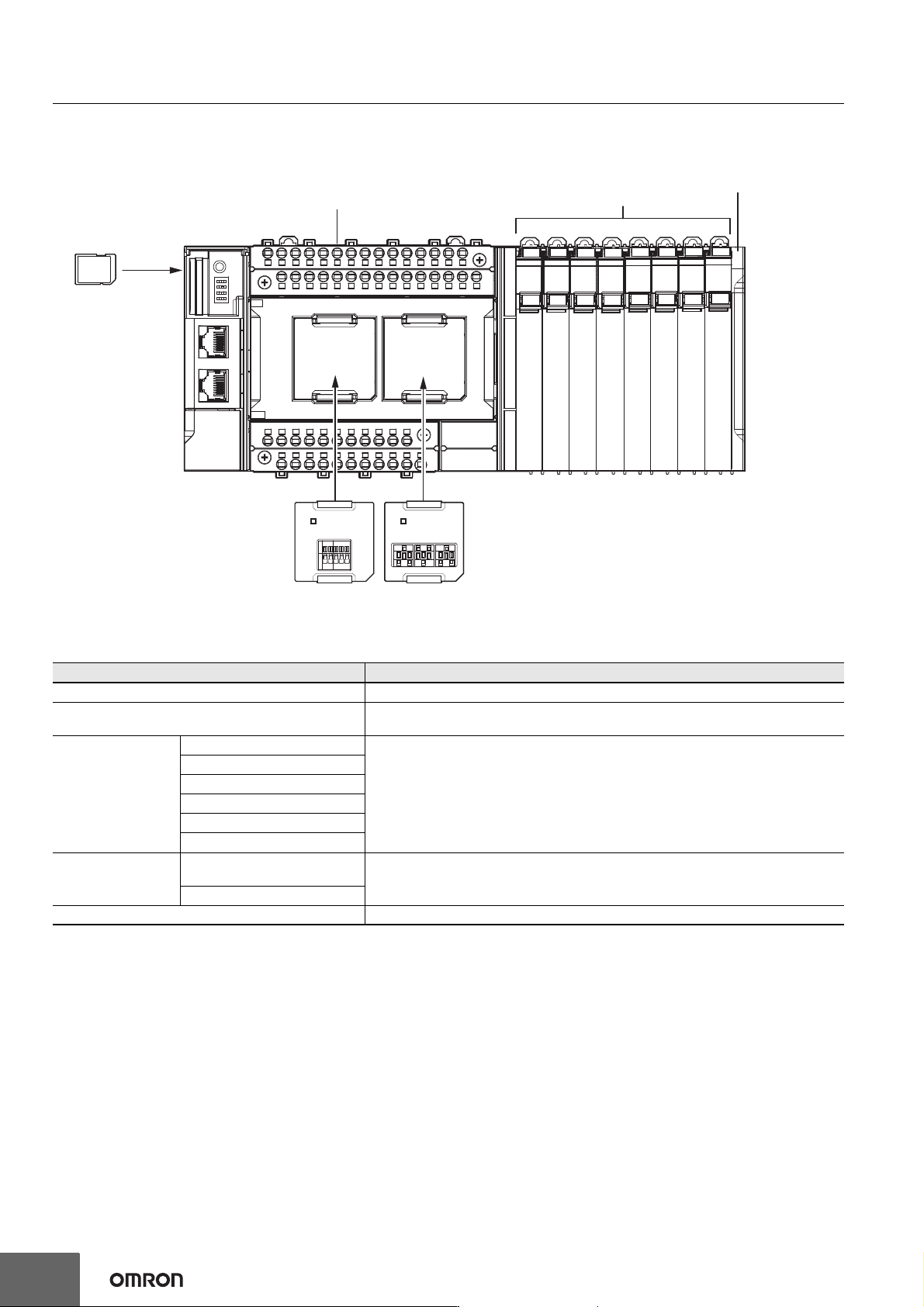
The CPU Rack consists of an NX-series NX1P2 CPU Unit, NX Units, and an End Cover.
Up to eight NX Units can be connected.
Configuration Remarks
NX-series NX1P2 CPU Unit One required for every CPU Rack.
End Cover
Must be connected to the right end of the CPU Rack. One End Cover is provided with
the CPU Unit.
NX Unit
Digital I/O Unit • Up to eight Units (including System Units such as Additional I/O Power Supply Unit)
can be mounted to each Expansion Rack.
• For the NX Units connectable to the CPU Unit, refer to the Ordering Information
page.
• You cannot mount NX-series Safety Control Units on the CPU Unit and use them.
Use NX-series Safety Control Units as a subsystem on EtherCAT.
• Refer to the NX-series Data Reference Manual (Cat. No. W525. Revision 11 or later)
for information such as restrictions on the NX Units.
Analog I/O Unit
System Unit
Position Interface Unit
Communication Interface Unit
Load Cell Input Unit
Option Board
Serial Communications Option
Board
One or two Option Boards can be connected to the CPU Unit.
Analog I/O Option Board
SD Memory Card Install as required.
NX-series NX1P2 CPU Unit
Option Board
(1 or 2)
SD Memory
Card
End CoverNX Units
(8 Units max.)
Machine Automation Controller NX1P
35
Battery
The battery is not mounted when the product is shipped.
To turn OFF the power supply to the equipment for a certain period of time by using the clock data for programming, event logs, etc., you need a
separately-sold battery to retain the clock data.
The following describes the purpose of the battery mounting, the battery model, and the battery-related error detection and clock data settings.
Purpose of the Battery Mounting
The battery is used to retain the clock data while the power is not supplied to the CPU Unit. The clock data is retained by the built-in capacitor
whether the battery is mounted or not, but the retention period depends on the continuous power-ON time of the CPU Unit, as shown below.
* This is equivalent to the time to charge a built-in capacitor in which no electric charge is accumulated.
When you use the clock data for programming, use a battery if you cannot ensure the continuous power-ON time shown above or the power-OFF
time is longer than the above power-ON time.
The following data (other than the clock data) is retained in the built-in non-volatile memory, so they are not lost even if the battery and built-in
capacitor are fully discharged.
• User program
• Set values
• Variables retained during power interruption
• Event logs
Battery Model
The table below shows the model and specifications of the battery that can be used.
Continuous power-ON time of CPU Unit *
Retention period during no power supply at
an ambient temperature of 40°C
100 hours Approx. 10 days
8 hours Approx. 8 days
1 hour Approx. 7 days
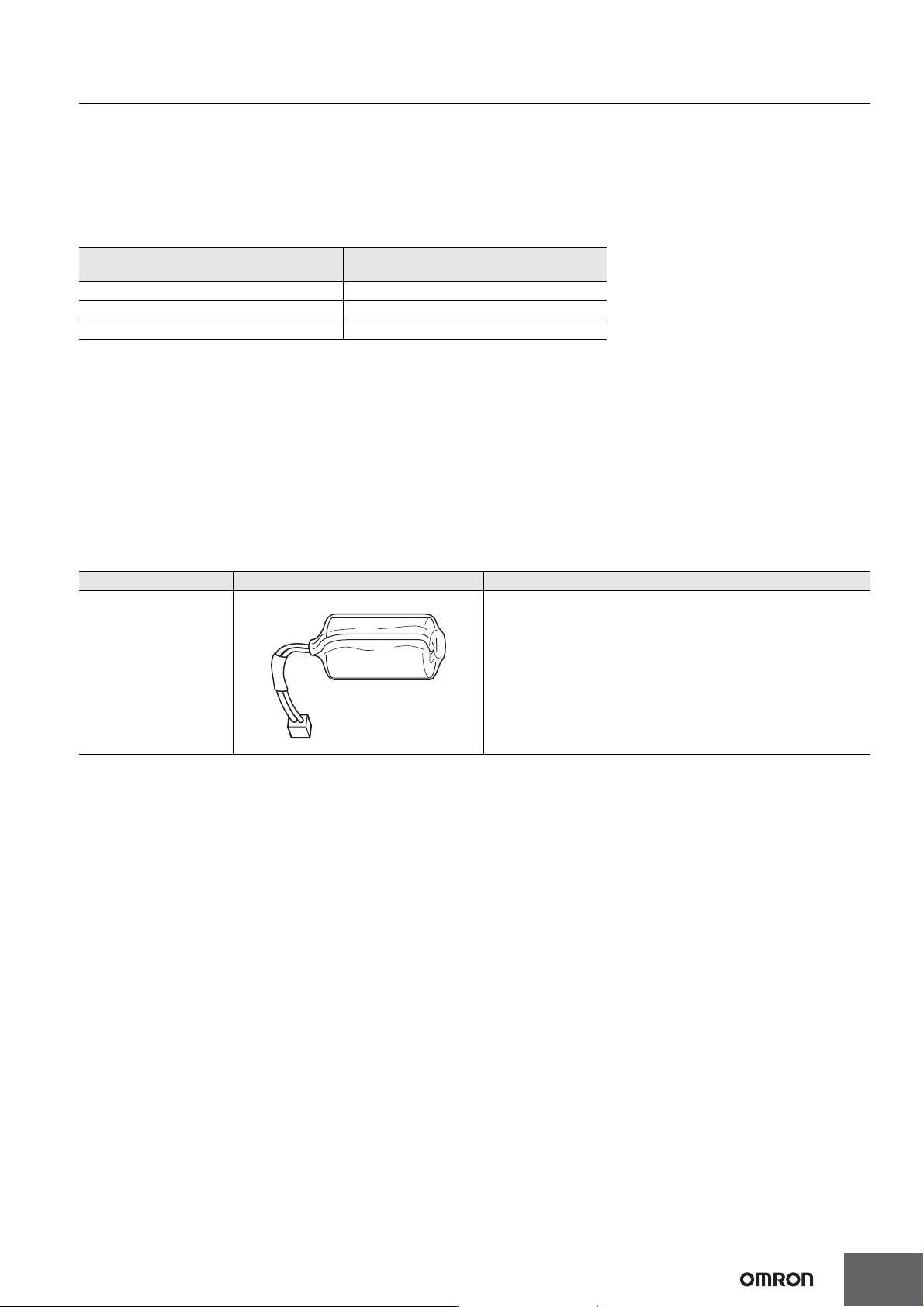
Model Appearance Specification
CJ1W-BAT01
Service life: 5 years
Refer to the NX-series NX1P2 CPU Unit Hardware User’s Manual
(Cat. No. W578) for details.
The clock information is retained during power interruptions.
Machine Automation Controller NX1P
36
Sysmac Studio
The Sysmac Studio is a Support Software package that provides an integrated development environment to design, program, debug, and maintain
Sysmac NJ/NX-series Controllers.
Configuration
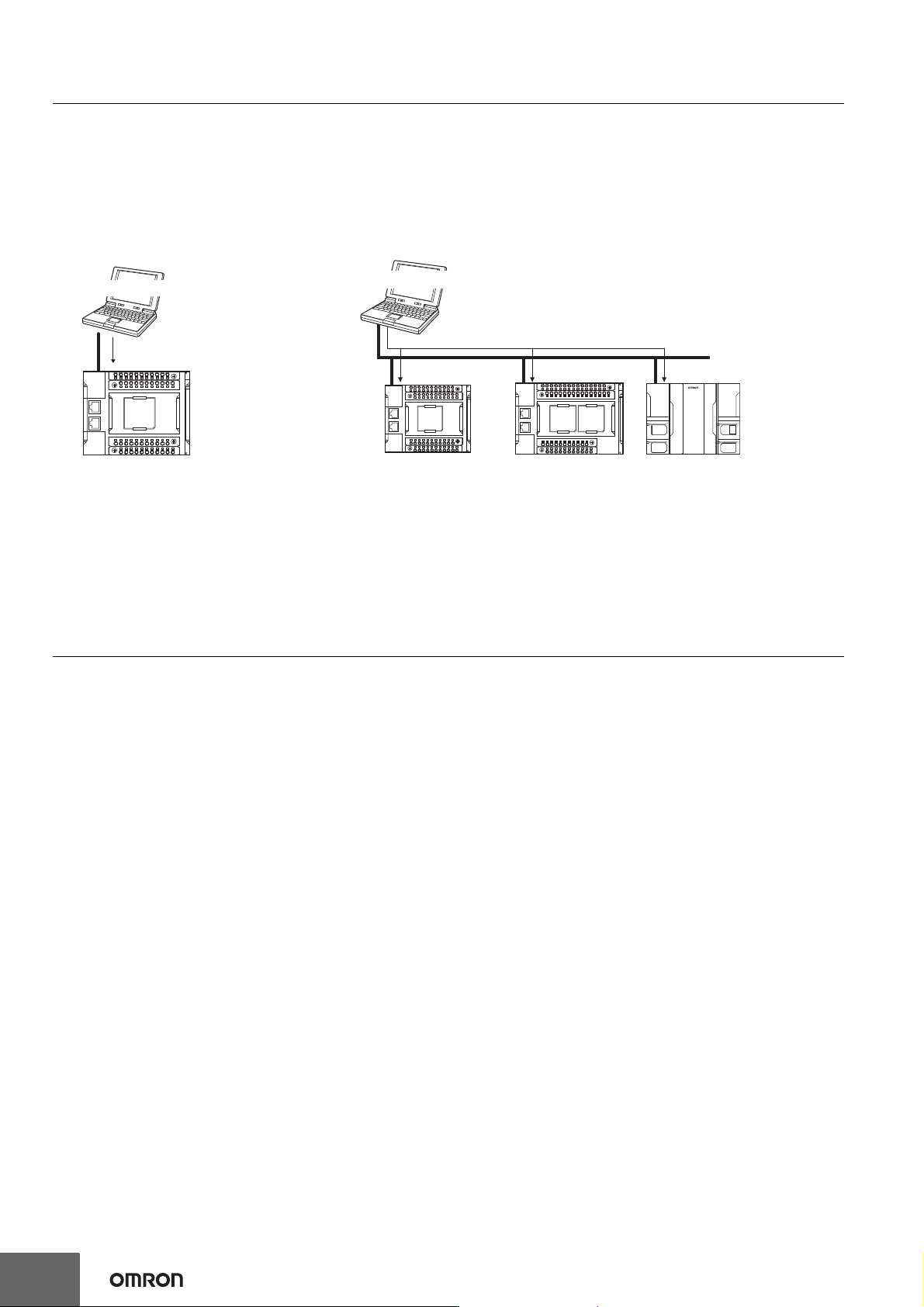
With an NX1P2 CPU Unit, you can connect the Sysmac Studio online in the following ways.
Connection with EtherNet/IP
Version Information
Unit Versions and Corresponding Sysmac Studio Versions
Refer to NX-series NX1P2 CPU Unit Hardware User's Manual (W578).
• 1:1 Connection • 1:N Connection
• A direct connection is made from the Sysmac
Studio. The IP address and connection device
do not need to be specified.
• You can make the connection whether or not a
switching hub is used.
• Support for Auto-MDI enables the use of cross
cables or straight cables if a direct connection
is made.
• Directly specify the IP address of the remote device.
EtherNet/IP
Sysmac Studio
EtherNet/IP
Sysmac Studio