00192485-02.pdf - 第37页
37 ’ Nozzle configura tion revolver hea d ’ menu Within the Nozzl e configurat ion revolver head me nu you can view the noz- zle configur ation and check nozzle s. If a no zzle changer has been installed you can change t…
36
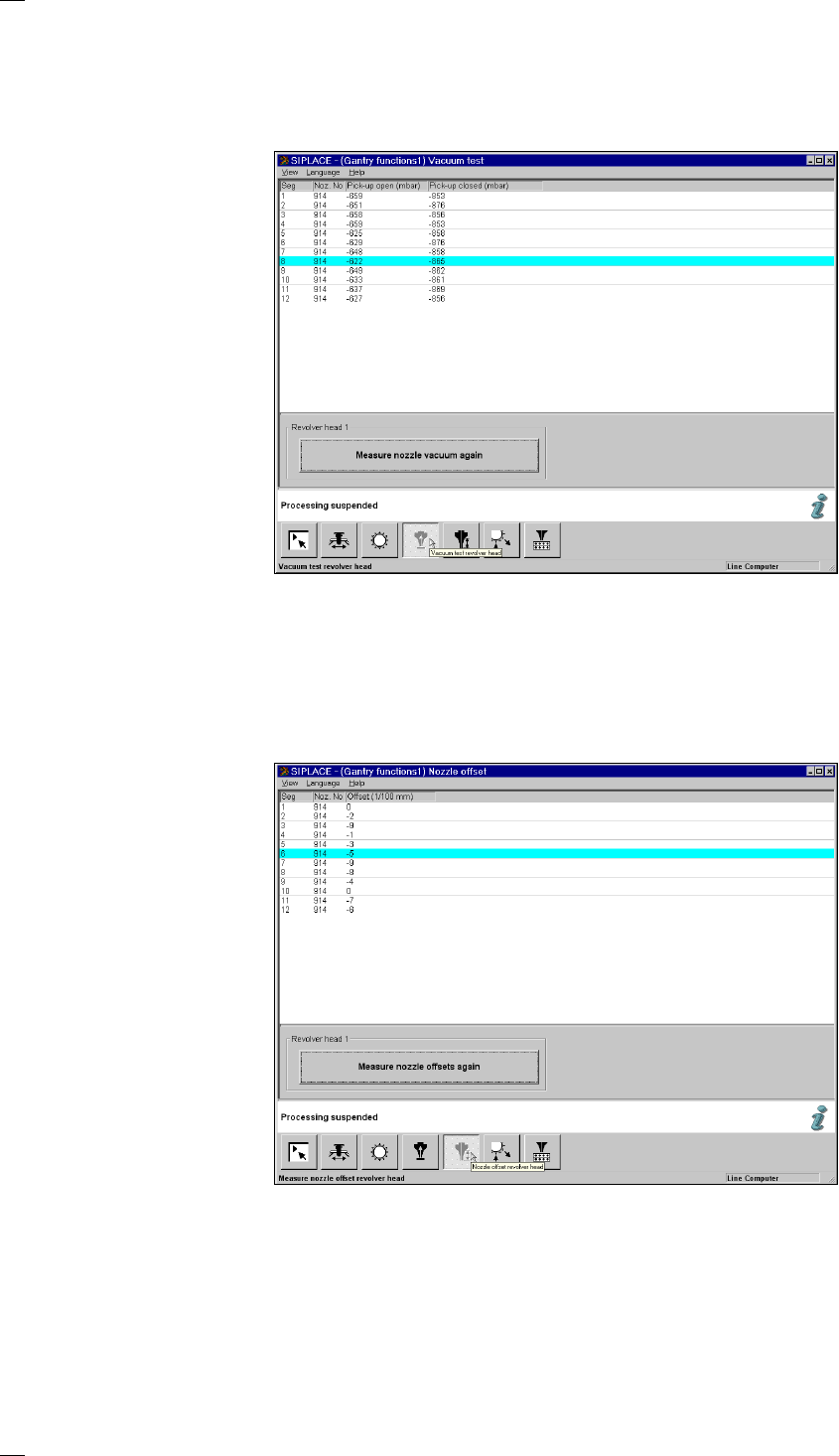
’Vacuum test revolver head’ menu
When this function is executed the revolver head performs a head refer-
ence run. At the same time the vacuum values of all nozzles at the pick-up
position are measured with the nozzles both closed and open. The values
are then displayed in the list.
’Nozzle offset revolver head’ menu
When this function is executed you will be asked to press the start button
by a screen message. The gantry will then travel over a measurement
position on the board conveyor. Here the Z-heights of all segments are
measured and displayed on the screen. The gantry then returns to its ini-
tial waiting position.
37
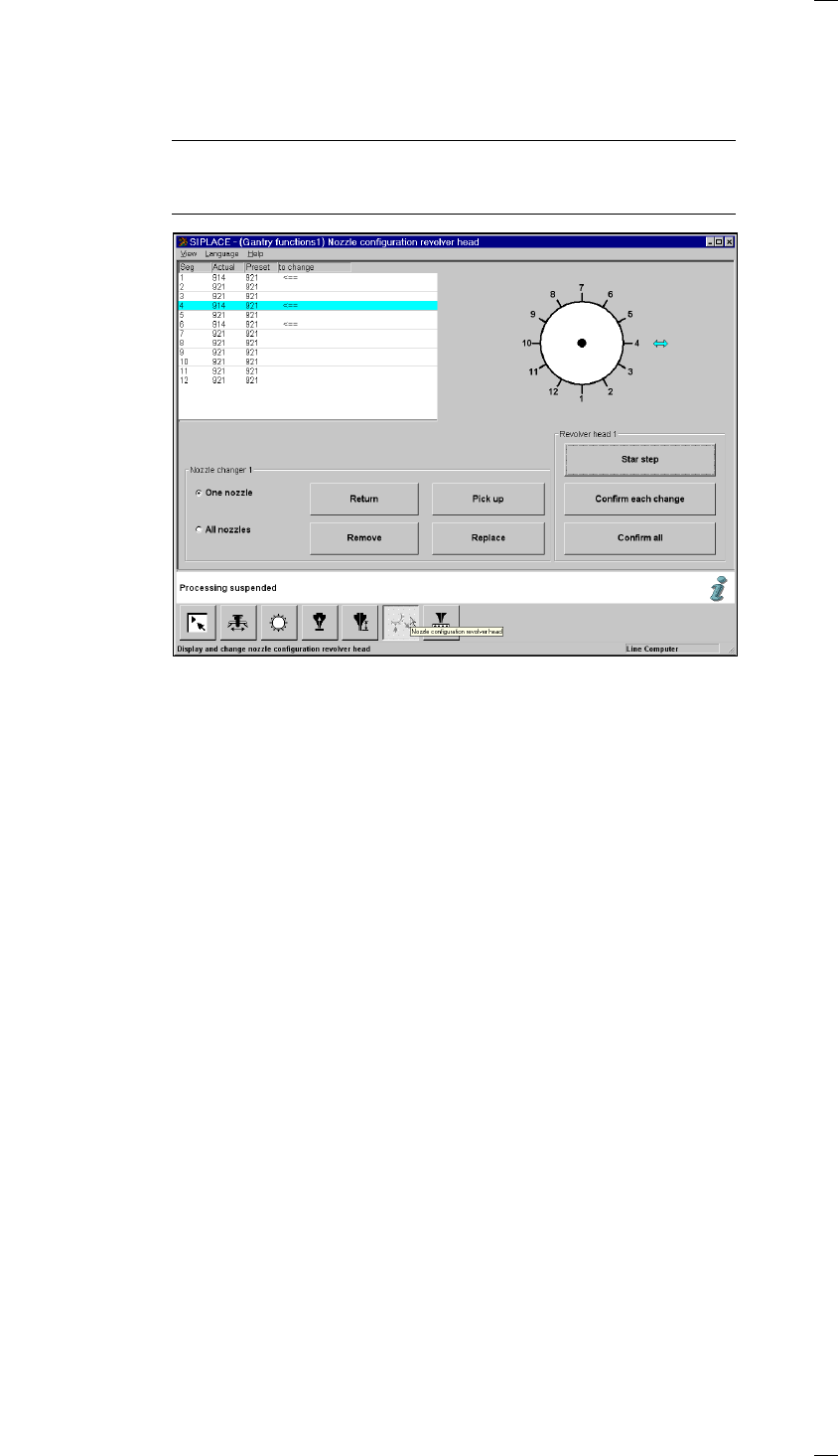
’Nozzle configuration revolver head’ menu
Within the Nozzle configuration revolver head menu you can view the noz-
zle configuration and check nozzles. If a nozzle changer has been
installed you can change the nozzles with the aid of this menu.
NOTE
Nozzle-changing is only possible with the prespecified cluster and pre-
specified setup.
List field
The nozzle configuration is displayed with the programmed and actual val-
ues. Nozzles marked with an arrow in the ’To change’ column have to be
changed. The cyan bar indicates that the corresponding nozzle is in the
changing position.
Revolv. head diagram The arrow shows the changing position for the nozzle in question.
‘Revolver head’ box
Star step The star is cycled onward by one position whenever you click on this
button.
Confirm each
change To do this, carry out the following steps.
– Step the nozzle indicated by an arrow into the changeover position.
– Exchange the nozzle.
– Click on the ‘Confirm single change’ button. The desired and actual values
in the list box must tally.
Confirm all If you have exchanged several nozzles that were indicated by an arrow,
you can use a single command at the end to confirm all the changes.
Click on the ‘Confirm all’ button. The desired and actual values for all
nozzles in the list box must tally.
‘Nozzle changer’ box
One nozzle When ’One nozzle’ is activated, the ’Return’, ’Pick up’, ’Remove’ and
’Replace’ functions will only be carried out for the selected nozzle. If you
click on one of these functions, an input box will appear so that you can
enter the segment number. The default value that appears in the input box
is the number of the segment currently at the change position. It is indi-
cated by cyan-colored arrow.
38
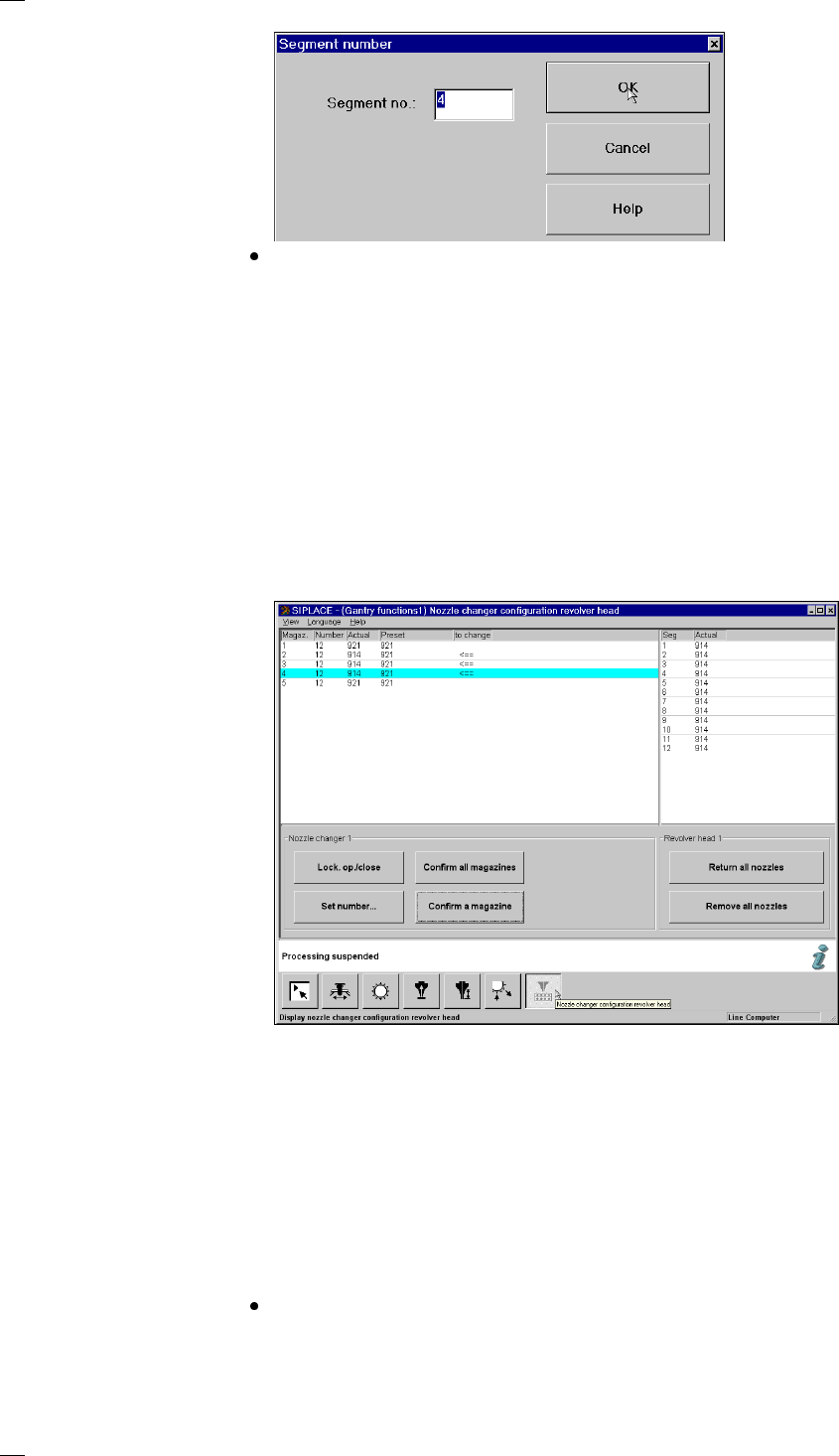
Click on OK to execute the function.
Return all nozzles All nozzles are returned to the magazine of the nozzle changer.
Pick up all nozzles The revolver head picks up all nozzles from the nozzle magazine.
Remove all nozzles All of the nozzles in the revolver head are discarded into the rejects con-
tainer.
‘Revolver head nozzle changer configuration’ menu
You can use this menu to
– call up the nozzle types for the individual magazines
– check the nozzles and
– exchange nozzles.
Display box for the magazines
Magazine: Magazine number, up to 10
Number: Number of nozzles in the magazine
Actual: Current set-up in the nozzle changer
Desired: Set-up defined by the line computer
Arrow: If the desired and actual value are different, the difference is indicated by
an arrow.
Buttons in the ‘Nozzle changer’ box
Lock open/closed You can open or close the sliding plate on the selected magazine in order
to fill the nozzle changer magazine manually.
Set number … Click on ‘Set number …’ to open an input box where you can enter the
desired number of nozzles for the magazine.
Always start with nozzle number 1 and always fill the magazine with
nozzles of the same type. You can add between 0 and 12 nozzles. The
default value is 12.