00197696-02_IM_SIPLACE_Pro_12.1_EN.pdf - 第5页
1 Introduction Installation Manual Edition 04/2015 SIPLACE Pro 12.1 3 1 Introduction Please read chapters 1 through 3 be fore you inst all SIPLACE Pro. Chapter 4 describes the inst allation seque nce fo r SIPLACE Pro, as…
Installation Manual
SIPLACE Pro 12.1 Edition 04/2015
2
4.4 Steps to perform after installation . . . . . . . . . . . . . . . . . . . . . . . . . . . . . . . . . . . . . . . . . . . . . . . . . .49
5 Installation of SIPLACE Pro Language Pack. . . . . . . . . . . . . . . . . . . . . . . . . . .51
5.1 Starting installation - first steps . . . . . . . . . . . . . . . . . . . . . . . . . . . . . . . . . . . . . . . . . . . . . . . . . . . .51
5.2 Compatibility of SIPLACE Pro Language Packs . . . . . . . . . . . . . . . . . . . . . . . . . . . . . . . . . . . . . . .55
5.2.1 Version handling . . . . . . . . . . . . . . . . . . . . . . . . . . . . . . . . . . . . . . . . . . . . . . . . . . .55
6 Update. . . . . . . . . . . . . . . . . . . . . . . . . . . . . . . . . . . . . . . . . . . . . . . . . . . . . . . . . .59
7 Troubleshooting. . . . . . . . . . . . . . . . . . . . . . . . . . . . . . . . . . . . . . . . . . . . . . . . . .61
7.1 During installation . . . . . . . . . . . . . . . . . . . . . . . . . . . . . . . . . . . . . . . . . . . . . . . . . . . . . . . . . . . . . .61
7.1.1 Relevant files to analyze setup problems . . . . . . . . . . . . . . . . . . . . . . . . . . . . . . . .61
7.1.2 Error code 1316 and 1603. . . . . . . . . . . . . . . . . . . . . . . . . . . . . . . . . . . . . . . . . . . .62
7.1.3 Error: Insufficient permissions. . . . . . . . . . . . . . . . . . . . . . . . . . . . . . . . . . . . . . . . .63
7.1.4 Conflicting old SIPLACE Pro installations . . . . . . . . . . . . . . . . . . . . . . . . . . . . . . . .64
7.1.5 Conflicting applications . . . . . . . . . . . . . . . . . . . . . . . . . . . . . . . . . . . . . . . . . . . . . .65
7.1.6 Cannot add Logins . . . . . . . . . . . . . . . . . . . . . . . . . . . . . . . . . . . . . . . . . . . . . . . . .66
7.1.7 Users connected to the database SIPLACEPro . . . . . . . . . . . . . . . . . . . . . . . . . . .67
7.1.8 Error - 16xx.... . . . . . . . . . . . . . . . . . . . . . . . . . . . . . . . . . . . . . . . . . . . . . . . . . . . . .68
7.1.9 Access problems of SIPLACE Pro share after client installation. . . . . . . . . . . . . . .68
7.2 After installation . . . . . . . . . . . . . . . . . . . . . . . . . . . . . . . . . . . . . . . . . . . . . . . . . . . . . . . . . . . . . . . .70
7.2.1 Database in single user mode after installation of SIPLACE Pro . . . . . . . . . . . . . .70
7.2.2 System feature (e.g. creating a report) not usable right after installation . . . . . . . .71
8 Uninstalling. . . . . . . . . . . . . . . . . . . . . . . . . . . . . . . . . . . . . . . . . . . . . . . . . . . . . .73
8.1 Uninstalling the software . . . . . . . . . . . . . . . . . . . . . . . . . . . . . . . . . . . . . . . . . . . . . . . . . . . . . . . . .73
8.2 Uninstalling the database. . . . . . . . . . . . . . . . . . . . . . . . . . . . . . . . . . . . . . . . . . . . . . . . . . . . . . . . .75
8.2.1 On installations of SQL Server . . . . . . . . . . . . . . . . . . . . . . . . . . . . . . . . . . . . . . . .75
8.2.2 On MSDE installations. . . . . . . . . . . . . . . . . . . . . . . . . . . . . . . . . . . . . . . . . . . . . . .75
9 Appendix. . . . . . . . . . . . . . . . . . . . . . . . . . . . . . . . . . . . . . . . . . . . . . . . . . . . . . . .77
9.1 Database Maintenance Tasks . . . . . . . . . . . . . . . . . . . . . . . . . . . . . . . . . . . . . . . . . . . . . . . . . . . . .77
1 Introduction Installation Manual
Edition 04/2015 SIPLACE Pro 12.1
3
1 Introduction
Please read chapters 1 through 3 before you install SIPLACE Pro.
Chapter 4 describes the installation sequence for SIPLACE Pro, as well as the related server
types, and important information regarding the installation.
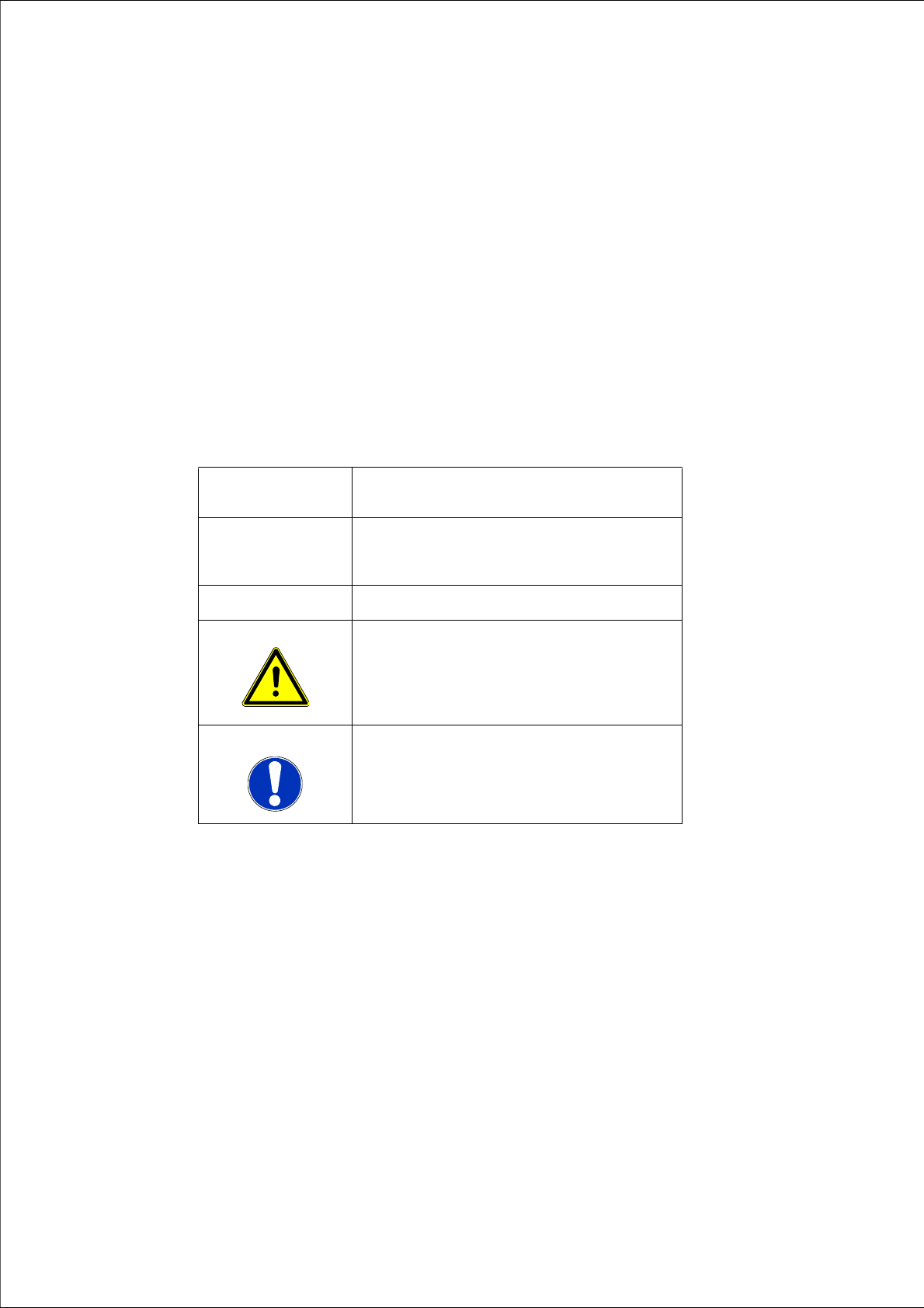
1.1 Explanation of symbols
Various symbols and notes are used for making this document easier to read.
Words in bold/ital-
ics
These are dialog boxes and menu commands.
Step ... An installation step includes all the actions
relating to a specific dialog box. An installation
step may be composed of several actions.
Requires an action (e.g. mouse click, open file)
Caution
Corresponds to a warning. The information is
critical to the success of the installation pro-
cess. The installation will be cancelled if you
do not comply with the warning.
Note
Hint to facilitate your working with SIPLACE
Pro installation.
Tab. 1.1 - 1 Explanation of symbols

Installation Manual 1 Introduction
SIPLACE Pro 12.1 Edition 04/2015
4
1.2 Scope of Delivery
The SIPLACE Pro Basic License V12.x (Item No. 00117802-xx) contains:
– 1 SIPLACE Pro Factory License (without the connection to SIPLACE stations)
1
The Media Package 12.1 (Item No. 0011780-xx) consists of the following data carriers:
– 1 CD-ROM with SIPLACE Pro 12.1
– 1 CD-ROM with OIS application version 12.1
– Support Media Version 2.1. The first DVD in the Support Media package contains the pro-
grams needed to install SIPLACE Pro, such as ErrorReporting, License Manager and Oper-
ation Manager.
1
The SIPLACE Pro Upgrade License 12.x (Item No. 00117803-xx) contains:
– 1 upgrade license (without connection to the SIPLACE stations).
1
Note
SIPLACE Pro Factory License can be downloaded from our SIPLACE License Manage-
ment web portal with no additional cost for customer.
Note
SIPLACE Pro Factory License can be downloaded from our SIPLACE License Manage-
ment web portal with no additional cost for customer.
Note
On the first Support Media DVD you will find the programs necessary for installing SI-
PLACE Pro, such as ErrorReporting, License Manager.