00197696-02_IM_SIPLACE_Pro_12.1_EN.pdf - 第65页
7 Troubleshooting Installation Manual Edition 04/2015 SIPLACE Pro 12.1 63 7.1.3 Error: Insufficient permissions 7 Fig. 7.1 - 2 Error: "Insufficient permissions" dialog box Error description: When you see this m…
Installation Manual 7 Troubleshooting
SIPLACE Pro 12.1 Edition 04/2015
62
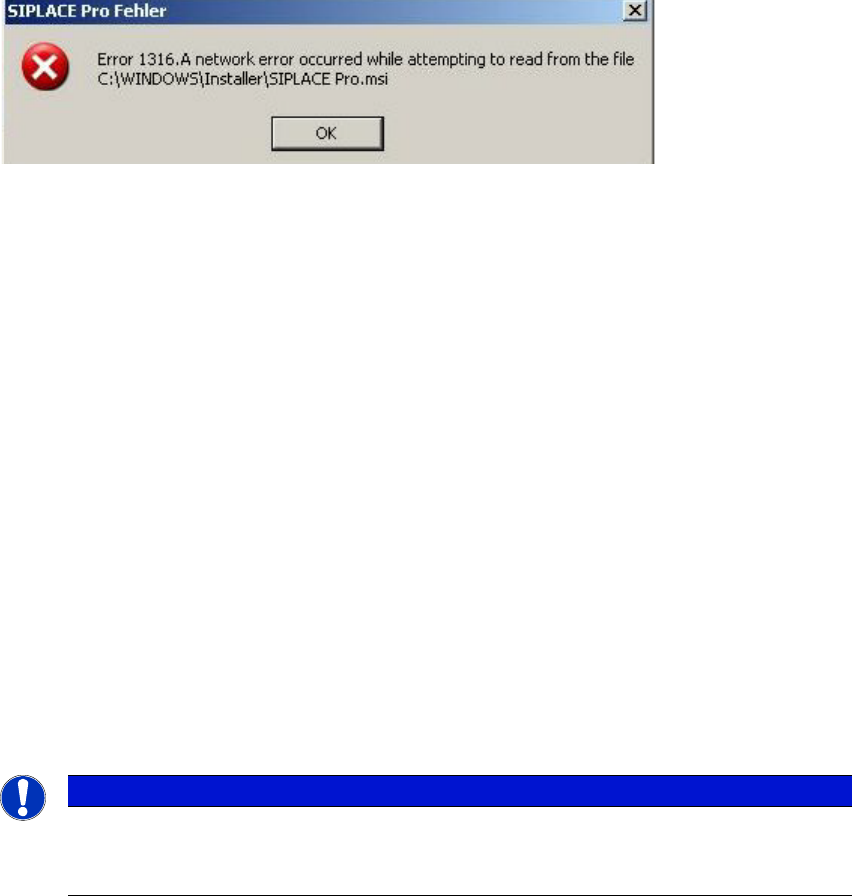
7.1.2 Error code 1316 and 1603
7
Fig. 7.1 - 1 "Error " dialog box
Error description:
The error messages 1316 and 1603 from the Microsoft Installer Service could occur under differ-
ent conditions.
Cause:
See InstallShield knowledgebase articles Q107390 and Q107182.
Workaround:
Copy the files "SIPLACE Pro.msi" and "Data1.cab" from the setup CD in the directory men-
tioned in the error message e.g. c:/Windows/Installer/SIPLACE Pro.msi.
Retry the setup:
a) The error message offers to cancel the setup or
b) confirm the error message with OK. The setup is cancelled. Then restart the setup.
After a successful setup, remove the copied files.
If the copied files are not removed, the installer could access these outdated files during the
next setup which might cause further problems.
Note
It has not been proven if this workaround helps in all possible situations. In case of any
further problems please contact your SIPLACE service technician.
7 Troubleshooting Installation Manual
Edition 04/2015 SIPLACE Pro 12.1
63
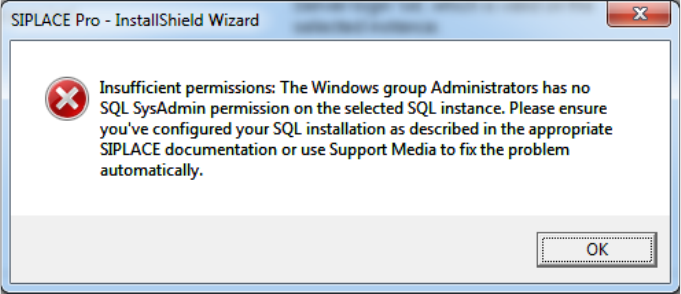
7.1.3 Error: Insufficient permissions
7
Fig. 7.1 - 2 Error: "Insufficient permissions" dialog box
Error description:
When you see this message, it is likely the SQL installation you've selected has not been set as
described in the appropriate SQL installation manual on Support Media and therefore misses ad-
ministrative permissions for the Windows Administrators group on your SQL installation. Since
this might cause problems during installation, Setup stops. Although it is not a strict requirement
to continue, we recommend using Support Media to fix this issue automatically. Experienced users
may add the required SQL SysAdmin role permission manually. It is also documented in the SI-
PLACE SQL installation manuals.
Installation Manual 7 Troubleshooting
SIPLACE Pro 12.1 Edition 04/2015
64
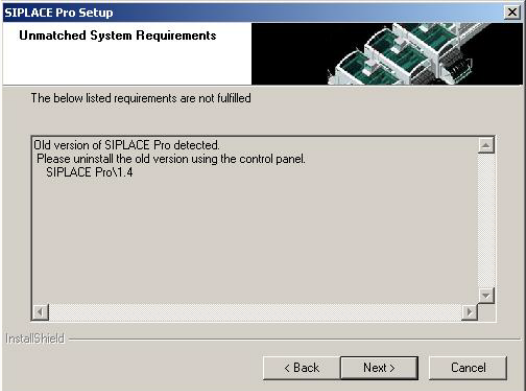
7.1.4 Conflicting old SIPLACE Pro installations
Error Description
7
Fig. 7.1 - 3 Unmatched System Requirements - dialog box
Cause:
The new SIPLACE Pro installation conflicts with old SIPLACE Pro installations.
Solution:
The SIPLACE Pro setup may not be installed in parallel with SIPLACE Pro V1.4 or earlier ver-
sions. This check is performed by looking in the registry.
If SIPLACE Pro setup detects old installations and if you are absolutely sure you have uninstalled
the old version of SIPLACE Pro and SIPLACE C Pro, please proceed as follows:
Make sure that you have manually removed any remnants of this old installation from the pro-
gram folder except for the database!
Delete the registry entries under HKEY_LOCAL_MACHINE\SOFTWARE\Siemens
SIPLACE which relate to the error message of the current setup (like that shown above).