Micron Technical Reference V9 Volume 1.pdf - 第16页
INTRODUCTION PRINTER OPTIONS 1.6 Technical Reference Manual Chapter Issue 12, Feb 18 PRINTER OPTIONS This comprehensive set of manuals cover all possible options available for fitment to these printers. Some options desc…
INTRODUCTION
CONVENTIONS
Chapter Issue 12, Feb 18 Technical Reference Manual 1.5
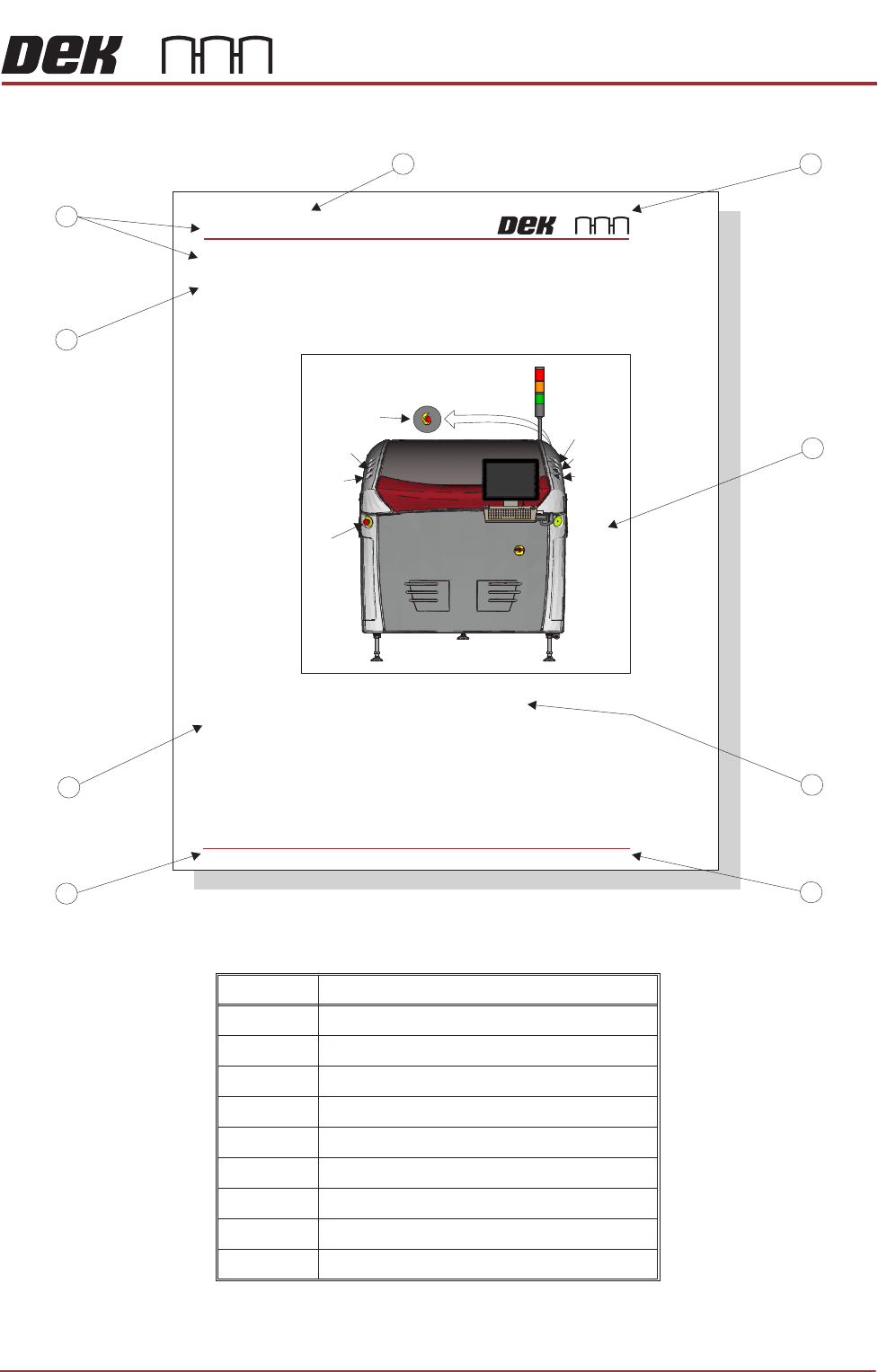
Figure 1-1 Typical Page Layout
Item Description
1 Company Logo
2 Figure
3 Figure Chapter-Number and Title
4 Chapter Issue State
5 Chapter Number and Page
6 Subject Subtitle
7 Subject Title
8 Main Subject Title
9 Chapter Title
System Button
Right
Jog Button
Right
Jog Button
View on Front of Machine
Start Button
EMO (at rear)
SAFETY FEATURES
GENERAL
2.6 Technical Reference Manual Chapter Issue 2 Nov 07
GENERAL DEK printing machines incorporate safety features that provide a safe operating
environment for the operator and the machine.
EStop The machine is fitted with emergency push buttontwo machine off (EMO)
control switches located at the front and rear of the machine. Operation of either
EMO initiates immediate hutdown of the machines.
The printhead cover is fitted with a cam interlock switch to protect personnel
from internal moving parts.
1
2
3
4
5
6
7
8
9
GENERAL
Emergency
Machine Off
Covers
Lid Bolt
Figure 2-1 Machine Controls
A lid bolt is fitted to the machine to prevent the front printhead cover from being
raised during the print cycle.
The lid bolt is withdrawn and the printhead cover may be raised:
• When Open Cover is requested by the software
• When Pause or Stop is selected during a print cycle
• When the EMO is pressed
Left
Jog Button
Left
Jog Button
EMO
Internal Light
INTRODUCTION
PRINTER OPTIONS
1.6 Technical Reference Manual Chapter Issue 12, Feb 18
PRINTER OPTIONS
This comprehensive set of manuals cover all possible options available for
fitment to these printers. Some options described within these manuals may not
pertain to your particular printer.
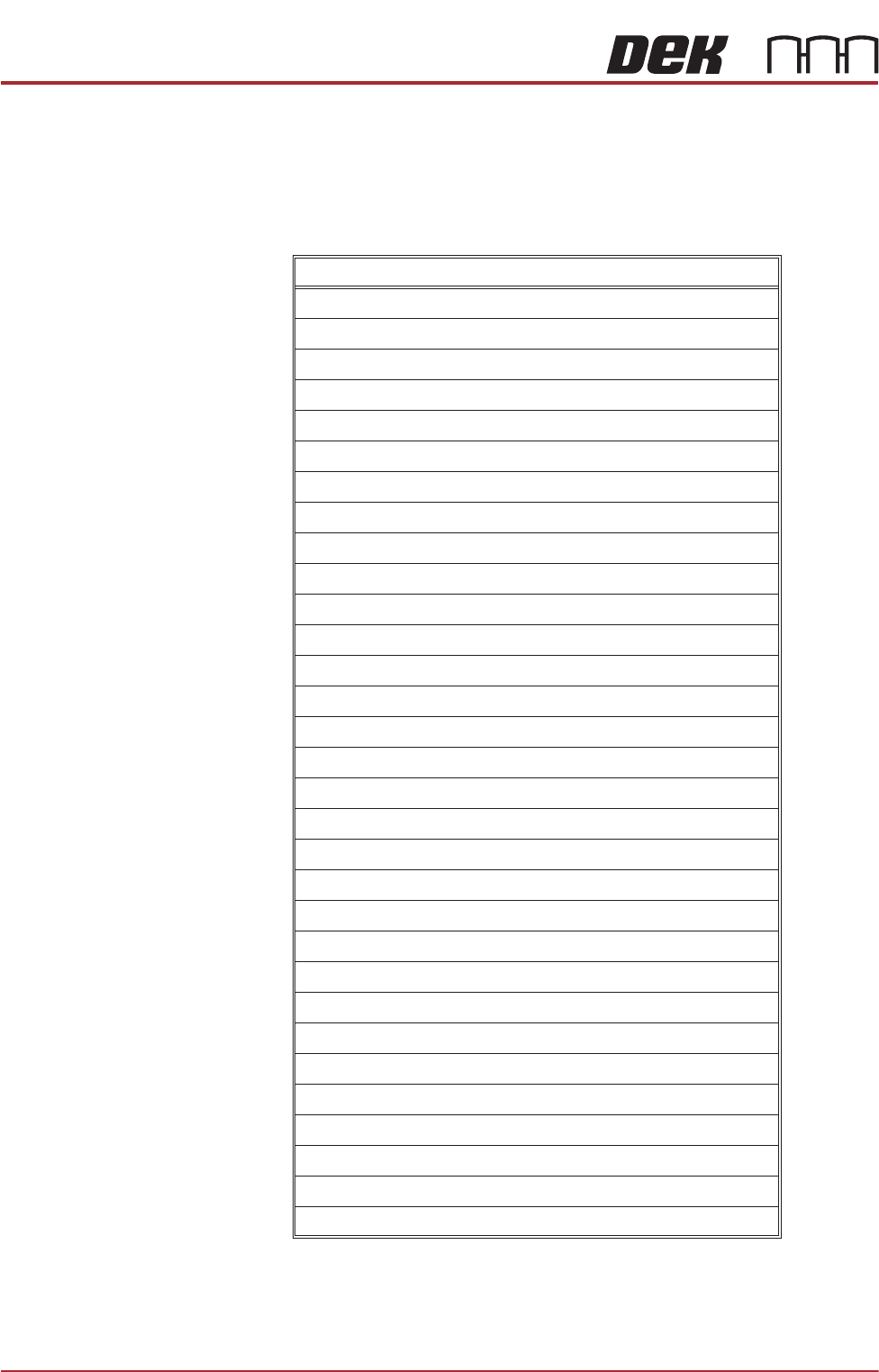
The table below lists all the available hardware options:
Feature
Adjustable Stencil Mount (ASM)
Adjustable Width Stencil Mount (AWSM)
Auto Stencil Load
Barcode Reader (Product)
Barcode Reader (Remote)
Dedicated Tooling
Direct Ball Placement
Foreign Machine Interface Pod
HawkEye Camera (750 or 1700) - specification only
Grid-Lok Tooling
Heavy Board Rails
High Throughput Conveyor (HTC)
Modular Conveyor Product Transport System
MultiFlex Tooling
Multi-Interface Unit
Over the Top Snugger (OTS)
Paste Dispenser
ProActiv
Product Verification and Traceability
ProFlow ATx
Remote Board Stop
Semi-Auto Stencil Loader
Squeegee Drip Tray
Squeegee Pressure Hardware
Stinger
Temperature & Humidity Sensor
Underscreen Cleaner
Underscreen Cleaner (Blue)
Underscreen Cleaner (Cyclone)
Vacuum Box Tooling
Virtual Panel Tooling
INTRODUCTION
SOFTWARE/HARDWARE CONFIGURATIONS
Chapter Issue 12, Feb 18 Technical Reference Manual 1.7
SOFTWARE/HARDWARE CONFIGURATIONS
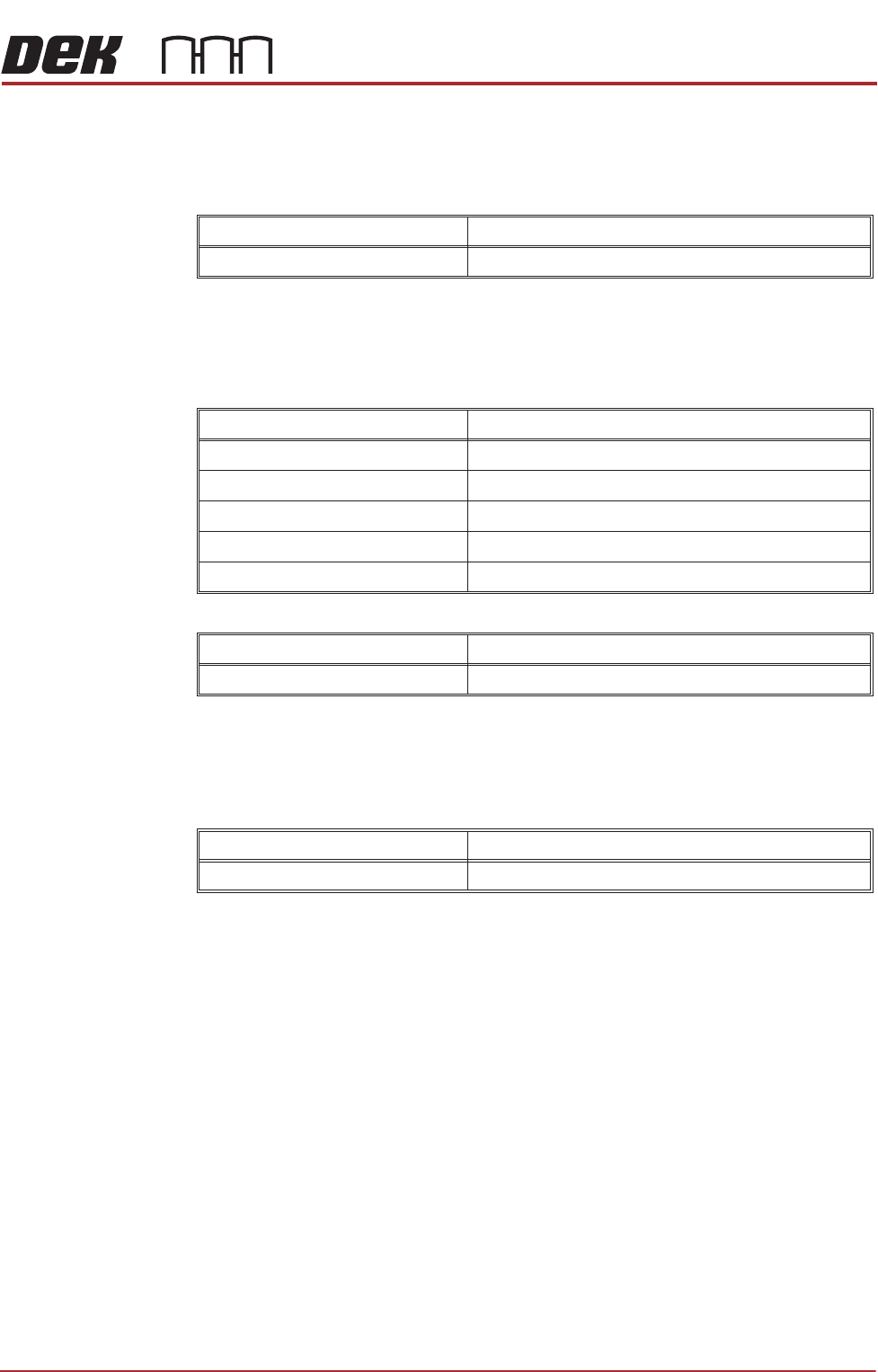
Software Release Version 9
Software
Hardware
Software Release Version 9 SP01
Software
Hardware
Software Release Version 9 SP02
Software
Hardware
Feature Detail
Operation Introduction of a new user software interface
Feature Detail
GEM Introduction of GEM to Version 09 software
Board Count Introduction of board count to Version 09 software
Languages Temperature and Humidity displays in Chinese
Remote Barcode Reader Remote barcode reader now works correctly
Defect Fixes Various
Feature Detail
Cyclone Under Screen Cleaner Introduction of the new under screen cleaning system
Feature Detail
Defect Fixes Various