Micron Technical Reference V9 Volume 1.pdf - 第282页
PROFLOW MODULE REPLACEMENT PROCEDURES 11.8 Technical Reference Manual Chapter Issue 2, Aug 14 REPLACEMENT PROCE DURES Squeegees to ProFlow Instances may occur when the machine is required to print using the ProFlow modul…
PROFLOW MODULE
ADJUSTMENTS AND SETTINGS
Chapter Issue 2, Aug 14 Technical Reference Manual 11.7
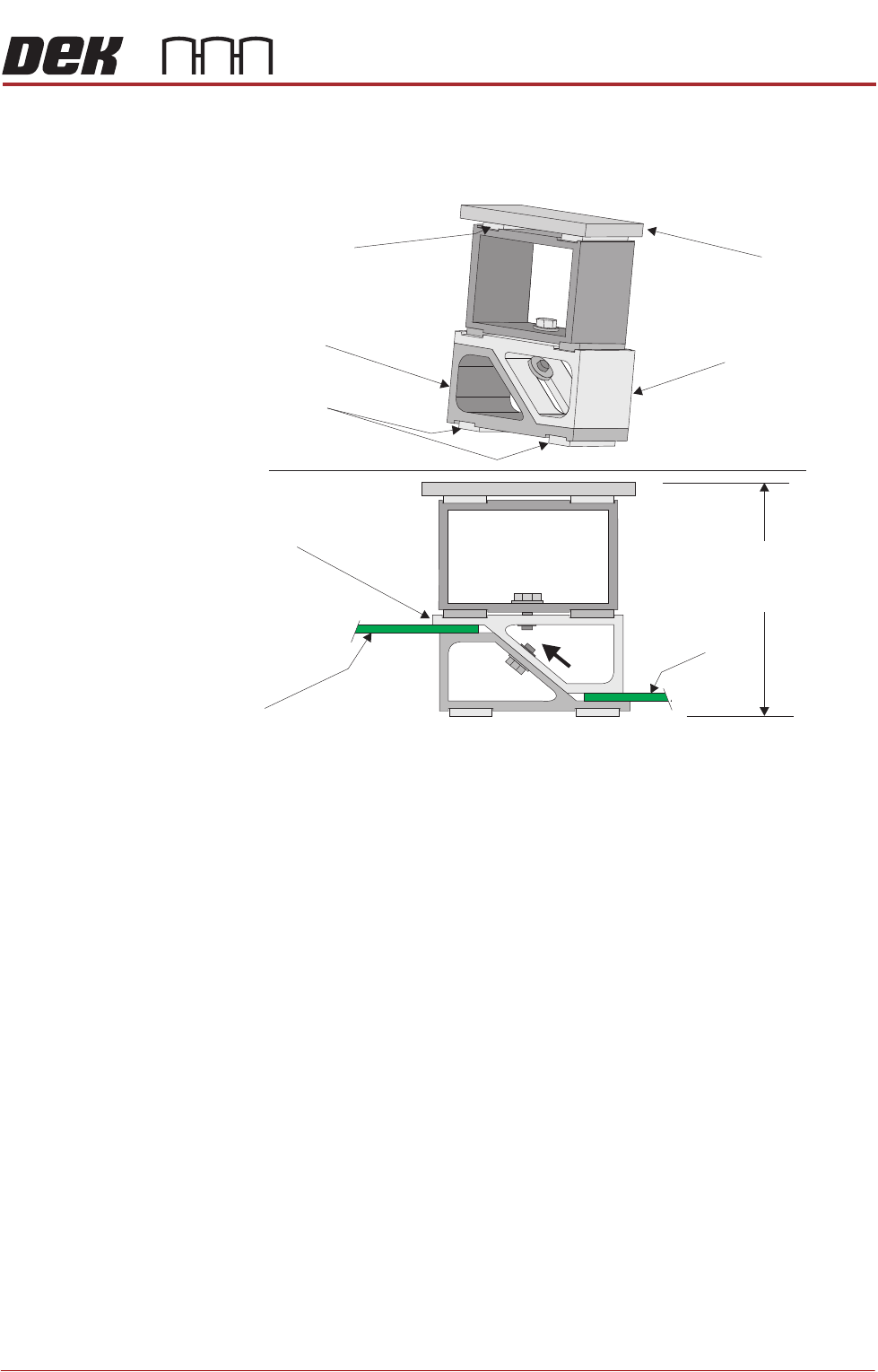
Height Adjustment To set the ProFlow stencil support to the correct height carry out the following:
1. Loosen the 7mm hexagonal nut securing the adjustable tooling top and the
tooling bottom.
2. Slide the adjustable tooling top upwards to open up the tooling top and
bottom faces.
3. Position two printed circuit boards to be printed between the adjustable
tooling top and tooling bottom opening faces.
4. Tighten the bolt locking the adjustable tooling top to the tooling bottom.
5. Remove both printed circuit boards.
The support is now set to the correct stencil height, ie 81mm + thickness of
board.
Changeable
Gauge Plate
Tooling Bottom
Magnetic Feet
Magnetic Support
(2 positions)
Adjustable Tooling
Top
Board
Adjustable
Tooling Top
Board
Stencil Support
Height (81mm +
PCB Thickness)
PROFLOW MODULE
REPLACEMENT PROCEDURES
11.8 Technical Reference Manual Chapter Issue 2, Aug 14
REPLACEMENT PROCEDURES
Squeegees to
ProFlow
Instances may occur when the machine is required to print using the ProFlow
module configuration. The following procedure details how to revert the
machine from squeegee use to the ProFlow configuration:
Removing
Squeegee
Mechanism
1. Select Open Cover Commands.
2. Select Carriage To Front.
3. Select Back.
4. Select Shut Down.
5. Select Continue.
6. Switch the mains isolator to OFF.
7. Remove the squeegees, if fitted.
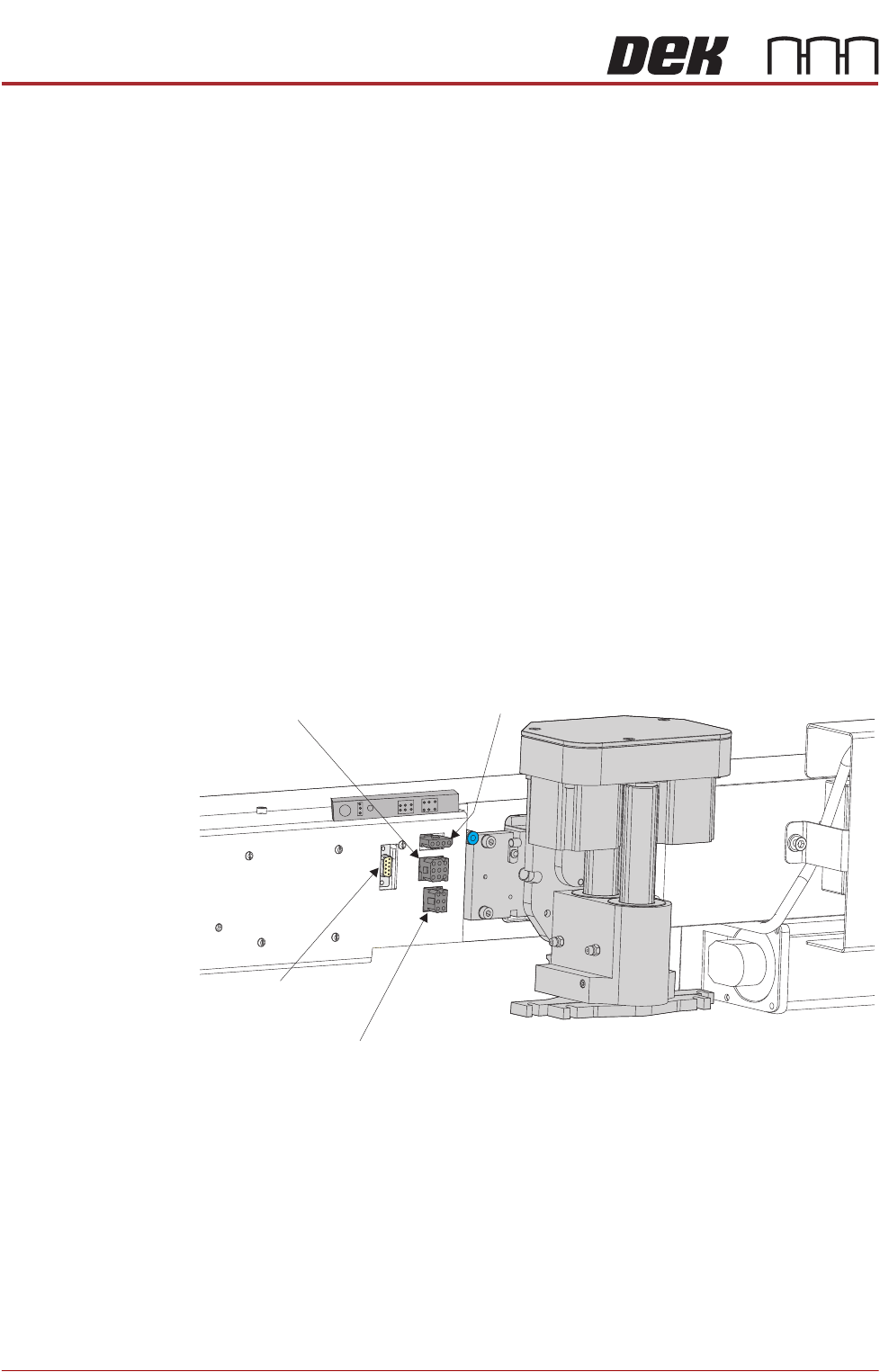
8. Disconnect the four squeegee mechanism connectors from the print car-
riage, left hand side:
• Rear Squeegee Motor
• Front Squeegee Motor
• Home Sensors
• Squeegee Pressure Amplifier
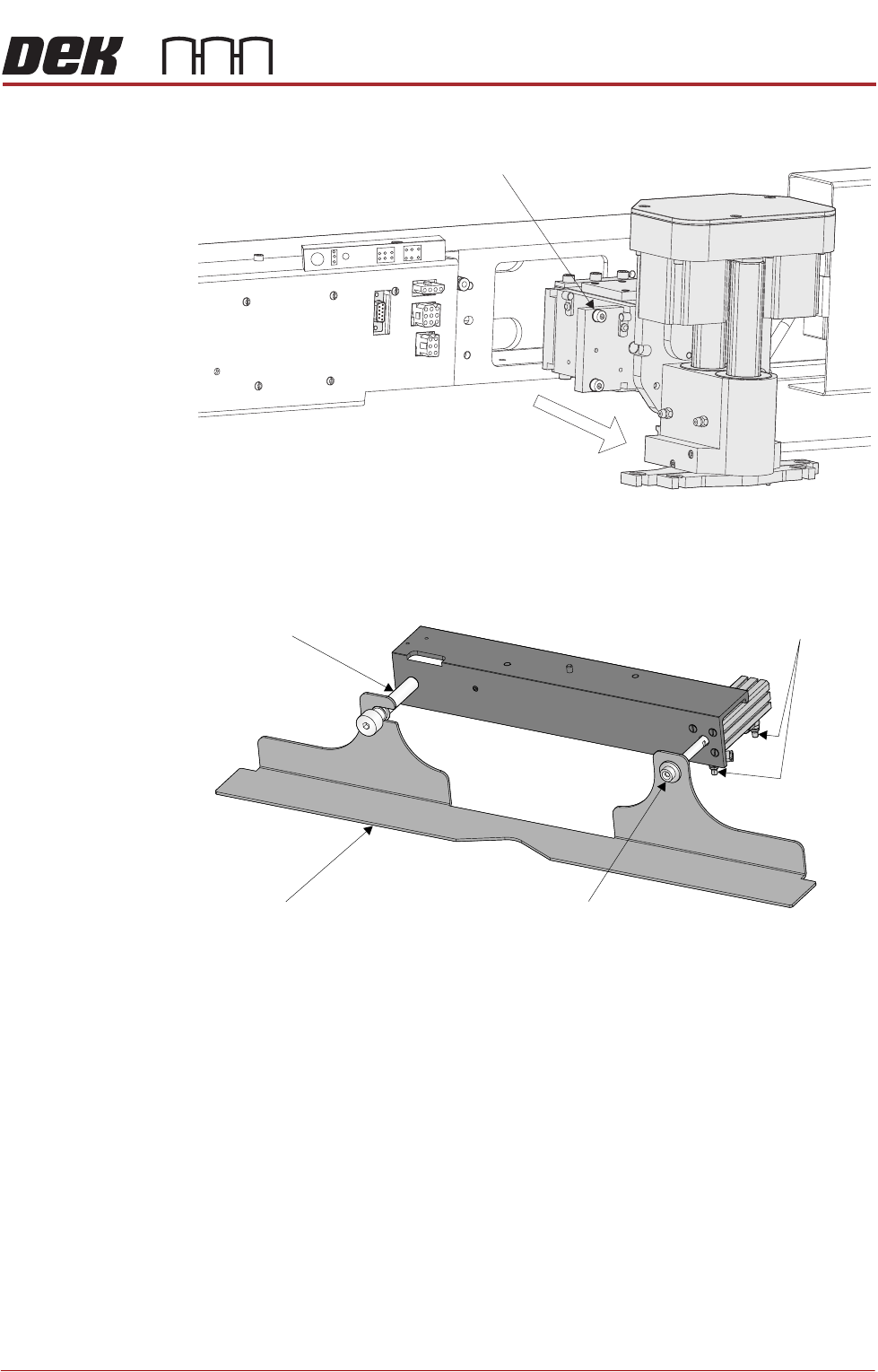
9. Loosen the four captive screws securing the squeegee printhead mecha-
nism to the print carriage using a 4mm Allen key. Carefully remove the
Rear Squeegee
Motor (9SK17)
Front Squeegee
Motor (9SK16)
Home Sensors
(9SK08)
Squeegee Pressure
Amplifier (N3SK16)
PROFLOW MODULE
REPLACEMENT PROCEDURES
Chapter Issue 2, Aug 14 Technical Reference Manual 11.9
mechanism from the print carriage.
Removing Drip Tray If a stencil change mechanism is fitted, carry out the following:
1. Close the speed control valves on the drip tray actuator.
2. Remove the securing screw attaching the drip tray to the actuator piston.
3. Slide the drip tray off the bearing on the drip tray guide shaft.
Captive Screw (in 4 positions)
Drip Tray
Drip Tray Guide Shaft
Securing Screw
Speed Control Valves