252301 Issue 2.0.pdf - 第29页
GEM Manual for DEK Printers Capabilities I ssue 2.0 June 9th, 2011 page 29 of 156 5.3 A larm Management The alarm manag ement capability enables the following functionality for host control of alarm activity : The host c…
GEM Manual for DEK Printers Capabilities
Issue 2.0 June 9th, 2011 page 28 of 156
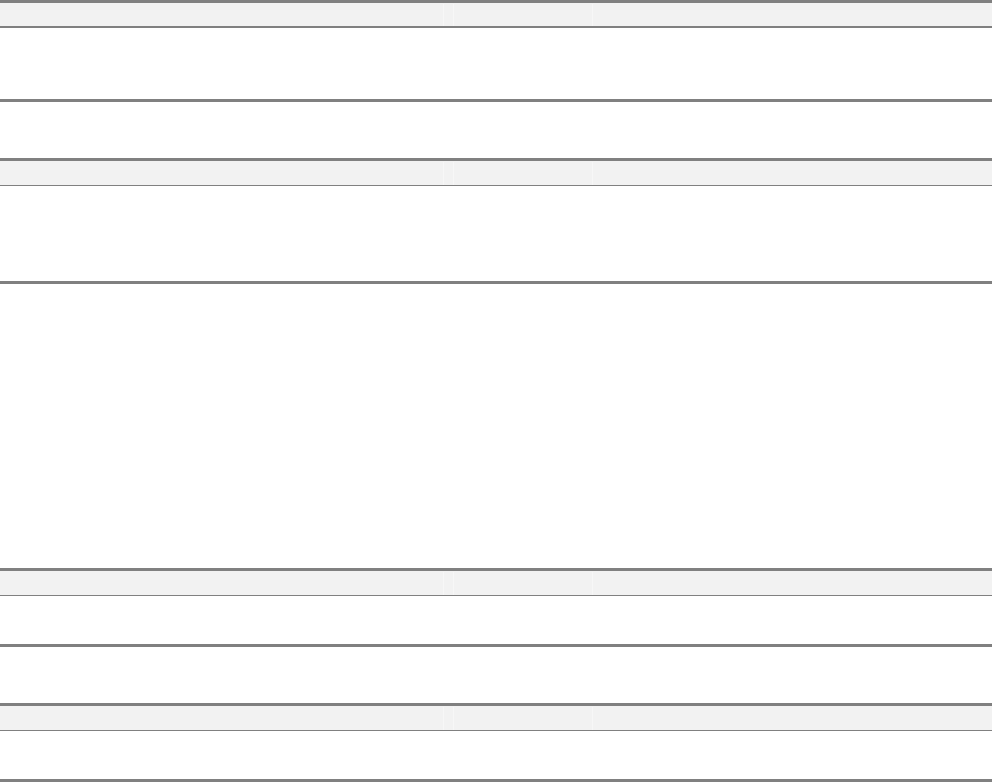
5.2.4 Status Data Collection
The host can use this capability to request selected status information. It provides for
synchronisation of equipment status.
To obtain a status report, the host sends a request with a list of specific SVID's. The
equipment will respond with a list of status values.
Scenarios:
Equipment status variable report request:
Comments Host Equipment Comments
Host requests report of selected status
values.
S1F3 -->
<-- S1F4 Equipment replies with requested data
Equipment status variable namelist request:
Comments Host Equipment Comments
Host requests equipment to identify
selected status values.
S1F11 -->
<-- S1F12 Equipment replies with requested status variable
descriptions.
5.2.5 On-Line Identification
Using this capability, the host can confirm the presence of the equipment. The
equipment will send its identity MDLN and software revision SOFTREV in response to
a request from the host.
Scenarios:
On-Line data report: (Host to equipment)
Comments Host Equipment Comments
Host requests On-Line data S1F1 -->
<-- S1F2 Equipment replies MDLN & SOFTREV
On-Line data report: (Equipment to host)
Comments Host Equipment Comments
<-- S1F1 Equipment requests On-Line data
Host replies Header only S1F2 -->
GEM Manual for DEK Printers Capabilities
Issue 2.0 June 9th, 2011 page 29 of 156
5.3 Alarm Management
The alarm management capability enables the following functionality for host control of alarm
activity:
The host can enable, or disable, specific alarm notification.
The host can request a list of alarm texts.
The host can request a list of alarms set and enabled on the equipment.
The equipment reports both set and clear alarm events with times of alarm changes.
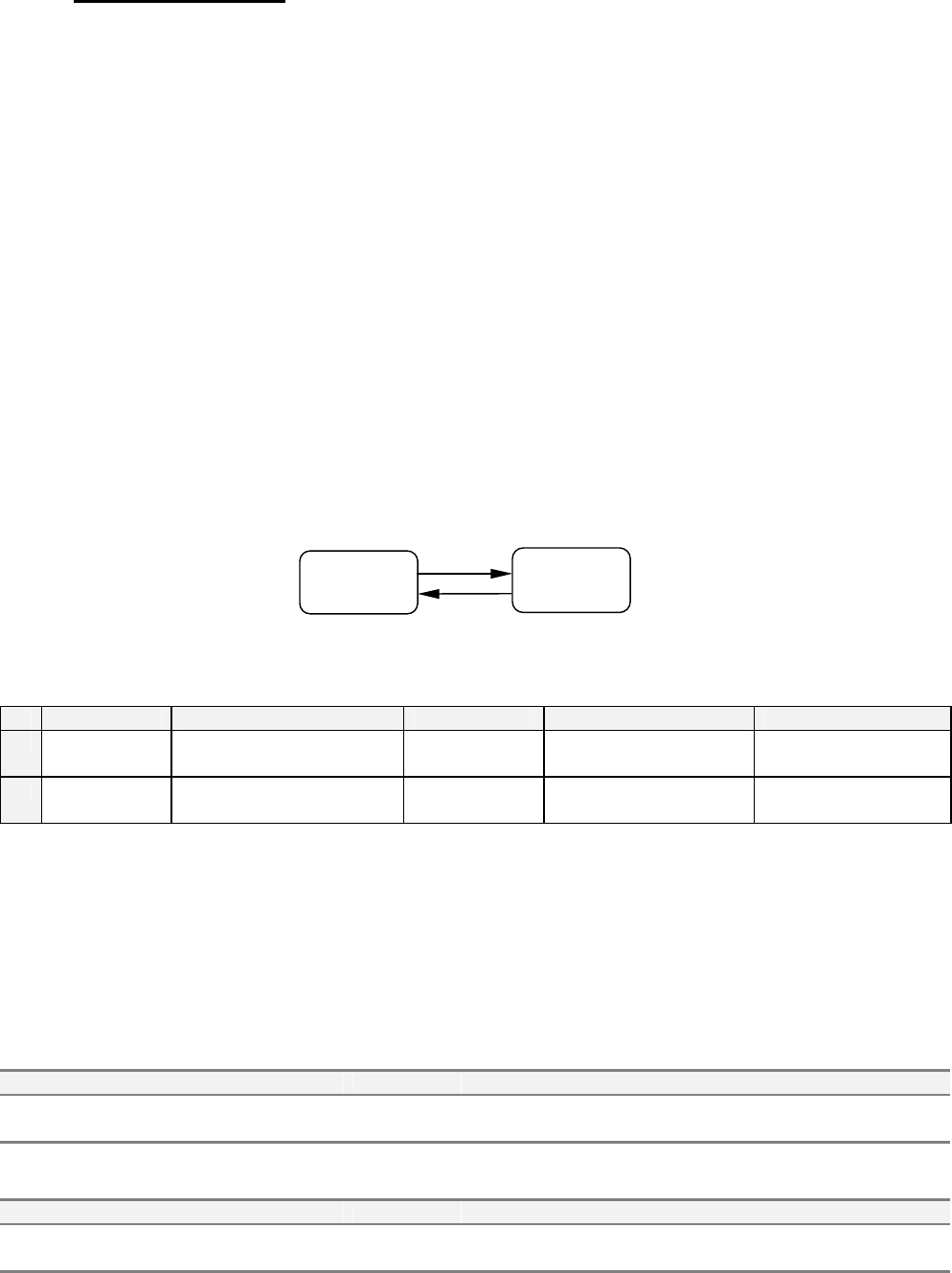
Each alarm has an identity (ALID), which may be in one of two states; SET or CLEAR. Each
ALID can also be ENABLED or DISABLED. The following state model determines alarm
behaviour.
The alarms implemented on the DEK printer are listed in chapter 6.
5.3.1 Alarm Management State Model
State Diagram:
Transition Table:
# Current State Trigger New State Action Comment
1 ALARMn
CLEAR
Alarm is detected on
equipment
ALARMn SET Send report if enabled. Wait for operator
intervention.
2 ALARMn
SET
Alarm condition no longer
detected
ALARMn
CLEAR
Send report if enabled. Operator has corrected
error.
State Definitions:
ALARMn CLEAR - The alarm ALID is in safe condition.
ALARMn SET - The alarm is active and operator intervention is required.
Scenarios:
Enable / disable alarms:
Comments Host Equipment Comments
Enable / Disable alarm ALID S5F3 -->
<-- S5F4 Equipment acknowledges change(s).
Upload alarm information:
Comments Host Equipment Comments
Request alarm data / text S5F5 -->
<-- S5F6 Equipment sends alarm data / text.
ALARMn
CLEAR
ALARMn
SET
1
2

GEM Manual for DEK Printers Capabilities
Issue 2.0 June 9th, 2011 page 30 of 156
Scenarios:
Send alarm report: (Alarm state change detected by equipment)
Comments Host Equipment Comments
<-- S5F1 [IF] ALIDn enabled, send report.
Host Acknowledges S5F2 -->
<-- S6F11 [IF] CEIDm enabled, send associated event
report.
Host Acknowledges S6F12 -->