00192328-01.pdf - 第71页
SIPLACE S-25 HM 2 Retrofitt. Instruct. RV6-DLM1 Head & Nozzle Chang. RV6 Standa rd (Optionen) 02/01 Issue 2.4 Sequence: Ins talling the Hardware 69 Å O n the m achine fr ame, degrease the ar ea on which the 2 mou nti…
2 Retrofitt. Instruct. RV6-DLM1 Head & Nozzle Chang. RV6 Standard (Optionen) SIPLACE S-25 HM
2.4 Sequence: Installing the Hardware 02/01 Issue
68
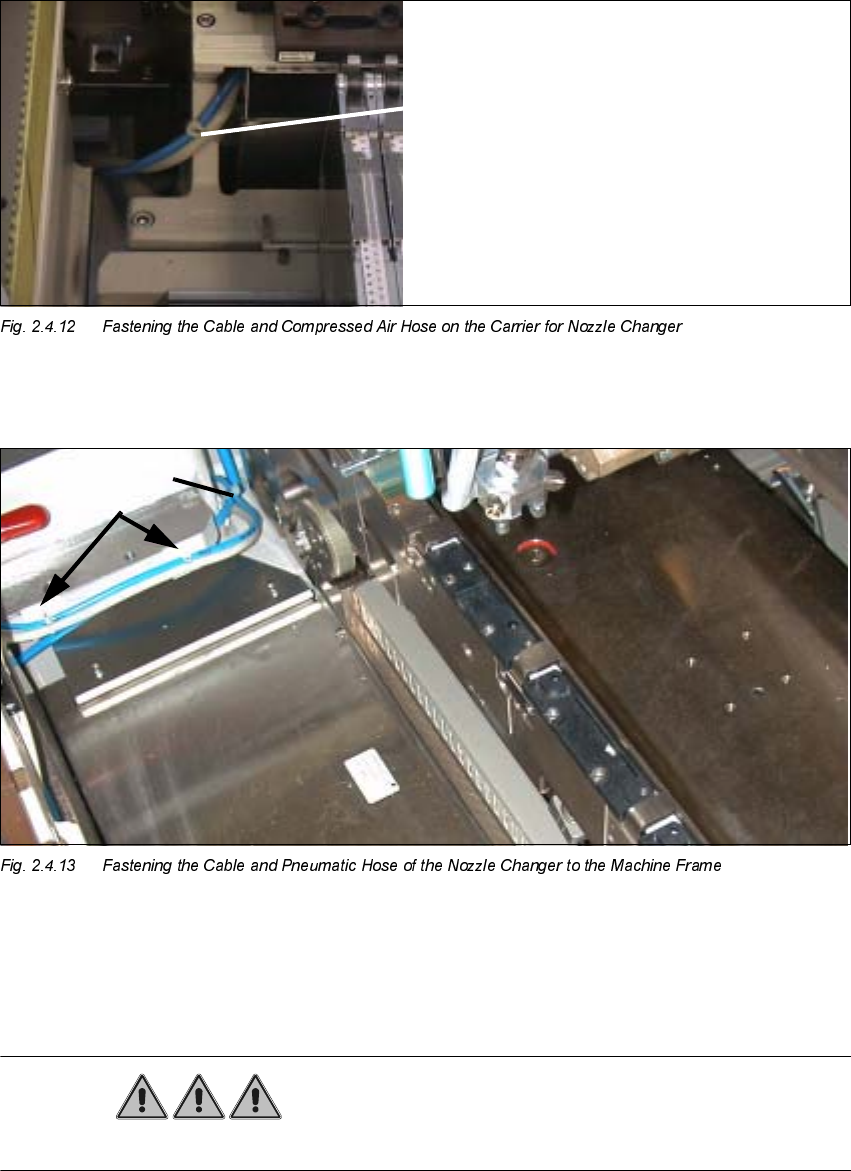
Å Fasten the interface cable and the compressed air hose as shown above.
.H\
3. 2 Mounting pedestals, adhesive, with cable tie
4. Cable tie
DANGER
Do not use alcohol for any cleaning work near open flame!
Cable tie
SIPLACE S-25 HM 2 Retrofitt. Instruct. RV6-DLM1 Head & Nozzle Chang. RV6 Standard (Optionen)
02/01 Issue 2.4 Sequence: Installing the Hardware
69
Å On the machine frame, degrease the area on which the 2 mounting pedestasl will be installed
(position, see: Fig. 2.4.11). Install the mounting pedestals.
Å Run the cable and the pneumatic hose and put on the cable ties (see: Fig. 2.4.11).
Å Remove all tools, etc., from the machine’s working area and close the doors of the machine
frame.

2 Retrofitt. Instruct. RV6-DLM1 Head & Nozzle Chang. RV6 Standard (Optionen) SIPLACE S-25 HM
2.5 SITEST: Adjust Configuration, Entry Zero Point Compens. Values RV6 Head 02/01 Issue
70
6,7(67$GMXVW&RQILJXUDWLRQ(QWU\=HUR3RLQW
&RPSHQV9DOXHV59+HDG
DANGER
Pay close attention to the safety information for the SITEST program as described in Section 2.2.
When using the SITEST program, you are not only exposed to the normal increased risk of acci-
dent, but also to added risk from the blades of the cutter.
The cutter and the empty tape duct must always be mounted completely.
The MTC and the component changeover table must always be docked correctly.
)LUVW6WDUWDIWHU,QVWDOOLQJWKH59'/0+HDG
Å Boot up the machine.
Å If the error message "Head type unknown" is displayed while running up, change over to the
SITEST program.
This may occur with heads manufactured up to approximately October of 2000 because no
head type is entered in the EPROM of these heads.
Å In this case, first enter the relevant type of DLM1 head (6-or 12-segment) in the menu "Head
exchange" as described in SITEST Software Guide V 502.xx, chapter "Head Exchange: RV
Head 1, RV Head 2".