00195327-03_EN_DE_Install_eWinXP_MC.pdf - 第16页
Installation Manual, Windows XP Embedded operating syst em for the machine controller Issue 04/2007 5.4.2 Image CDs Caution: Use the image CDs for the relevant com puter type as given in the table below. MC computer type…
Installation Manual, Windows XP Embedded operating system for the machine controller Issue 04/2007
5.4 Installing the Windows XP Embedded operating system
Note:
Before you start work, ensure that the CD-ROM drive is set as the first boot device in the
BIOS to allow the computer to be booted from CD.
5.4.1 Boot CD
→ Insert the boot CD (item number: 03056845-01, see section 4.1) in the CD drive.
→ Switch the machine on to boot the MC computer from CD or, if the machine is already switched on,
restart the MC computer.
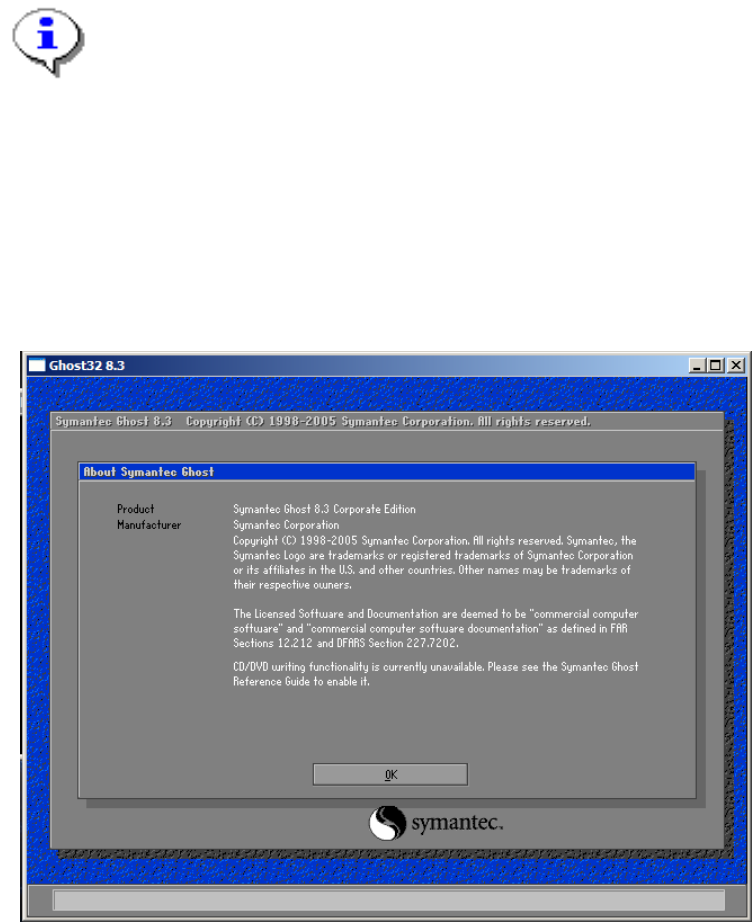
An automatic inspection of the system is carried out and the program Ghost32 is started automatically.
The following dialog is displayed (after approx. 15 minutes).
→ Click on „OK“.
→ Remove the boot CD from the CD drive.
15 of 28
Installation Manual, Windows XP Embedded operating system for the machine controller Issue 04/2007
5.4.2 Image CDs
Caution:
Use the image CDs for the relevant computer type as given in the table below.
MC computer type Names of the CDs
SMP16-CPU076 03056846-01 Software Boot CD1-eXP 2.01 CPU 076
03056847-01 Software Boot CD2-eXP 2.01 CPU 076
SMP16-CPU086 03056848-01 Software Boot CD1-eXP 2.01 CPU 086
03056849-01 Software Boot CD2-eXP 2.01 CPU 086
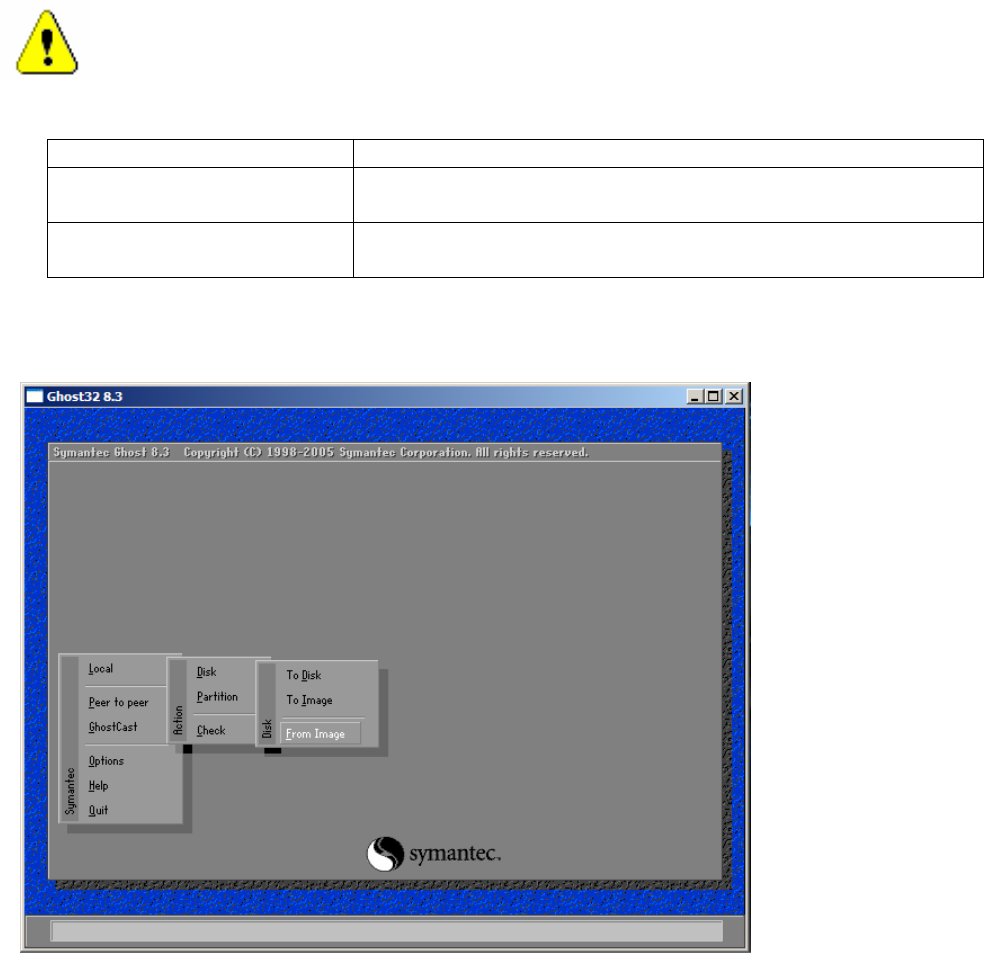
→ Insert the image CD1 for the relevant computer type in the CD drive.
The following dialog is displayed.
→ Select Local -> Disk -> From Image.
16 of 28
Installation Manual, Windows XP Embedded operating system for the machine controller Issue 04/2007
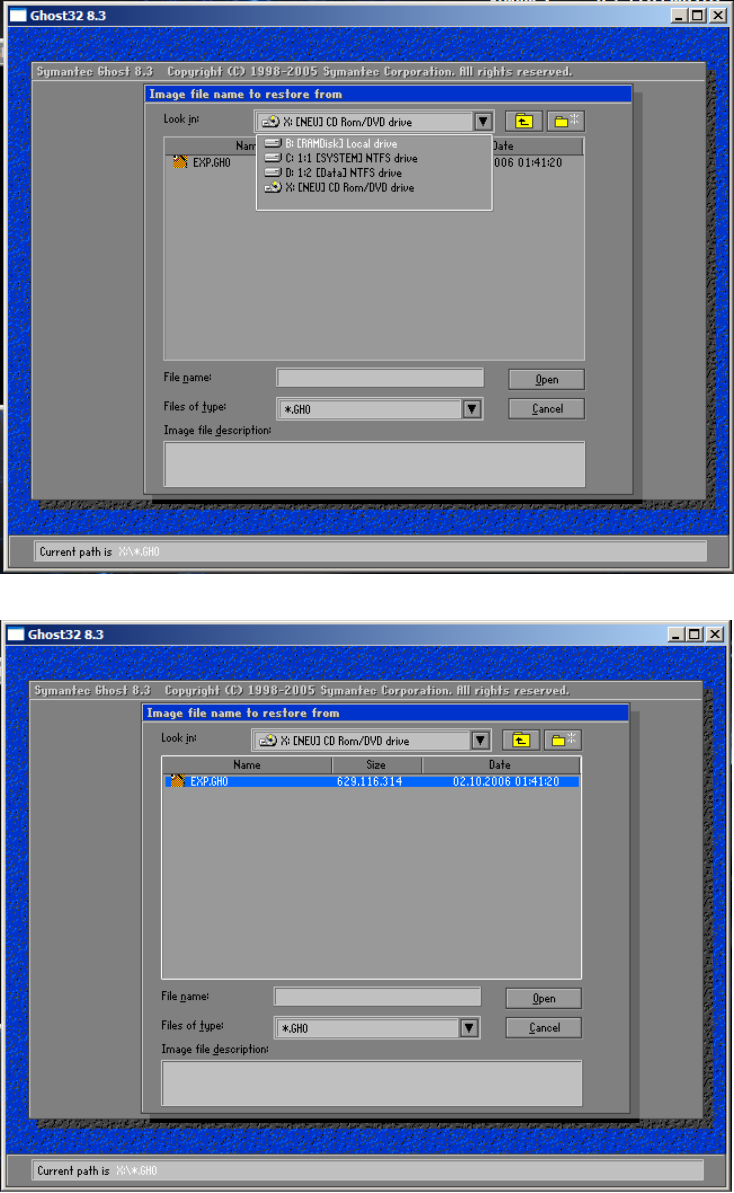
The following dialog is displayed.
→ Select the CD drive.
→ Select the file eXP.GHO.
→ Click the button „Open“.
17 of 28