00195327-03_EN_DE_Install_eWinXP_MC.pdf - 第17页
Installation Manual, Windows XP Embedded operating syst em for the machine controller Issue 04/2007 The following dialog is disp layed. → Select the CD drive. → Select the file eXP.GHO . → Click the button „Open“. 17 of …
Installation Manual, Windows XP Embedded operating system for the machine controller Issue 04/2007
5.4.2 Image CDs
Caution:
Use the image CDs for the relevant computer type as given in the table below.
MC computer type Names of the CDs
SMP16-CPU076 03056846-01 Software Boot CD1-eXP 2.01 CPU 076
03056847-01 Software Boot CD2-eXP 2.01 CPU 076
SMP16-CPU086 03056848-01 Software Boot CD1-eXP 2.01 CPU 086
03056849-01 Software Boot CD2-eXP 2.01 CPU 086
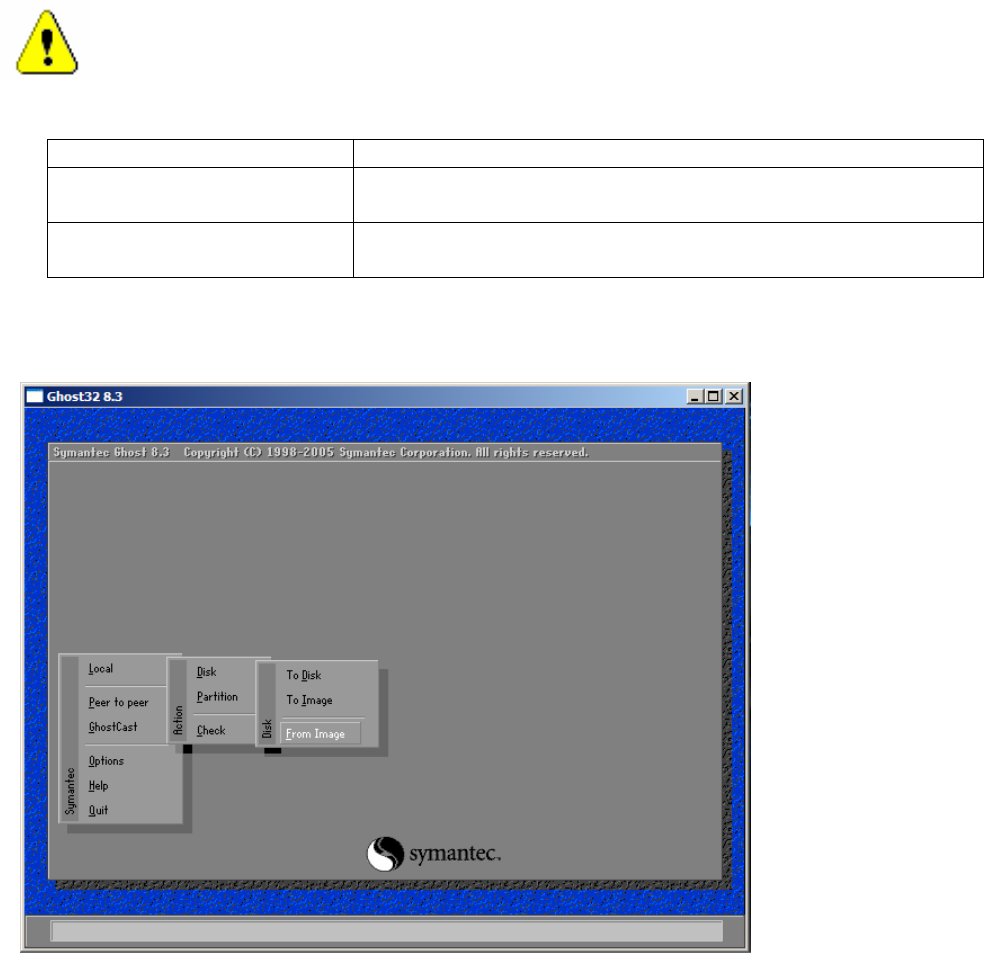
→ Insert the image CD1 for the relevant computer type in the CD drive.
The following dialog is displayed.
→ Select Local -> Disk -> From Image.
16 of 28
Installation Manual, Windows XP Embedded operating system for the machine controller Issue 04/2007
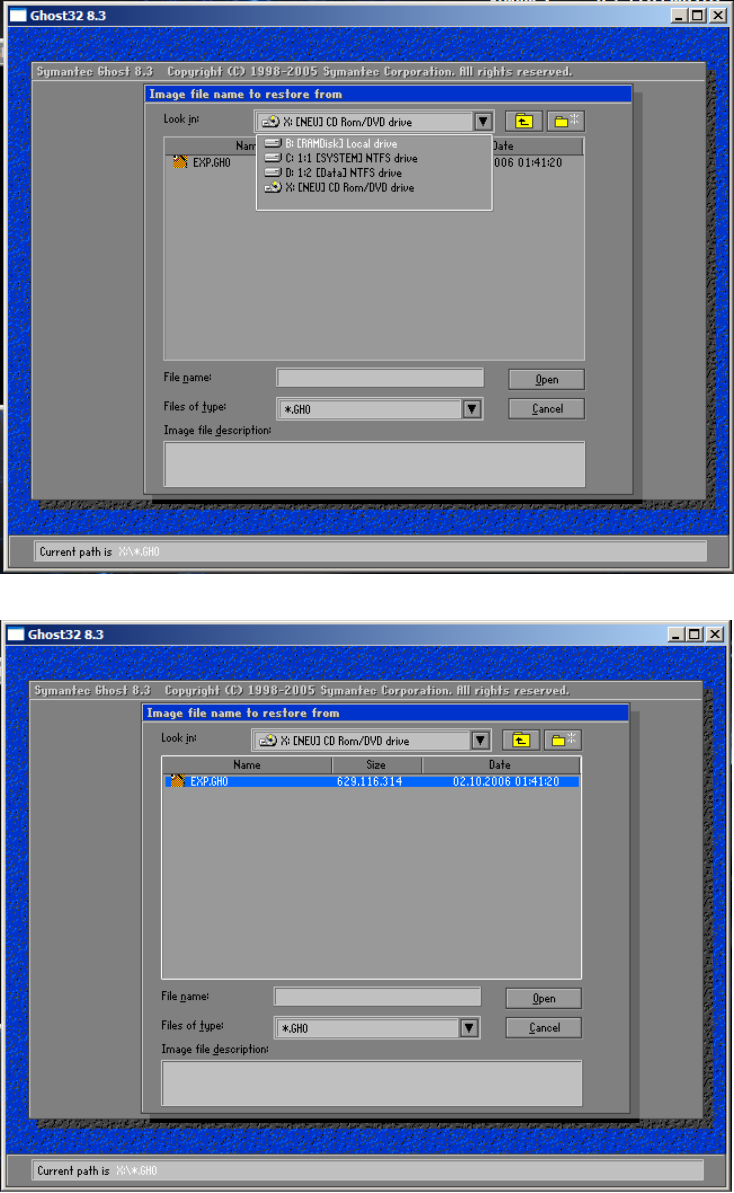
The following dialog is displayed.
→ Select the CD drive.
→ Select the file eXP.GHO.
→ Click the button „Open“.
17 of 28
Installation Manual, Windows XP Embedded operating system for the machine controller Issue 04/2007
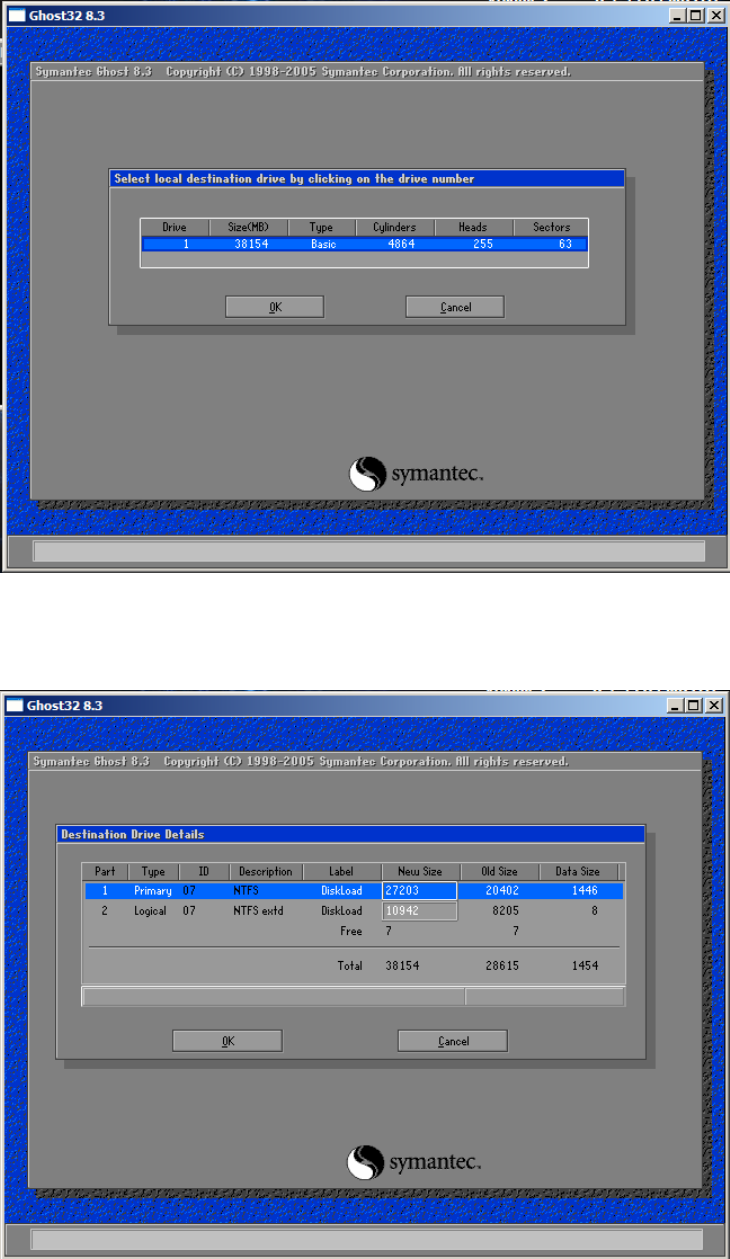
The following dialog is displayed.
→ Select the destination hard drive, where the image should be stored.
→ Click the button „OK“.
The following dialog is displayed.
→ Click the button „OK“.
18 of 28