444CEMM1.pdf - 第157页
Page 1-95 REGULAR MAINTENANCE 1 Replacing Consumable Parts 3 . Remove one M3 countersunk screw , and remove the hatch (plate) for back light replacement. 4 . Raise the bending 1 with a needle- nose plier and the like, an…
Page 1-94
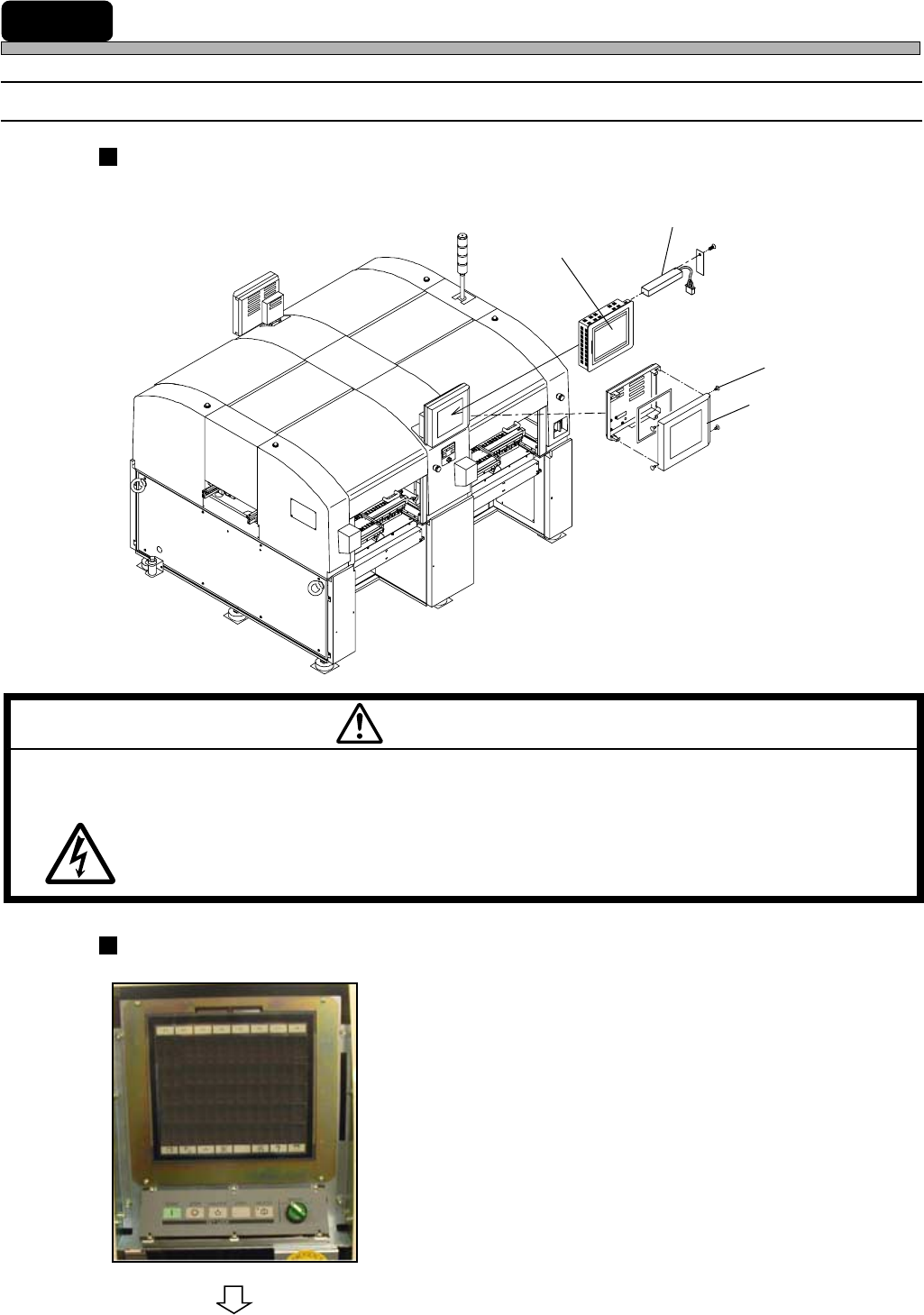
1-10-1 Replacing Color Touch Panel Back Light
Back Light Built-in Color Touch Panel Position
The color touch panel of this machine has a back light built-in.
Back Light Replacement Procedure
1. Turn OFF the power supply of the
machine.
2. Remove the screws at the side of the
color touch panel cover, and remove
the cover.
M59EB
CUT OFF THE POWER SUPPLY BEFORE CARRYING OUT ANY WORK FOR
THE MACHINE.
You will have a serious electric shock.
WARNING
To the next page
493C-025P
Back light
Color touch panel
444C-463E
Screw
Cover
444C-E-MMA01-A09-02
1-10 Replacing Consumable Parts
Page 1-95
REGULAR
MAINTENANCE
1
Replacing Consumable Parts
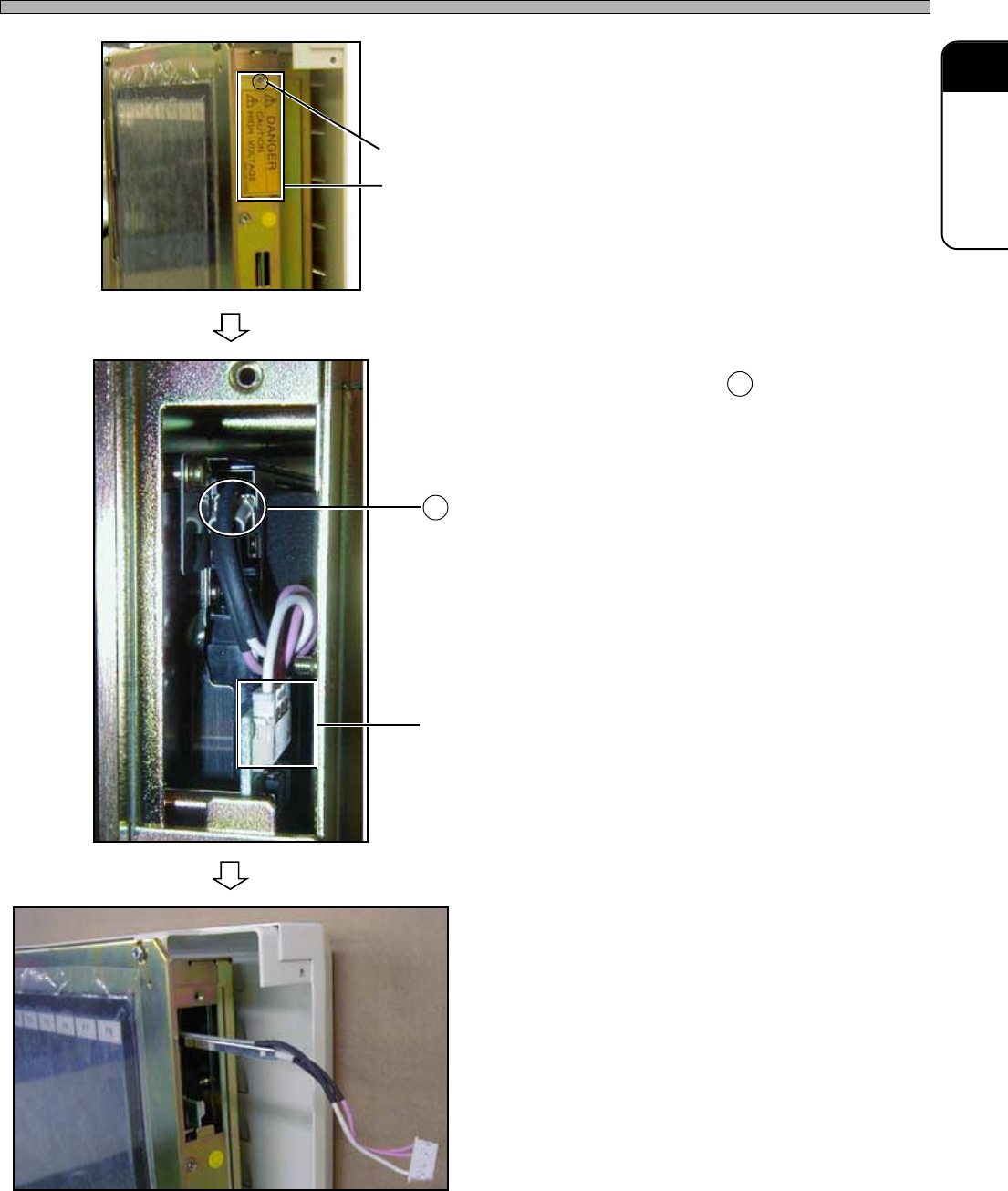
3. Remove one M3 countersunk screw,
and remove the hatch (plate) for back
light replacement.
4. Raise the bending 1 with a needle-
nose plier and the like, and pull out
the power supply connector.
5. Pull out the back light.
6. Insert the replacement back light.
7. Connect the power supply connector.
8. Restore the raised bending with a
needle-nose plier and the like.
9. Attach the replacement back light.
10. Attach the color touch panel cover.
11. Turn ON the power supply of the
machine.
∗ Make sure the back light turns on.
One M3 countersunk screw
Hatch (Plate) for back light replacement
493C-024P
493C-029P
1
Power supply connector
493C-030P
444C-E-MMA01-A09-00

Page 1-96
444C-E-MMA01-A09-00
= MEMO =