444CEMM1.pdf - 第17页
Page 5 SAFETY PRECAUTIONS Be sure to observe WARNING If you sense any danger or abnormality , press an emergency stop button to stop the machine. If you continue to operate the machine in a dangerous or abnormal state, a…
Page 4
SAFETY PRECAUTIONS
Be sure to observe
M107E
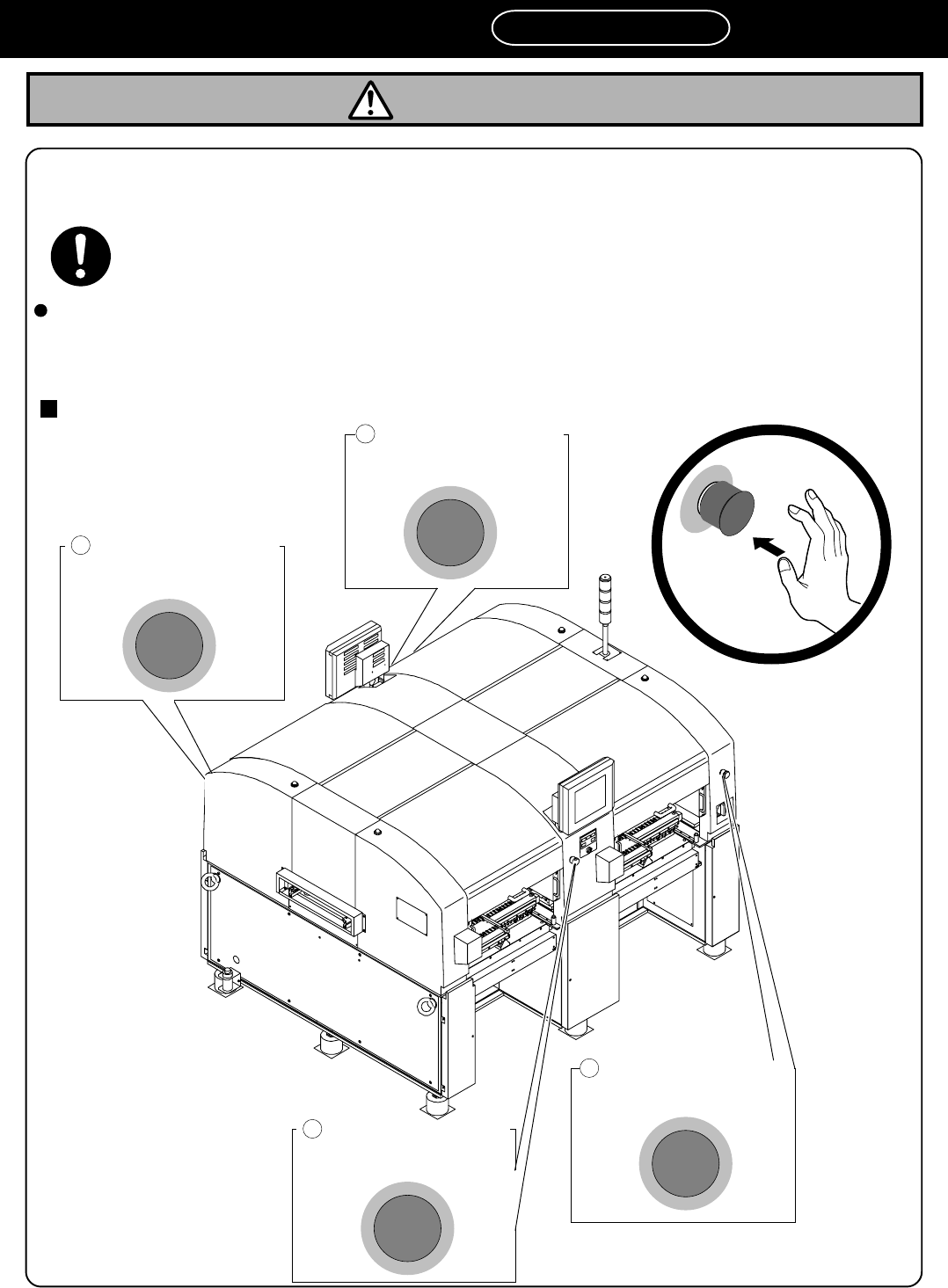
CM202-D/DU (As for the explanation, the illustration of CM202-DU is used.)
1
Emergency stop button
(At the front right)
2
Emergency stop button
(At the front center)
4
Emergency stop button
(At the rear center)
3
Emergency stop button
(At the rear right)
If you sense any danger or abnormality, press an emergency stop button to
stop the machine.
If you continue to operate the machine in a dangerous or abnormal state, a breakdown or an
accident will occur.
There are four emergency stop buttons on CM202-D/DU. Pressing any one of them stops operation.
Press the nearest
one.
Remove the cause of the danger or abnormality, then re-start operation.
To reset the emergency
stop button, pull the button.
4Q4C-901E
WARNING
444C-E-XXA00-A03-01
Page 5
SAFETY PRECAUTIONS
Be sure to observe
WARNING
If you sense any danger or abnormality, press an emergency stop button to
stop the machine.
If you continue to operate the machine in a dangerous or abnormal state, a breakdown or an
accident will occur.
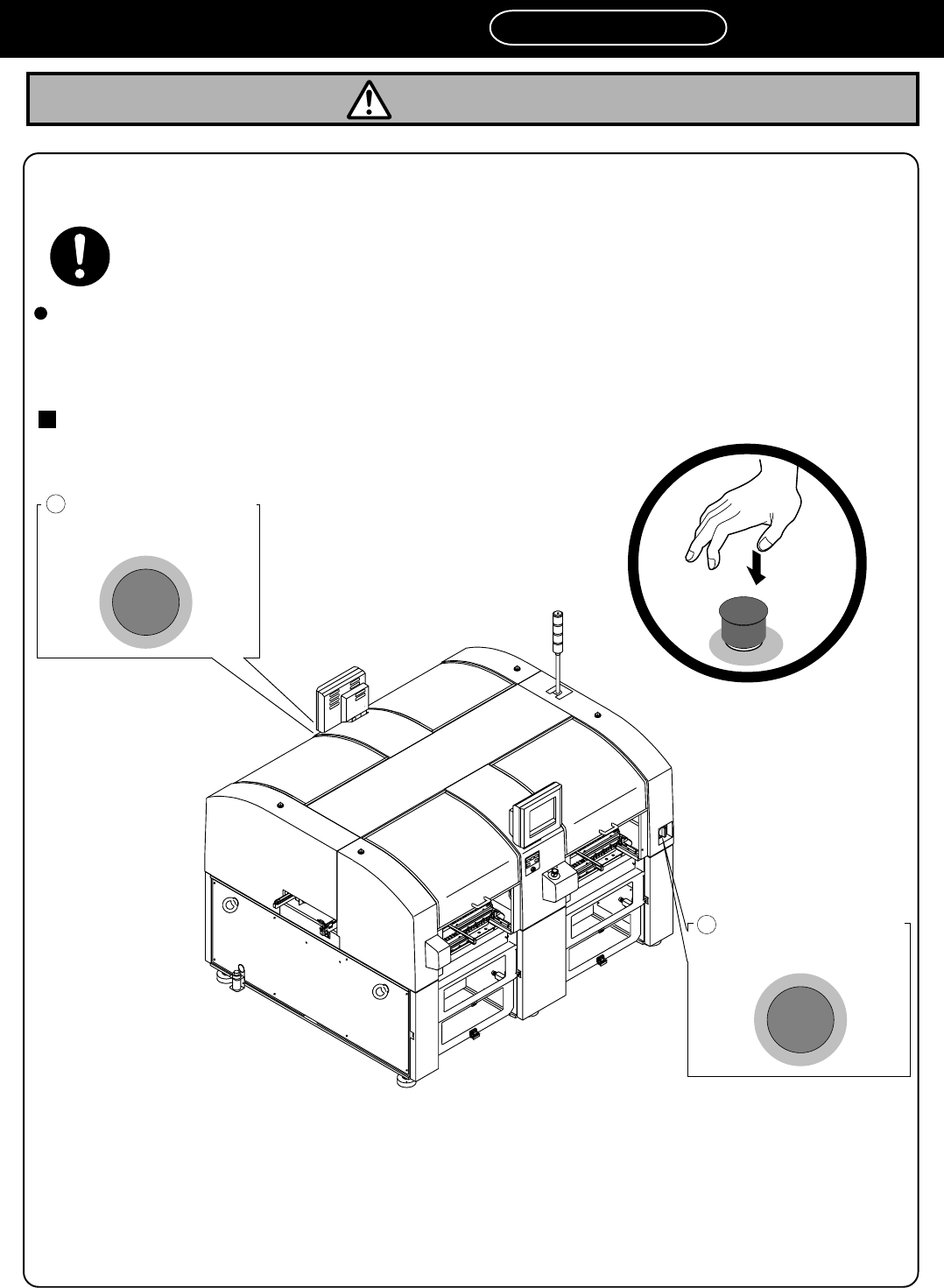
There are two emergency stop buttons on CM202-DH/DHU/DK/DS. Pressing any one of them stops operation.
Press the nearest
one.
Remove the cause of the danger or abnormality, then re-start operation.
To reset the emergency
stop button, pull the button.
CM202-DH/DHU/DK/DS (As for the explanation, the illustration of CM202-DH is used.)
2
Emergency stop button
(At the rear side)
1
Emergency stop button
(At the front side)
4U4C-AA00
M107E
444C-E-XXA00-A03-03
Page 6
SAFETY PRECAUTIONS
Be sure to observe
Observe the following items before placing your hand or other part of
your body in an active part of the machine in order to feed production
material, change machine set-up, or adjust machine settings.
You may be injured if the machine is actuated. Also you may be struck by an electric
shock.
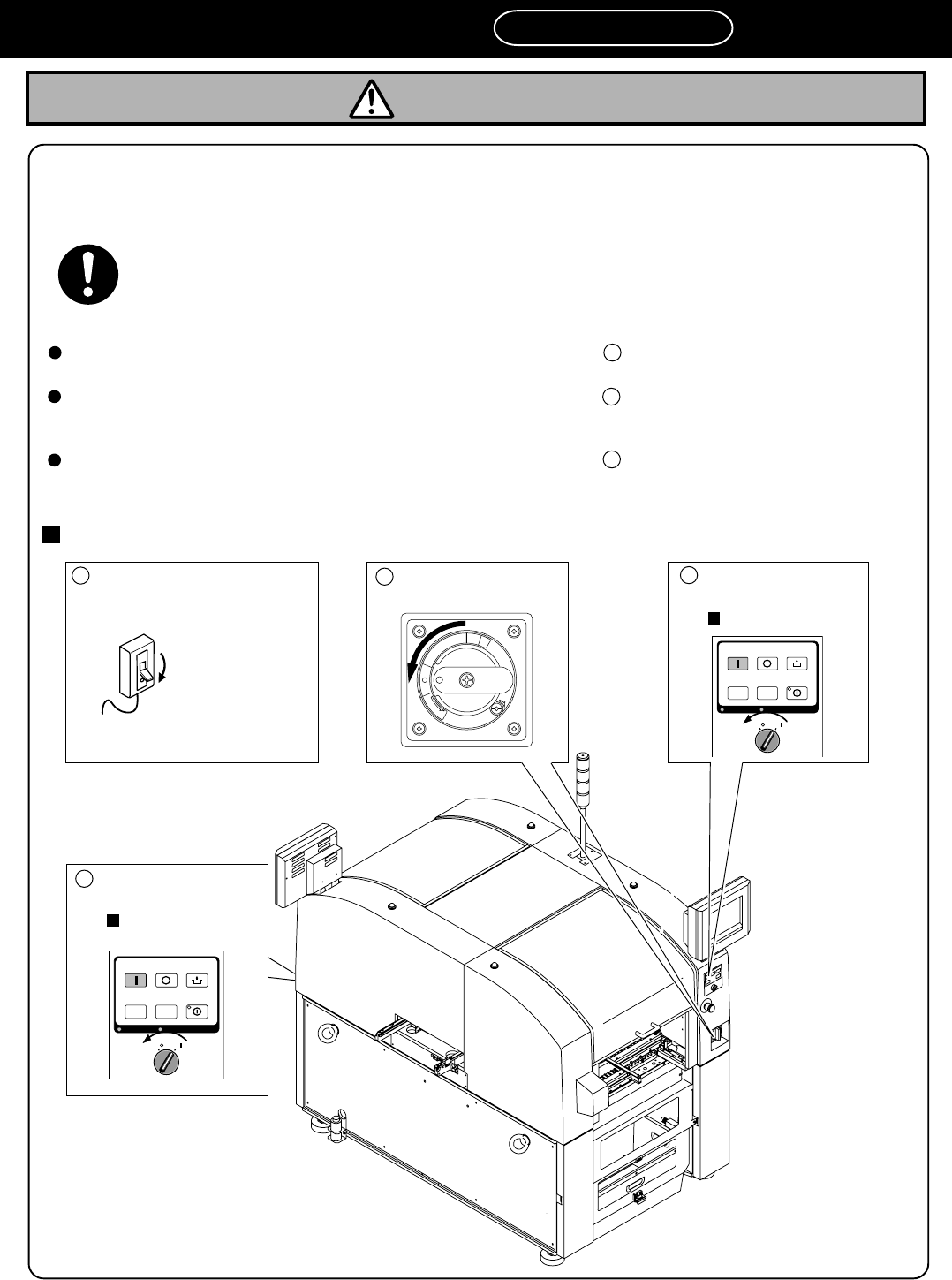
There are three levels of procedure, shown below, for each kind of work.
Repairing such as a control BOX. --------------------------------------------- Cut off the power supplying to the
machine.
Turning OFF the power supply routinely------------------------------------- Turn OFF the power supply.
Replacing a control part such as a sensor
Disassembling or replacing parts
Changing production board types or working for daily inspection ----- Turn OFF the servo switch.
Placing a board onto the conveyor or removing one from there
Setting production materials such as feeders
M73EB
1
2
3
CM201-D/DU/DH/DS (As for the explanation, the illustration of CM201-DH is used.)
WARNING
Cut off the power supplying
to the machine.
Turn OFF the
breaker that is
connented to the
machine.
1
2
R
E
L
E
A
S
E
T
R
I
P
O
F
F
O
N
R
E
S
E
T
3
OFF ( )
ON ( )
SERVO
STOP
UNLOCK
STEP
START
LIGHT ON
SELECT
KEY LOCK BACK LIGHT OFF
OFF ( )
ON ( )
SERVO
STOP
UNLOCK
STEP
START
LIGHT ON
SELECT
KEY LOCK BACK LIGHT OFF
4V4C-AA00
Turn OFF the power
supply.
Turn OFF the servo
switch.
Rear panel
Turn OFF the servo
switch.
Front panel
3
444C-E-XXA00-A03-02