444CEMM1.pdf - 第99页
Page 1-37 REGULAR MAINTENANCE 1 Check Every 140 Hours (Once a Week) 444C-E-MMA01-A05-04 444C-406E 444C-421P Nozzle holder Spring for clamp arm holder Clamp arm Nozzle 444C-422P 7. Checking the nozzle arrangement and sett…
Page 1-36
Check Every 140 Hours (Once a Week)
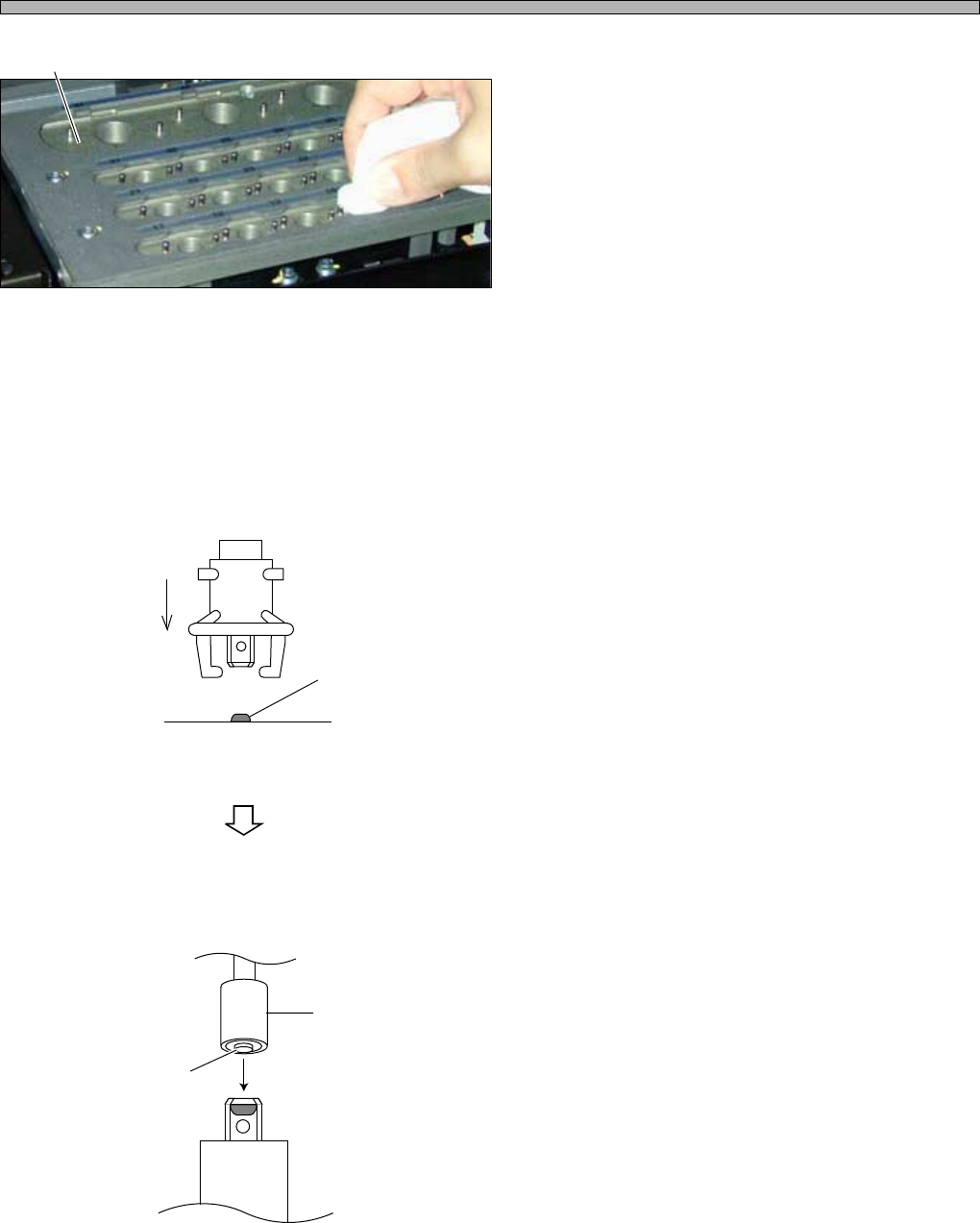
∗ When the nozzle changer (option) is installed, clean it.
Clean the top face of the nozzle
changer with a cloth which is soaked
with absolute alcohol.
∗ Be careful not to contaminate the contact faces
of it and the nozzle reflector.
∗ Check for the foreign body caught in the gap in
the shutter.
5. Setting (replacing) the vacuum filter
1. Put the filter on the firm face of the
table, etc., fit it pressing the holder.
2. Push the filter into the holder by the
convex part at the bottom of the pull-
ing jig.
∗ Ensure that the filter fits in the holder by
pressing it lightly by the convex part.
Shutter
444C-E-MMA01-A05-03
444C-458E
Filter
(Round side faces upward.)
Pulling jig
Convex part
Holder
444C-459E
444C-489P
Page 1-37
REGULAR
MAINTENANCE
1
Check Every 140 Hours (Once a Week)
444C-E-MMA01-A05-04
444C-406E
444C-421P
Nozzle holder
Spring for clamp
arm holder
Clamp arm
Nozzle
444C-422P
7. Checking the nozzle arrangement and setting the nozzle
a. Setting the nozzle to the nozzle holder
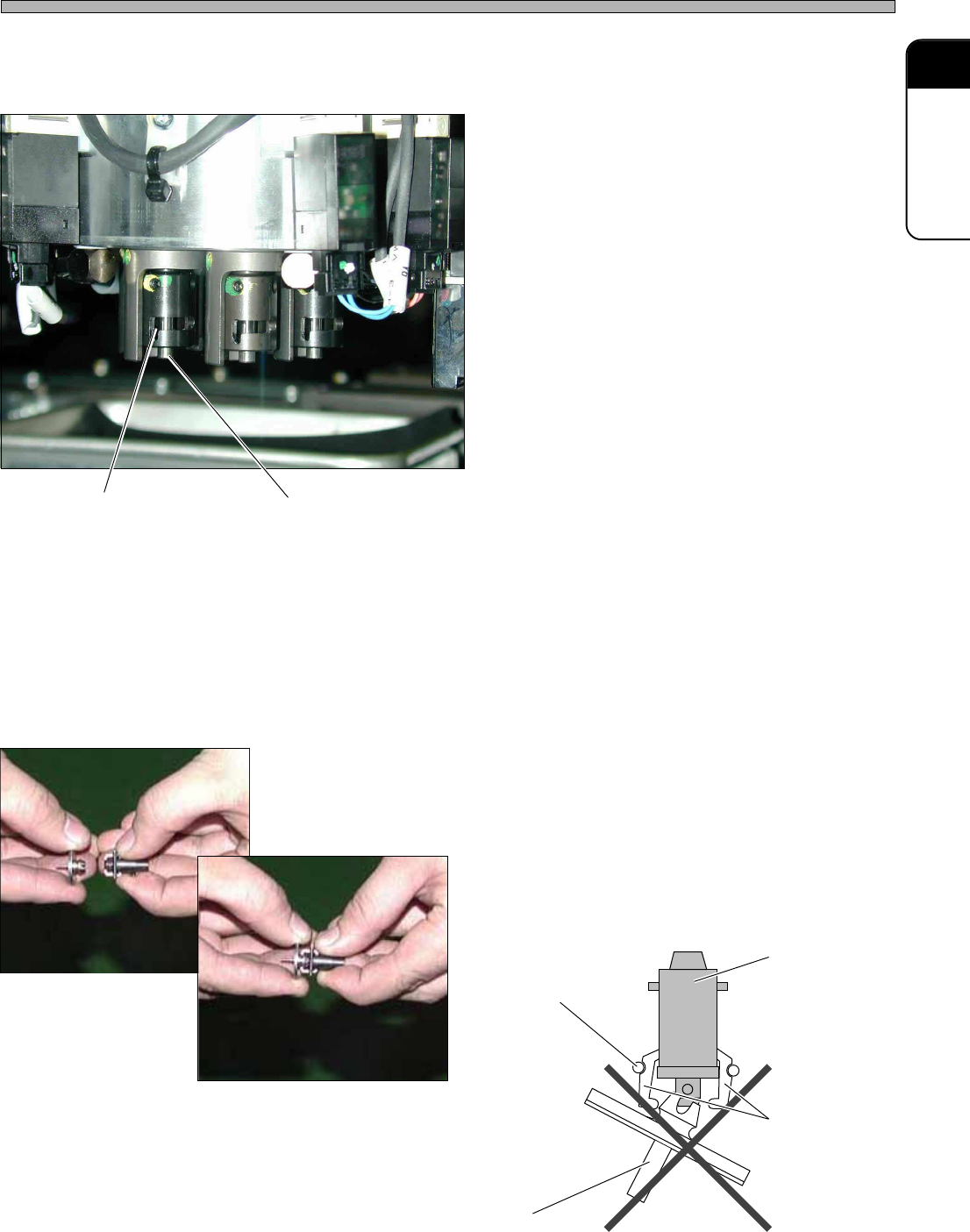
1. Set the nozzle to the nozzle holder.
∗ Hold the edge of the nozzle reflector and push
it upward the nozzle holder.
∗ The clamp arm may be taken off by pushing
the nozzle sideways.
6. Cleaning the holder of the transfer head
1. Clean the fixing groove (which is
reverse L-shaped) on the transfer
head with a swab.
2. Wipe the circumference of the tip of
the guide shaft section on the nozzle
holder with a cloth.
∗ Use a lint-free cloth.
Fixing groove
Guide shaft of nozzle holder
444C-517P
Page 1-38
444C-E-MMA01-A05-06
Check Every 140 Hours (Once a Week)
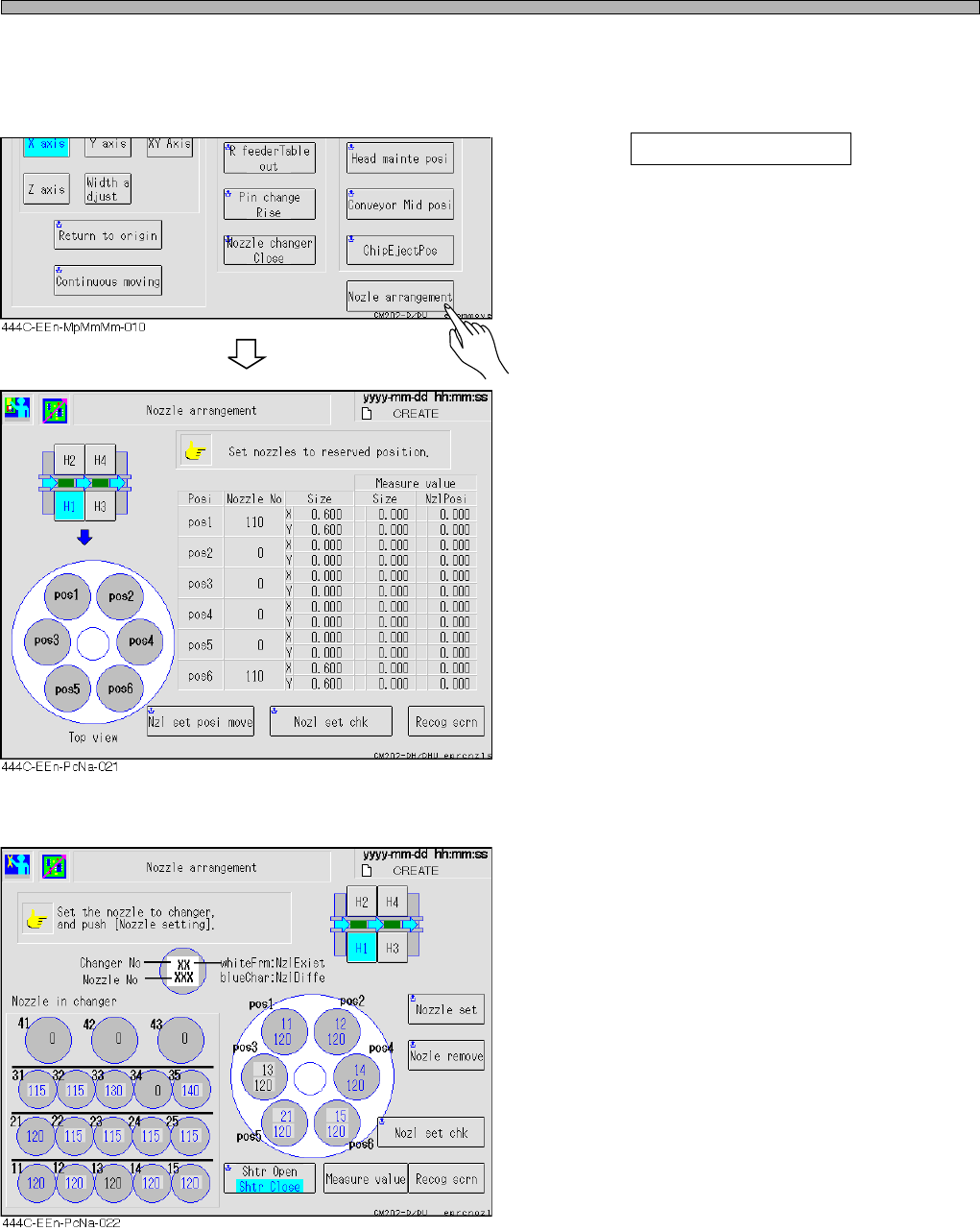
b. Checking the nozzle arrangement
Check the position to set the nozzle holder.
The screen to be displayed and the procedures depend upon the nozzle changer (option).
1. Press Nozzle arrangement at the
“Maintenance Motions” screen.
• The “Nozzle Arrangement” screen appears.
2. Check the nozzle arrangement.
• When the nozzle changer is not used, the left
screen appears.
∗∗
∗∗
∗ The nozzle changer is installed
• When the nozzle changer is installed, the left
screen appears.