444CEMM1.pdf - 第86页
Page 1-24 444C-E-MMA01-A04-03 1-4 Check Every 140 Hours (Once a W eek) 1-4-1 Cleaning the Color T ouch Panel Clean the color touch panel. Dirt on it may cause the fault operation. 1. T urn OFF the power . 2. Clean the co…
Page 1-23
REGULAR
MAINTENANCE
1
Check Every 24 Hours (Routine)
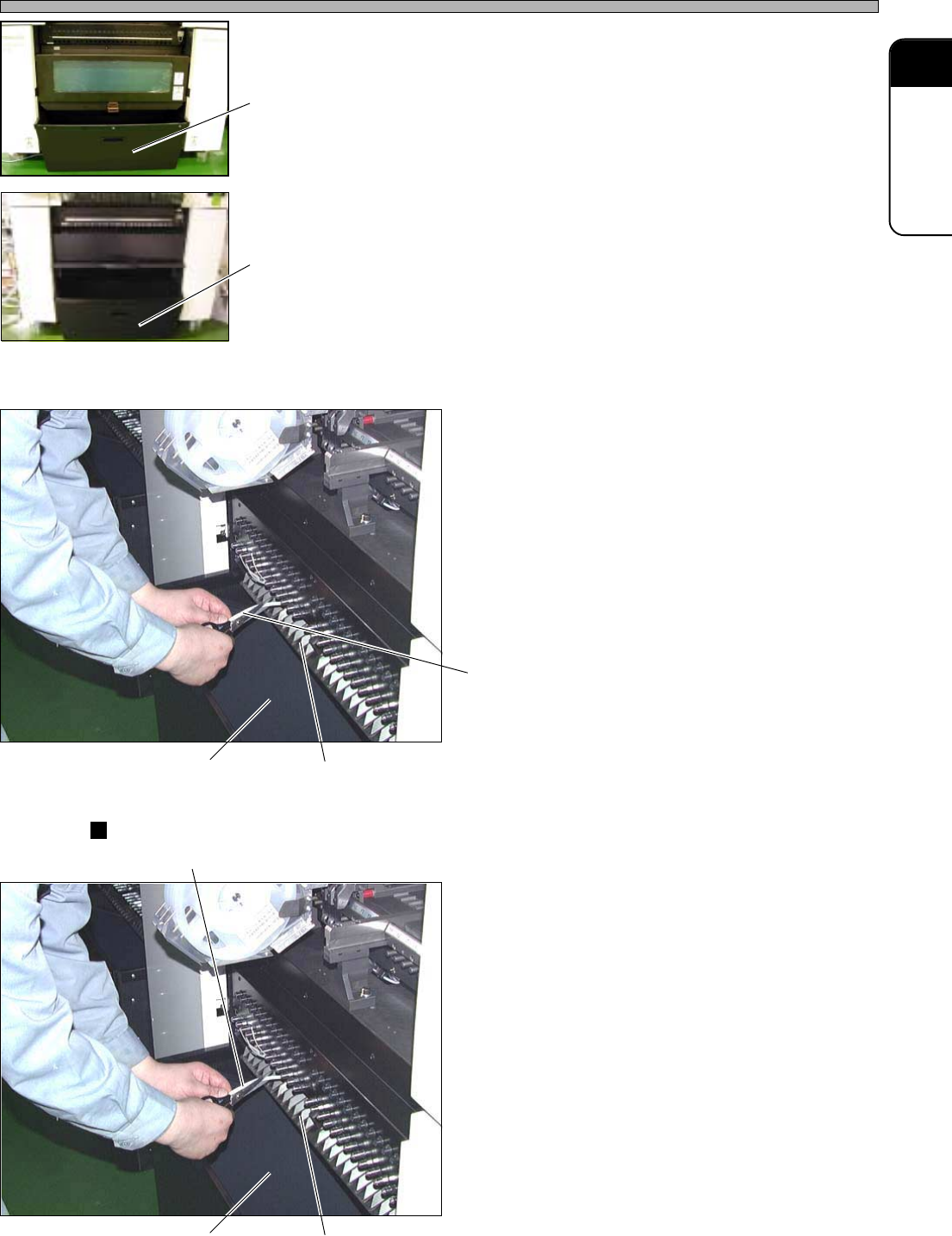
2. Draw out the used tape box.
3. Cast off the used tape in the used
tape box.
2. The cutting unit is not set
1. Cut off the tape coming out of the
outlet of the used tape duct.
∗ Be careful not to cut the connecting cable or air
tube in using the bulk feeder (option).
2. Cast off the tape or dust in the used
tape box.
CM201-D/DU, CM202-D/DU
1. Cut off the tape coming out of the
outlet of the used tape duct.
∗ Be careful not to cut the connecting cable or air
tube in using the bulk feeder (option).
∗ When the cutting unit (option) is installed, you
do not need to cut off the used tape.
2. Cast off the tape or dust in the used
tape box.
444C-E-MMA01-A03-01
Used tape box
4H4C-503P
Used tape ductUsed tape box
Used tape
444C-406P
Used tape ductUsed tape box
Used tape
444C-406P
E24C-402P
CM201-DH,
CM202-DH/DHU/DK
CM201-DS, CM202-DS
Used tape box
Page 1-24
444C-E-MMA01-A04-03
1-4 Check Every 140 Hours (Once a Week)
1-4-1 Cleaning the Color Touch Panel
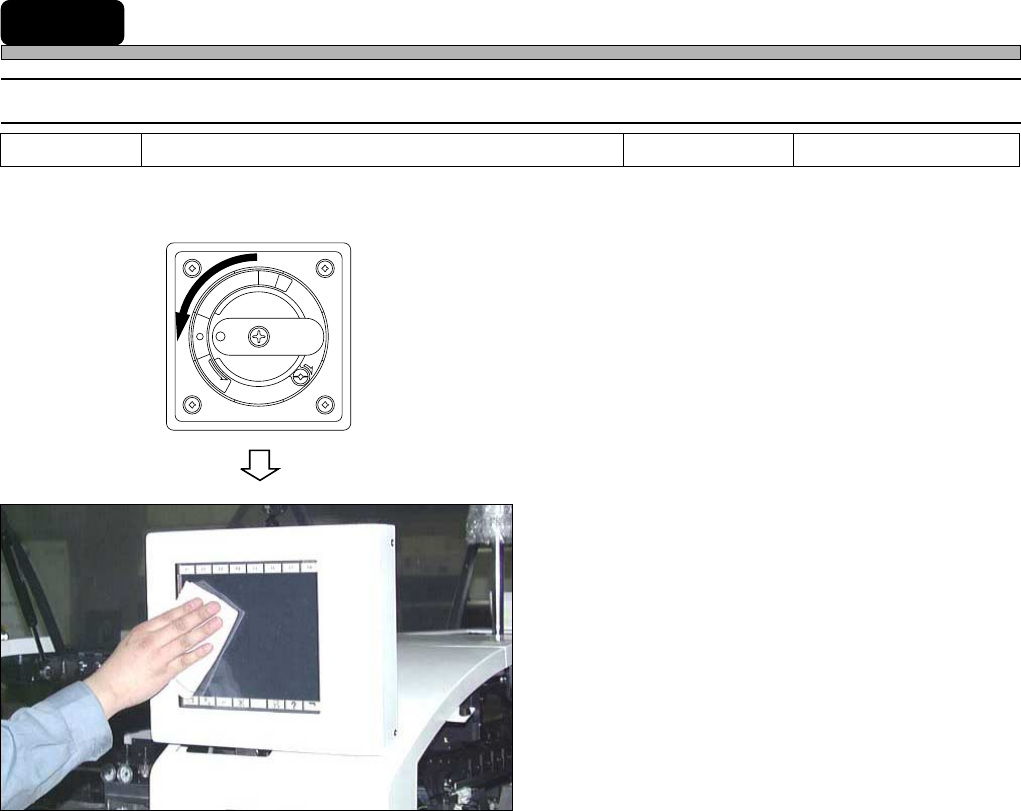
Clean the color touch panel. Dirt on it may cause the fault operation.
1. Turn OFF the power.
2. Clean the color touch panel with a
cloth.
∗ Do not use solvents, and be careful not to give
shock or damage to the panel.
∗ If contamination is serious, wipe it off with a
cloth (damped, drained, and then wrung well),
being careful not to drip a liquid onto electronic
components.
R
E
L
E
A
S
E
T
R
I
P
O
F
F
O
N
R
E
S
E
T
444C-407P
Tools Required time 1 minute Cloth
Page 1-25
REGULAR
MAINTENANCE
1
Check Every 140 Hours (Once a Week)
1-4-2 Cleaning and Lubricating the Tape Feeder Table
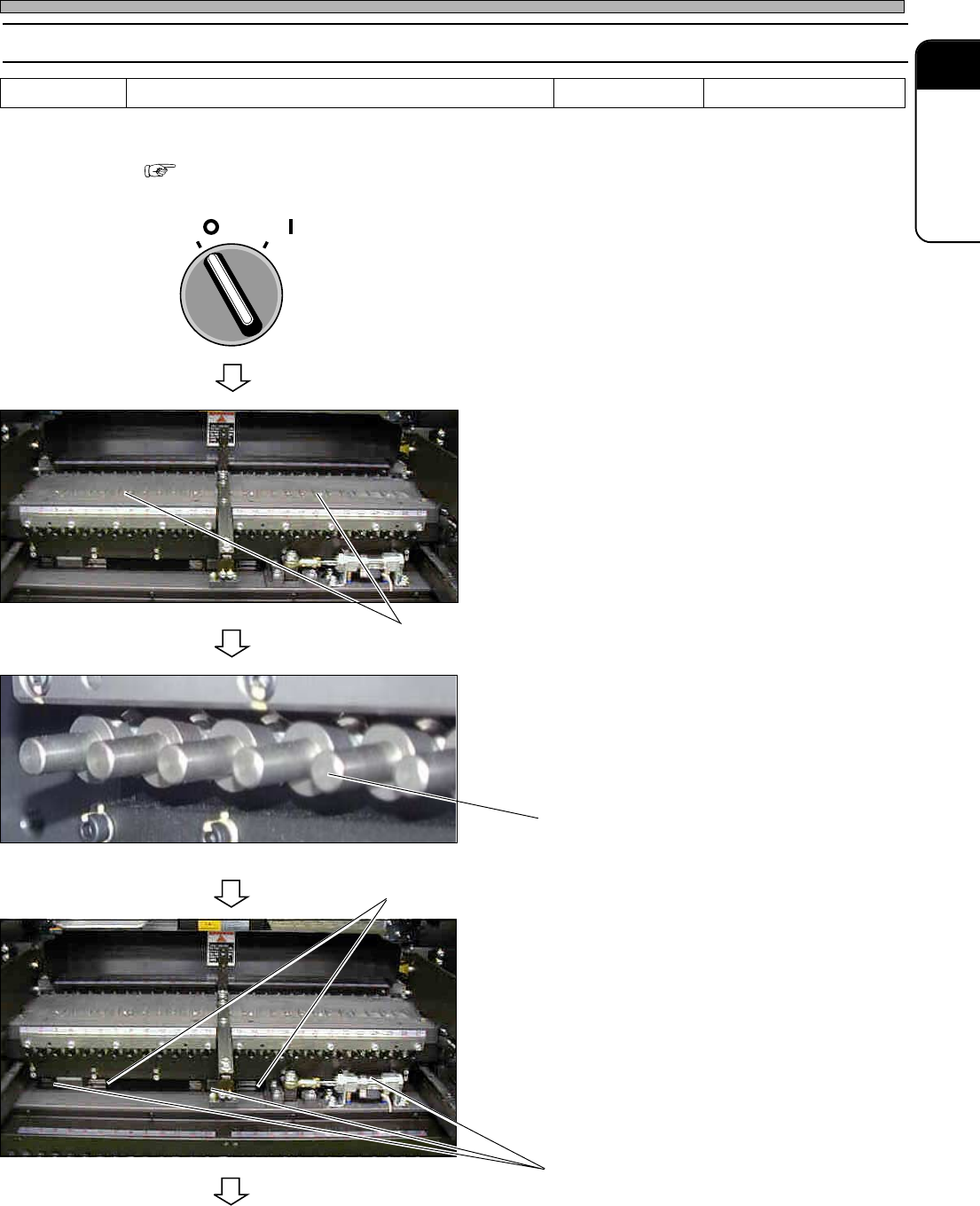
Clean and lubricate the tape feeder table.
∗ For DU/DHU specifications, it is necessary to remove the feeder base cover for the maintenance.
“1-2-3 Setting and Removing the Feeder Base Cover (Only for DU/DHU Specifications)”
1. Turn OFF the servo switch.
2. Open the safety cover.
3. Clean the surroundings of the tape
feeder tables with the vacuum cleaner
or cleaning brush.
∗ If chip components have dropped on the tape
feeder tables, the tape feeder ski will be
damaged and the pick-up position may be
dislocated. And, what’s worse, pick-up errors
can be increased. Before changing production
models or the tape feeder parts, be sure to
clean there.
4. Ensure that there is no damage to the
tip of the projection rod.
5. Apply grease to the linear-bearing rail
grooves for the double tape feeder.
∗ Only when the optional double tape feeder is
installed, carry out this operation.
To the next page
444C-E-MMA01-A04-04
Tools Required time 5 minutes Cloth
OFF ( )
ON ( )
SERVO
444C-509P
444C-409P
Projection rod
Linear bearing
Tape feeder table
444C-509P
Rail groove