444CEMM1.pdf - 第65页
Page 1-3 REGULAR MAINTENANCE 1 Outline of Maintenance 3. Select the button which corresponds to the blinking item at the “Main Menu” screen. ∗ For “ Regular Maintenance by KME, ” select “ Routine Maintenance. ” 4. Using …
Page 1-2
1-1 Outline of Maintenance
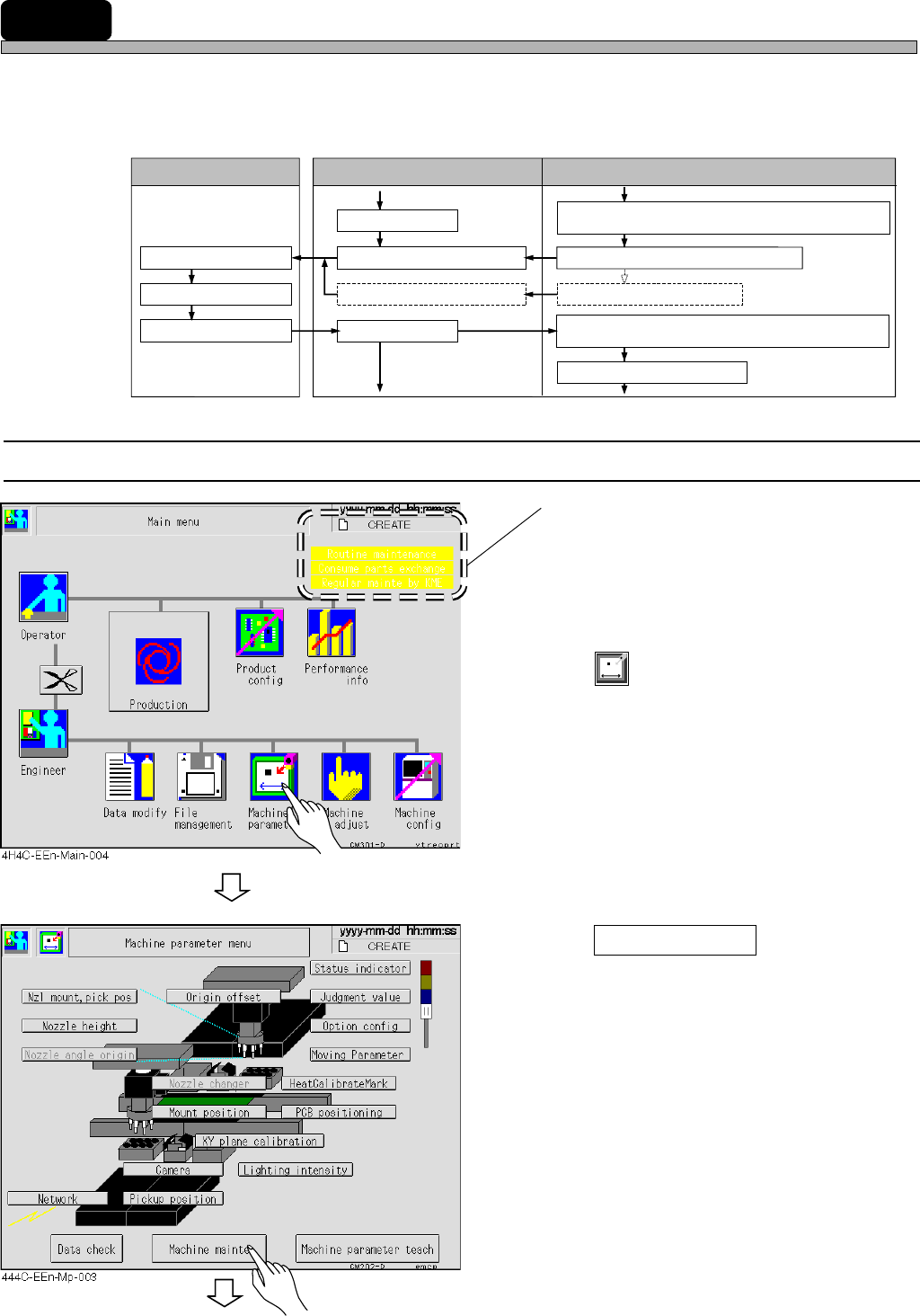
This machine automatically estimates the time for the regular maintenance by the period time set in
advance and the run time, and informs it to the user.
Enter the maintenance end after it to save the operation date in the history.
You can use the information to estimate the next maintenance period.
1-1-1
Checking the Operating Period, Contents and History Information
When 90% of the period time is passed, the
item blinks in green on the “Main Menu”
screen.
When the period is over, it does in yellow.
[The left screen shows three items to indicate
the position on the screen.]
1. Press
Machine
parameter
.
• The “Machine Parameter Menu” screen
appears.
2. Press Machine mainte .
• The “Machine Maintenance Menu” screen
appears.
To the next page
444C-E-MMA01-A01-05
3Y3C-104E
Run time is added to that of previous
maintenance.
Checking operation
Maintenance
Renewal of history
Normal display
Item blinks in green.
Item blinks in yellow.
Normal display
User Screen Machine
90 % of periodic time is passed.
Periodic time is passed.
Next maintenance period is automatically
estimated.
Run time is summed up.
Page 1-3
REGULAR
MAINTENANCE
1
Outline of Maintenance
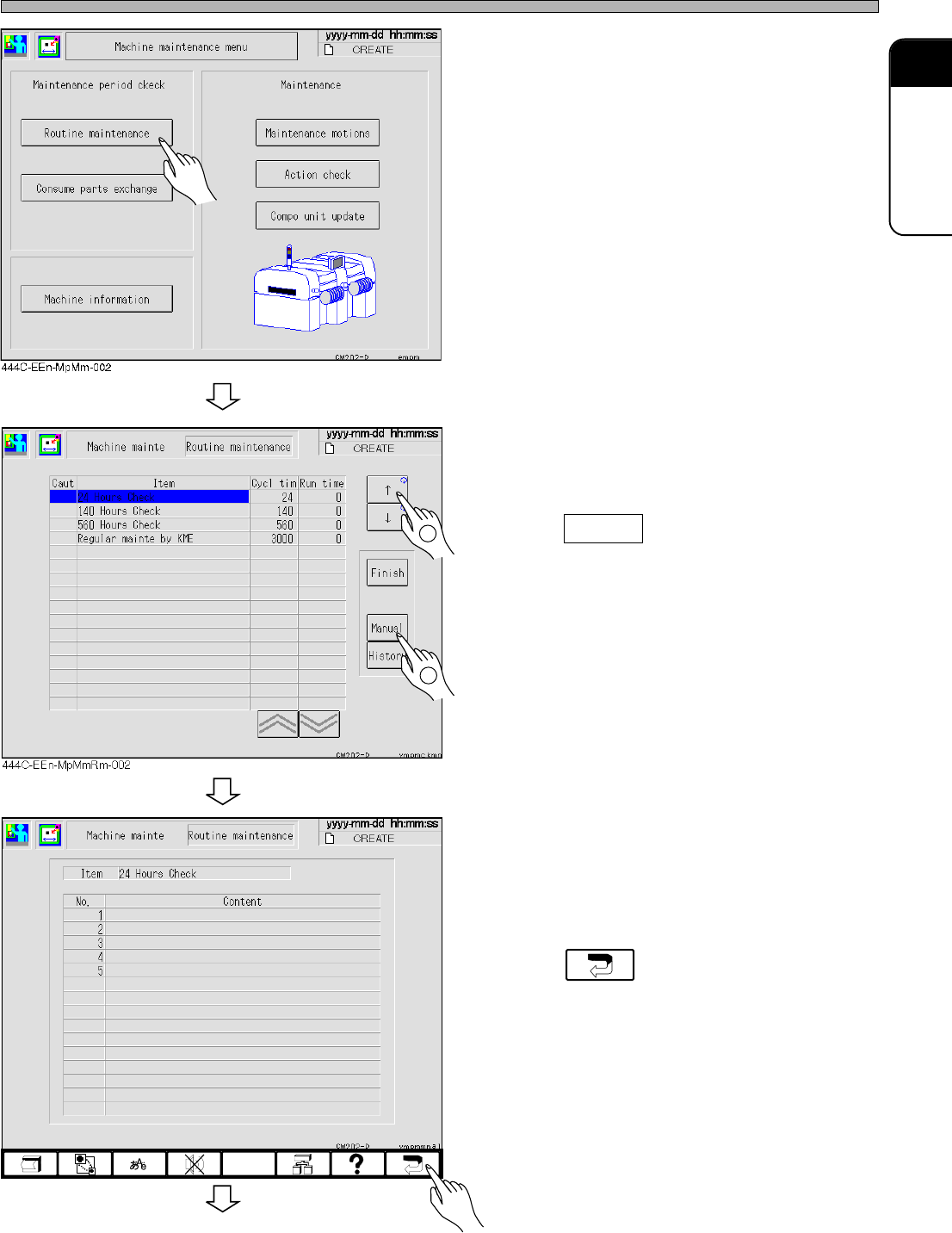
3. Select the button which corresponds
to the blinking item at the “Main
Menu” screen.
∗ For “Regular Maintenance by KME,” select
“Routine Maintenance.”
4. Using the arrows on the right side of
the touch panel, move the cursor to
the line item which is blinking and
press Manual .
• Contents of item blinking on the “Main Menu”
screen is displayed on the screen for “Manual.”
5. Check the contents of the line item.
∗ Carry out the maintenance.
6. Press .
2
1
To the next page
444C-EEn-MpMmRm-004
444C-E-MMA01-A01-02
Page 1-4
Outline of Maintenance
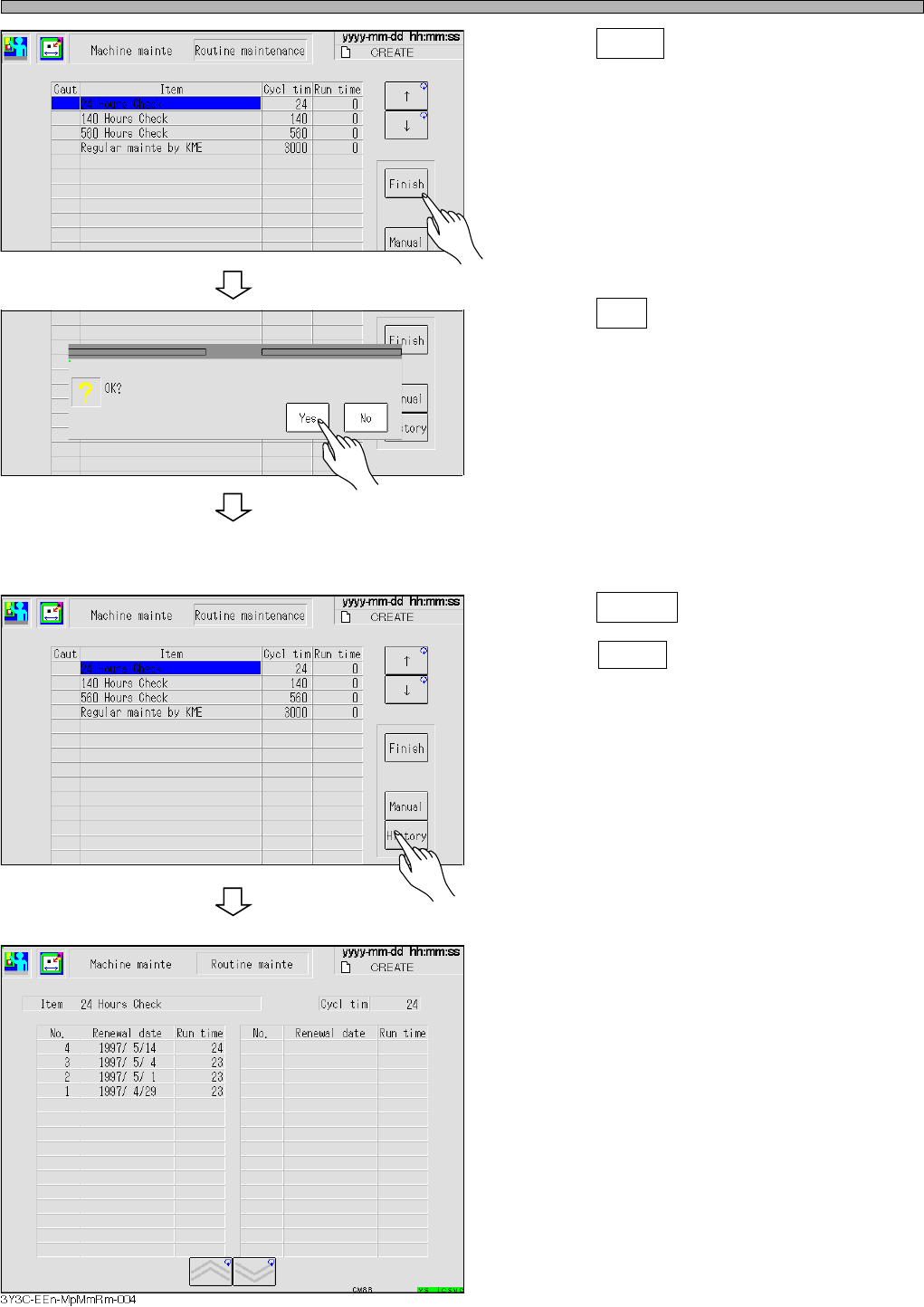
7. Press Finish .
• The message for checking appear.
8. Press Yes .
•“Run Time” is reset, and the run time item to
the next period is calculated.
•“History” is renewed.
∗ Past maintenance history can be checked.
9. Press History .
∗ Press History on the “Routine Maintenance”
screen.
• The “History” screen of selected item is dis-
played.
∗ Check the history information.
• The history information is displayed in descen-
dent order.
444C-E-MMA01-A01-01
444C-EEn-MpMmRm-002
444C-EEn-MpMmRm-001
444C-EEn-MpMmRm-002