00198045-01_OM_BulkFeeder_X_EN.pdf - 第24页
SIPLACE BulkFeede r X / Operating Ma nual 05/2017 Edition 24 Further feeder detai ls are retrieved an d displayed in the foll owing dialog. Figure 4-7: Feeder details – Func tions Statistics data and hardware i nformatio…
SIPLACE BulkFeeder X / Operating Manual 05/2017 Edition
23
4.3.2 Manual operations
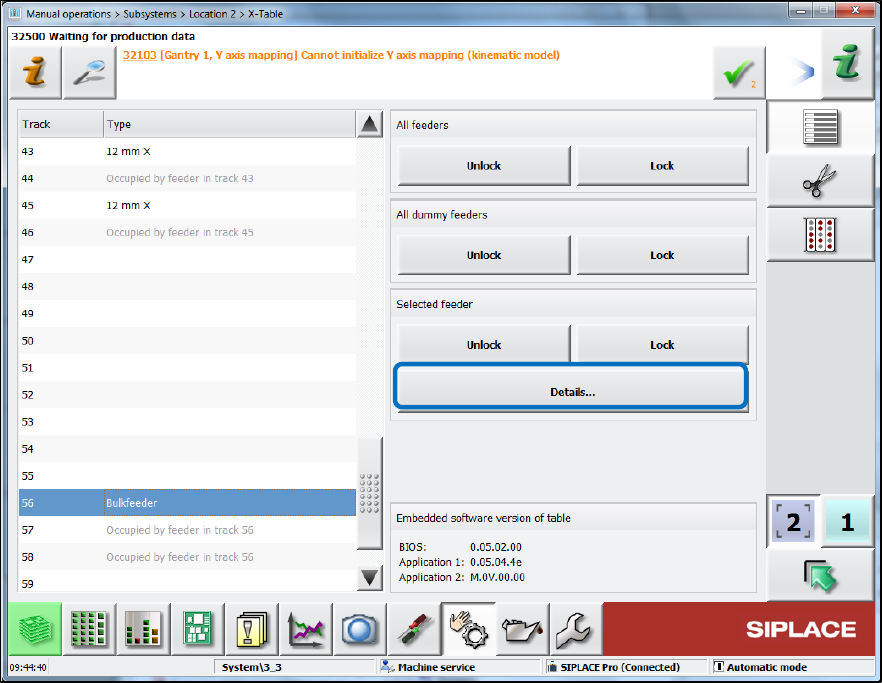
The feeder can be selected in the Table dialog for the location under Manual operations –
Subsystems.
Figure 4-6: Displaying further feeder details
Click on the Bulkfeeder entry on the left and click on Details…. ►
SIPLACE BulkFeeder X / Operating Manual 05/2017 Edition
24
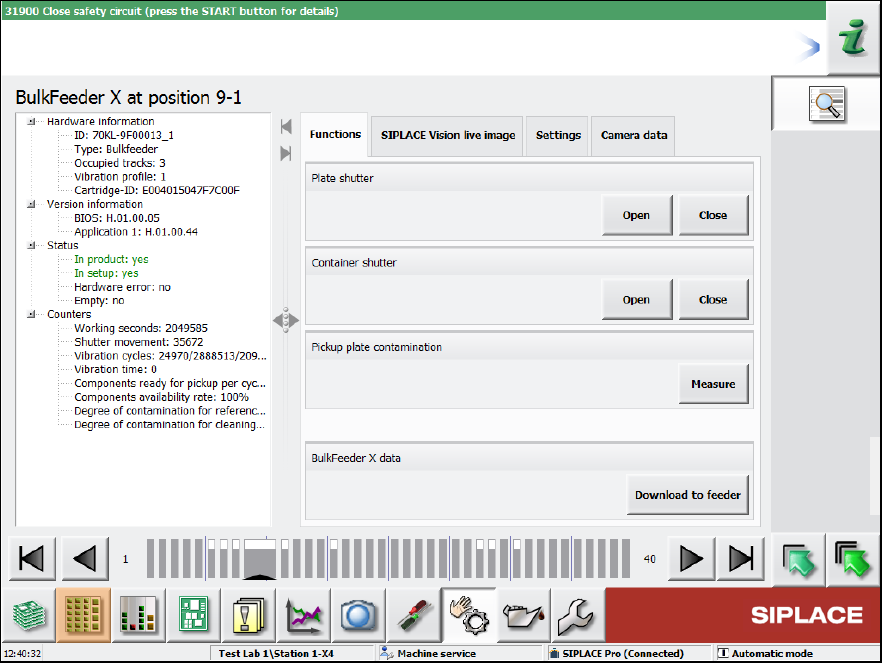
Further feeder details are retrieved and displayed in the following dialog.
Figure 4-7: Feeder details – Functions
Statistics data and hardware information are displayed on the left and on the right some functions
can be performed for the feeder.
In the Functions tab, the plate and container shutters can be opened and closed, a contamination
check of the glass plate started and the most recent version of the feeder embedded software
downloaded.
SIPLACE BulkFeeder X / Operating Manual 05/2017 Edition
25
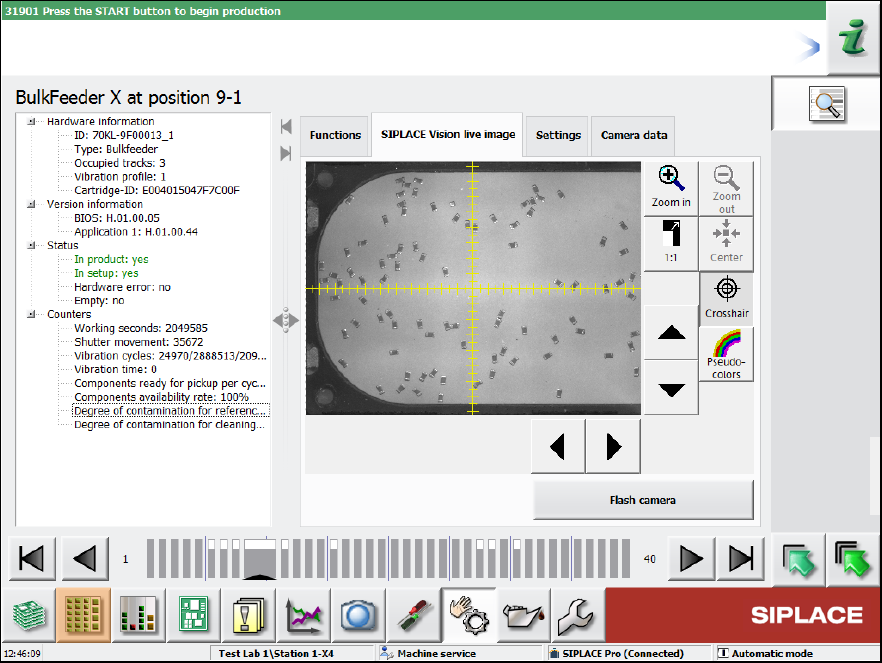
Figure 4-8: Feeder details – SIPLACE Vision live image