00198045-01_OM_BulkFeeder_X_EN.pdf - 第25页
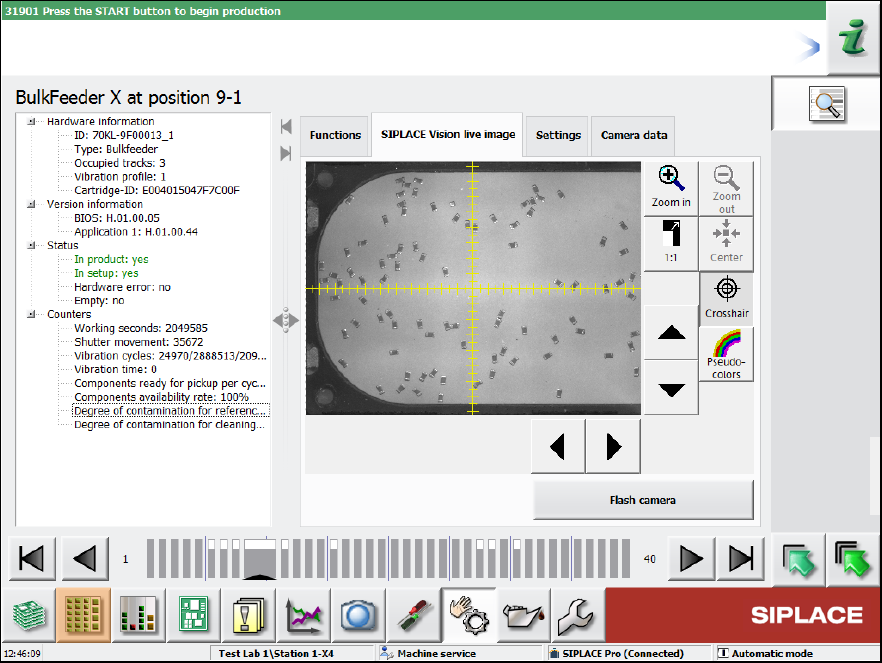
SIPLACE BulkFeede r X / Operating Ma nual 05/2017 Edition 25 Figure 4-8: Feeder details – S IPLACE Vision live image
SIPLACE BulkFeeder X / Operating Manual 05/2017 Edition
24
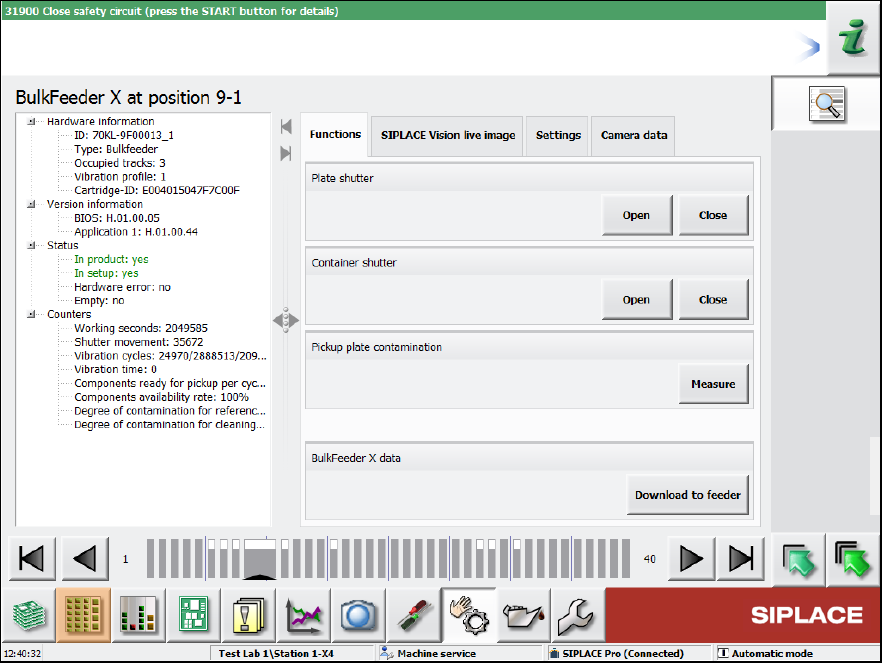
Further feeder details are retrieved and displayed in the following dialog.
Figure 4-7: Feeder details – Functions
Statistics data and hardware information are displayed on the left and on the right some functions
can be performed for the feeder.
In the Functions tab, the plate and container shutters can be opened and closed, a contamination
check of the glass plate started and the most recent version of the feeder embedded software
downloaded.
SIPLACE BulkFeeder X / Operating Manual 05/2017 Edition
25
Figure 4-8: Feeder details – SIPLACE Vision live image
SIPLACE BulkFeeder X / Operating Manual 05/2017 Edition
26
4.3.3 Filling Level View
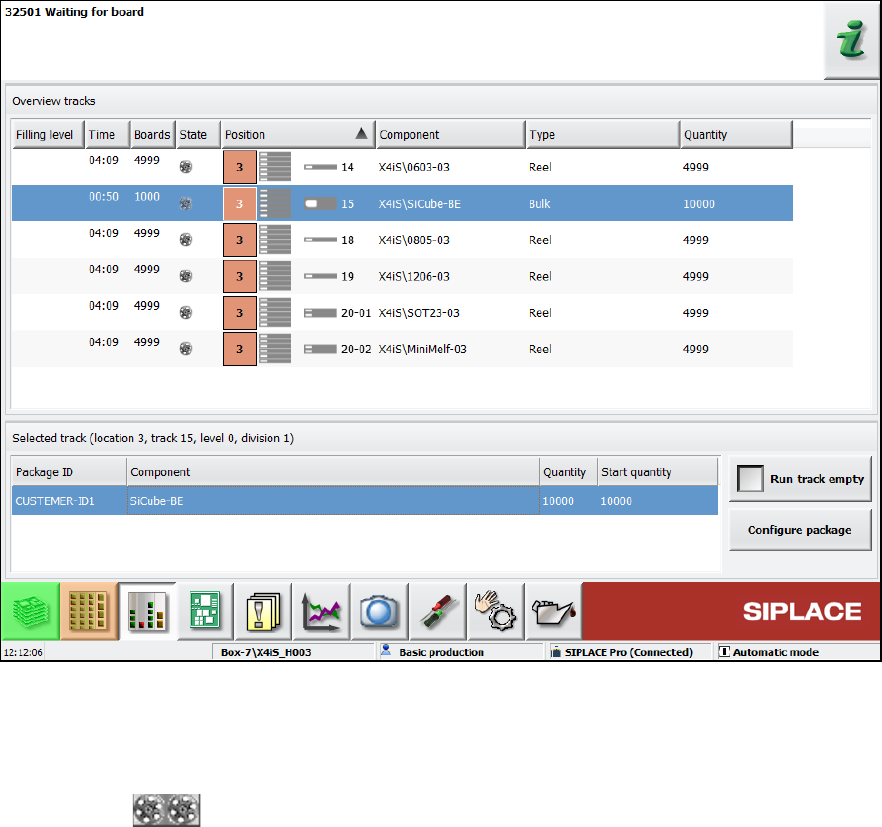
The feeder can be selected in the Filling level view.
Figure 4-9: Filling level view
In this view, information on the current filling level, component, type, quantity etc. is displayed.
As one Cartridge may contain several packaging units, the filling level of the first packaging unit will
be reduced at the pickup. If this filling level = 0, the next packaging unit will be decremented.
The gray zone covers all packaging units in the Cartridge.