00198045-01_OM_BulkFeeder_X_EN.pdf - 第31页
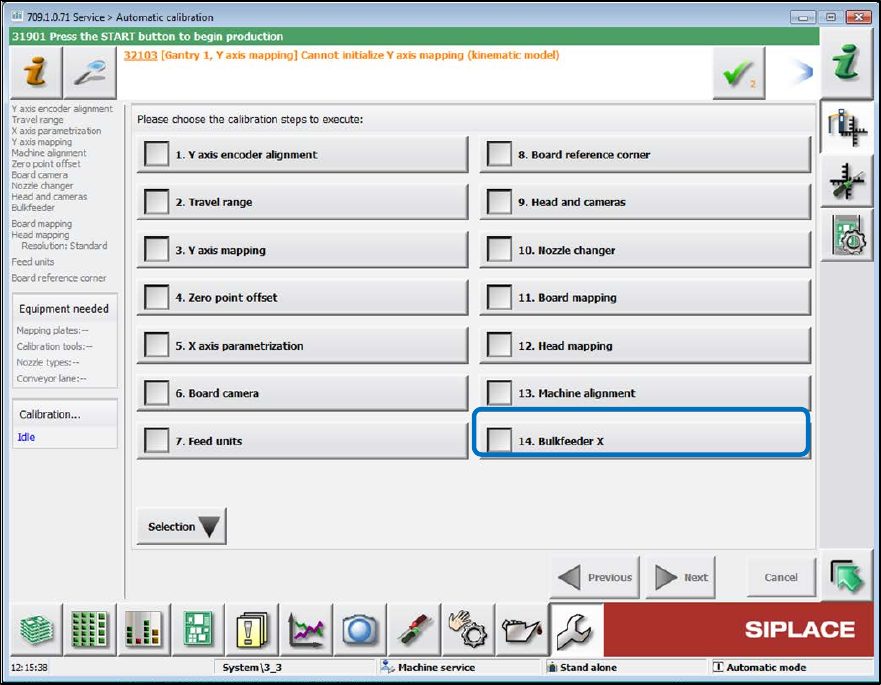
SIPLACE BulkFeede r X / Operating Ma nual 05/2017 Edition 31 Select the Bulkfeed er option in the nex t dialog box. ► Figure 5-2: Selecting BulkFeeder X
SIPLACE BulkFeeder X / Operating Manual 05/2017 Edition
30
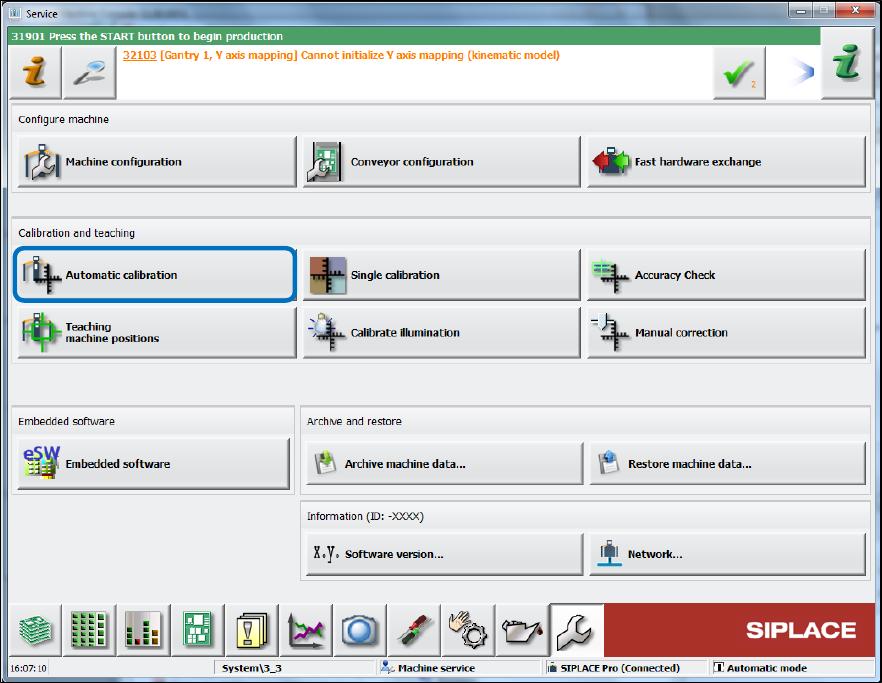
Figure 5-1: Starting automatic calibration
SIPLACE BulkFeeder X / Operating Manual 05/2017 Edition
31
Select the Bulkfeeder option in the next dialog box. ►
Figure 5-2: Selecting BulkFeeder X
SIPLACE BulkFeeder X / Operating Manual 05/2017 Edition
32
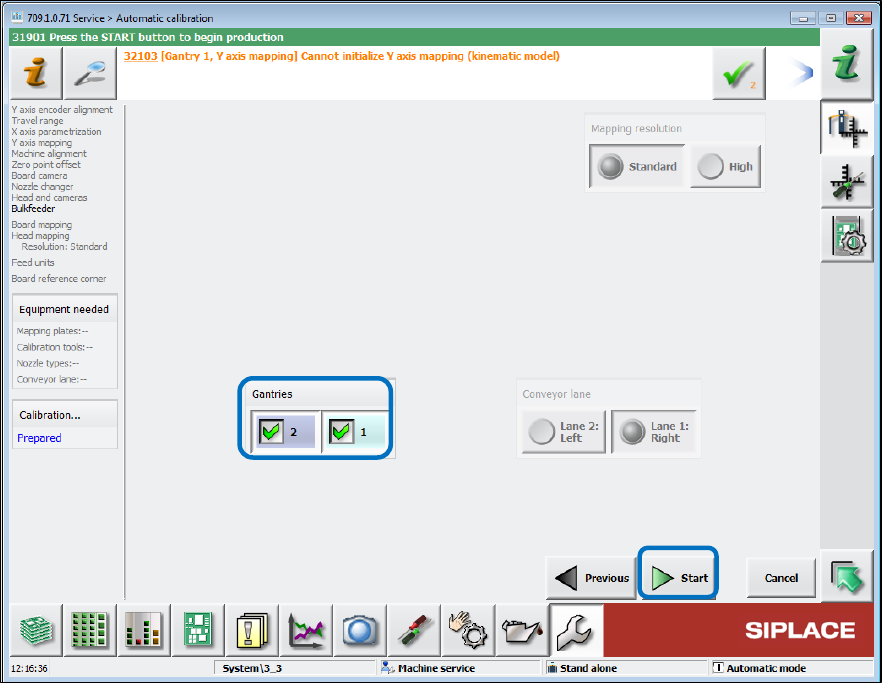
Select the concerned locations in the next dialog box and click the Start button. ►
Figure 5-3: Selecting locations
The calibration steps of the automatic calibration are now performed sequentially.