00198045-01_OM_BulkFeeder_X_EN.pdf - 第37页
SIPLACE BulkFeede r X / Operating Ma nual 05/2017 Edition 37 Gently put your fi nger on the filling ► funnel. Pick up the Cart ridge in the middle ► with your other han d and lift it from the Base Unit .
SIPLACE BulkFeeder X / Operating Manual 05/2017 Edition
36
5.5 Tearing Down the Feeder
5.5.1 Unlocking the Cartridge
Press the button on the control panel of the Base Unit. ►
Or
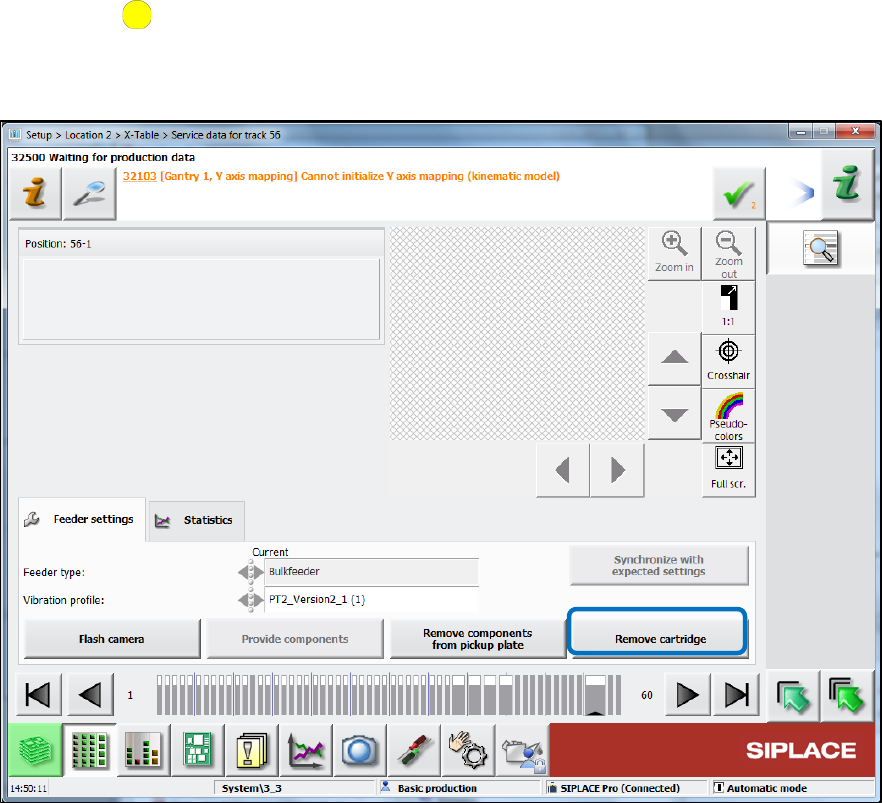
Press the Remove cartridge button on the station software GUI. ►
Figure 5-5: Removing Cartridge
Since the components have to be vibrated back from the glass plate into the cartridge.
The locking mechanism on the Base Unit opens so that the Cartridge can be easily removed.
SIPLACE BulkFeeder X / Operating Manual 05/2017 Edition
37
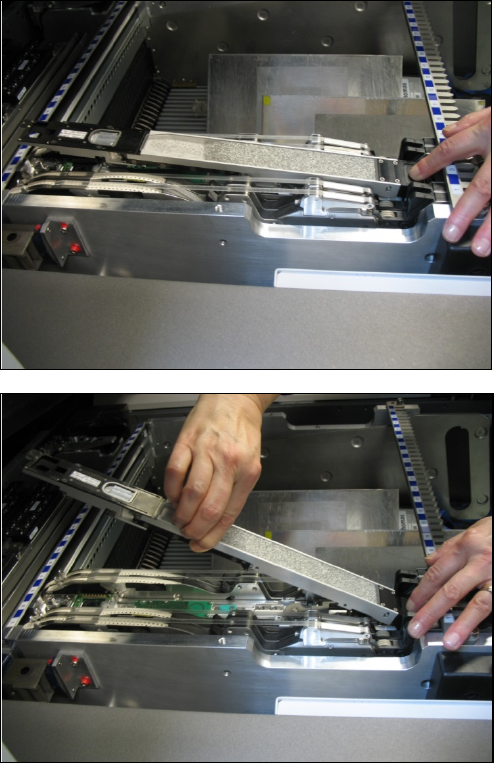
Gently put your finger on the filling ►
funnel.
Pick up the Cartridge in the middle ►
with your other hand and lift it from
the Base Unit.
SIPLACE BulkFeeder X / Operating Manual 05/2017 Edition
38
5.5.2 Removing the Feeder
NOTICE
When tearing down the feeder, the Base Unit and the Cartridge should be removed
together to avoid damage and soiling of the Base Unit.
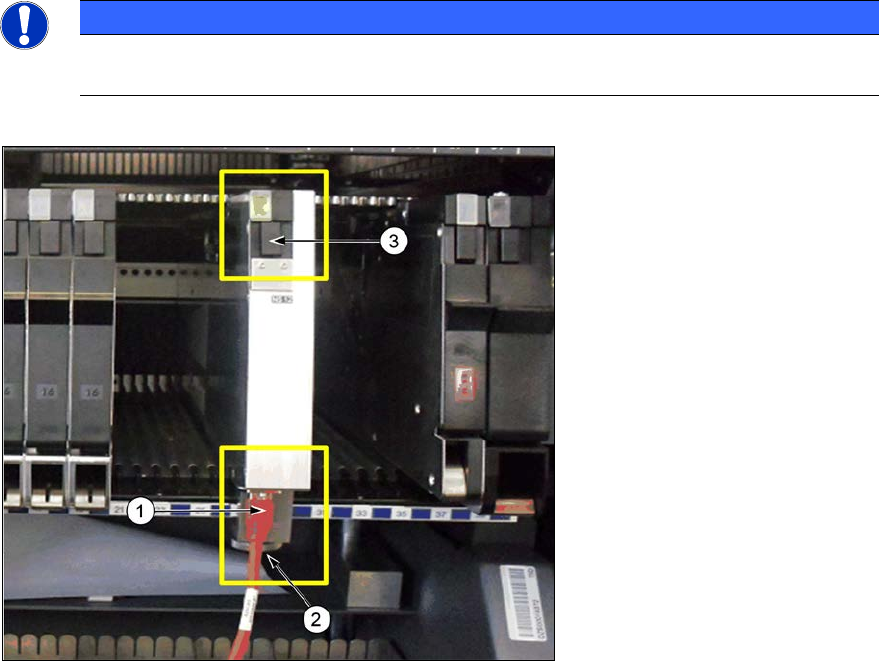
Disconnect the camera ►
cable (1) from the
corresponding connector
on the Base Unit.
Loosen the knurled screw ►
from the mechanical mount
(2) of the Base Unit.
Press the locking ►
mechanism (3) under the
status display LED at the
rear end of the Base Unit.
The log off procedure is started for the SIPLACE BulkFeeder X, the status display is switched off
and the locking mechanism will protrude. All key data will be saved in the SIPLACE BulkFeeder X.
The SIPLACE BulkFeeder X will then be automatically logged off the X-FCU and the X-FCU will
open the mechanical lock at the location. As soon as the status displays are dark, the log off
procedure is completed.
Use the SIPLACE BulkFeeder X handle (see page 7) to pull the Base Unit out of the location. ►
Do not carry the SIPLACE BulkFeeder X with the locking handle.