00198045-01_OM_BulkFeeder_X_EN.pdf - 第27页
SIPLACE BulkFeede r X / Operating Ma nual 05/2017 Edition 27 The single compone nts can be select ed and their val ues displayed in the Filling level – Fill lev el details dialog. Figure 4-10: Fill level detail s 4.3.4 C…
SIPLACE BulkFeeder X / Operating Manual 05/2017 Edition
26
4.3.3 Filling Level View
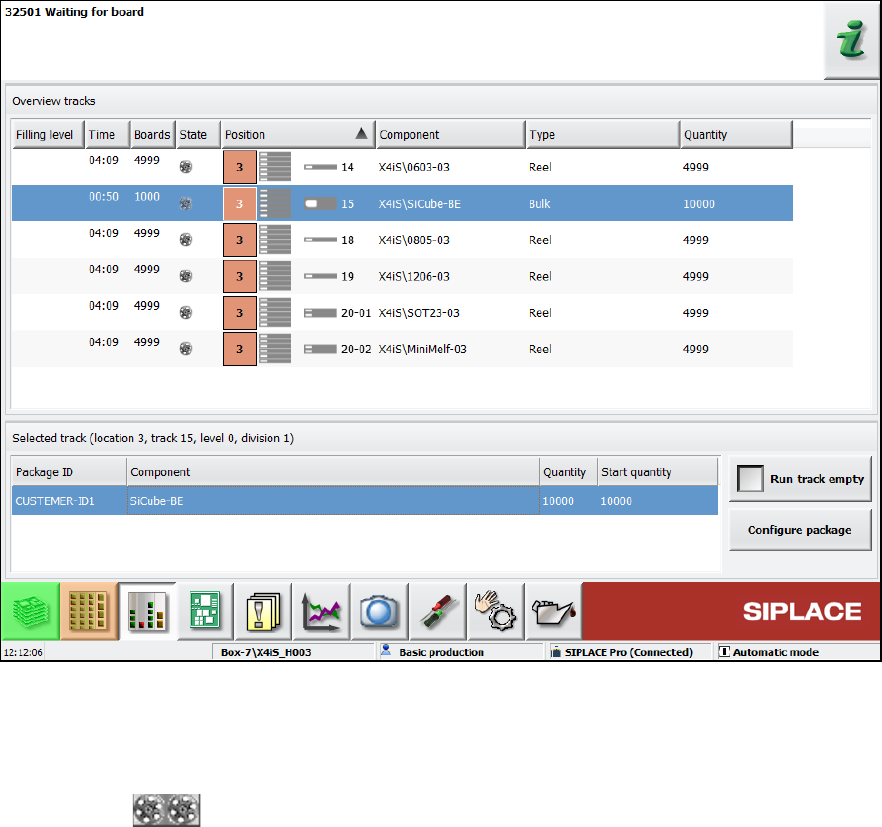
The feeder can be selected in the Filling level view.
Figure 4-9: Filling level view
In this view, information on the current filling level, component, type, quantity etc. is displayed.
As one Cartridge may contain several packaging units, the filling level of the first packaging unit will
be reduced at the pickup. If this filling level = 0, the next packaging unit will be decremented.
The gray zone covers all packaging units in the Cartridge.
SIPLACE BulkFeeder X / Operating Manual 05/2017 Edition
27
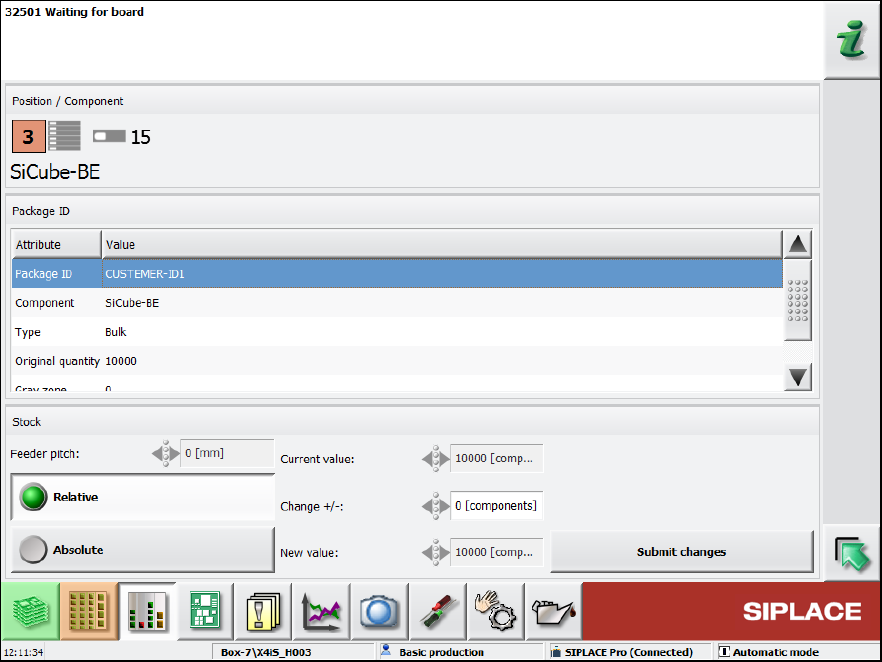
The single components can be selected and their values displayed in the Filling level – Fill level
details dialog.
Figure 4-10: Fill level details
4.3.4 Component face down recognition
If the component face down recognition is disabled in the component shape, the operator can
enable this feature during teaching at the station, if necessary.

SIPLACE BulkFeeder X / Operating Manual 05/2017 Edition
28
5 Operation
This chapter describes a typical workflow and the single steps to be performed when using the
SIPLACE BulkFeeder X. These are:
– Setting up the feeder
– Calibrating the feeder
– Feeding components
– Tearing down the feeder
– Clearing / cleaning / exchanging the glass plate
– Component test functions with internal Feeder Camera
– Maintaining the plate shutter
5.1 Setting Up the Feeder
The SIPLACE BulkFeeder X is positioned in the same way as an X feeder module and occupies 3
tracks.
NOTICE
When setting up the feeder, the Base Unit and the Cartridge must be inserted together.
Otherwise, the station software will stop the machine.
The placement machine is equipped with a camera cables.