00198045-01_OM_BulkFeeder_X_EN.pdf - 第26页
SIPLACE BulkFeede r X / Operating Ma nual 05/2017 Edition 26 4.3.3 Filling Level View The feeder can be sele cted in the Filling level view. Figure 4-9 : Filling level view In this view, inf ormation on the cur rent fill…
SIPLACE BulkFeeder X / Operating Manual 05/2017 Edition
25
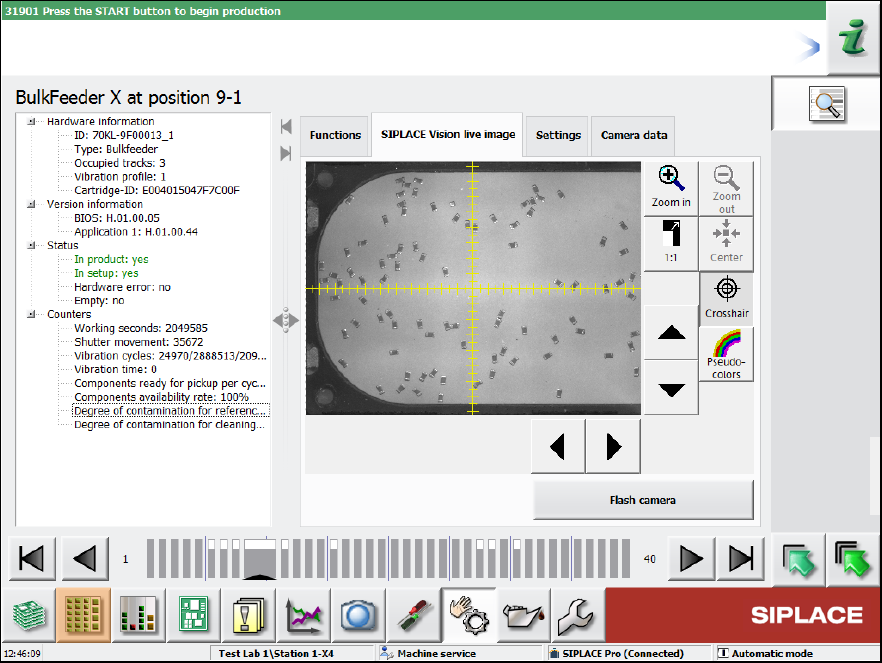
Figure 4-8: Feeder details – SIPLACE Vision live image
SIPLACE BulkFeeder X / Operating Manual 05/2017 Edition
26
4.3.3 Filling Level View
The feeder can be selected in the Filling level view.
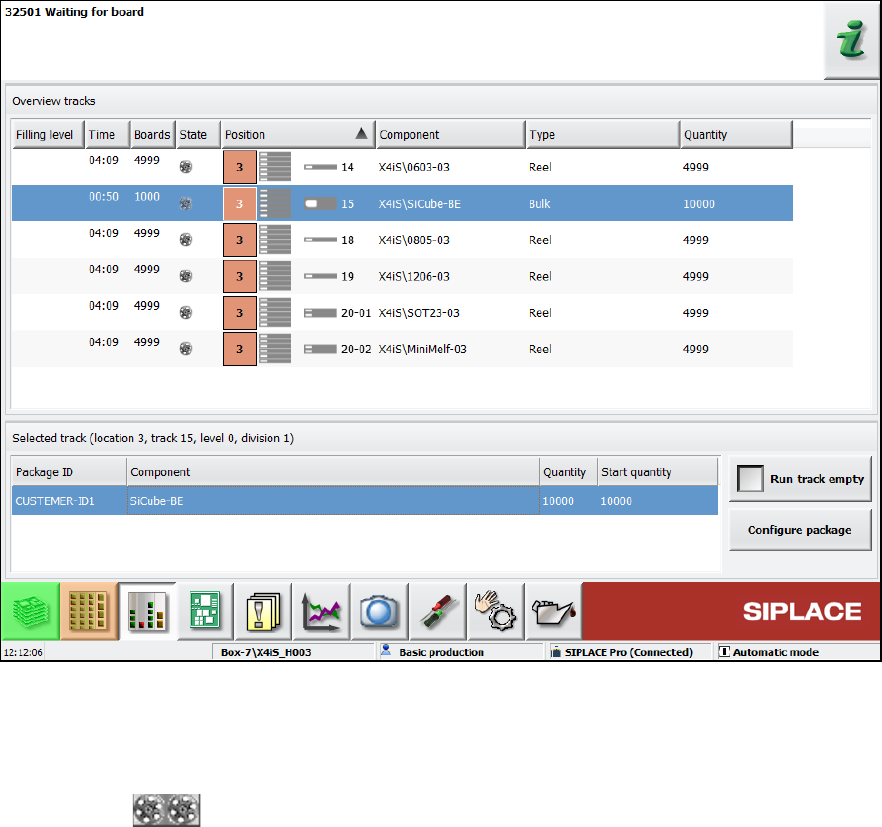
Figure 4-9: Filling level view
In this view, information on the current filling level, component, type, quantity etc. is displayed.
As one Cartridge may contain several packaging units, the filling level of the first packaging unit will
be reduced at the pickup. If this filling level = 0, the next packaging unit will be decremented.
The gray zone covers all packaging units in the Cartridge.
SIPLACE BulkFeeder X / Operating Manual 05/2017 Edition
27
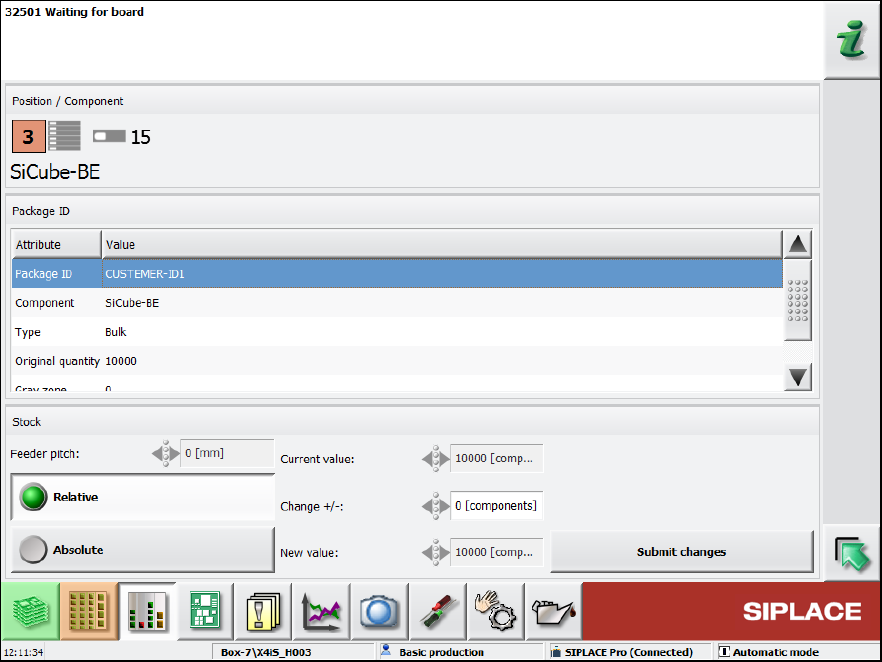
The single components can be selected and their values displayed in the Filling level – Fill level
details dialog.
Figure 4-10: Fill level details
4.3.4 Component face down recognition
If the component face down recognition is disabled in the component shape, the operator can
enable this feature during teaching at the station, if necessary.