00198045-01_OM_BulkFeeder_X_EN.pdf - 第33页
SIPLACE BulkFeede r X / Operating Ma nual 05/2017 Edition 33 Figure 5-4: Performing calibration s teps All tables with S IPLACE BulkFeede r X feeders on the selected locations a re now calibrated, i .e. the two fiducials…
SIPLACE BulkFeeder X / Operating Manual 05/2017 Edition
32
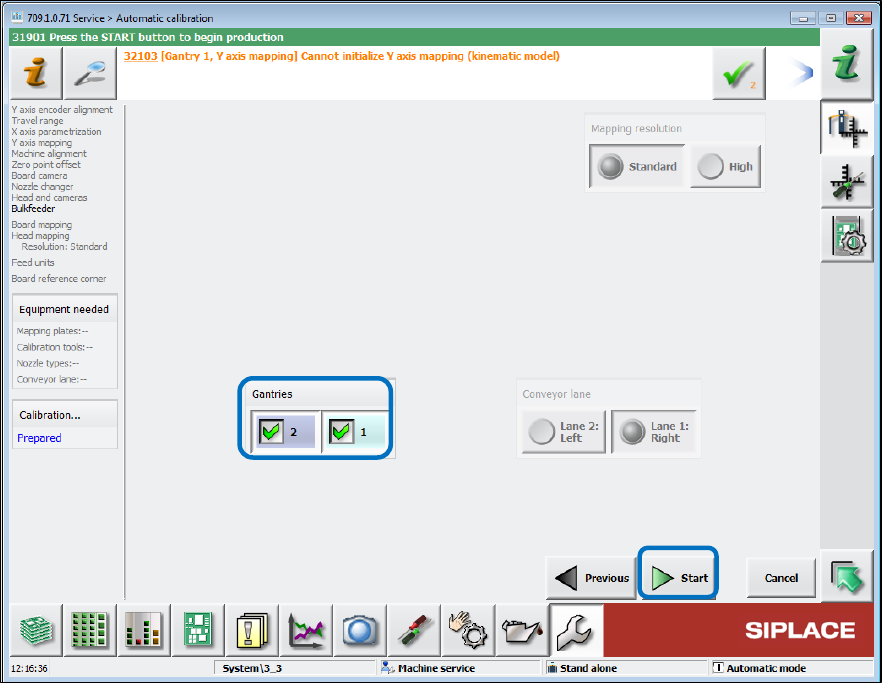
Select the concerned locations in the next dialog box and click the Start button. ►
Figure 5-3: Selecting locations
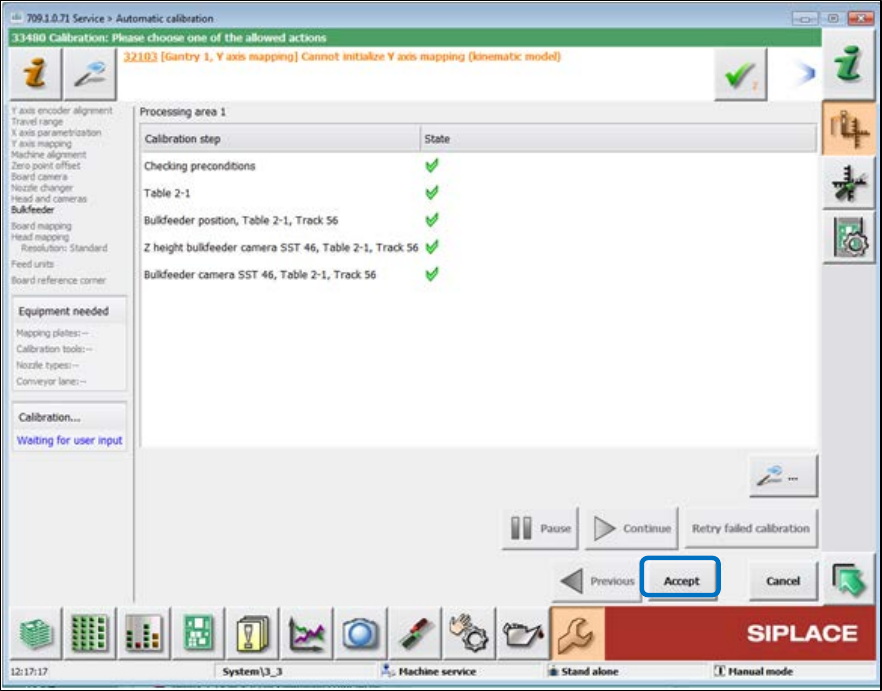
The calibration steps of the automatic calibration are now performed sequentially.
SIPLACE BulkFeeder X / Operating Manual 05/2017 Edition
33
Figure 5-4: Performing calibration steps
All tables with SIPLACE BulkFeeder X feeders on the selected locations are now calibrated, i.e. the
two fiducials are measured to determine the table position in the machine. After that, the feeder
position itself is detected and so also the glass plate position. Then the height calibration is
performed during which four points on the glass plate are measured. Finally, the position of the
internal feeder camera is calibrated, i.e. the offset between feeder camera and board camera.
When all calibration steps have been successfully performed, click on Accept to finish the ►
calibration.

SIPLACE BulkFeeder X / Operating Manual 05/2017 Edition
34
5.3 Feeding Components
Prerequisites:
– The feeder has been set up as described in section 5.1 Setting Up the Feeder.
– The feeder has been calibrated as described in section 5.2 Calibrating the Feeder.
The feeder is now ready for placement.
On the station computer, download the current job from SIPLACE Pro. ►
Load the first board and start the placement process. ►
If the Cartridge has to be refilled during placement:
Unlock the Cartridge as described in section 5.5.1 Unlocking the Cartridge. ►
Remove the Cartridge from the Base Unit. ►
The Base Unit remains on the changeover table!
NOTICE
One component type per Cartridge
The Cartridge can only be filled with one component type. It is not possible to reset the
Cartridge to be filled with another component type.