00198045-01_OM_BulkFeeder_X_EN.pdf - 第36页
SIPLACE BulkFeede r X / Operating Ma nual 05/2017 Edition 36 5.5 Tearing Down t he Feeder 5.5.1 Unlocking the Cartridge Press the button on the co ntrol panel of the Base U nit . ► Or Press the Remov e cartridge button o…
SIPLACE BulkFeeder X / Operating Manual 05/2017 Edition
35
5.4 Replacing the Cartridge on the Base Unit
If the Cartridge can be replaced during placement:
Unlock the Cartridge as described in section 5.5.1 Unlocking the Cartridge. ►
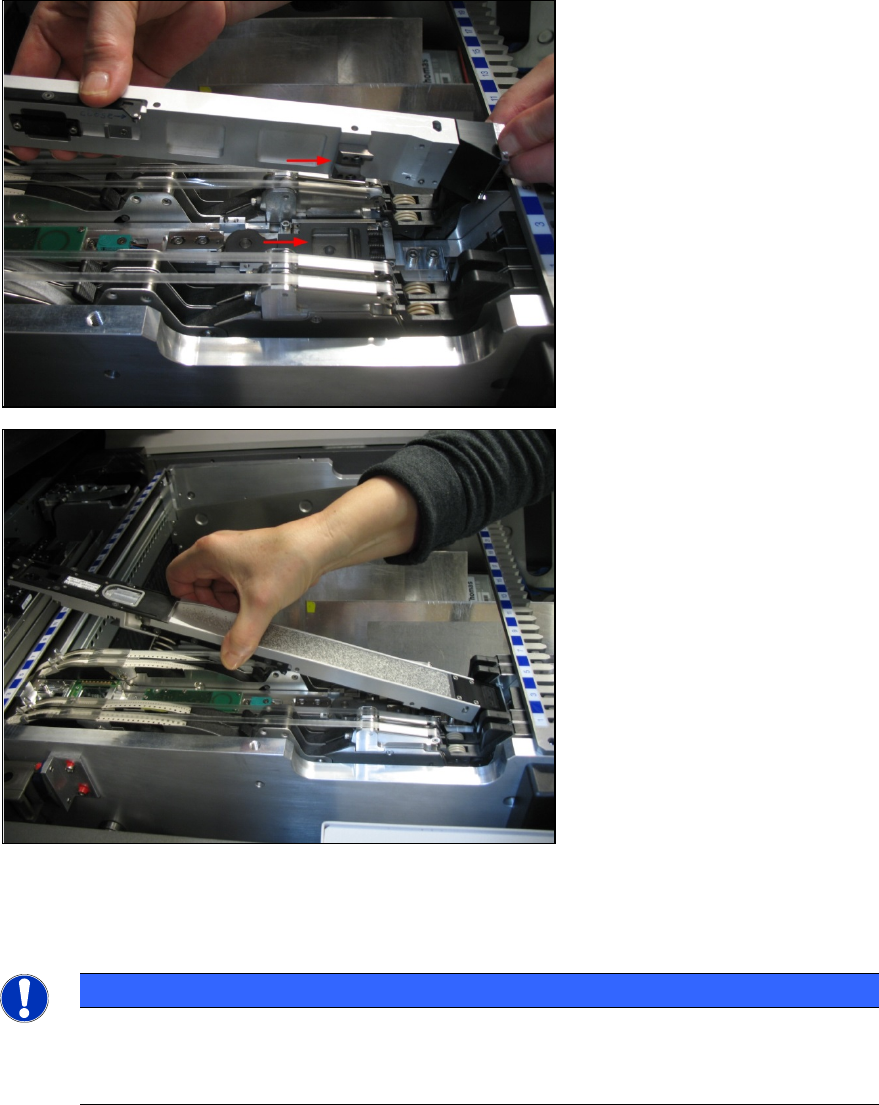
Remove the Cartridge from the Base Unit. ►
Insert the new Cartridge. ►
The stopper on the bottom side
of the Cartridge has to hook into
the stopper on the Base Unit.
Position the filled Cartridge ►
on the Base Unit with the
filling funnel towards, hook it
into the stopper and push it
forwards.
Ensure that the Cartridge ►
locks correctly in the Base
Unit.
The Cartridge vibrates and the container shutter opens. The setup verification is automatically
performed. The glass plate vibrates to ensure it is empty and a reference run of the empty glass
plate (SIPLACE Vision image) starts.
NOTICE
Reference run
The reference run of the empty glass plate is always performed after a feeder or a
Cartridge has been exchanged.
SIPLACE BulkFeeder X / Operating Manual 05/2017 Edition
36
5.5 Tearing Down the Feeder
5.5.1 Unlocking the Cartridge
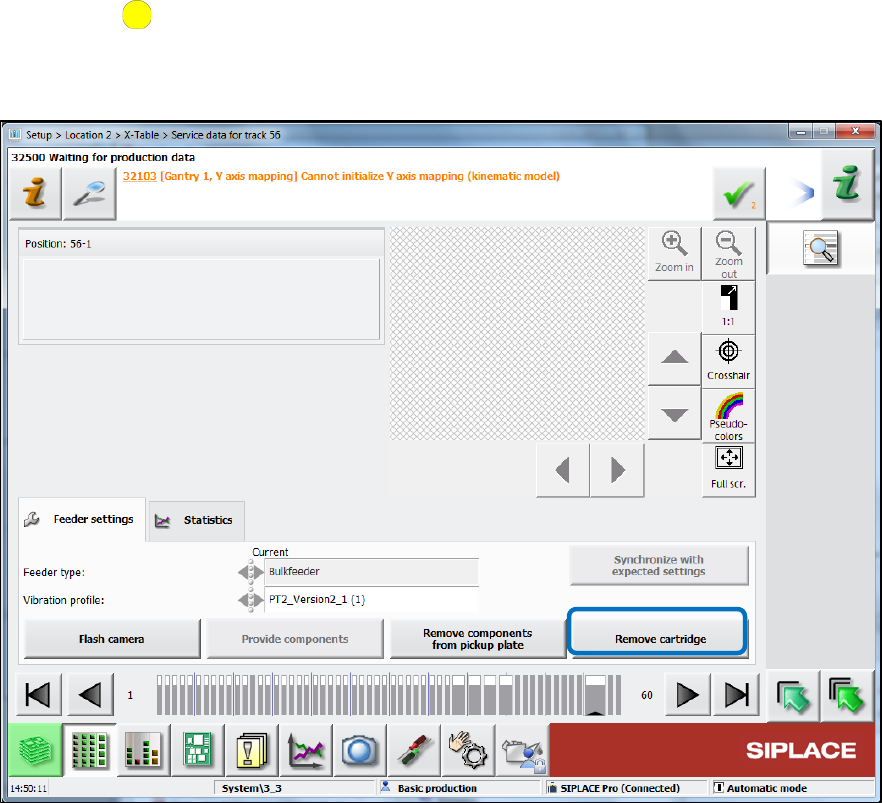
Press the button on the control panel of the Base Unit. ►
Or
Press the Remove cartridge button on the station software GUI. ►
Figure 5-5: Removing Cartridge
Since the components have to be vibrated back from the glass plate into the cartridge.
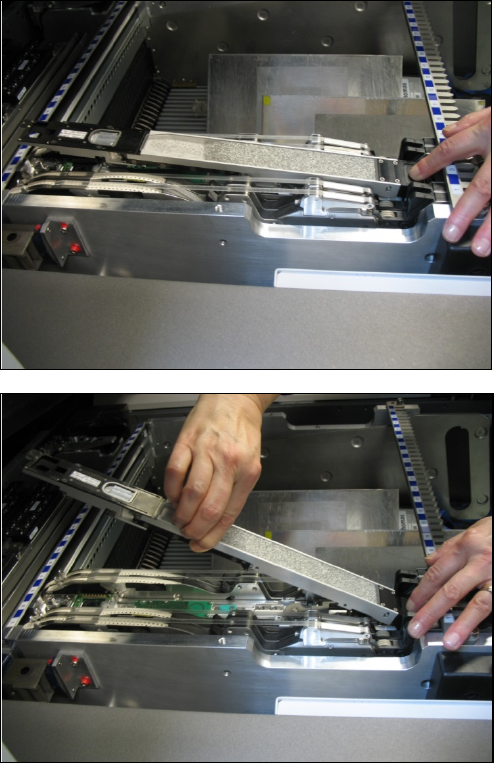
The locking mechanism on the Base Unit opens so that the Cartridge can be easily removed.
SIPLACE BulkFeeder X / Operating Manual 05/2017 Edition
37
Gently put your finger on the filling ►
funnel.
Pick up the Cartridge in the middle ►
with your other hand and lift it from
the Base Unit.