4OM-1064-001.pdf - 第240页
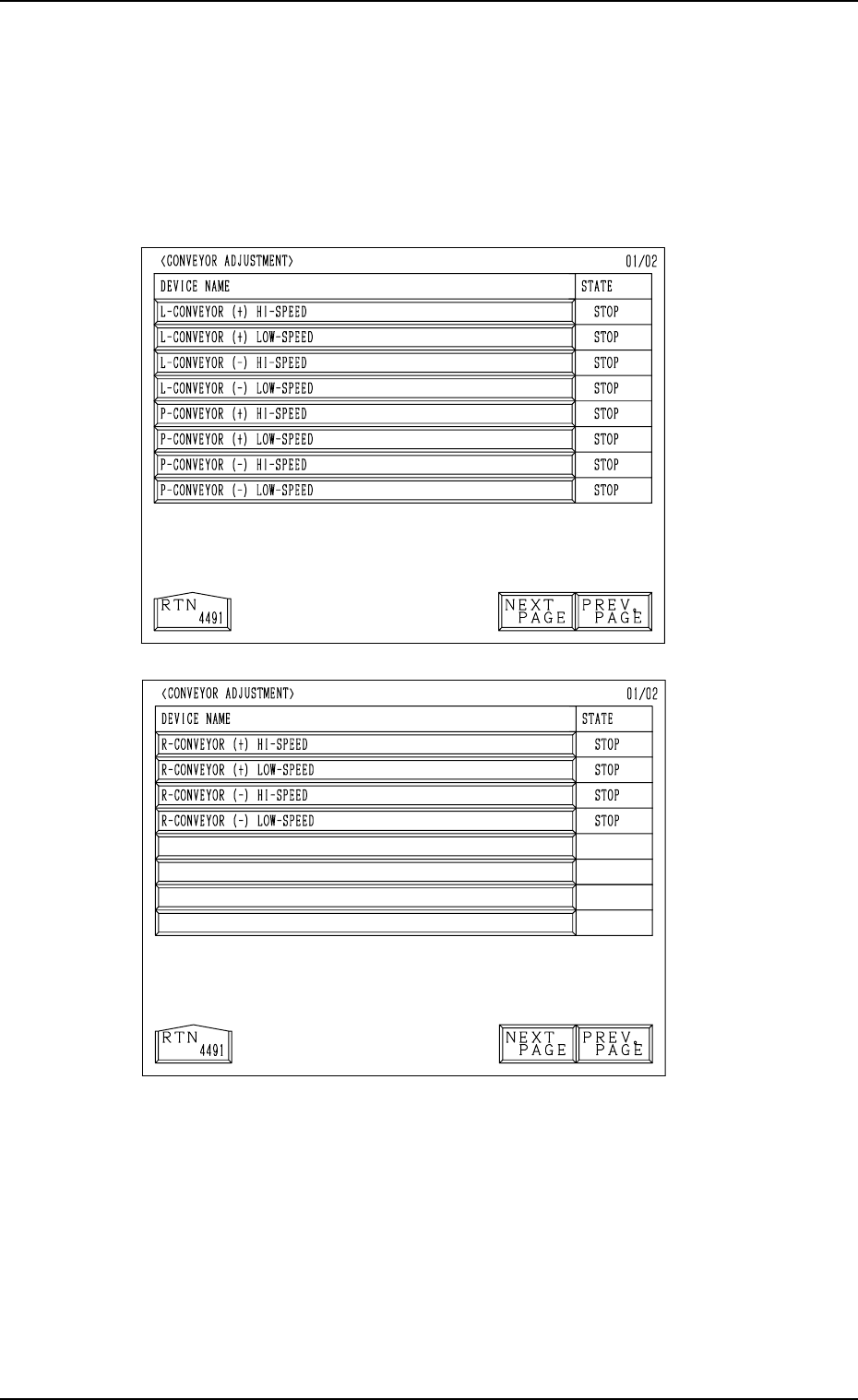
9910-001 Tg0249-PM-MM [L-CONVEYOR ( − ) HI-SPEED] Key When this key is selected and the [MOVE] button is pressed, the L con- veyor moves backward at high speed. [L-CONVEYOR ( − ) LOW-SPEED] Key When this key is selec…
9910-001 Tg0249-PM-MM
9. UNIT ADJUSTMENT Display
3-193
9.3 CONVEYOR ADJUSTMENT Display
When the [CONVEYOR ADJUSTMENT] key is pressed at the “UNIT AD-
JUSTMENT” display, the following display appears on the screen.
Every time the [NEXT PAGE] or the [PREV. PAGE] key is pressed, another or
previous page appears on the screen.
Cycle operations related to the L and R conveyors can be performed.
Select the desired device and press the [MOVE] button. The selected device is
activated.
[L-CONVEYOR (+) HI-SPEED] Key
When this key is selected and the [MOVE] button is pressed, the L con-
veyor moves forward at high speed.
[L-CONVEYOR (+) LOW-SPEED] Key
When this key is selected and the [MOVE] button is pressed, the L con-
veyor moves forward at low speed.
Fig. 3.113-2
Second Page
Fig. 3.113-1
First Page

9910-001 Tg0249-PM-MM
[L-CONVEYOR (−) HI-SPEED] Key
When this key is selected and the [MOVE] button is pressed, the L con-
veyor moves backward at high speed.
[L-CONVEYOR (−) LOW-SPEED] Key
When this key is selected and the [MOVE] button is pressed, the L con-
veyor moves backward at low speed.
[P-CONVEYOR (+) HI-SPEED] Key
When this key is selected and the [MOVE] button is pressed, the P con-
veyor moves forward at high speed.
[P-CONVEYOR (+) LOW-SPEED] Key
When this key is selected and the [MOVE] button is pressed, the P con-
veyor moves forward at low speed.
[P-CONVEYOR (−) HI-SPEED] Key
When this key is selected and the [MOVE] button is pressed, the P con-
veyor moves backward at high speed.
[P-CONVEYOR (−) LOW-SPEED] Key
When this key is selected and the [MOVE] button is pressed, the P con-
veyor moves backward at low speed.
[R-CONVEYOR (+) HI-SPEED] Key
When this key is selected and the [MOVE] button is pressed, the R con-
veyor moves forward at high speed.
[R-CONVEYOR (+) LOW-SPEED] Key
When this key is selected and the [MOVE] button is pressed, the R con-
veyor moves forward at low speed.
[R-CONVEYOR (−) HI-SPEED] Key
When this key is selected and the [MOVE] button is pressed, the R con-
veyor moves backward at high speed.
[R-CONVEYOR (−) LOW-SPEED] Key
When this key is selected and the [MOVE] button is pressed, the R con-
veyor moves backward at low speed.
9. UNIT ADJUSTMENT Display
3-194
Tg0249-PM-MM
9. UNIT ADJUSTMENT Display
9910-001 3-195
9.4 RECOGNITION LIGHTING Display
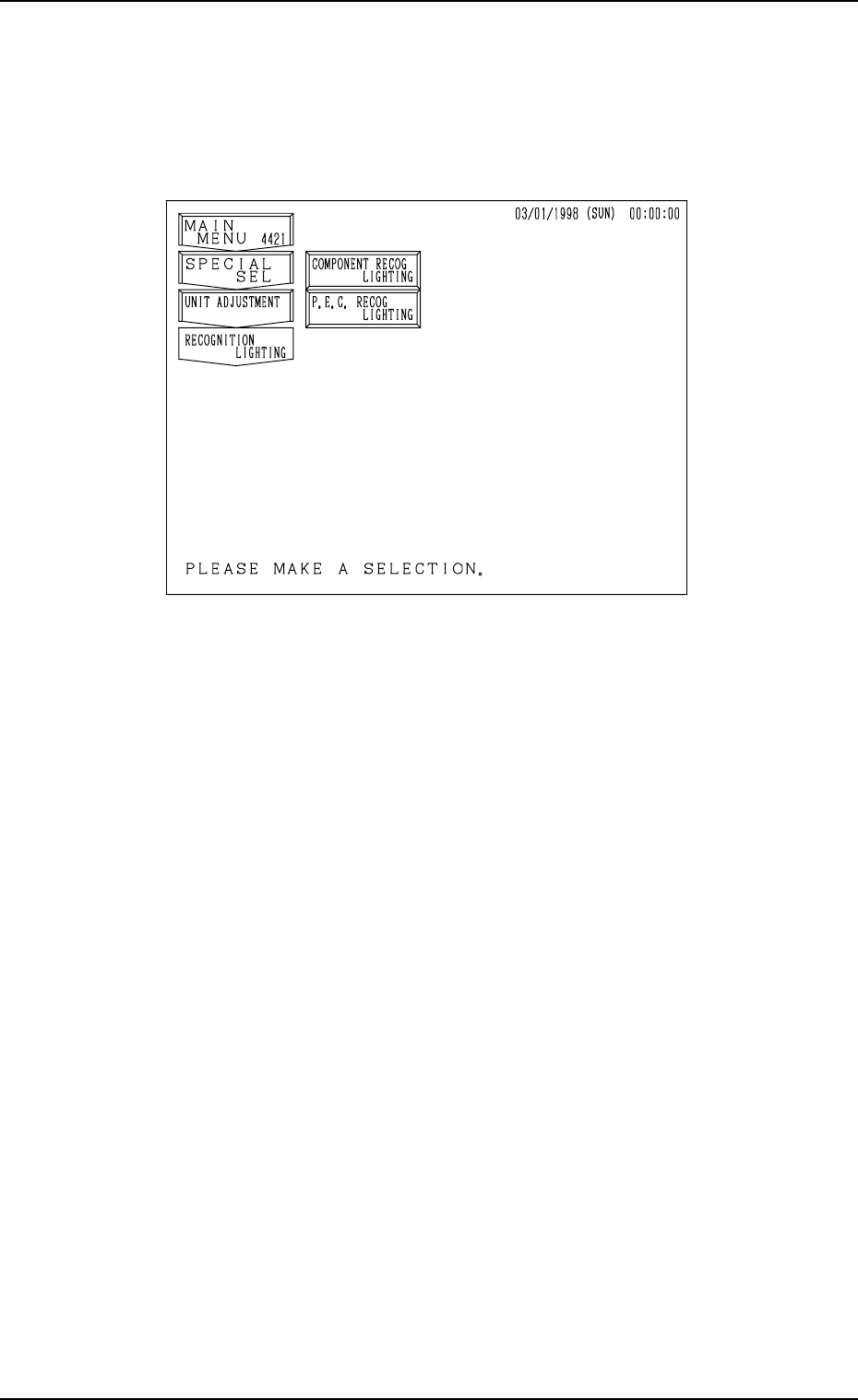
When the [RECOGNITION LIGHTING] key is pressed at the “UNIT AD-
JUSTMENT” display, the following display appears on the screen.
[COMPONENT RECOG LIGHTING] Key
When this key is pressed, the “COMPONENT RECOG LIGHTING” dis-
play appears on the screen, enabling the illumination check operations in
each individual blocks for component recognition lighting.
[P.E.C. RECOG LIGHTING] Key
When this key is pressed, the “P.E.C. RECOG LIGHTING” display ap-
pears on the screen, enabling the illumination check operations for P.E.C.
recognition lighting.
Fig. 3.114