4OM-1064-001.pdf - 第257页
Section 4 Machine Set-Up Menus 9910-001 4-1 Tg0249-PM-MM
Tg0249-PM-MM
10. HDD/FDD OPERATION Display
9910-001 3-210
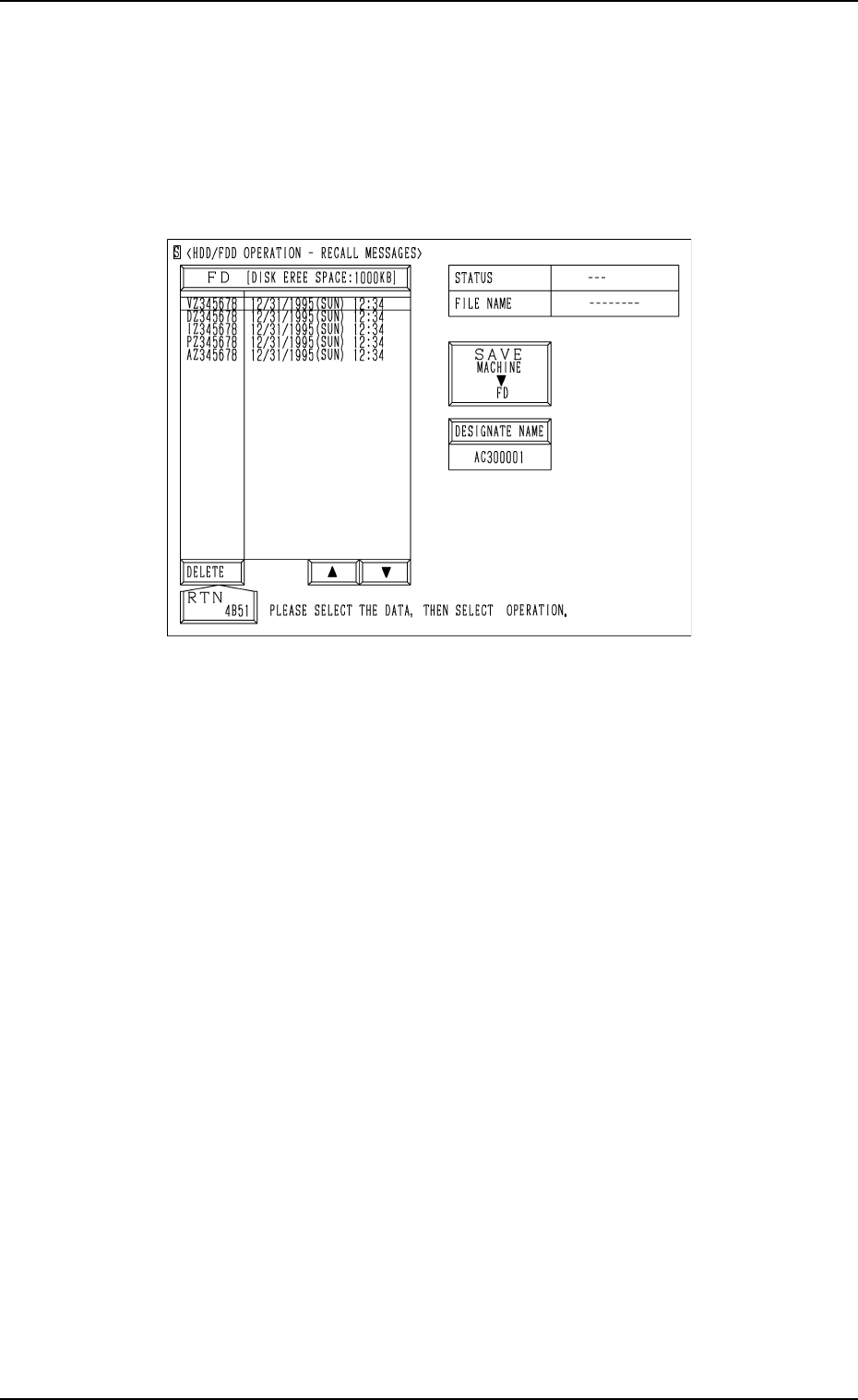
10.7 HDD/FDD OPERATION - RECALL MESSAGES
Display
When the [RECALL MESSAGES] key is pressed at the “HDD/FDD OPERA-
TION” display, the following display appears on the screen.
Notes: (a) This display can be opened only when the machine is in the
“STOP” mode and the recalled data (recalled messages) is not
exchanged between the machine and the programming device
(option).
(b) While this display is active, the recalled data (recalled messages)
cannot be exchanged between the machine and the programming
device.
The [ZERO] and [READY] buttons also become invalid.
Refer to “10.3 HDD/FDD OPERATION - OFFSET DATA Display of Section
3” for the detailed information on how to save or delete the recalled data (re-
called messages).
Fig. 3.128

Section 4
Machine Set-Up Menus
9910-001 4-1 Tg0249-PM-MM
Tg0249-PM-MM
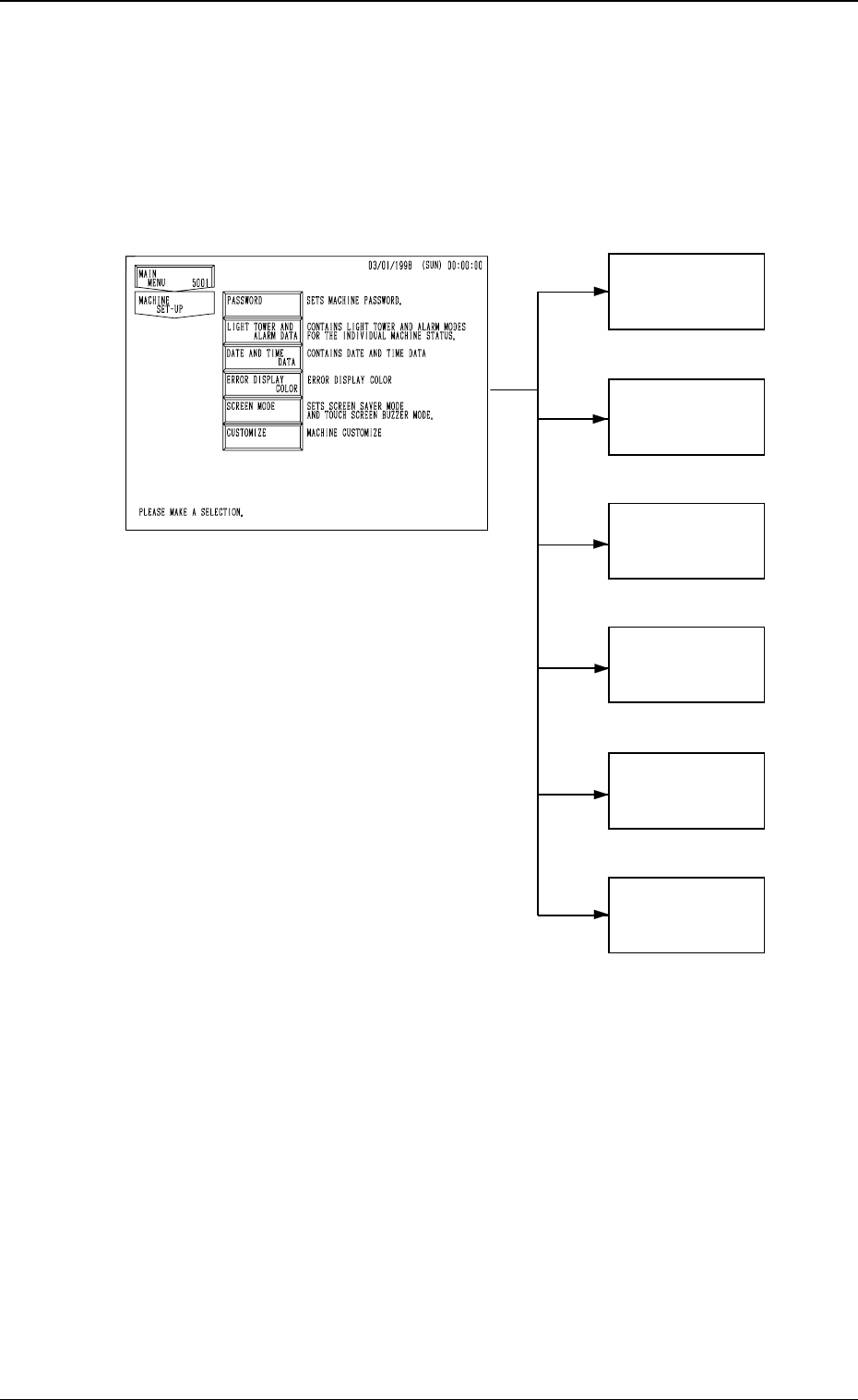
1. Hierarchical Structure of Machine Set-Up Displays
Machine set-up operation is described along with the following hierarchical
structure.
The numbers in ( ) show item Nos. to be referred to.
9910-001 4-2
1. Hierarchical Structure of Machine Set-Up Displays
PASSWORD
(3. in Section 4)
LIGHT TOWER
AND ALARM
DATA
(4. in Section 4)
DATE AND
TIME DATA
(5. in Section 4)
ERROR
DISPLAY
COLOR
(6. in Section 4)
SCREEN MODE
(7. in Section 4)
CUSTOMIZE
(8. in Section 4)