YSM10_Mainte_E.pdf - 第89页
3-22 3 Periodic maintenance items n Simple cleaning of air intake filter T he periodic filter cleaning procedure is described on the previous pages. The simple cleaning of air intake filter is also av ailable with a hous…
3-21
3
Periodic maintenance items
3.3 Base
This machine is equipped with the air intake fan filters (2 in total: 1 each for left and right on the front of the
machine) to prevent the heat generated while moving axes.
If the filters are not cleaned properly, the temperature inside the machine may rise due to filter clogging. Clean
the filters to prevent lowering of the machine function or shortening of the service life. As the filter is cleaned
after detaching the fan unit, power off the machine when cleaning the filter.
3.3.1 Cleaning the air intake filter for machine front side
1
Power off the machine.
2
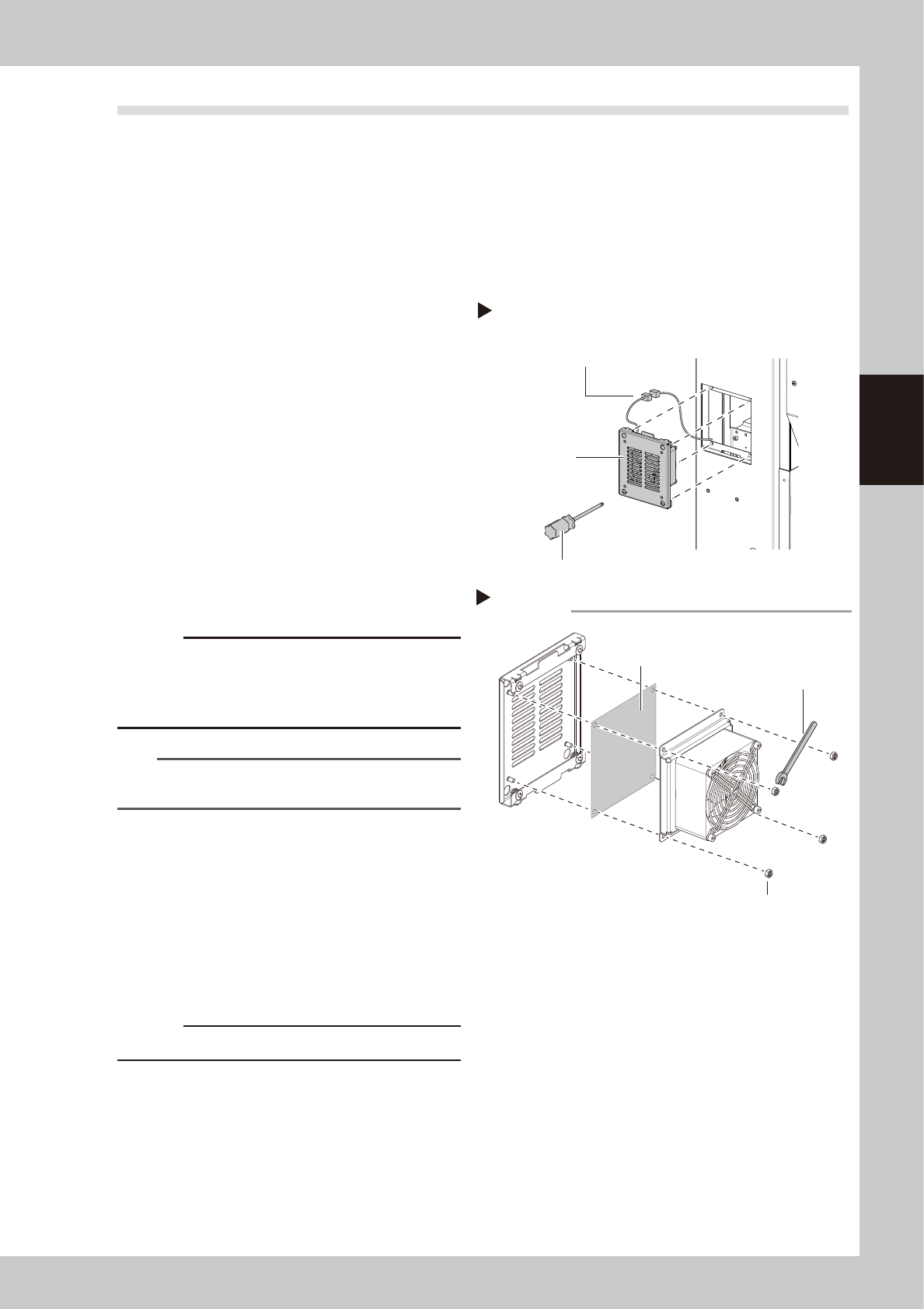
Detach the fan unit.
1. Loosen 4 mounting screws with a phillips
screwdriver to detach the fan unit. It is
not necessary to remove the screws.
2. Disconnect the fan wiring connectors.
53330-KMG-00
3
Pull out the filter.
Remove the fan mounting nuts with a
wrench (7).
53331-KMG-00
4
Clean the filters.
Suck both surfaces of the filter with a
vacuum cleaner or vacuum tool to remove
dust.
c
CAUTION
If the filters are used while they are damp, the dust
combines with moisture and causes clogging. Since it is
enough to clean the filters with a vacuum cleaner, do
not wash the filters with water.
n
NOTE
If dust cannot be removed or the filter has worn out,
replace the filter with a new one.
5
Return the filter to the original
position.
Return the filter to the fan unit.
6
Return the fan unit to the original
position.
1. Reconnect the fan wiring connectors.
2. Return the fan unit to the original
position.
c
CAUTION
Make sure not to catch wires.
Detaching the fan unit
Step 2
Fan unit
Phillips screwdriver
Fan wiring connectors
Detaching the filter
Step 3
Filter
Wrench (7)
Fan mounting nut
3-22
3
Periodic maintenance items
n
Simple cleaning of air intake filter
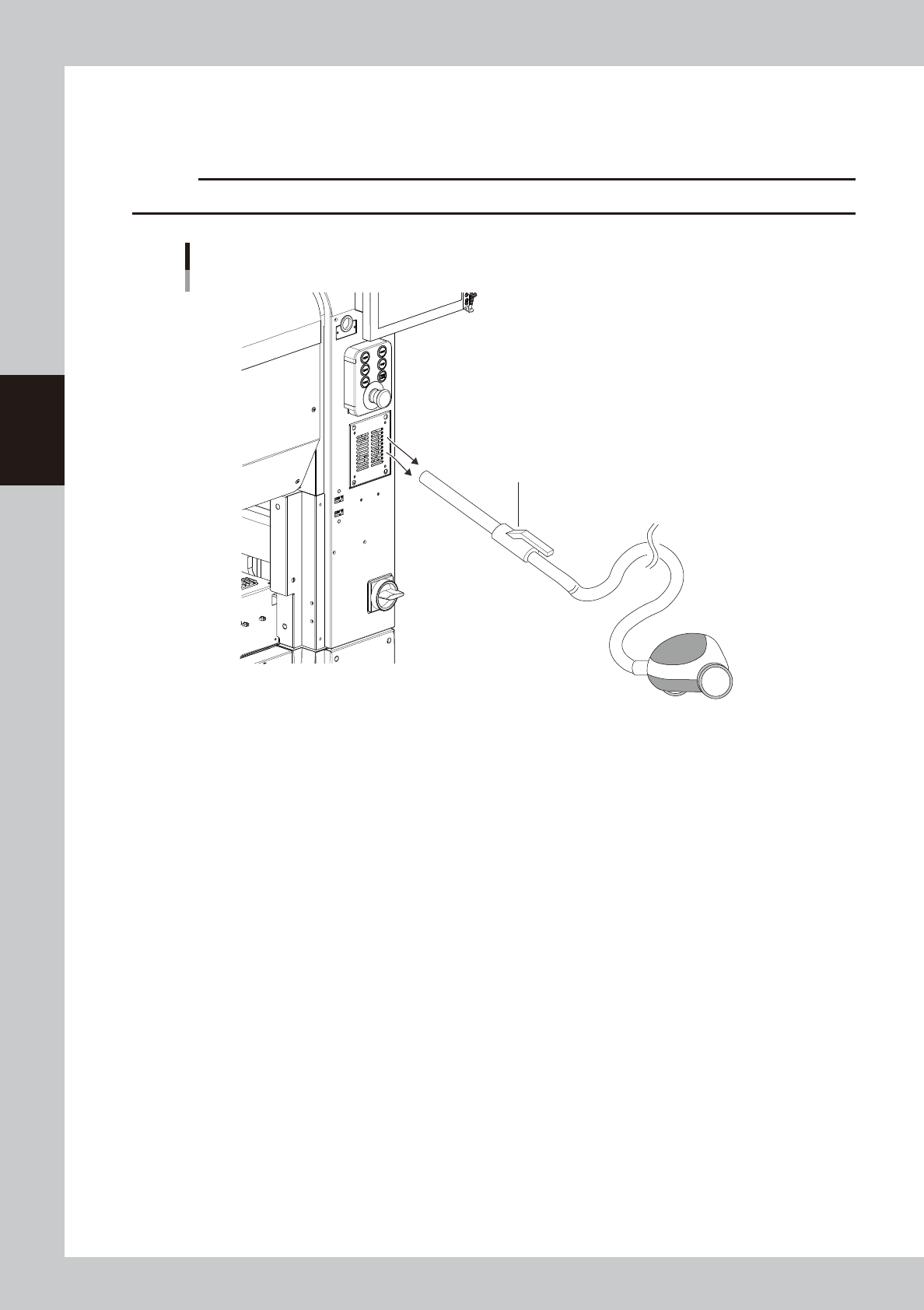
The periodic filter cleaning procedure is described on the previous pages. The simple cleaning of air intake filter is also
available with a household vacuum cleaner. Remove dust over the filter cover.
c
CAUTION
Do not clean the air intake filter during the automatic operation.
Simple cleaning of air intake filter
Household vacuum cleaner
53363-KMG-00
3-23
3
Periodic maintenance items
3.3.2 Cleaning the Machine rear side filter
The air intake filter for protecting the control unit is installed on the right of machine rear side.
1
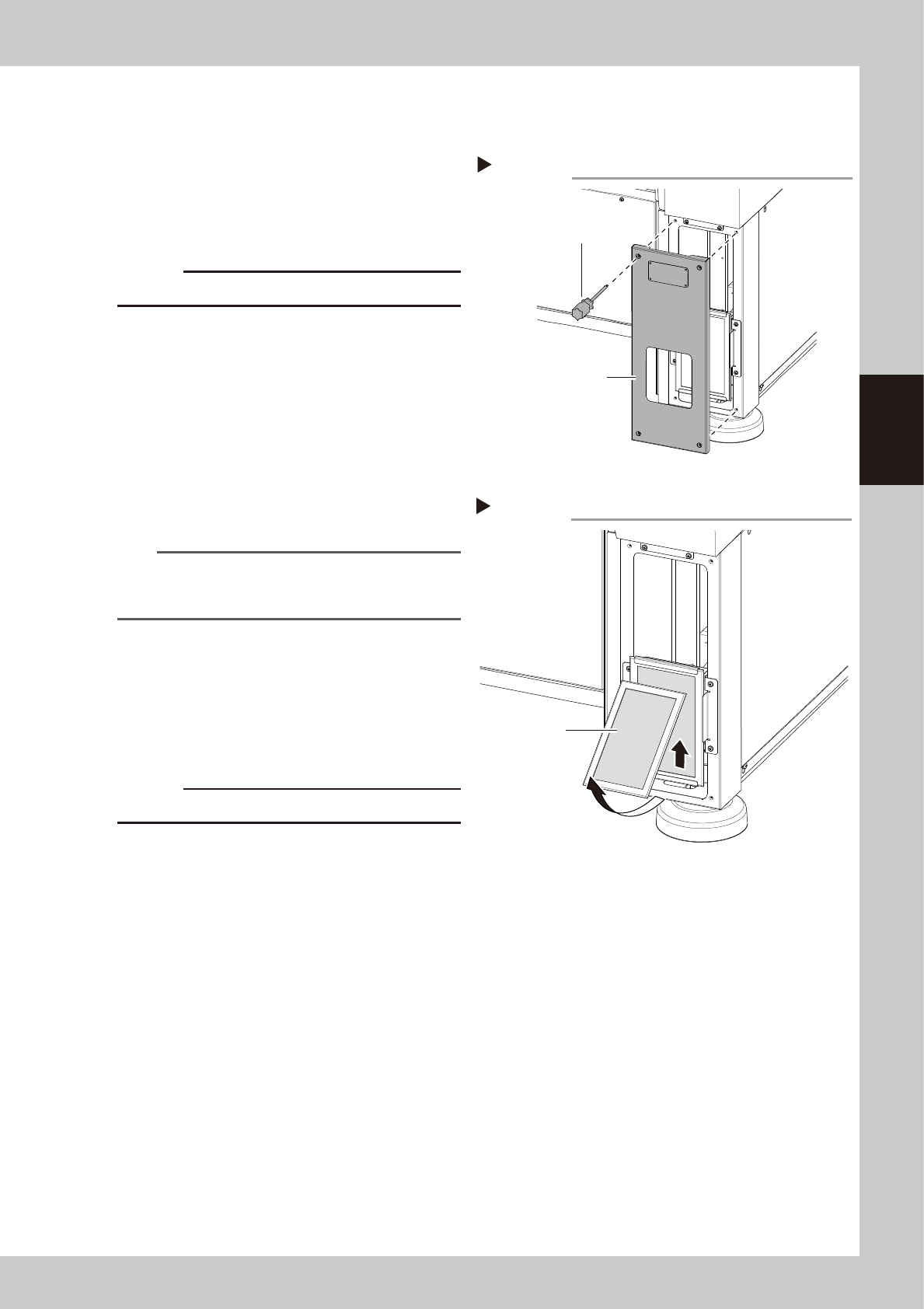
Open the cover.
Use a Phillips screwdriver to remove the 4
screws that mount the cover. It is not
necessary to remove screws.
53354-KMG-00
c
CAUTION
The ground wire is connected to the cover.
2
Detach the filter.
Push up the filter as shown in the figure on
the right and pull it out forward. When there
is no adjacent machine, the filter can be
detached by sliding it horizontally and
pulling it out.
53355-KMG-00
3
Clean the filter.
Use a vacuum cleaner or vacuum tool to
remove the dust sticking to the filter.
n
NOTE
If contaminants cannot be removed completely or if
the filter itself deteriorates, it is necessary to replace the
filter with a new one.
4
Return the filter to the original
position.
Reattach the filter by reversing its removal
procedure.
5
Return the covers to the original
positions.
c
CAUTION
Make sure not to catch cables when attaching covers.
Step 1
Opening the cover
Cover
(Lower right on the
rear of the machine)
Phillips screwdriver
Step 2
Detaching the filter
Filter