Cognex_Scanner_HS-60_HF_X-_D_S_F - CS_06.pdf - 第49页
2 Assembly instructions Special design Cognex Scanner SIPL ACE HS-60 / HF-serie s / X-series / D-series / S / F 10/2008 Edition 49 If you tick on "Reserve Process Monitor ima ges for Burst mode" yo u have 6 mor…
2 Assembly instructions Special design Cognex Scanner SIPLACE HS-60 / HF-series / X-series / D-series / S / F
10/2008 Edition
48
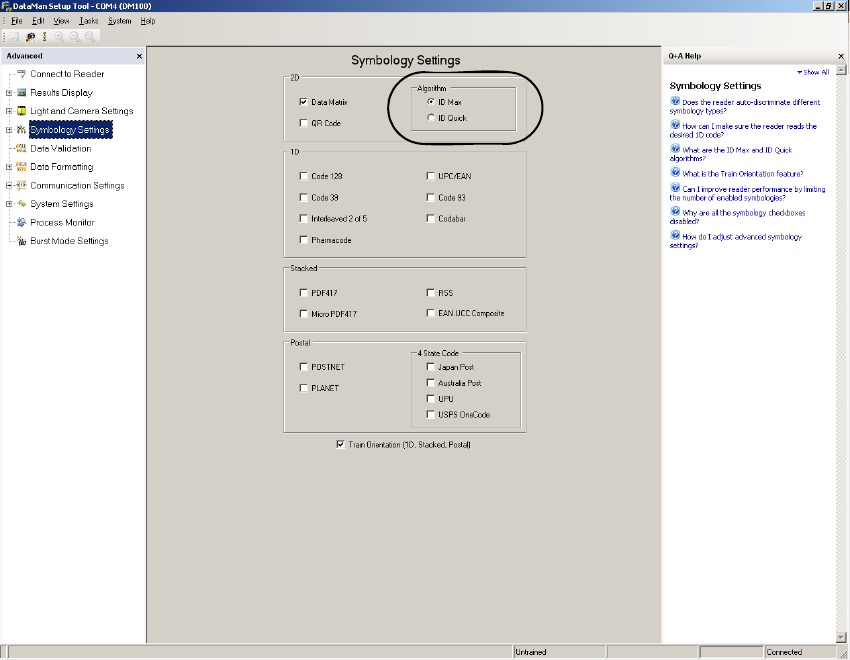
: In the view “Symbology Settings” the algorithm can be changed between “ID Mac” and “ID
Quick”.
2
2
2
2
2
2
2
2
2
2
2
2
2
2 Assembly instructions Special design Cognex Scanner SIPLACE HS-60 / HF-series / X-series / D-series / S / F
10/2008 Edition
49
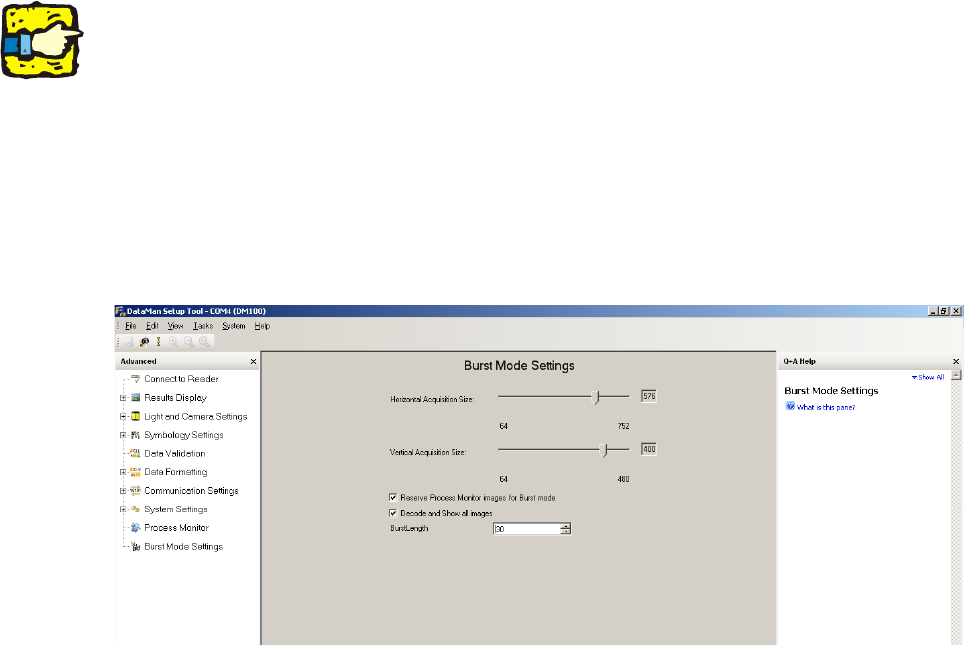
If you tick on "Reserve Process Monitor images for Burst mode" you have 6 more pictures for
scanning available. 2
If you tick on "Decode and Show all images" all pictures are shown on your screen (reads and no
reads). If you tick off this function, the scanner stops reading after the first read barcode. 2
2
The function should be disabled after all settings and tests. 2
2
2
With both sliding controllers you can reduce the resolution of the scanner. If you have reduced the
resolution the number of pictures, which can be made, increases. 2
2
The “Burst length” is the maximum amount of pictures, which are taken. 2
2
2
2
2
2
2
2
2
2
2
2
2
2 Assembly instructions Special design Cognex Scanner SIPLACE HS-60 / HF-series / X-series / D-series / S / F
10/2008 Edition
50
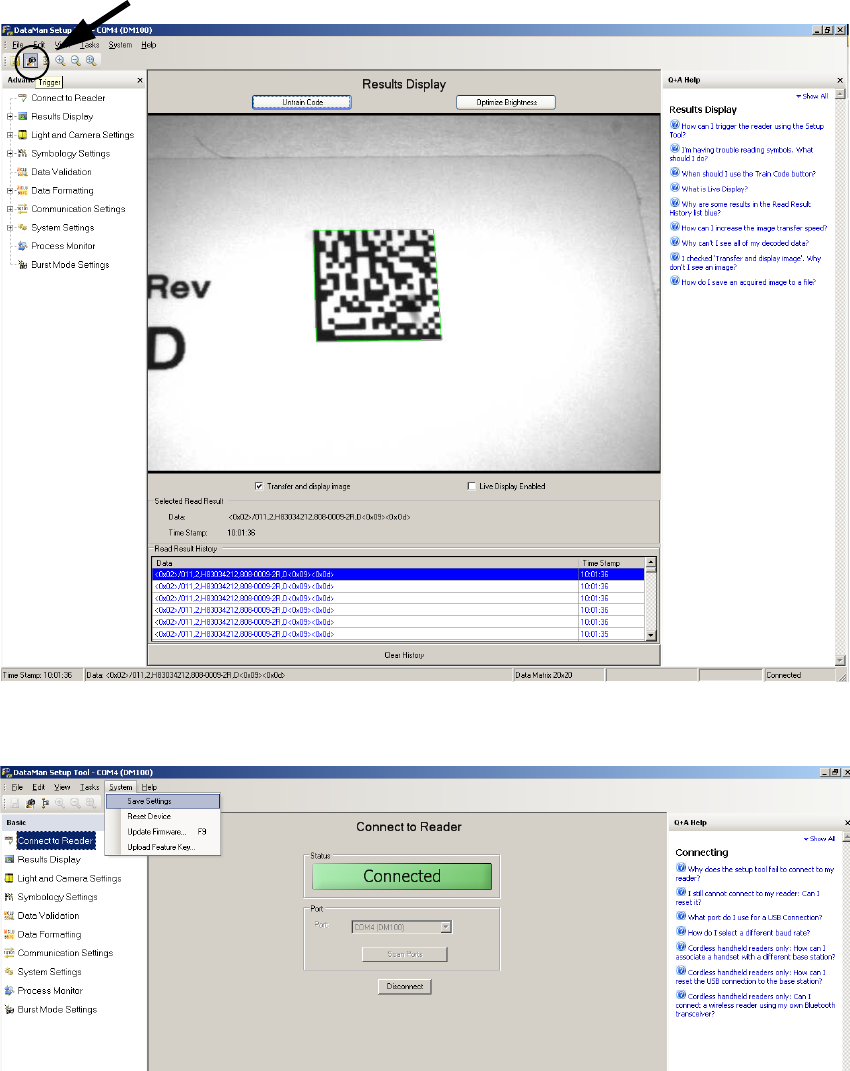
: Now the settings can be checked in the view “Result Display” by clicking the “Trigger” symbol
on the top left. The scanner takes up to this number of pictures which are set in "Burst Mode
Settings" and shows them above and below.
2
: Save the settings permanently to the scanner under “System” => “Save Settings”.
2
: For further information please see the help function, which can be displayed on the right side.
Trigger