SIPLACE Vision Customer_en.pdf - 第37页
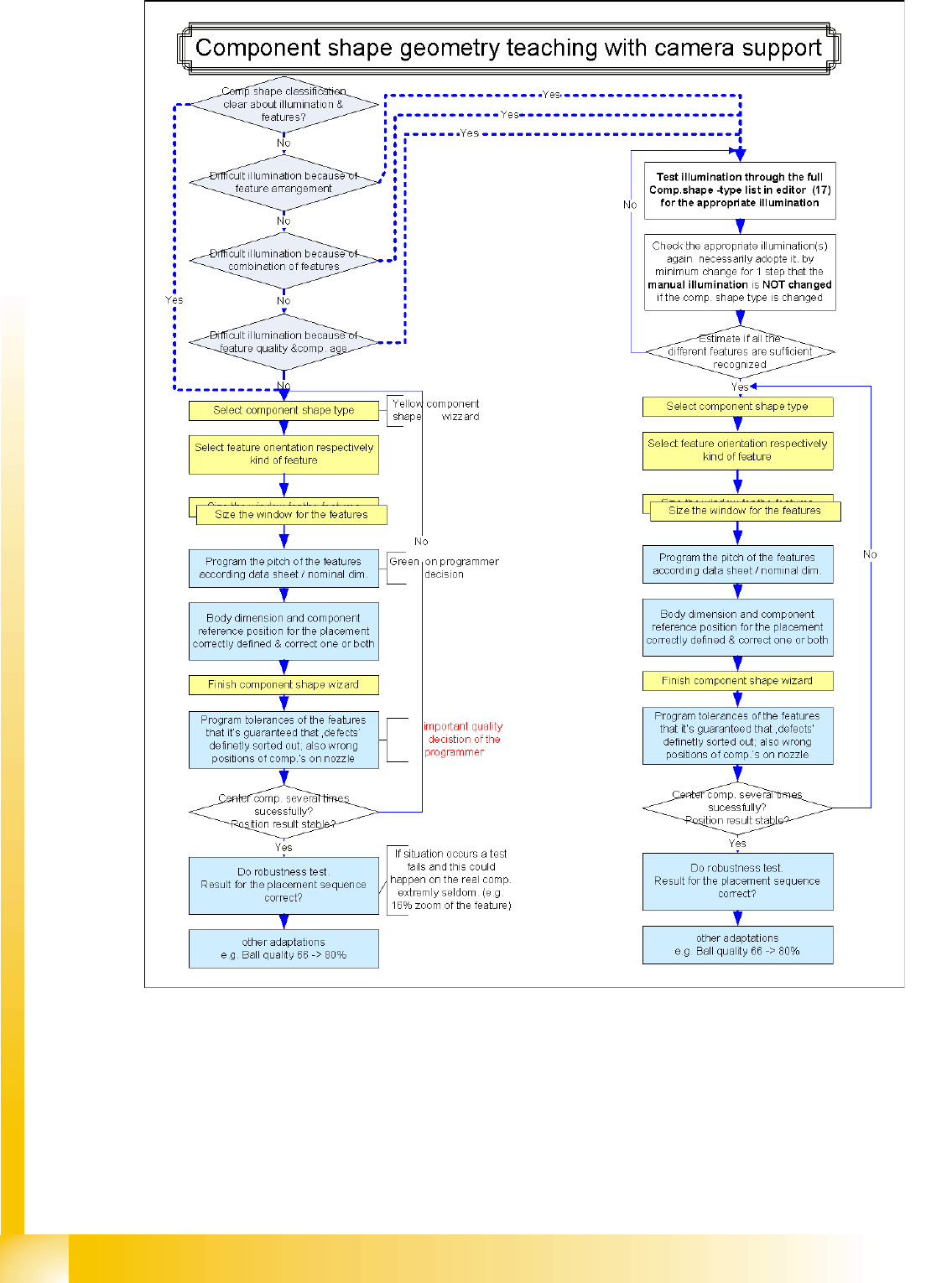
User Interface Quality-Influencing Decisions Component Shape Wizard S tudent Guide SIPLACE Vision (Customer) Edition 12/2008 EN User Interface 37 4.1 1.2 Quality-Influencing Decisions 1.) The lead grid dimensions During …
User Interface
Component Shape Wizard Creating Component Shapes
Student Guide SIPLACE Vision (Customer)
User Interface Edition 12/2008 EN
36

User Interface
Quality-Influencing Decisions Component Shape Wizard
Student Guide SIPLACE Vision (Customer)
Edition 12/2008 EN User Interface
37
4.11.2 Quality-Influencing Decisions
1.) The lead grid dimensions
During the teaching of lead features, the programmer will be requested to make a decision about the grid
size of the lead group.
The measured grid for the group and 1 or 2 suitable nominal grid sizes will be prompted (e.g. 1.25 mm
(metric) and 1.27 mm). This needs to be programmed by taking into account the data on the data sheet
and will influence quality. The measured size may not be used to artificially raise the quality level, as this
is based on possible distortions to the teaching sample.
2.) Component shape center and body size
The Component shape center calculated during teaching is presented for a decision to the
programmer, as this is the component position which, together with the placement coordinates, will later
determine the placement accuracy for this component. Do not confirm this query without careful
consideration and always perform test placement if the components are extremely asymmetrical or
lopsided.
The body size is a value which is not used in the measurement procedure. However, it can help the
operator to recognize the component shape or assess the centering result (e.g. for shield components).
For this reason, the body size should be adjusted here to the actual dimensions of the (normally) dark
body.
3.) Tolerances
The tolerances for the nominal dimensions are set to low values by the CS wizard. ONLY YOU can
decide whether these are right for your components, based on your knowledge of the components
concerned and the requirements of your assemblies. ALWAYS check these tolerances AFTER teaching.
When using special component shapes, such as socket, connector and nonstandard, this also applies
to the programmed nominal dimensions, as leads of the same type could be dimensioned differently in
other groups.

User Interface
Component Shape Wizard Quality-Influencing Decisions
Student Guide SIPLACE Vision (Customer)
User Interface Edition 12/2008 EN
38