SIPLACE Vision Customer_en.pdf - 第98页
Component Shapes Specific Component Shapes Components with Open Descriptions S tudent Guide SIPLACE V ision (Customer) Component Shapes Edition 12/2008 EN 98 5.3.13.2 Nonst andard Component Sha pes JEDEC description Grou…
Component Shapes
Components with Open Descriptions Specific Component Shapes
Student Guide SIPLACE Vision (Customer)
Edition 12/2008 EN Component Shapes
97
5.3.13 Components with Open Descriptions
The optical features of shapes for some electrical components need to be programmed with individual
combinations or groups descriptions.
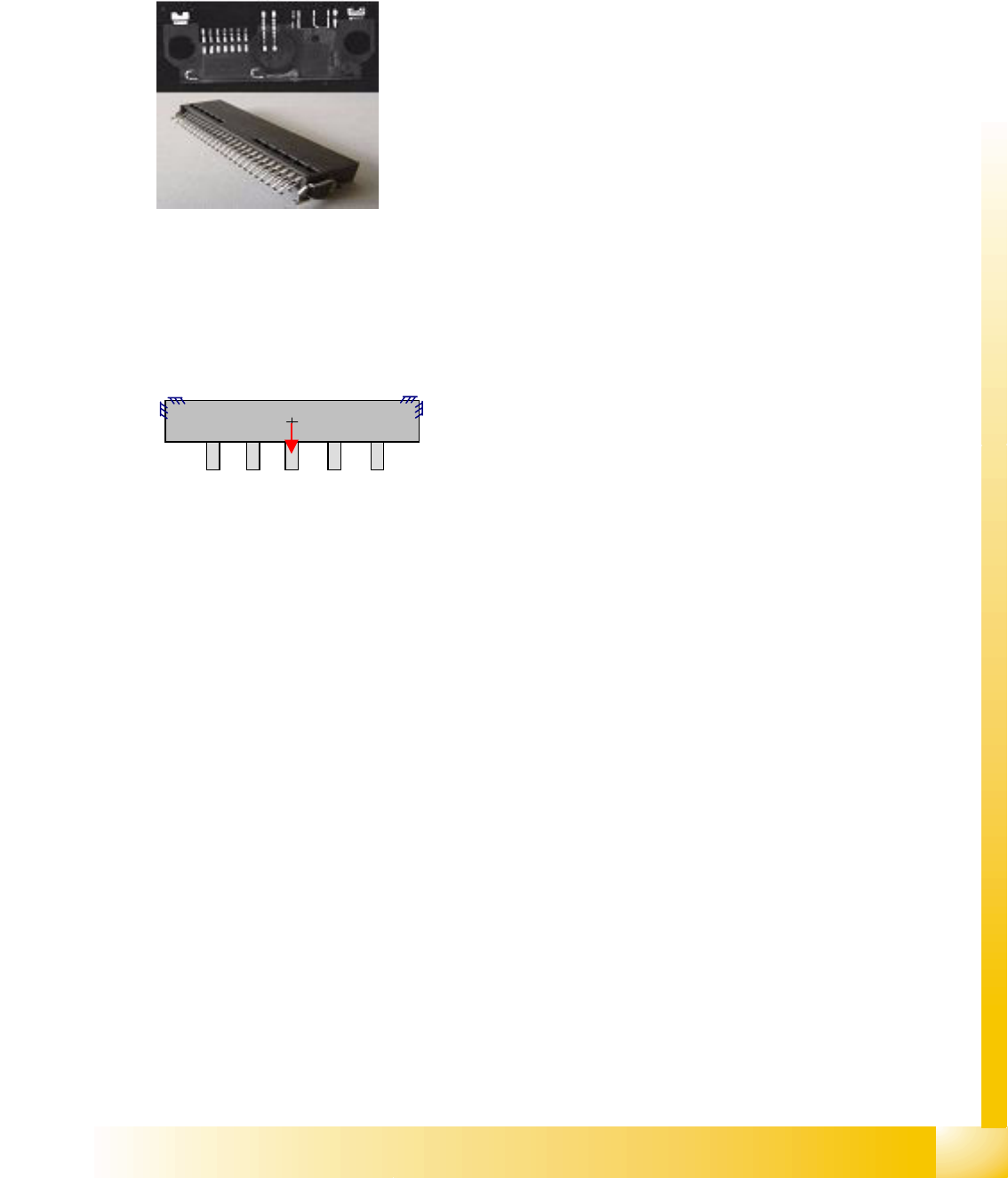
5.3.13.1 Connector Component Shape
JEDEC description
Group description
This component shape can have one or more lead groups on the component sides.
Different numbers of leads are permitted.
Lead description
Special features
Lead inspection can be selected in the geometry data menu.
COPLANARITY measurement is possible, if the option has been installed and the connector has
more than one lead row on different sides of the body.
SW extensions: FaceDown recognition (See: New Siplace Vision Functions 702).can be programmed
and from SC 702.01 SW (SIPLACE Vision 4.1).
Joint datasets with ICOS data possible –
Applicable if only Gullwing descriptions are used. ICOS can recognize leads with bright body edges in
white, red, orange and yellow bodies. It may be helpful to separate the datasets in this case.
Joint datasets with ICOS data NOT possible –
Applicable if SIPLACE Vision uses one of its own special recognition procedures (e.g. for corners or
special lead shapes).
Body description: could be irregular.
The Z-height of the body determines the CO height for the
Z positioning profile and the Z-position for centering with the
stationary camera.
The X/Y body dimensions determine the field of vision, the
Region of Interest.
This shape permits all lead shapes, including blob and -
from 702 SW - rectangle.
The leads are inside or outside the body surface and may
have notches.
Most single-row leads require correct geometry
descriptions of the lead and body.
To ensure correct measurement of single-row COs, it may
be helpful to program additional corners.
Attention: Shiny plastic could give recognition problems.
Component Shapes
Specific Component Shapes Components with Open Descriptions
Student Guide SIPLACE Vision (Customer)
Component Shapes Edition 12/2008 EN
98
5.3.13.2 Nonstandard Component Shapes
JEDEC description
Group description
The lead, the (pitch) and pitch tolerance may differ between groups.
Different numbers of leads are permitted.
For groups which are outside the body surface, the maximum group offset is calculated from the
body dimensions and the lead length.
Lead description
Special features
We recommend that you do not disable lead inspection in the geometry data menu, otherwise only
CO position recognition will be performed!
COPLANARITY measurement is possible provided the option has been installed.
SW extensions: FaceDown recognition (See: New Siplace Vision Functions 702).can be programmed
and from SC 702.01 SW (SIPLACE Vision 4.1).
Joint datasets with ICOS data possible –
Applicable if only Gullwing descriptions are used.
Programming steps for definition of CS as Nonstandard class:
If the contact width and lead width vary, COs with this setting
will be classified as Nonstandard CS.
Body description: could be irregular.
The Z-height of the body determines the CO height for the
Z positioning profile and the Z-position for centering with the
stationary camera.
The X/Y body dimensions determine the field of vision, the
Region of Interest.
This component shape may have any of the lead shapes,
including Blobs.
The leads are inside or outside the body surface.
Notches may be programmed, to help correctly determine
the lead position, even in this extreme case.
The lead recognition filter should be set so that the notch for
the Gullwing or Wraparound leads is not measured.
The system does not actively search for these notches i.e. does
not check their presence. Instead, the lead end is recognized in
its actual position through the modified filter.
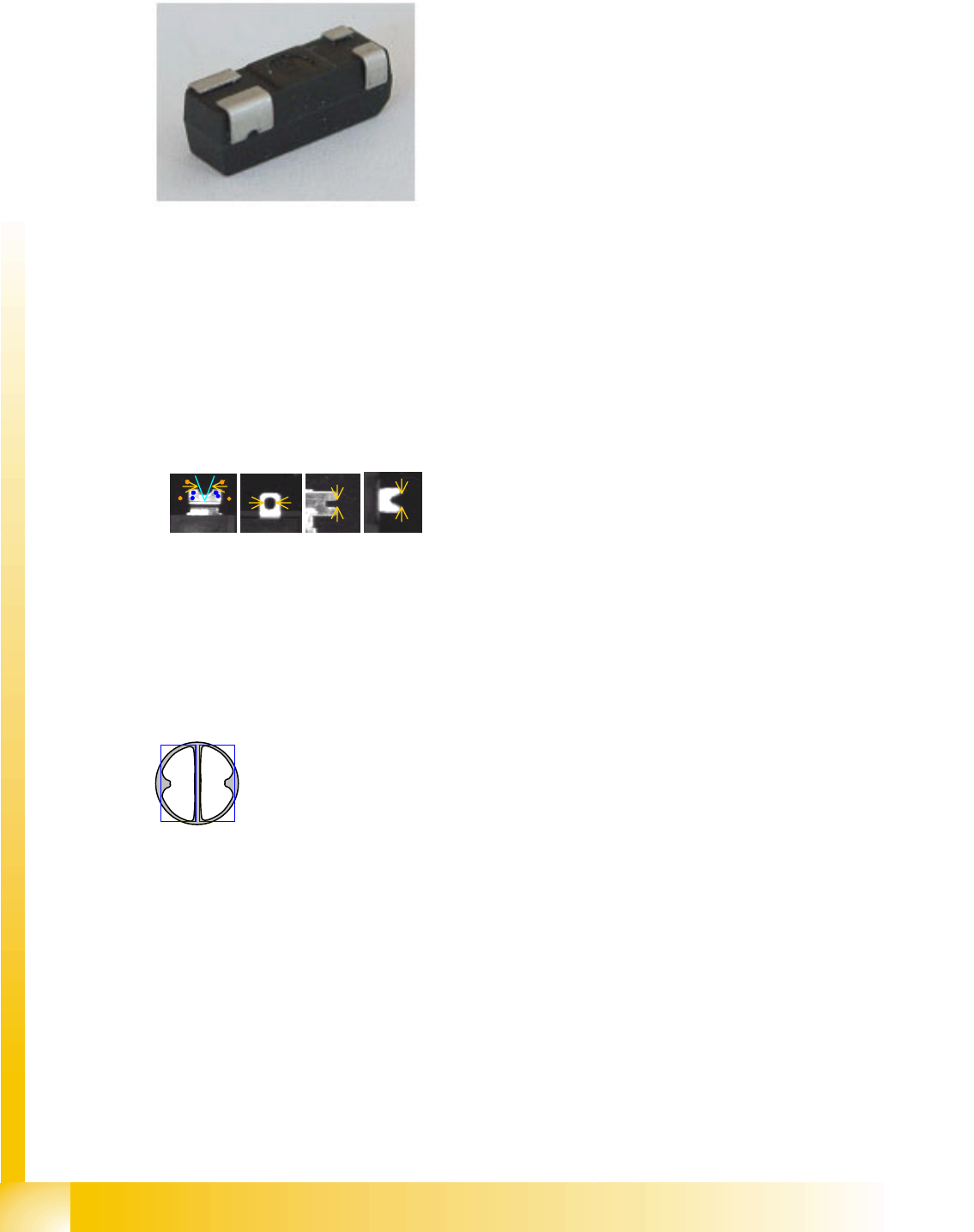
All combinations of lead, Balls and Blobs are possible, with
various dimensions, offsets and pitches.
Blobs are programmed with rewritten (modified) rectangles.
The camera image of some COs is one bright, round spot.
In this case, the CO body needs to be defined as a vertical
cylinder and the lead as a column.
Component Shapes
Optical Recognition of Free Programmed COs Specific Component Shapes
Student Guide SIPLACE Vision (Customer)
Edition 12/2008 EN Component Shapes
99
Joint datasets with ICOS data NOT possible –
Applicable if SIPLACE Vision uses one of its own special recognition procedures (e.g. for corners or
special lead shapes).
5.3.14 Optical Recognition of Free Programmed COs
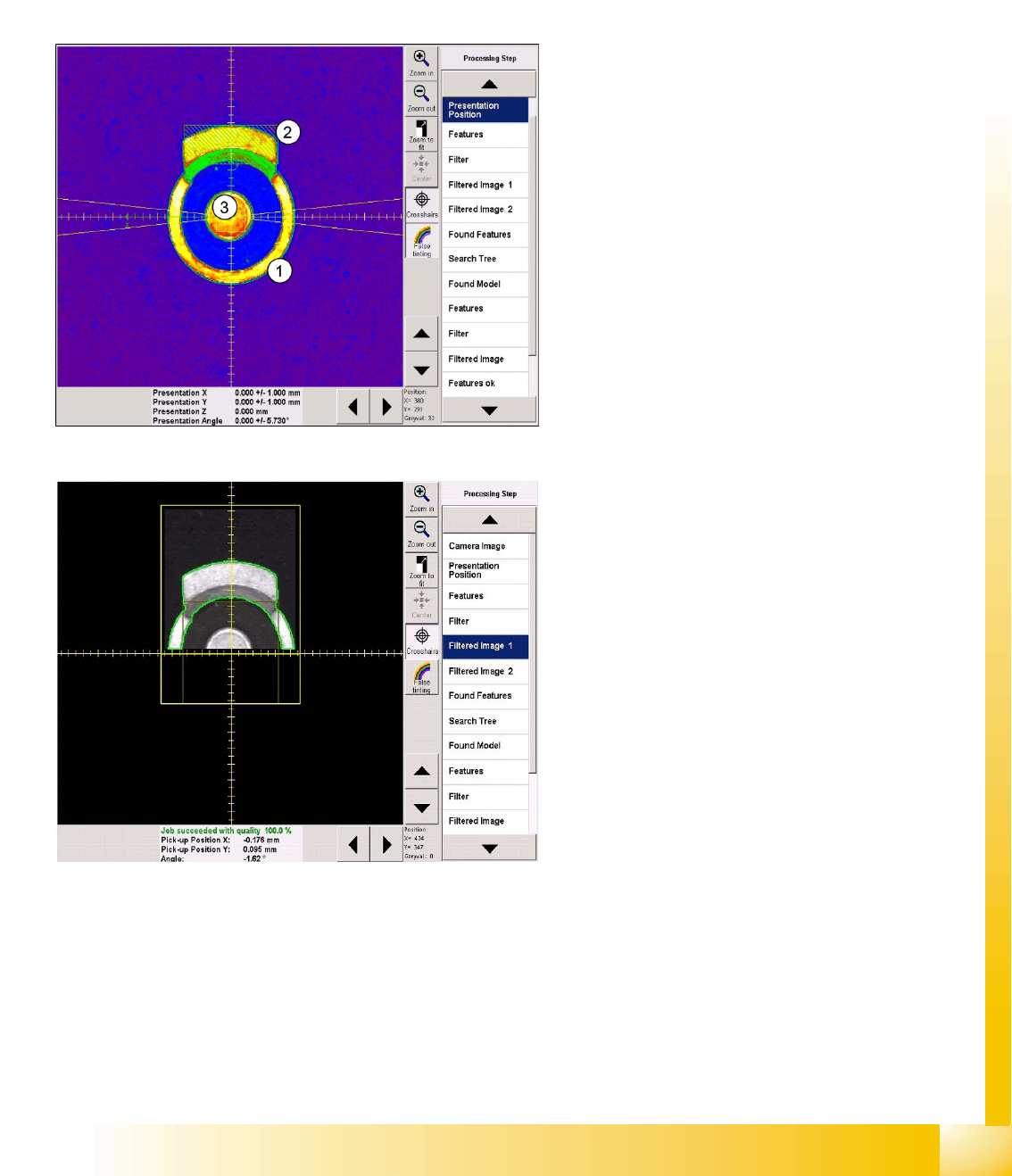
The Nonstandard centering procedure determines the CO center position from the recognition steps
required for the individual lead. This involves both coarse and fine measurement. Component inspection
can also be enabled or disabled, as required.
Recognition step Presentation position
This CS is programmed as a vertical cylinder (1).
The diameter is the outer diameter of the ring
(indicated by the green dotted line).
The first lead group is the metal flag pointing
upwards (2), programmed as a Blob.
The second lead group is the circular central lead
(3), programmed as a Ballcircle.
As usual, the presentation position (white dotted
cross), CO X/Y coordinates (green arrows) and
the permitted angle tolerance are entered here but
will not all be visible in the printout.
Recognition step Filter 1
The lead type Blob is a rectangle with dimensions
of 2.5 x 6.3 mm. This defines the lead center,
which is taken as the basis for the Blob lead (bright
shape) search region and forms the focus of this
shape.
The search region for the second lead group is
marked as a dark square in the evaluation image
for the first group.