JAKA Zu se使用手册 - 英文版.pdf - 第12页
12 JAK A Zu Se Figure 9. F orce Display Interfac e of the APP
JAKA Zu Se 11
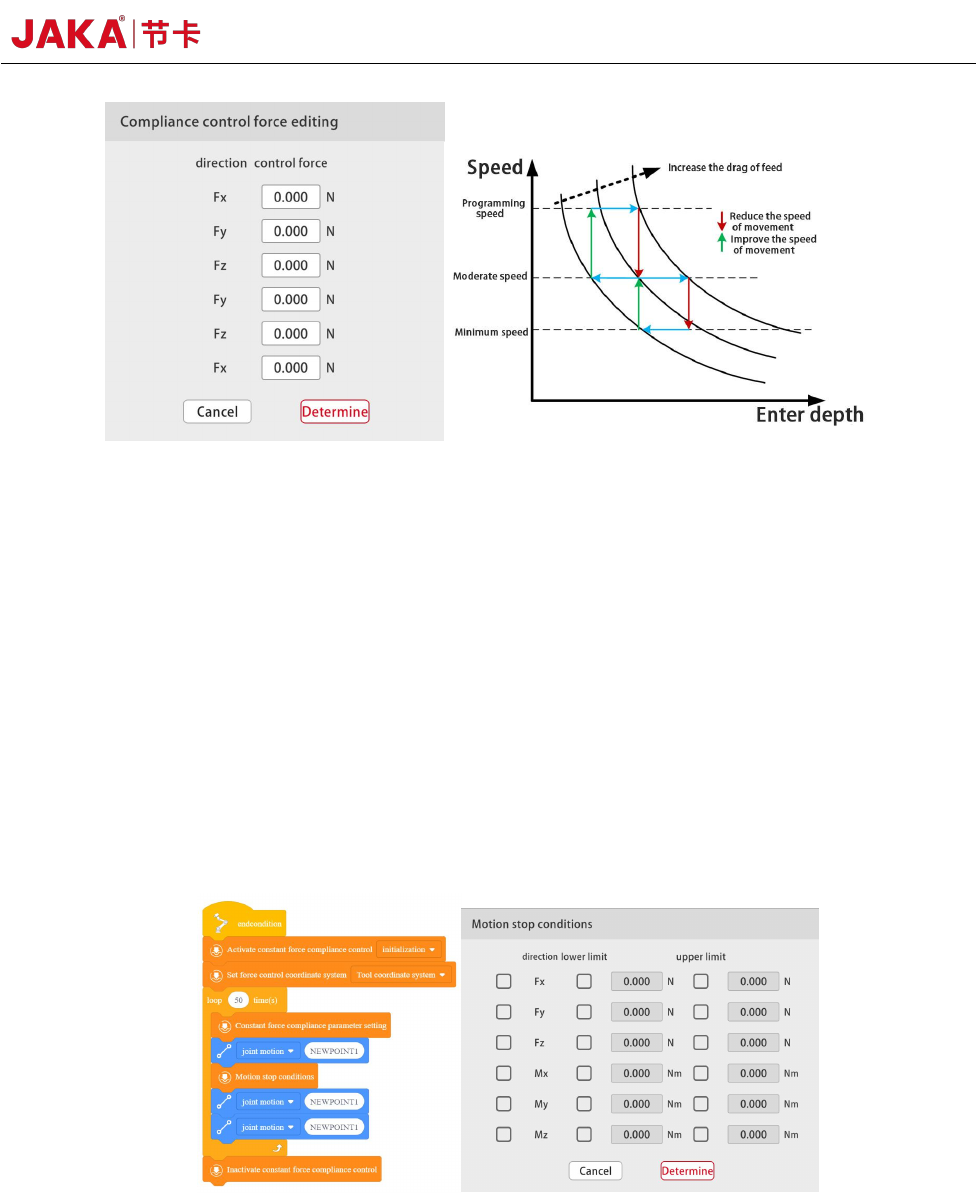
Figure 7. JAKA Zu se speed mode programming
f. Motion Termination Condition
On the Motion Termination Condition Setting interface, select the direction to be monitored and
set the upper limit or lower limit; When the contact force value is less than the lower limit value or
greater than the upper limit value, the motion termination condition will be triggered. [Motion
Termination Condition] Monitor the next motion instruction next to each other. If the motion
termination condition is triggered, the robot will immediately move from its current position to the
end of the next motion directed. It is important to note that all parameters shall be set to 0 in
[Constant Force Compliance Parameter Setting] without any direction being selected.
Figure 8. JAKA Zu Se Motion Termination Programming
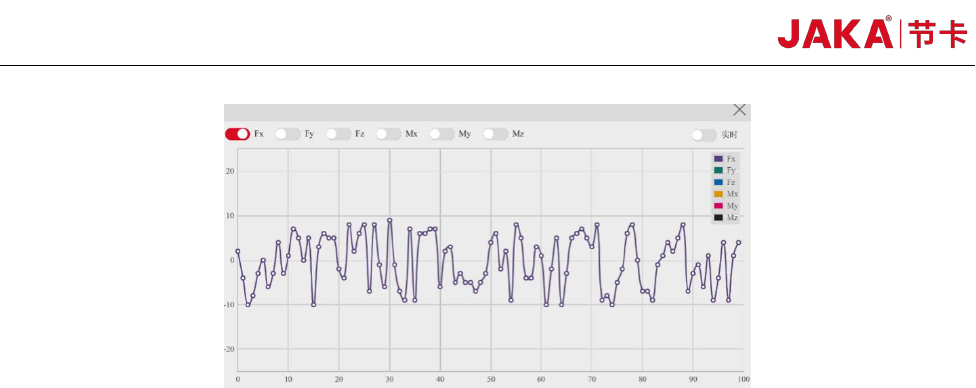
G. Real-time display of external forces
Select [View] on the manual interface to display the contact external force value in real time. It is
important to note that in manual mode, it is required to display the contact force value in force
control [Free-drive] mode.
12 JAKA Zu Se
Figure 9. Force Display Interface of the APP

JAKA Zu Se 13
Chapter 5 JAKA Zu Se Precautions for Use
a. The integrated force sensor is a precision instrument. Please be sure to use the product within
the specification range specified in the manual. In particular, the working condition with the load
greater than the rated load may cause a product failure. Please ensure that all directions of the force
sensor are within the load range;
b. Ensure that the load setting in the robot sensor side is accurate;
c. Ensure that the X+ direction of the sensor is consistent with the X+ direction of the robot
flange; Or set the tool coordinate system to ensure the same direction;
d. Before entering force control, there shall be no contact force between the robot side and the
external environment.