2OM-1751-003w_G5S.pdf - 第154页
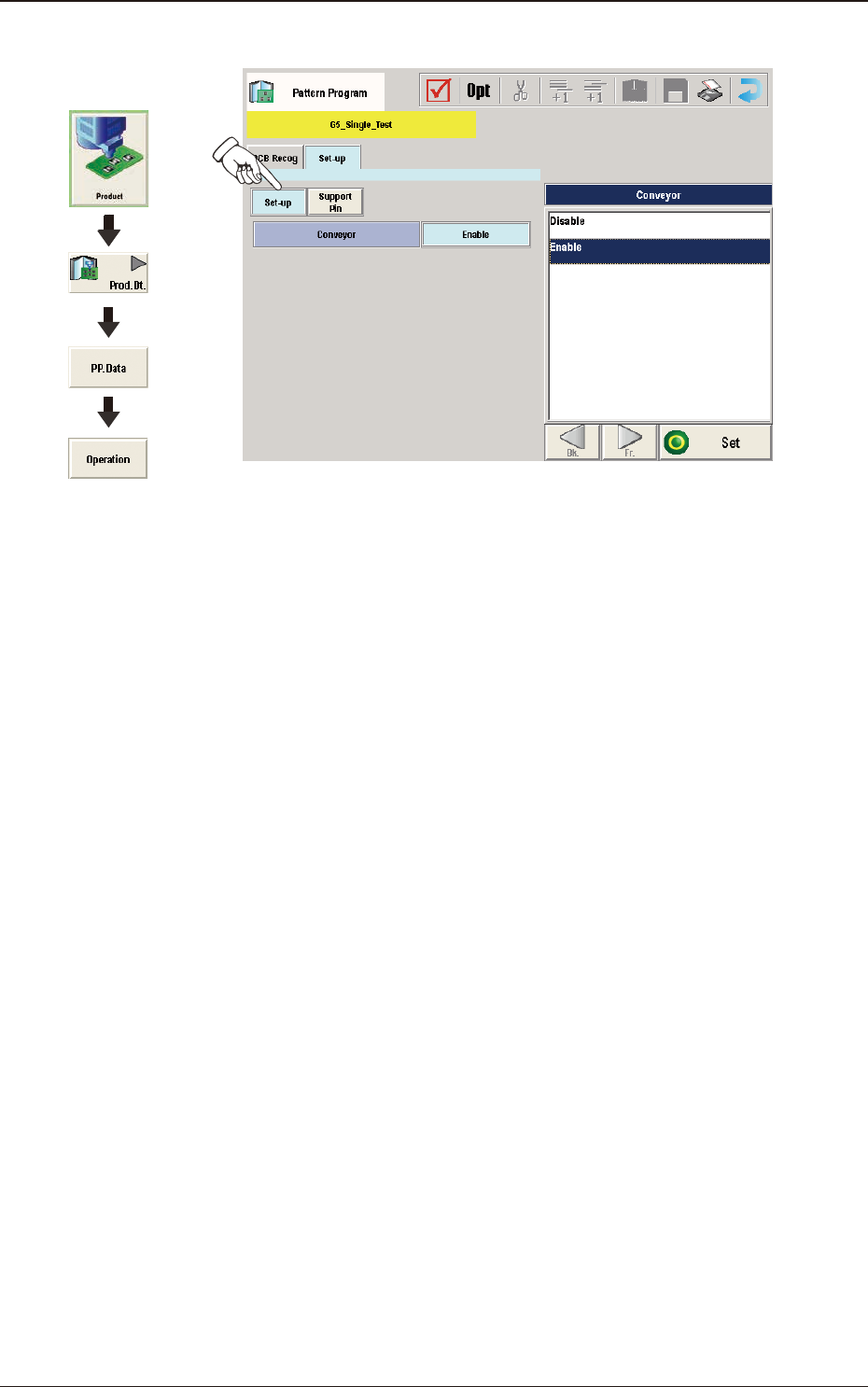
2OM-1751 2-32 1303-001 (C04) Set-up Data F2B24 (C04_01) Conveyor Using these buttons, whether or not the conveyor width is setup in the pattern program change operation, is set. Graphic Development 3.3 Operation

2OM-1751
2-311303-001
(C03_01)
PEC recognition Set
Common
: When selected, the PEC recognition is performed with
the common setting to the both lines.
Individual
: When selected, the PEC recognition is performed with
different setting for each machine.
(C03_02)
Beam
It can be determined which beam should be used for the global and image
PEC recognition operations.
Beam 1
: Select this when only Beam 1 should be used for PEC
recognition operations.
Beam 2
: Select this when only Beam 2 should be used for PEC
recognition operations.
Automatic (1 or 2)
: The machine determines which beam (Beam 1 or 2)
is more suitable for PEC recognition operations and
selects the better one.
Both Beam
: Select this when both beams (Beams 1 and 2) should
be used for PEC recognition operations.
Note
As for the local PEC recognition, the PEC recognition operations are
performed with the beam by which components are placed regardless of
this designation of the PEC recognition beams.
(C03_03)
Sequence
Set one of the following options to specify the timing of PEC recognition
implementation. It is recommended that "After Pick-up" should be set in
normal cases.
Note
The components must meet the following requirements.
When "After Pick-up" is selected, a component is picked up and the
component recognition is performed on the component while the PCB is
being transferred to the PCB positioning section.
Since the component is already picked up, it can be placed soon after the
PEC recognition operation is performed, shortening the time to nish a
PCB.
After Pick-up
: The PEC recognition operation is performed after a
component is picked up.
Before Pick-up
: The PEC recognition operation is performed before a
component is picked up.
This parameter should be selected when the PEC
recognition operation cannot be performed with a
component being picked up.
3.3 Operation
2OM-1751
2-321303-001
(C04) Set-up Data
F2B24
(C04_01)
Conveyor
Using these buttons, whether or not the conveyor width is setup in the pattern
program change operation, is set.
Graphic
Development
3.3 Operation
2OM-1751
2-331303-001
(C05) Support Pin Data
F2B25
(C05_01)
Support Pin
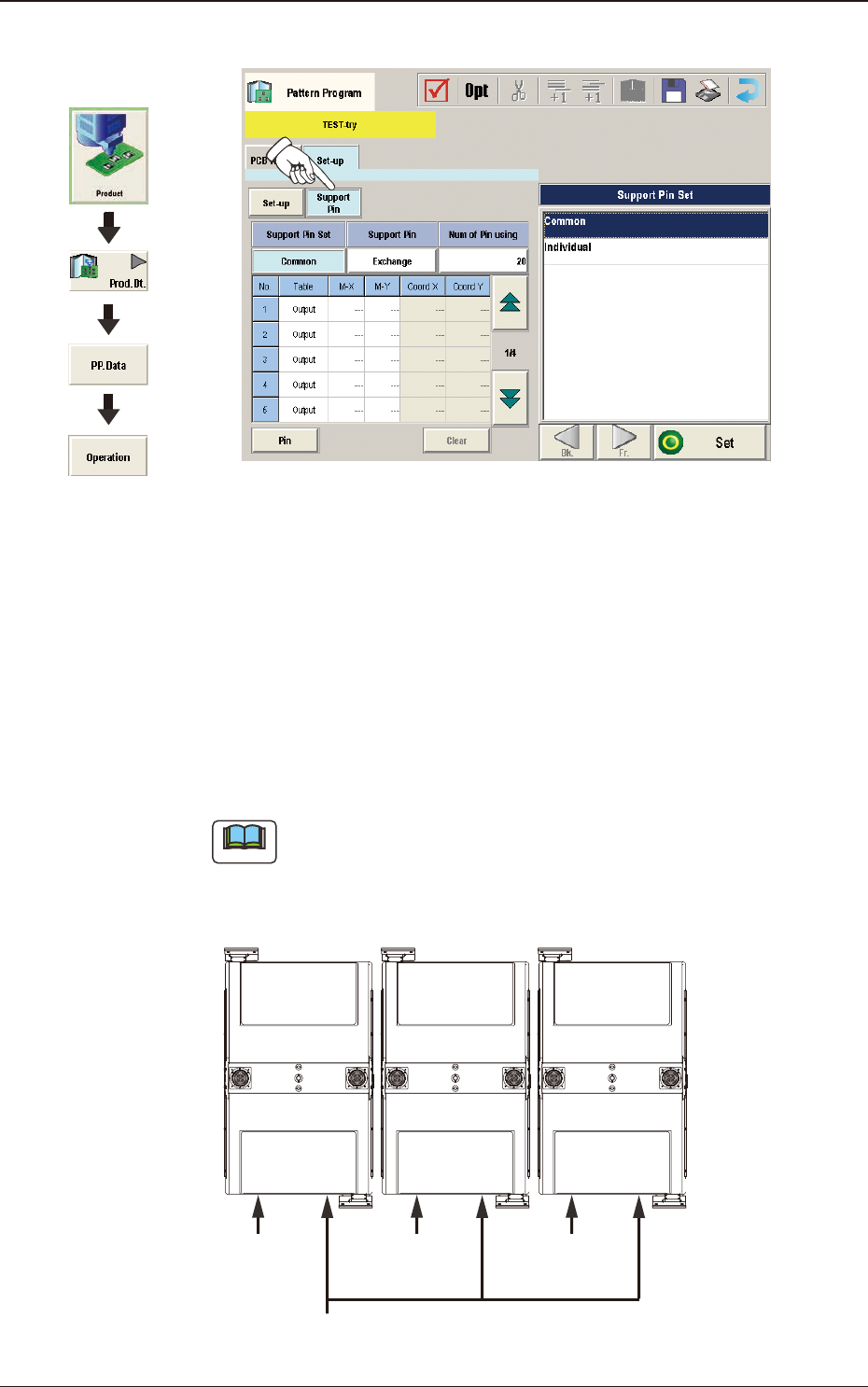
Using the selection buttons, select "Common" or "Individual" to set.
Common
When selected, it is set as the line common data.
Individual
When selected, it is set as the machine individual data.
Note
When the line consists of two or more machines and the line common data
is set up, the data is shared by all the machines (SIGMA-G5) in the line.
However, when the machine individual data is set up, each machine has its
own individual data to be set.
Line Common Data
Machine Individual
Data
Machine Individual
Data
Machine Individual
Data
F2B26
Graphic
Development
3.3 Operation