2OM-1751-003w_G5S.pdf - 第298页
2OM-1751 6-26 1303-001 6.2 "Line" T ab Sheet This tab sheet enables the operator to transfer a PCB between two or more machines. [1] F2F30 [1] Conveyor Image Display Section Each block of the conveyor of which …
2OM-1751
6-251303-001
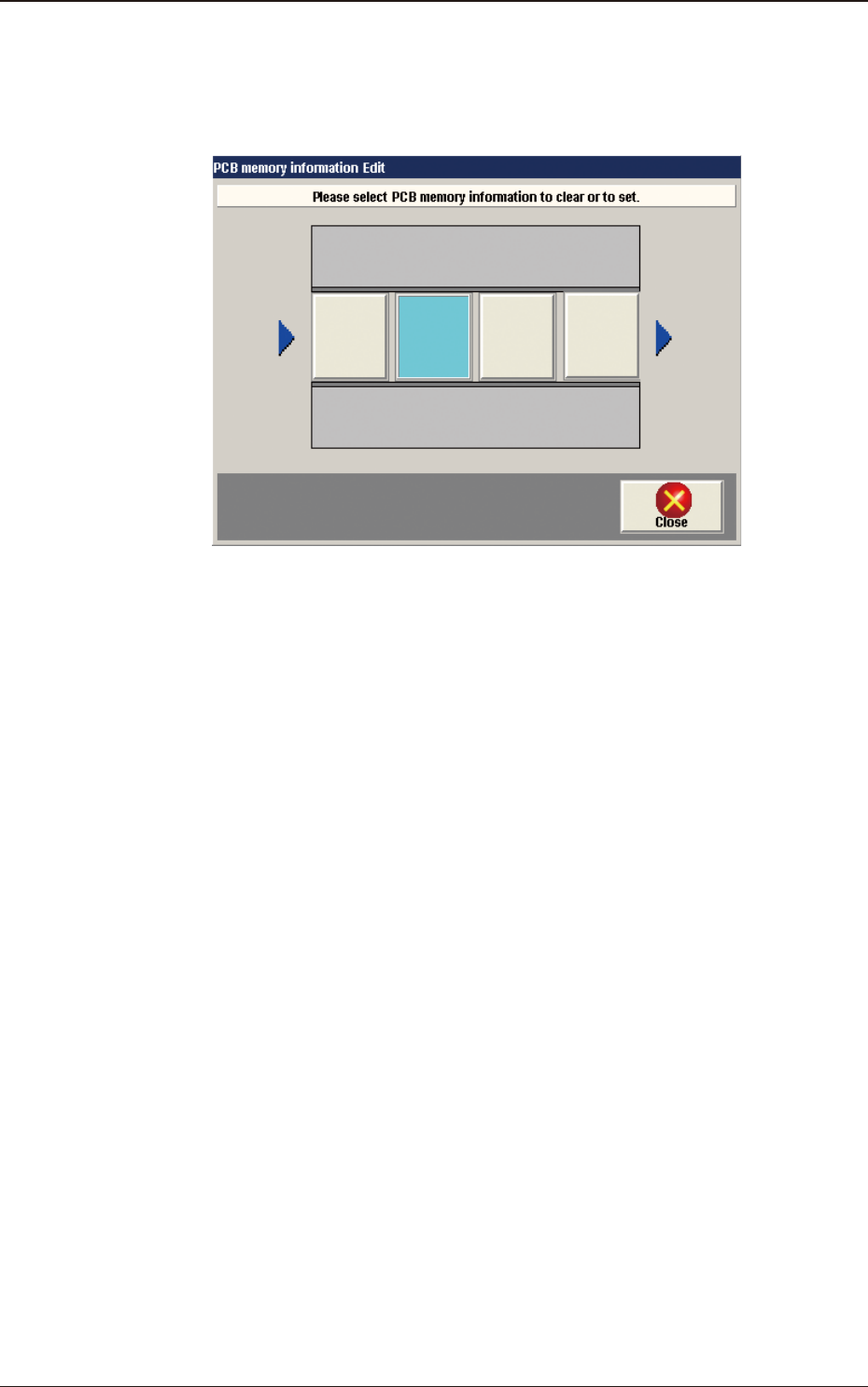
[5] [PCB Mem. Info.] Button
In the case that PCB presence/absence does not agree with the memory due
to the removal of the PCB, the PCB presence/absence data can be setup
using the window operation.
F2F29
Light Blue
: PCB Presence Status
Gray
: PCB Absence Status
6.1 "Local" Tab Sheet
2OM-1751
6-261303-001
6.2 "Line" Tab Sheet
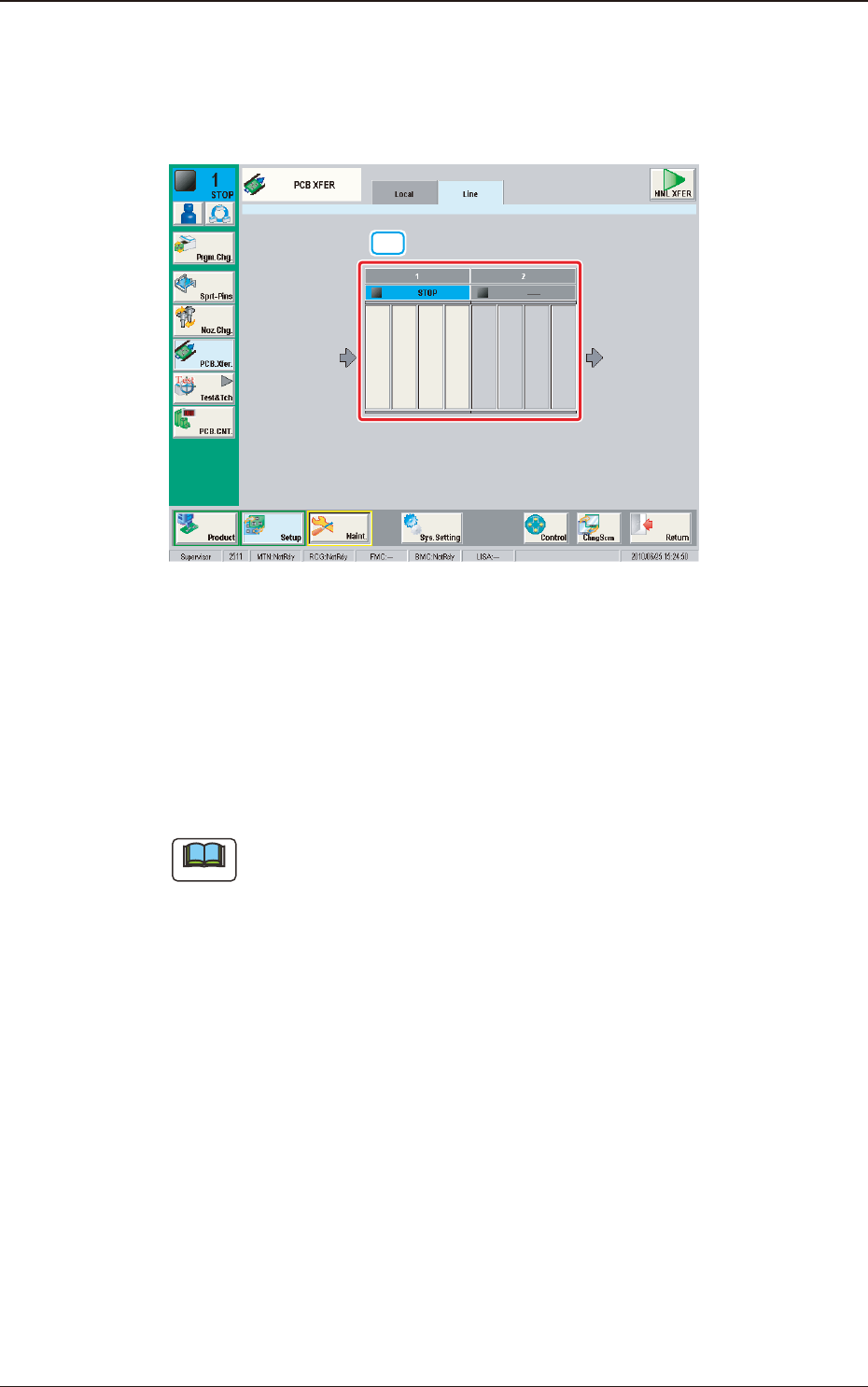
This tab sheet enables the operator to transfer a PCB between two or more
machines.
[1]
F2F30
[1] Conveyor Image Display Section
Each block of the conveyor of which an image is displayed, functions as a
button.
When the conveyor block button is pressed and within 10 seconds, the
[START] button on the operation panel is pressed, the PCB is transferred to
the position.
Note
(a) This button is displayed when two or more machines are installed in the
line.
(b) Up to 16 conveyor blocks are displayed.
6.2 "Line" Tab Sheet
2OM-1751
6-271303-001
6.3 "MNL XFER" Window
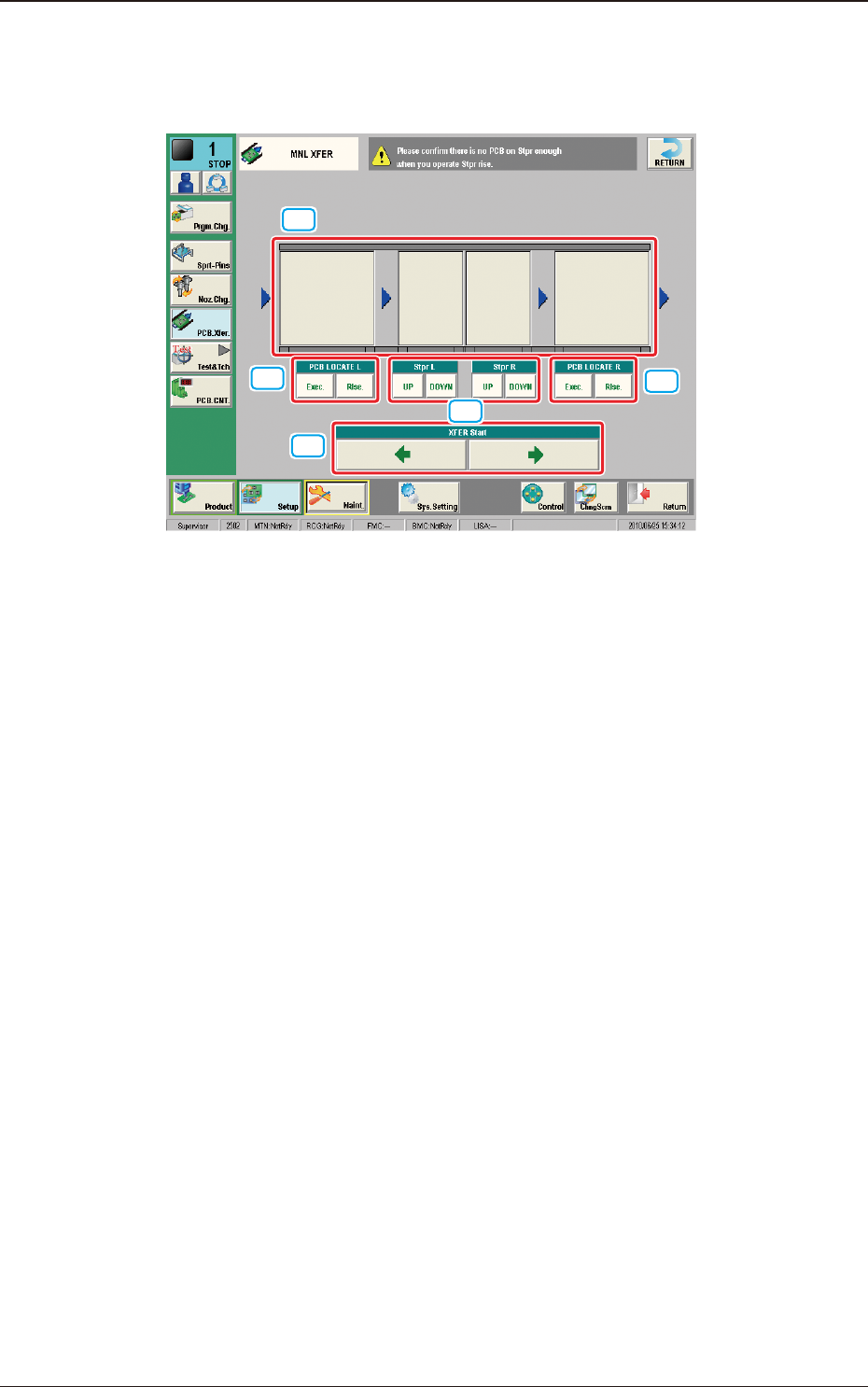
This "MNL XFER" window enables the operator to transfer a PCB manually.
[2]
[2]
[4]
[3]
[1]
F2F31
[1] Conveyor Image Display Section
Each block of the conveyor, of which an image is displayed, functions as a
button.
When the conveyor block button is pressed and within 10 seconds, the
[START] button on the operation panel is pressed, the PCB is transferred to
the position.
[2] PCB LOCATE L and PCB LOCATE R
Using these buttons, PCB positioning is performed.
When the [Exec.] button is pressed and within 10 seconds the [START]
button is pressed on the operation panel, the PCB is positioned while the
[START] button is being held down.
When the [Rlse.] button is pressed and within 10 seconds the [START]
button is pressed on the operation panel, the PCB positioning is released
while the [START] button is being held down.
[3] [Stpr L] and [Stpr R]
Using these selection buttons, the stopper positioning is performed.
When the [UP] button is pressed and within 10 seconds the [START] button
is pressed on the operation panel, the selected backup base (stopper) is
moved up while the [START] button is being held down.
When the [DOWN] button is pressed and within 10 seconds the [START]
button is pressed on the operation panel, the selected backup base (stopper)
is moved down while the [START] button is being held down.
6.3 "MNL XFER" Window