2OM-1751-003w_G5S.pdf - 第266页
2OM-1751 5-10 1303-001 6.2 "RECOG IMAGE" Conrmation Window When the recognized image displayed in the "RECOG IMAGE" window, is selected, the following window appears. [1] [2] [3] [4] [5] [2] For Comp…

2OM-1751
5-91303-001
[5] [Delete] Button
When this button is pressed, the recognized image is deleted.
When the No. for the recognized image to be deleted is selected and the
[Delete] button is pressed, the deletion conrmation window appears.
F2E9
[6] [OK] Button
When this button is pressed, the "RECOG IMAGE" window is returned and
the recognized image with the selected No. is displayed.
[7] [CANCEL] Button
When this button is pressed, the "RECOG IMAGE" window is returned.
6.1 Recog Image List
2OM-1751
5-101303-001
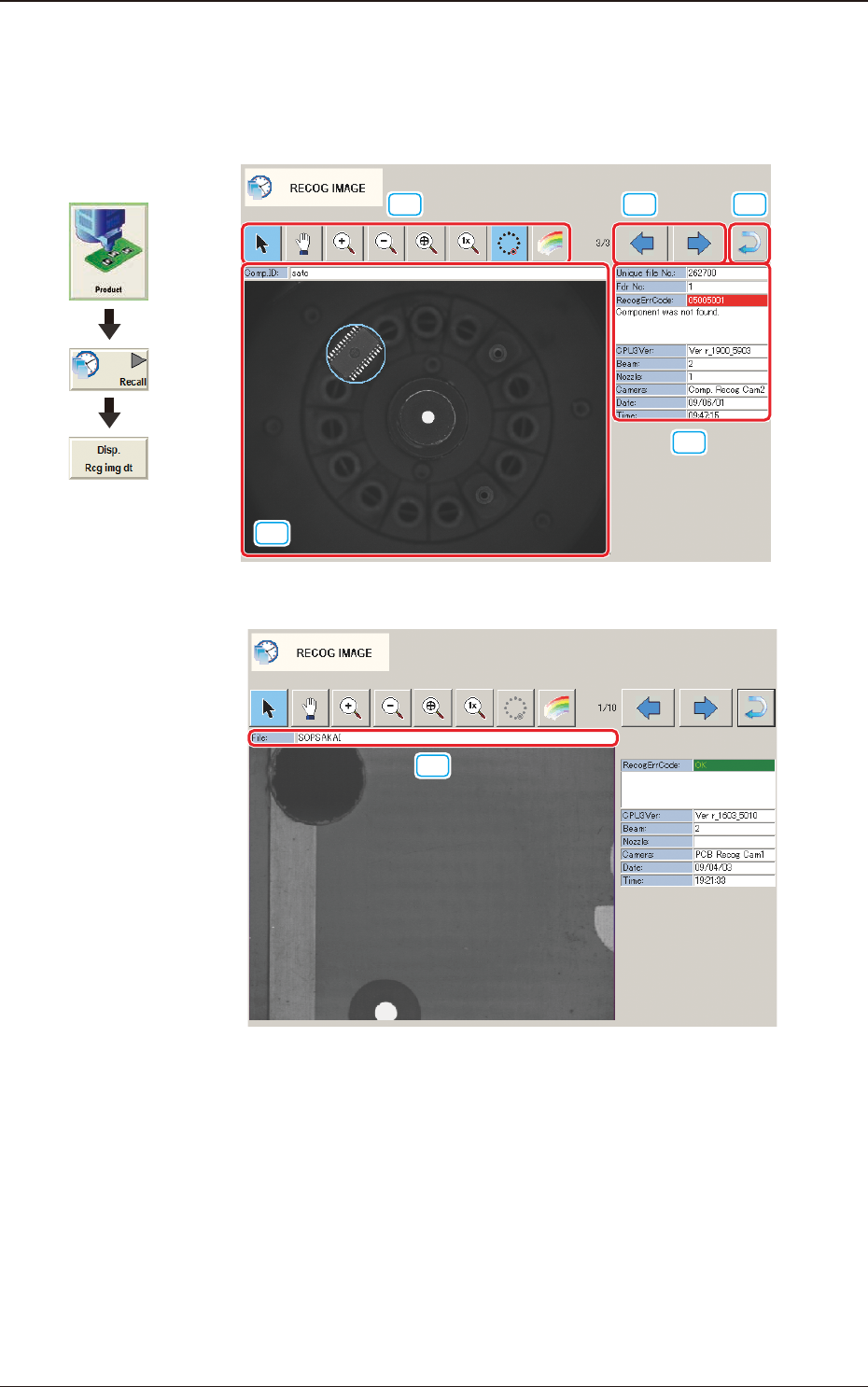
6.2 "RECOG IMAGE" Conrmation Window
When the recognized image displayed in the "RECOG IMAGE" window, is
selected, the following window appears.
[1]
[2]
[3] [4]
[5]
[2]
For Component Recognition F2E10
[6]
[6]
For PEC Recognition F2E11
Graphic
Development
6.2 "RECOG IMAGE" Conrmation Window
2OM-1751
5-11
[6]
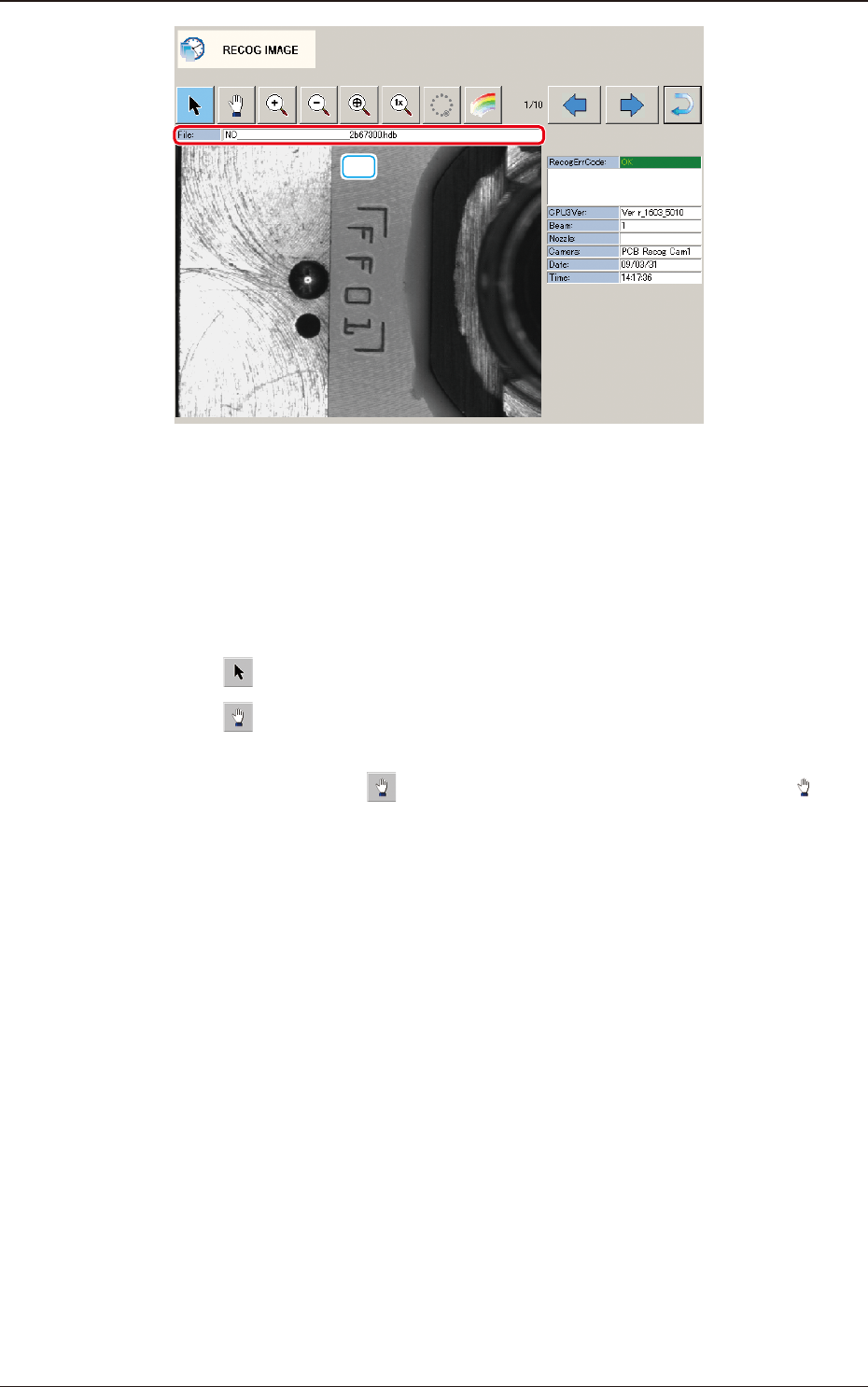
For Nozzle ID Recognition F2E12
[1] Displayed Image Operation Button
Using the following buttons, the mode is changed to perform the enlargement
or movement operation of the image displayed in the Recognized Image
Display Area [2].
[
] Button
: Normal Operation Mode
[
] Button
: Image Movement Mode
After changing to the image movement mode using the
[
] button (the shape of the pointer is changed to
mark), drag the image to be moved (with the left button on
the mouse pressed) to move.
1303-001
6.2 "RECOG IMAGE" Conrmation Window