5OM-1064-001.pdf - 第23页
Section 3 Convenient Function 9910-001 3-1 Tg0250-PM-MD

0005-001 2-4 Tg0250-PM-MD

Section 3
Convenient Function
9910-001 3-1 Tg0250-PM-MD
1. One-Touch Jump Function (Jump to Substitute
AUTO OPN. MODE <PLACEMENT> Display)
• This function enables the operator to shift quickly to the substitute “AUTO
OPN. MODE <PLACEMENT>” display from another display by pressing
the [RTN] key (one-touch operation).
• When a display other than the “AUTO OPN. MODE <PLACEMENT>”
display is on the screen during automatic operation and the machine stops in
an error condition, the operator must find the “AUTO OPN. MODE <PLACE-
MENT>” display and open it to re-start the operation.
This is regulated in the touch-screen operation system for security reason.
However, if the operator follows this regulation, he/she has to go through
many hierarchical tree branches before reaching the “AUTO OPN. MODE
<PLACEMENT>” display, losing precious time before the machine can be
re-started. To avoid this, a substitute display of the “AUTO OPN. MODE
<PLACEMENT>” display is provided to give a series of operations such as
machine re-start instructions and operation, quick shift to the original dis-
play, etc.
Operation Procedure
(1) When the machine is in the “PAUSE” mode and a display other than the
“MAIN MENU” or “AUTO OPN. MODE <PLACEMENT>” display is
on the screen, hold down the [RTN] key for about 1.5 seconds.
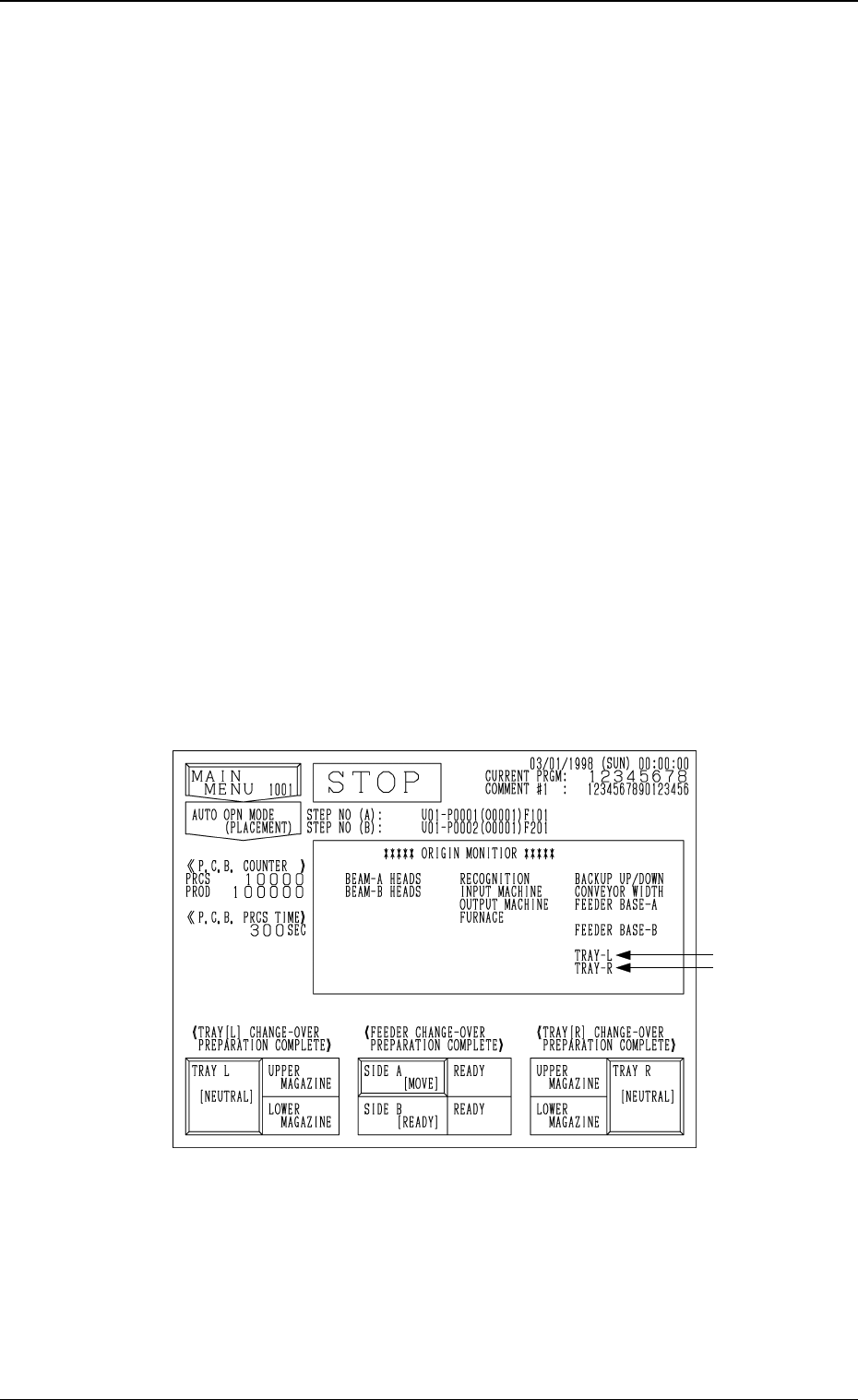
The following substitute display appears on the screen.
Note: The ♦-marked items are optional.
Fig. 3.1
(2) Remove the cause of the error and press the [START] button.
(3) Press the [RTN] key.
The original display (the display before the substitute one was opened)
resumes.
1. One-Touch Jump Function (Jump to Substitute “AUTO OPN. MODE <PLACEMENT>” Display)
9910-001 3-2 Tg0250-PM-MD
♦
♦