00193687-03.pdf - 第124页
5 Deinstallation Installations- und Konfigurationsanleitung SIPLACE Explorer 5.2 Modify Ausgabe 02/2005 DE 124 → Wählen S ie die Komponen ten aus, welche Sie deinstallieren wollen. Dazu deaktivieren Sie das entspr echend…
Installations- und Konfigurationsanleitung SIPLACE Explorer 5 Deinstallation
Ausgabe 02/2005 DE 5.2 Modify
123
5.2 Modify
5
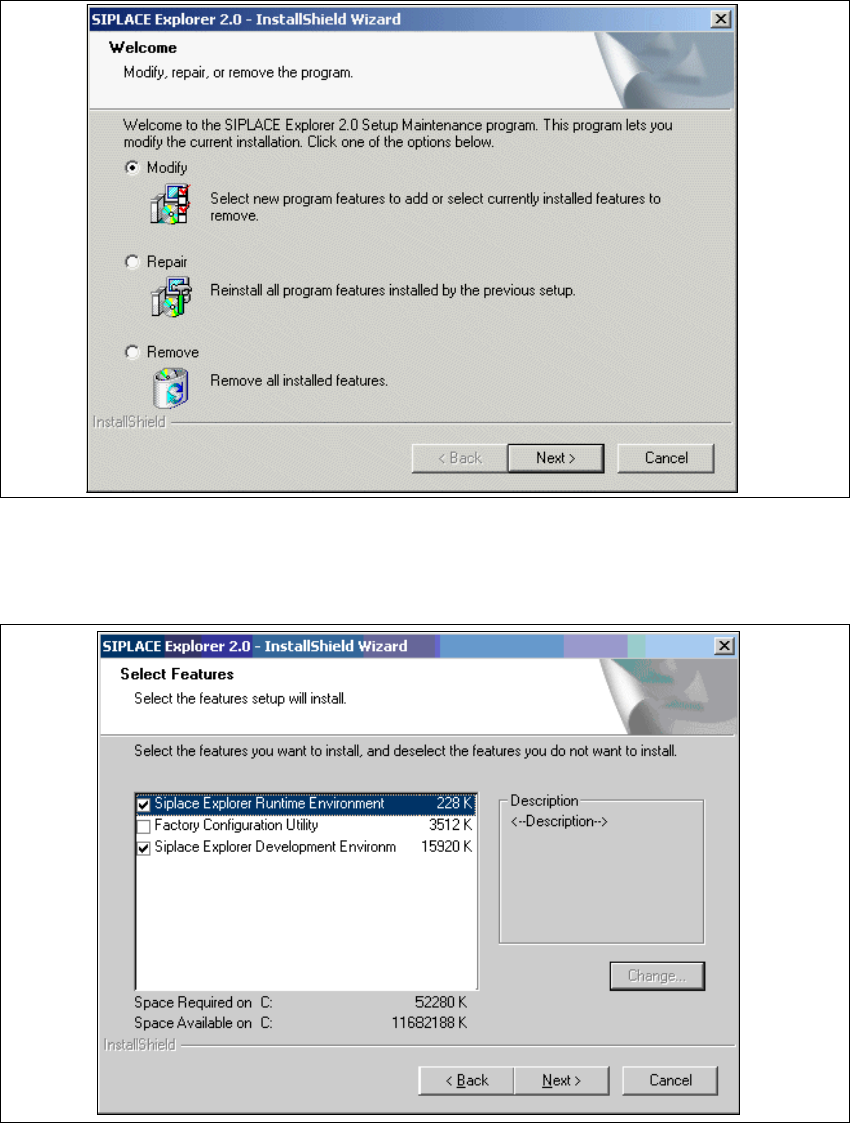
Abb. 5 - 2 SIPLACE Explorer 2.0 - Installshield-Assistent
→ Klicken Sie Modify (Verändern) an und klicken Sie auf Next (Weiter).
→ Das Dialogfenster Select Features (Installationsoptionen auswählen) wird angezeigt.
5
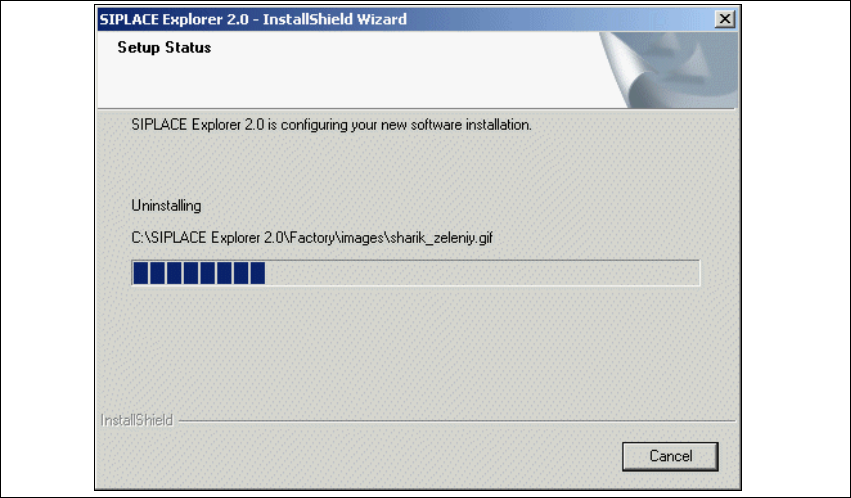
Abb. 5 - 3 SIPLACE Explorer 2.0 - Installshield-Assistent
5 Deinstallation Installations- und Konfigurationsanleitung SIPLACE Explorer
5.2 Modify Ausgabe 02/2005 DE
124
→ Wählen Sie die Komponenten aus, welche Sie deinstallieren wollen. Dazu deaktivieren Sie das
entsprechende Ankreuzfeld neben der Komponente. Zur Installation der entsprechenden
Komponente muss das Ankreuzfeld aktiviert sein.
→ Haben Sie die entsprechenden Installationsoptionen ausgewählt, klicken Sie die Schaltfläche
Next (Weiter) an.
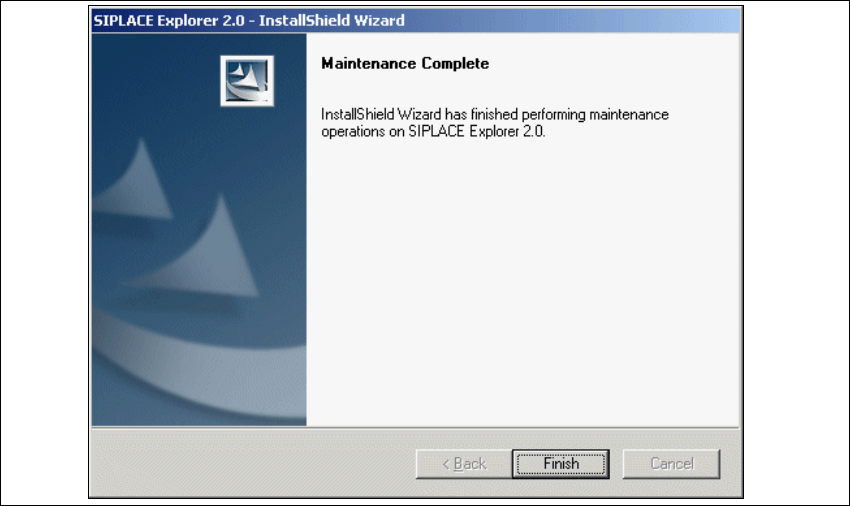
→ Der Deinstallations-/Installationsvorgang wird durchgeführt. In dem Dialogfenster Setup
Status, sehen Sie welche Komponenten deinstalliert bzw. installiert werden.
5
Abb. 5 - 4 SIPLACE Explorer 2.0 - Installshield-Assistent
→ Die Deinstallations-/Installation des SIPLACE Explorer 2.0 ist komplett.
Installations- und Konfigurationsanleitung SIPLACE Explorer 5 Deinstallation
Ausgabe 02/2005 DE 5.2 Modify
125
5
Abb. 5 - 5 Modify komplett
→ Klicken Sie Finish (Beenden). Der SIPLACE Explorer 2.0 - Installshield-Assistent wird
geschlossen.