00193687-03.pdf - 第56页
3 Installation des SIPLACE Explorer Installati ons- und Konfigurationsanleitung SIPLACE Explor er 3.6 Konfiguration von Tomcat Ausgabe 02/2005 DE 56 3 Abb. 3 - 43 Windows Firewall - Exeptions → Bet ätigen Sie die Schaltf…
Installations- und Konfigurationsanleitung SIPLACE Explorer 3 Installation des SIPLACE Explorer
Ausgabe 02/2005 DE 3.6 Konfiguration von Tomcat
55
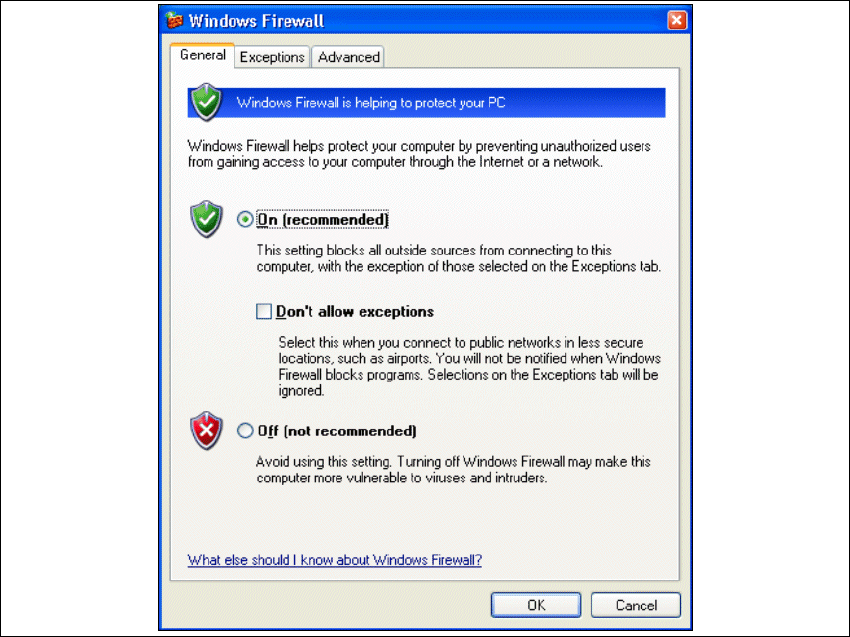
→ Das Dialogfenster Windows Firewall öffnet sich:
3
Abb. 3 - 42 Windows Firewall
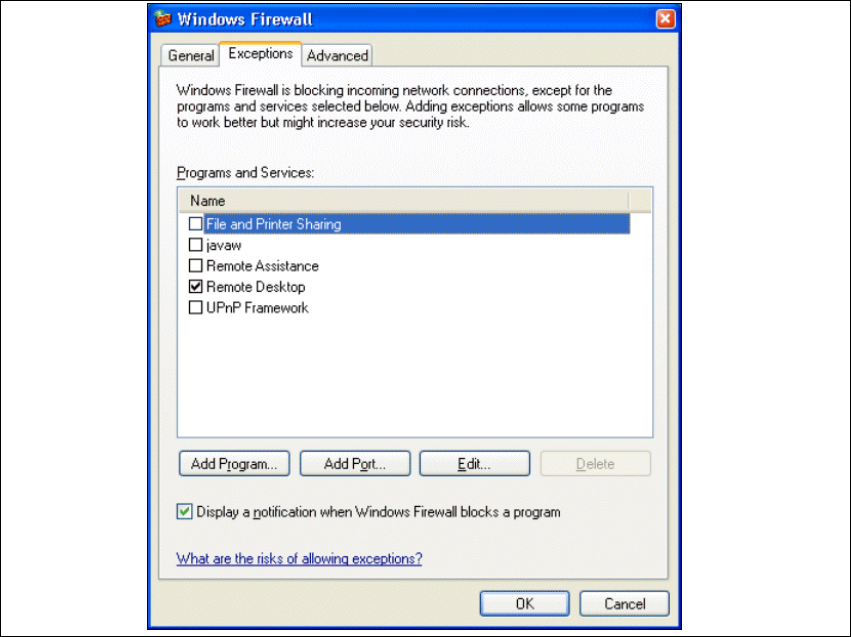
→ Wählen Sie das Register Exeptions aus.
3 Installation des SIPLACE Explorer Installations- und Konfigurationsanleitung SIPLACE Explorer
3.6 Konfiguration von Tomcat Ausgabe 02/2005 DE
56
3
Abb. 3 - 43 Windows Firewall - Exeptions
→ Betätigen Sie die Schaltfläche Add Program.
Installations- und Konfigurationsanleitung SIPLACE Explorer 3 Installation des SIPLACE Explorer
Ausgabe 02/2005 DE 3.6 Konfiguration von Tomcat
57
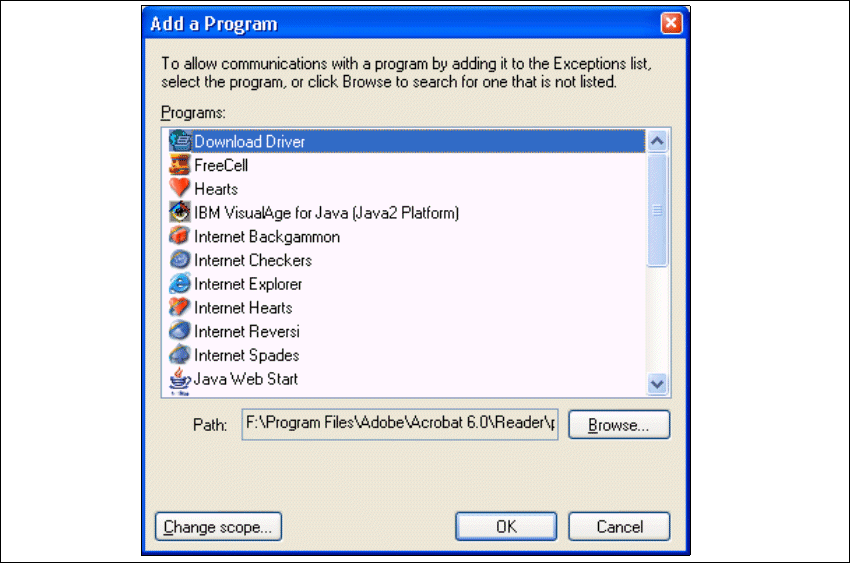
→ Das Dialogfenster Add a Program öffnet sich:
3
Abb. 3 - 44 Add a Programm
→ Geben Sie hier den Pfad an, in welchem sich die Tomcat.exe-Datei befindet. Dazu betätigen
Sie die Schaltfläche Browse.