00193687-03.pdf - 第34页
3 Installation des SIPLACE Explorer Installati ons- und Konfigurationsanleitung SIPLACE Explor er 3.3 Installationsvorgang SIPLACE Explorer 2.0 Ausgabe 02/2005 DE 34 3.3 Inst allationsvorgang SIPLACE Explorer 2.0 HINWEI …
Installations- und Konfigurationsanleitung SIPLACE Explorer 3 Installation des SIPLACE Explorer
Ausgabe 02/2005 DE 3.2 Installationsvorgang Java 2 SDK 1.4
33
→ Es werden alle ausgewählten Installationsoptionen nacheinander installiert.
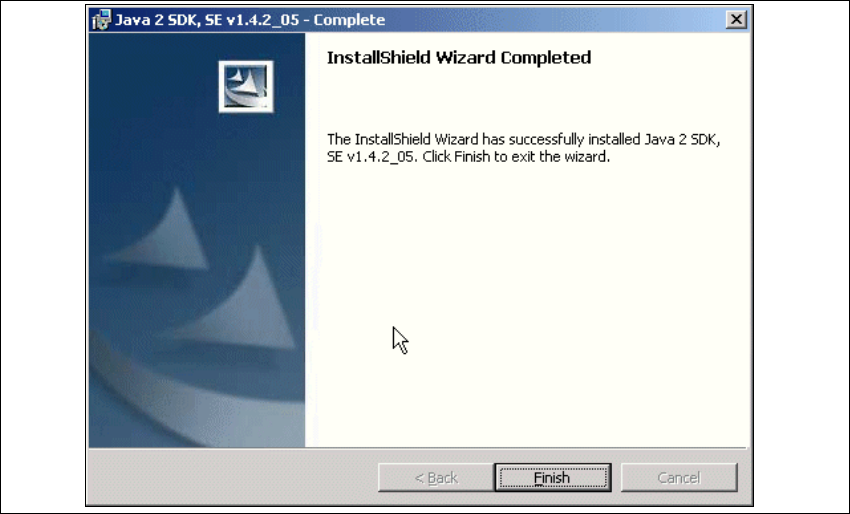
→ Wenn die Installation beendet ist, erscheint nachfolgendes Dialogfenster.
3
Abb. 3 - 12 Java 2 SDK Setup - Installation beendet
→ Klicken Sie auf Finish.
3 Installation des SIPLACE Explorer Installations- und Konfigurationsanleitung SIPLACE Explorer
3.3 Installationsvorgang SIPLACE Explorer 2.0 Ausgabe 02/2005 DE
34
3.3 Installationsvorgang SIPLACE Explorer 2.0
HINWEIS
Sie müssen über Windows 2000 Administrator-Rechte verfügen, um die Installation ausführen zu
können. 3
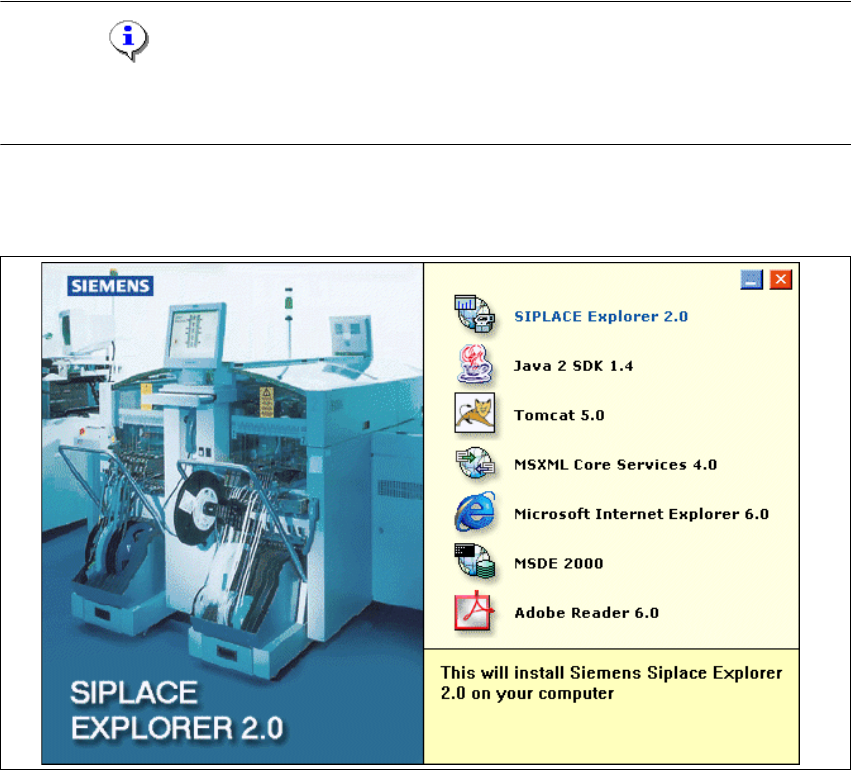
→ Legen Sie die SIPLACE Explorer CD in Ihr CD-Rom-Laufwerk ein. Es erscheint der Start
Screen.
3
Abb. 3 - 13 SIPLACE Explorer setup - Start Screen
→ Wählen Sie SIPLACE Explorer 2.0 aus.
Installations- und Konfigurationsanleitung SIPLACE Explorer 3 Installation des SIPLACE Explorer
Ausgabe 02/2005 DE 3.3 Installationsvorgang SIPLACE Explorer 2.0
35
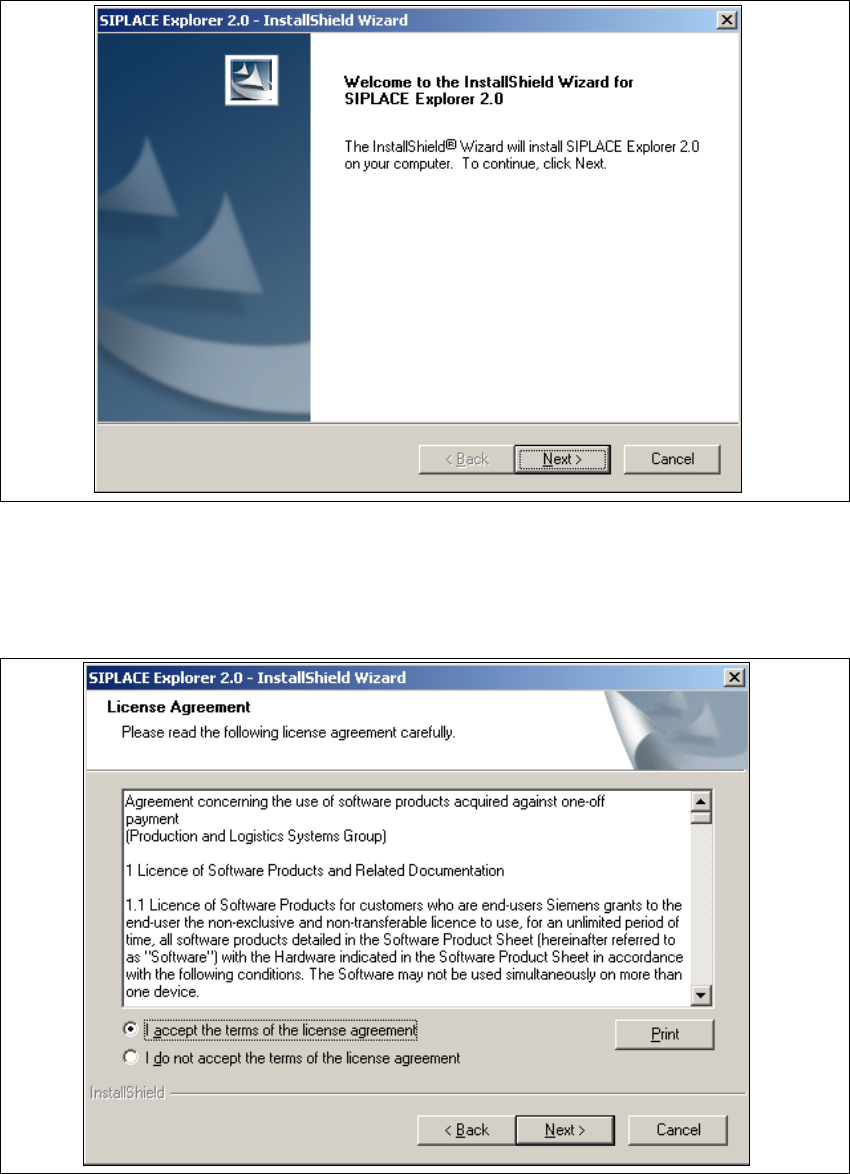
→ Die benutzergeführte Installation von SIPLACE Explorer wird gestartet.
3
Abb. 3 - 14 SIPLACE Explorer setup - Willkommen im SIPLACE Explorer
→ Beenden Sie alle anderen Programme und klicken Sie dann auf Next (Weiter).
→ Lesen Sie die Lizenzbestimmungen. Wenn Sie zustimmen, I accept ... anklicken, ansonsten I
do not accept .... Wenn Sie I do not accept ... anklicken, wird die Installation beendet.
3
Abb. 3 - 15 SIPLACE Explorer Setup - Lizenzvereinbarungen